English translation
DeepSeekMine Is Now DeepLocals: V3.1.2 Improves Local File Learning Speed
AI Field Note Decision Snapshot
Turn the test result into evidence quality, workflow, model/API, and buying-risk checks.
Use this snapshot to decide whether the field note supports a tool shortlist, a benchmark follow-up, an API comparison, or a security review before spending budget.
Evidence quality
Separate what was tested directly from what still needs vendor docs, benchmark data, pricing checks, or source verification.
Workflow transfer
Decide whether the field note applies to coding, search, research, support, content, document review, or internal automation.
Model and API implication
Map the result to model quality, latency, context window, multimodal fit, tool calling, or API reliability questions.
Buying risk
Check pricing, privacy, integration effort, data retention, security controls, and re-test triggers before turning evidence into spend.
Hi, I am Guozhen.
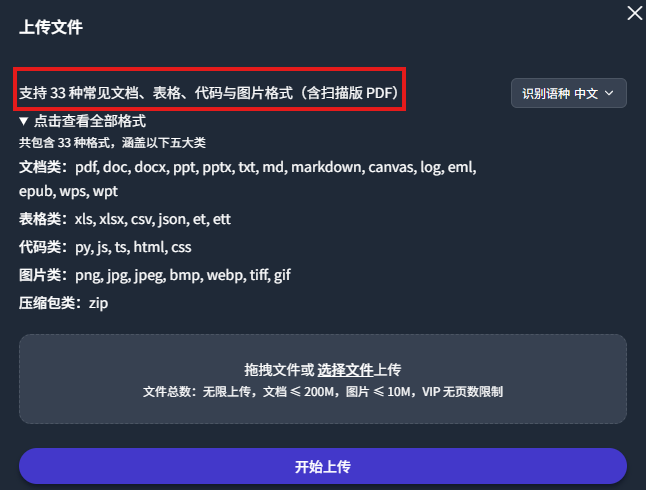
Today we released V3.1.2, continuing to improve file-learning speed. It can accurately learn 34 file formats on your computer, including PDF, Word, and Excel:
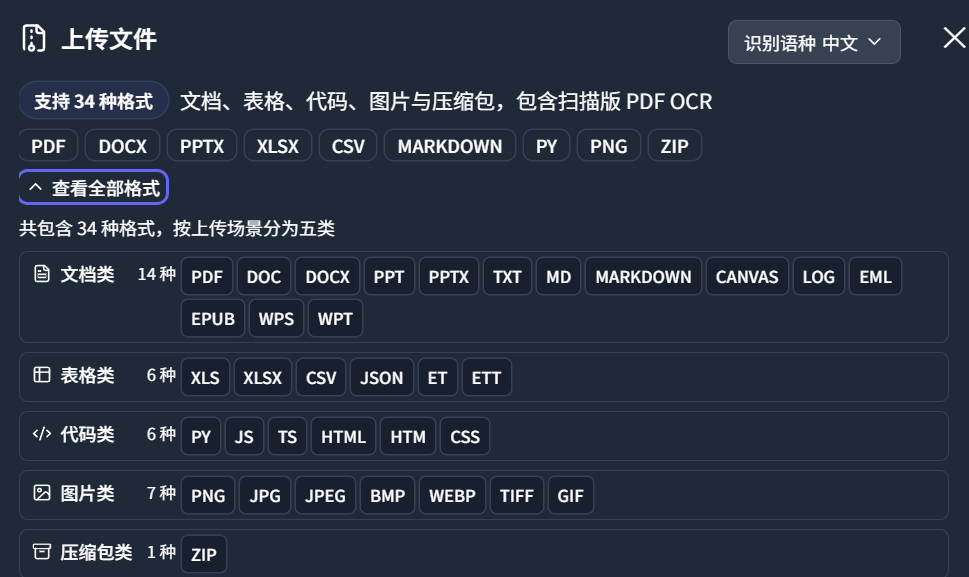
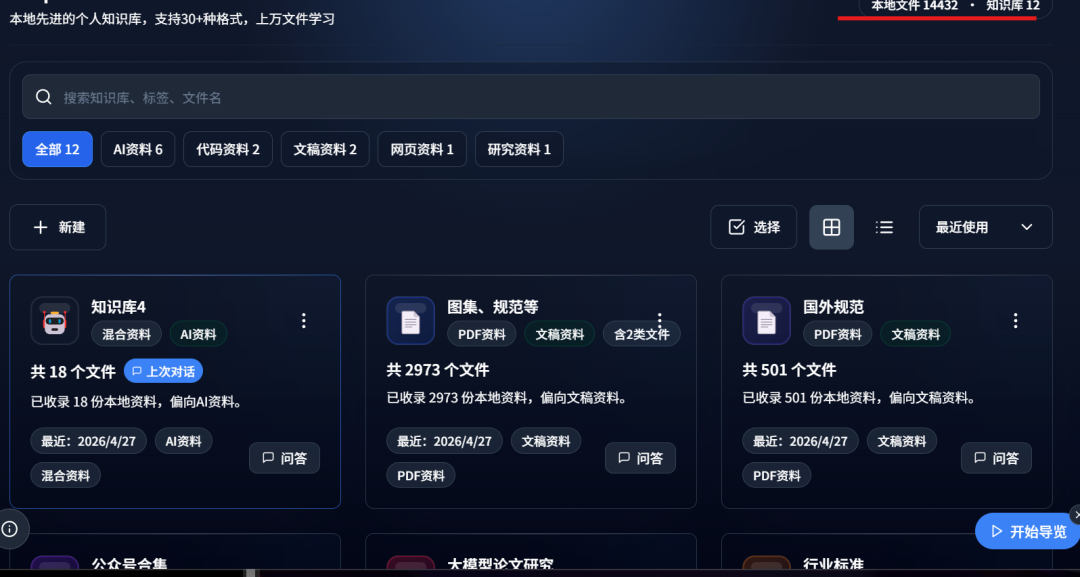
It supports learning thousands or tens of thousands of local computer files. Below, it has already learned 14,000 files from my computer:
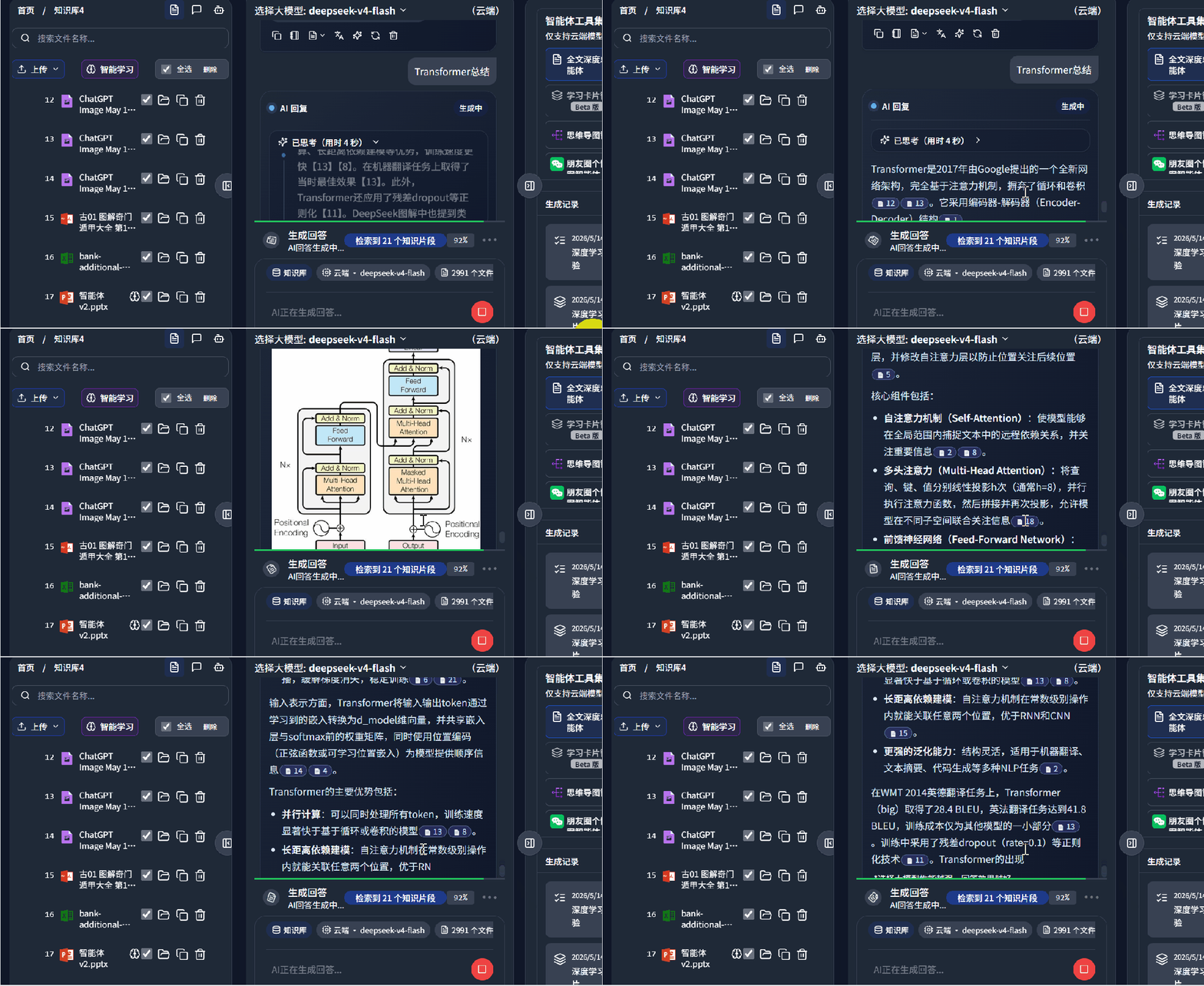
When answering questions, it can automatically search your computer files for answers. Even if your input is not very precise, semantic retrieval can find relevant content. The retrieved knowledge can then be sent to DeepSeek-V4 and summarized with text and images:
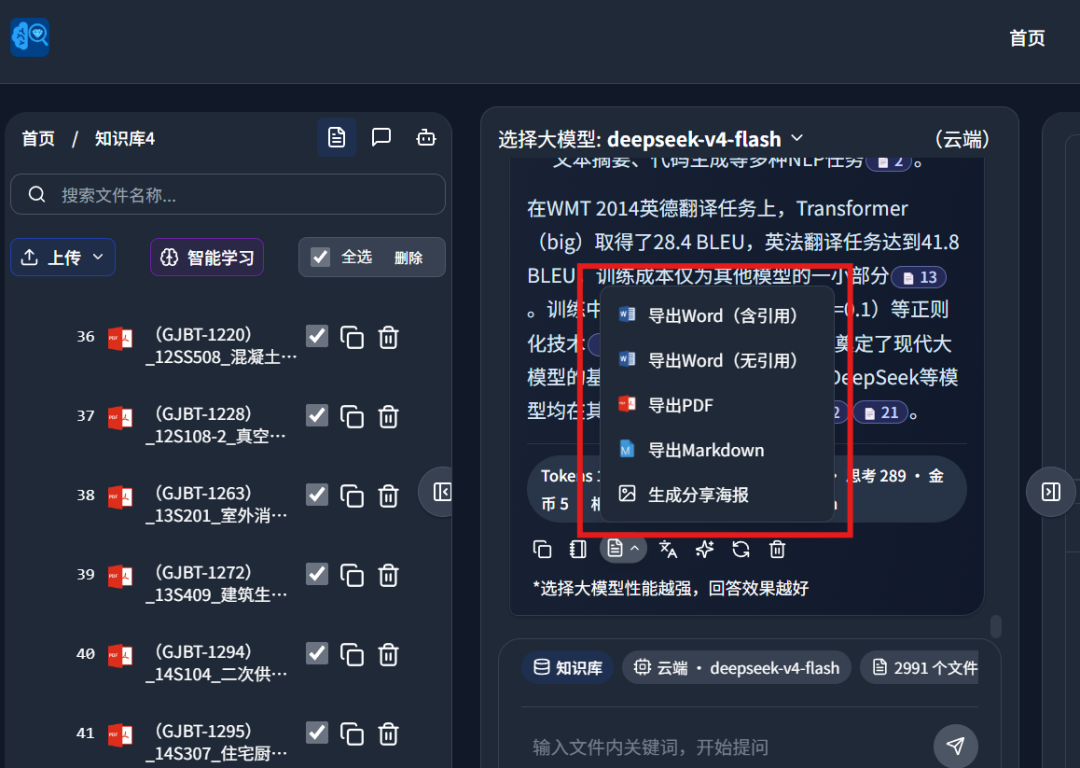
It can also summarize retrieved information into reports and export them as Word documents, PDFs, posters, mind maps, and other files on your desktop:
If you want an AI to learn hundreds or thousands of files on your computer, retrieve relevant knowledge for your questions, and export Word documents or mind maps, this update is worth looking at.
1. What DeepLocals can do
Today we officially renamed the software from DeepSeekMine to DeepLocals. This article summarizes the core features, recent upgrades, and how to get it.
DeepLocals has already helped users intelligently learn nearly 14 million pages of files. Users include doctors, lawyers, accountants, finance professionals, researchers, and people in many other industries.
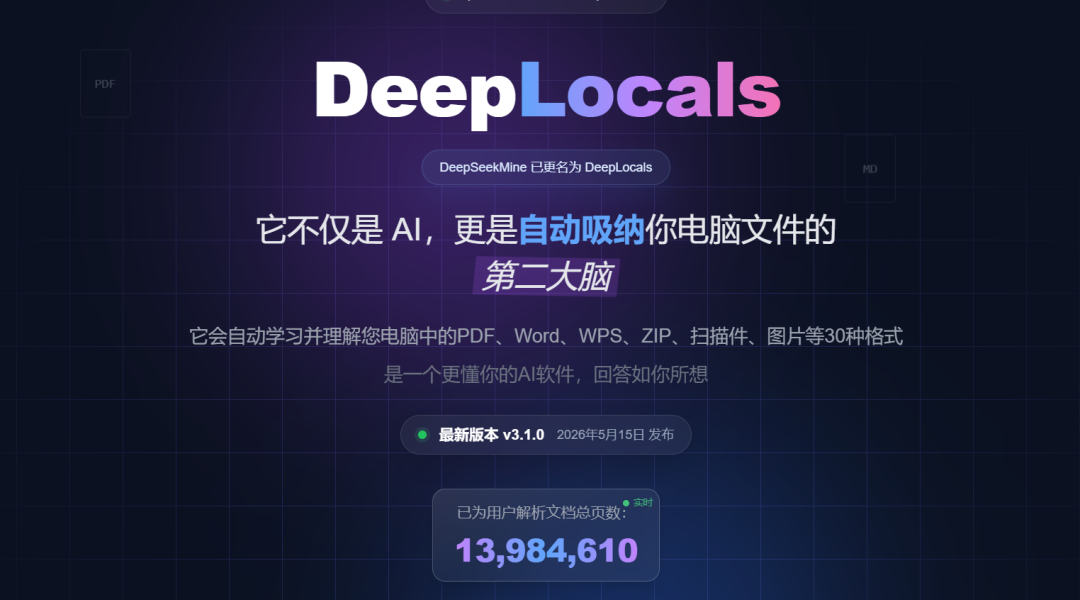
Before introducing the local update, let me briefly explain DeepLocals for readers seeing it for the first time.
In one sentence: DeepLocals can automatically learn your computer files. The GIF below shows DeepLocals learning files I uploaded:
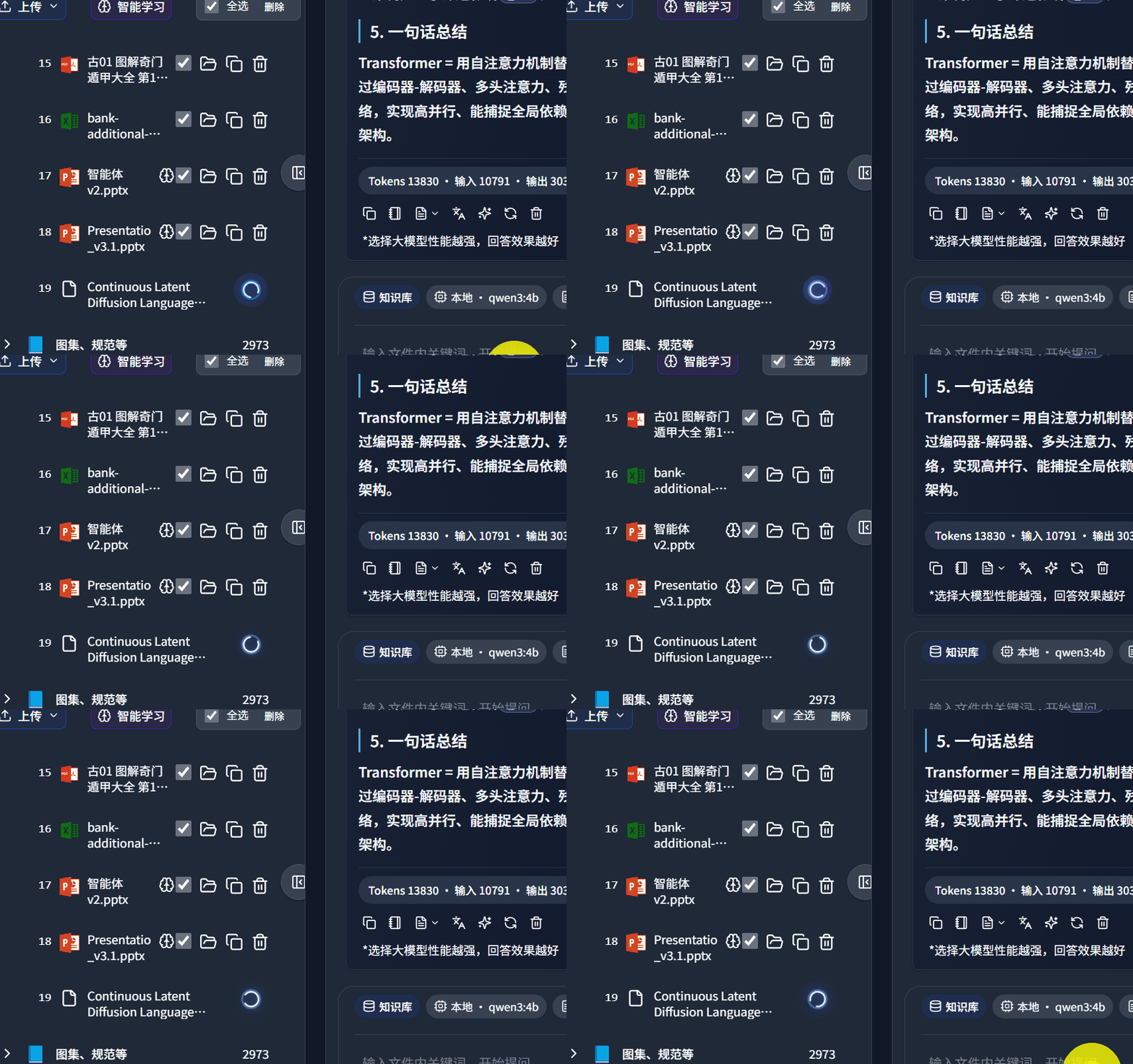
After learning is complete, it can understand both text and images, supporting multimodal learning:
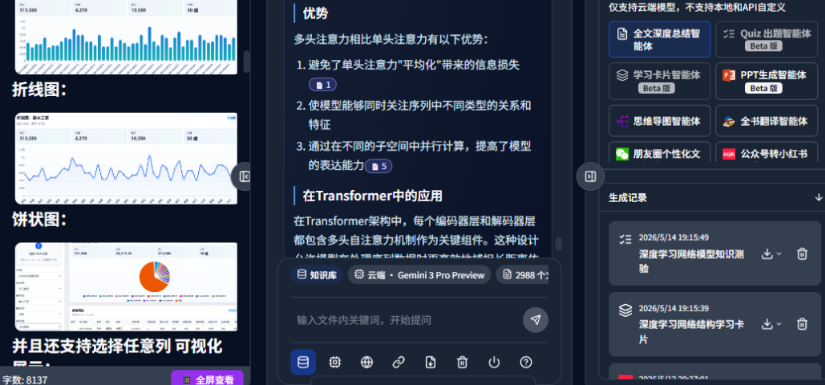
It can answer with text and images based on what it learned from your files. It supports both cloud and local modes:
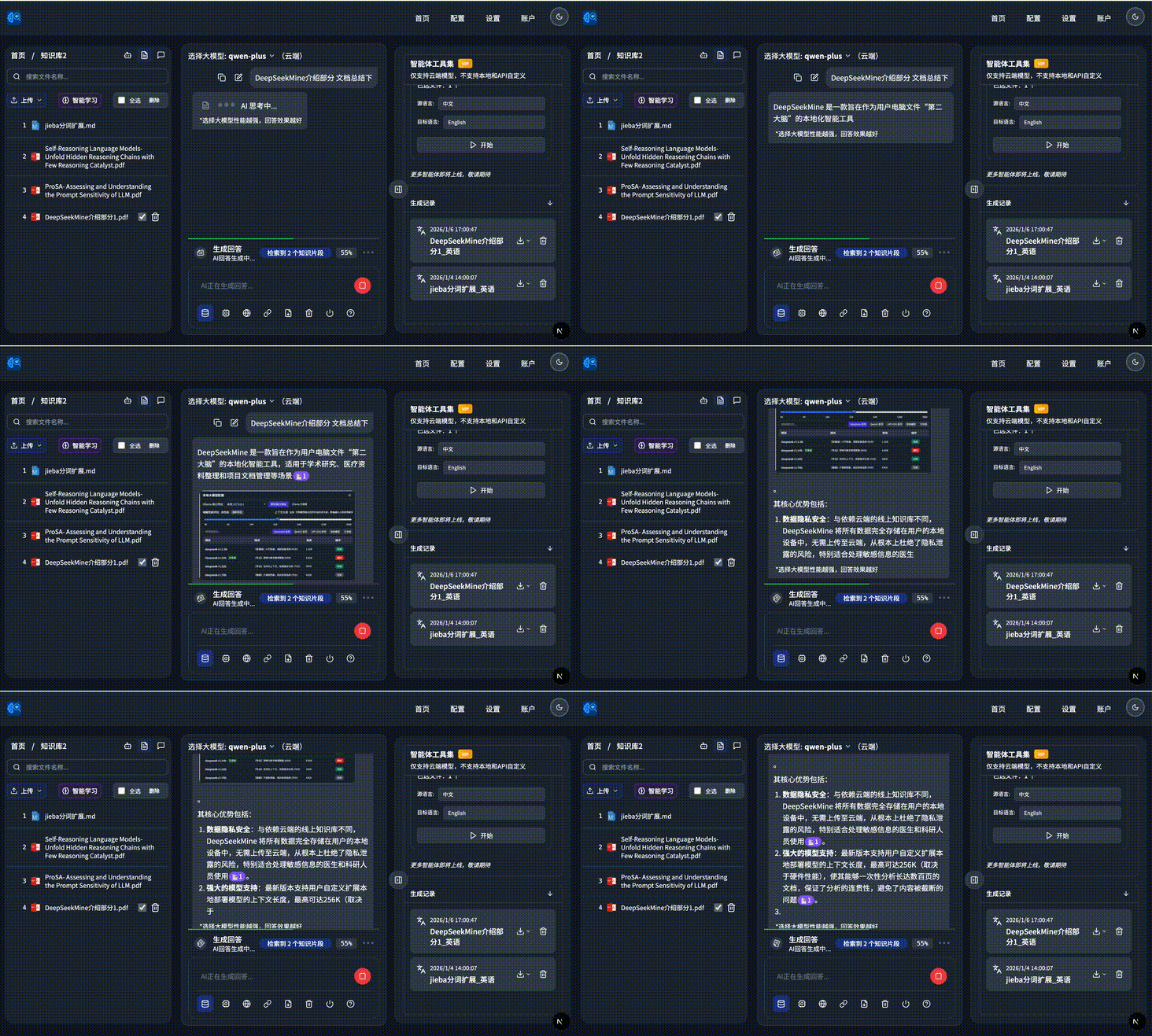
It can fully search and analyze foreign-language literature:
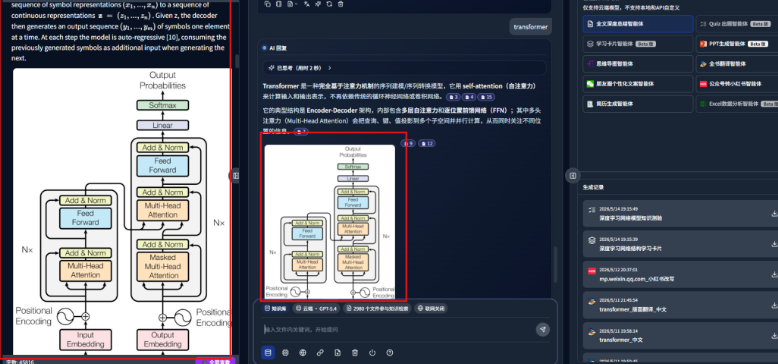
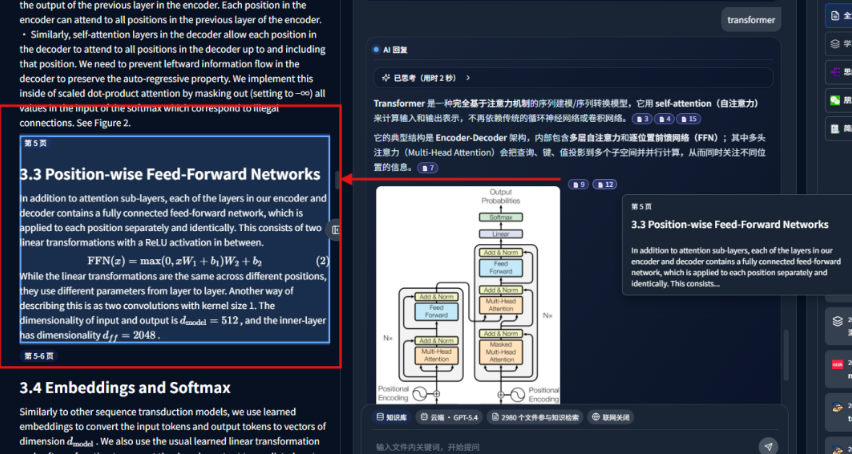
Answers include complete citation sources. Clicking the citation block can jump directly to the source paragraph on the left. It also supports formulas inside documents:
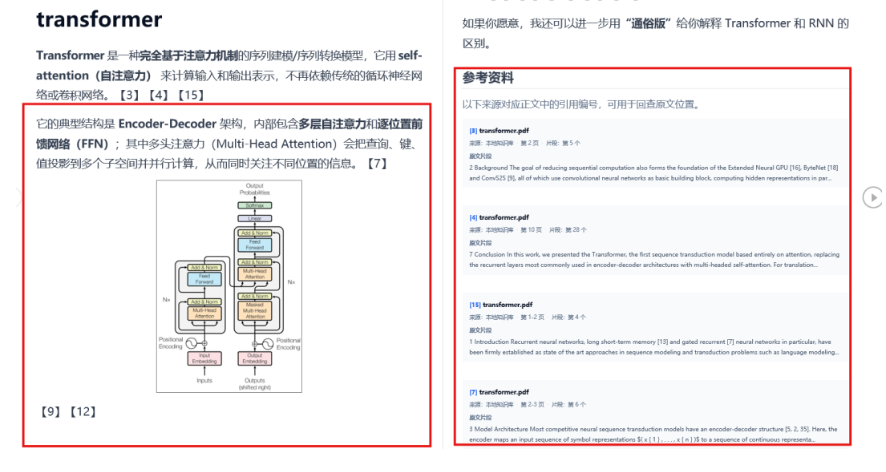
Every generated answer can be exported as a Word document. Text, images, and reference sources are exported together:
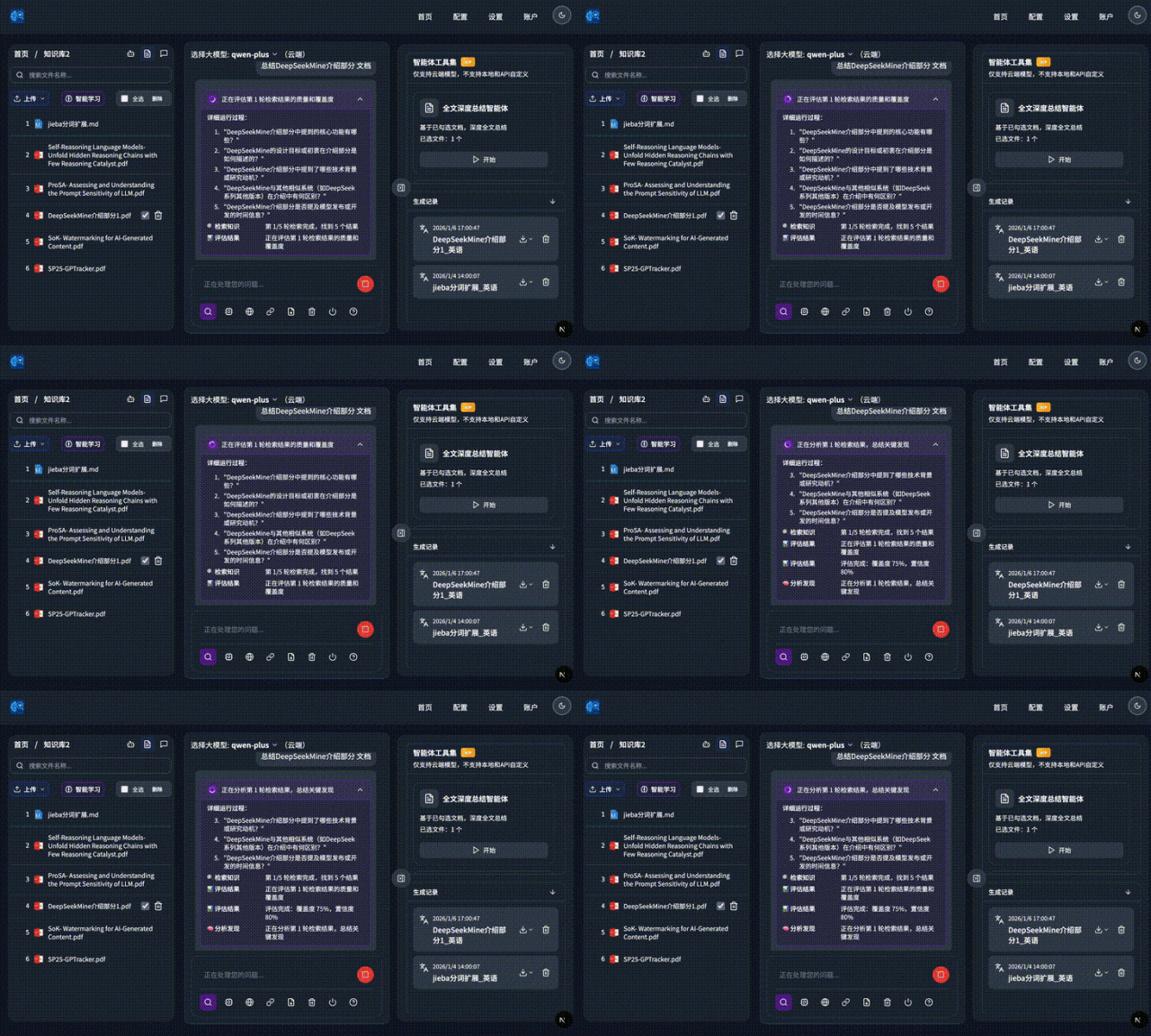
It supports deep research mode:
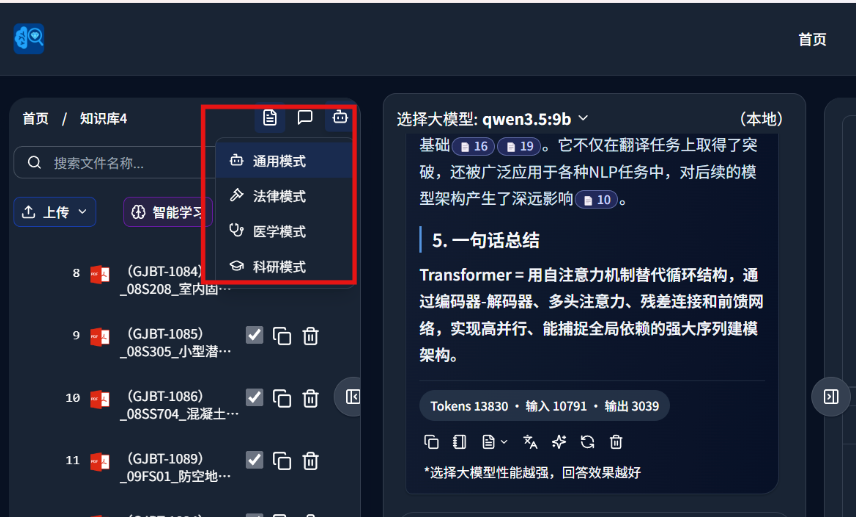
To make answers more professional, it includes four preset professional modes: general, legal, medical, and research. Users can switch based on the current task:
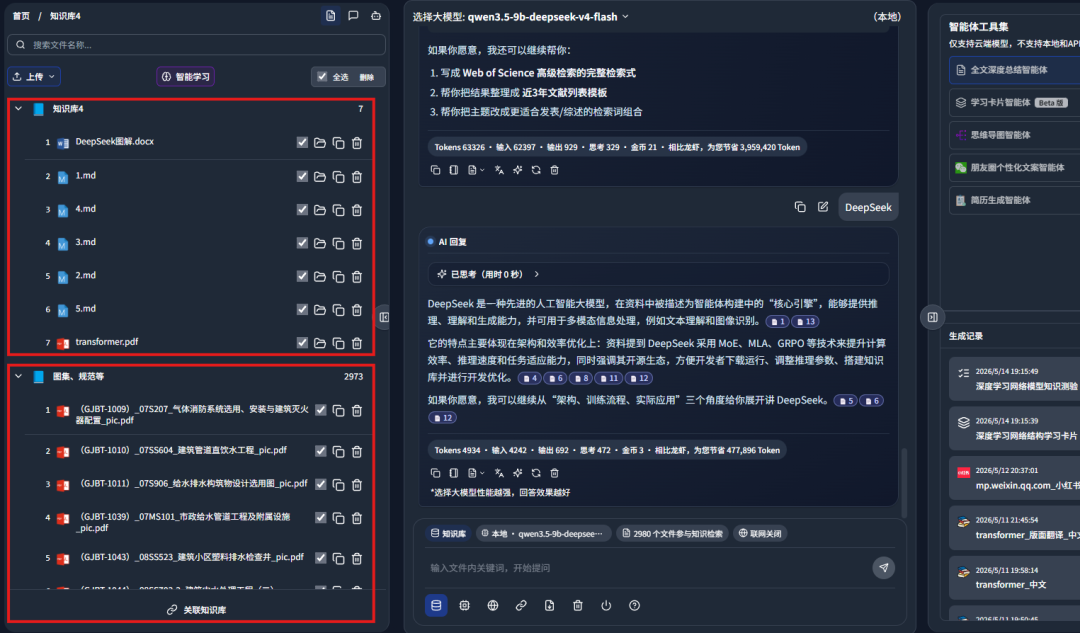
It supports joint answering across multiple knowledge bases:
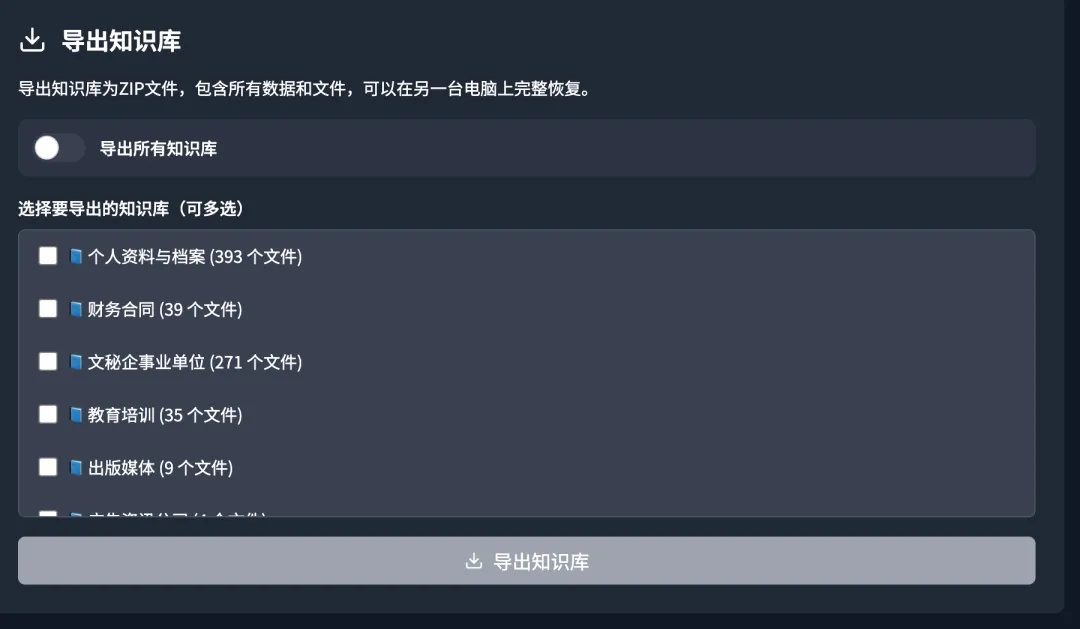
It also supports knowledge-base migration export, NAS file moving and copying, and related workflows:
2. Recent core upgrades
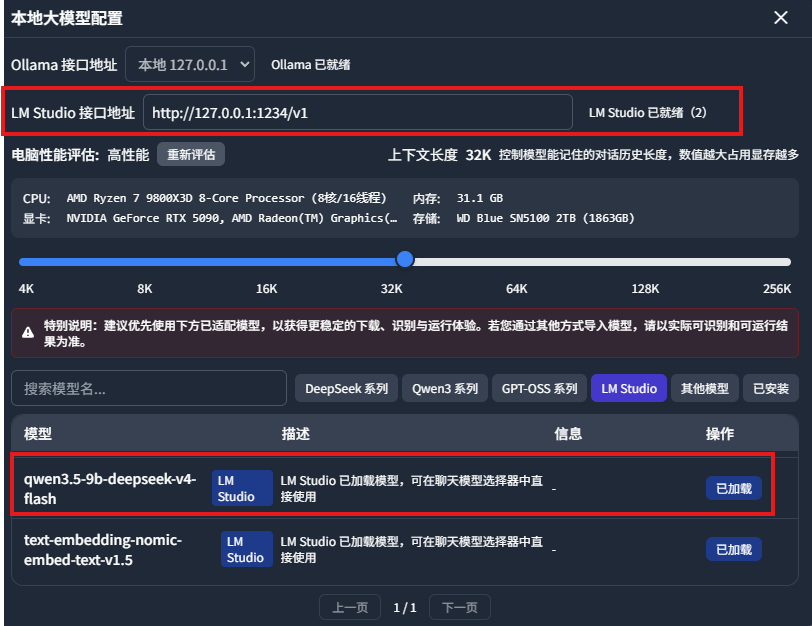
- LM Studio local model access was added. In addition to Ollama, this version supports LM Studio. Below, a customized DeepSeek-V4 model is connected:
The thinking process is visualized when answering questions:
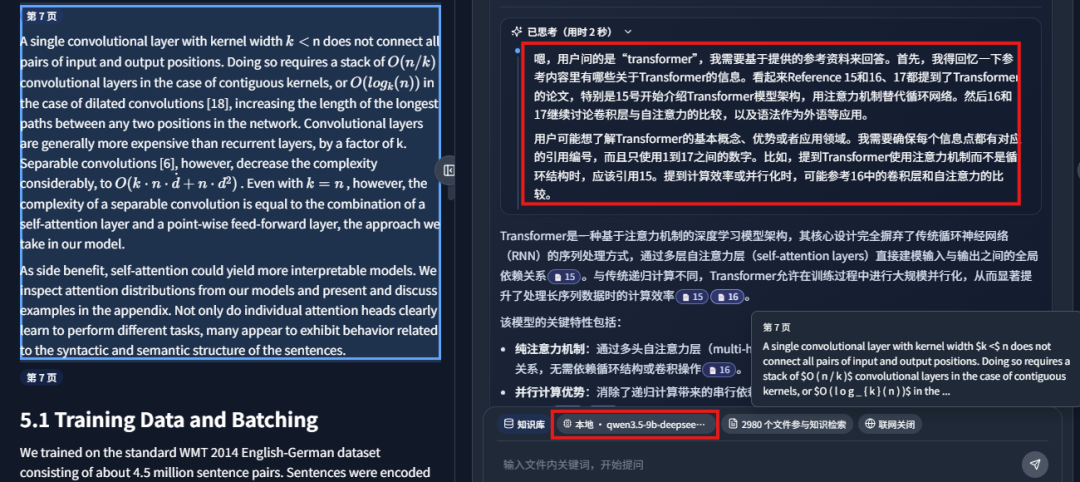
- A quiz-generation agent was added:
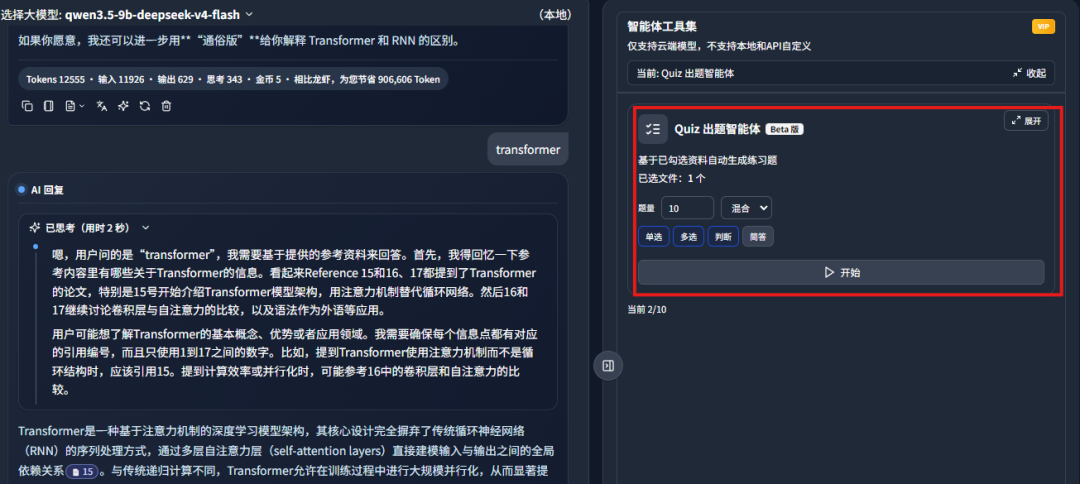
It can generate practice questions from knowledge-base materials with one click:
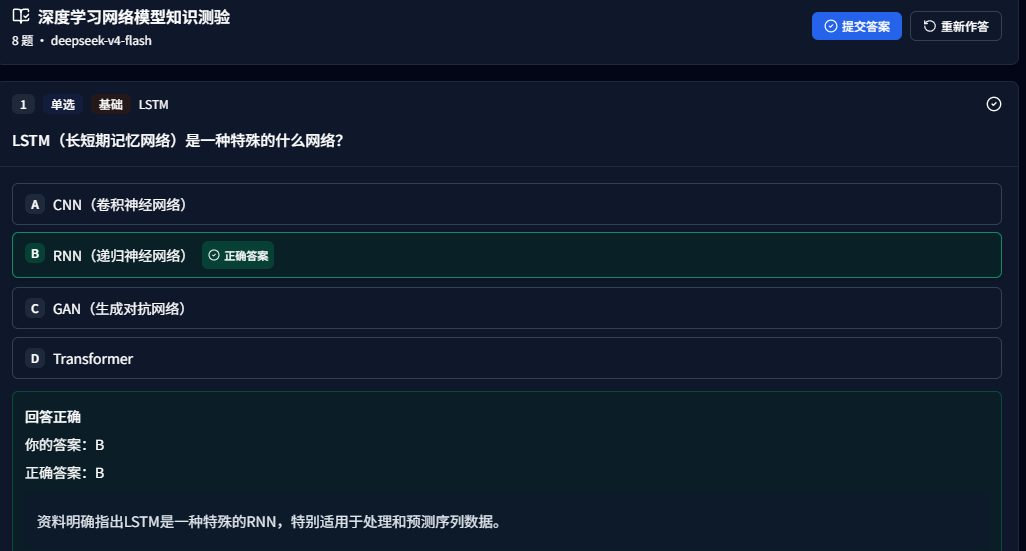
It includes complete explanations and references to the relevant document paragraph:
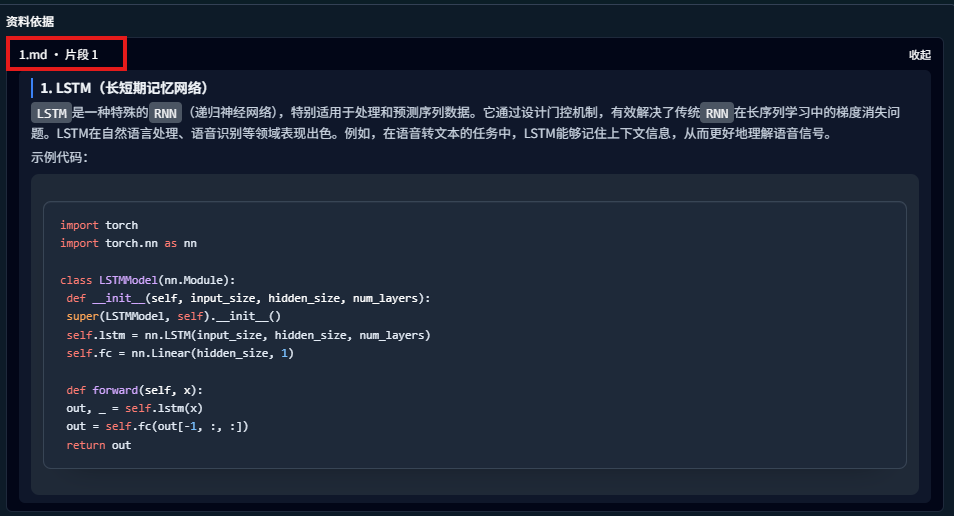
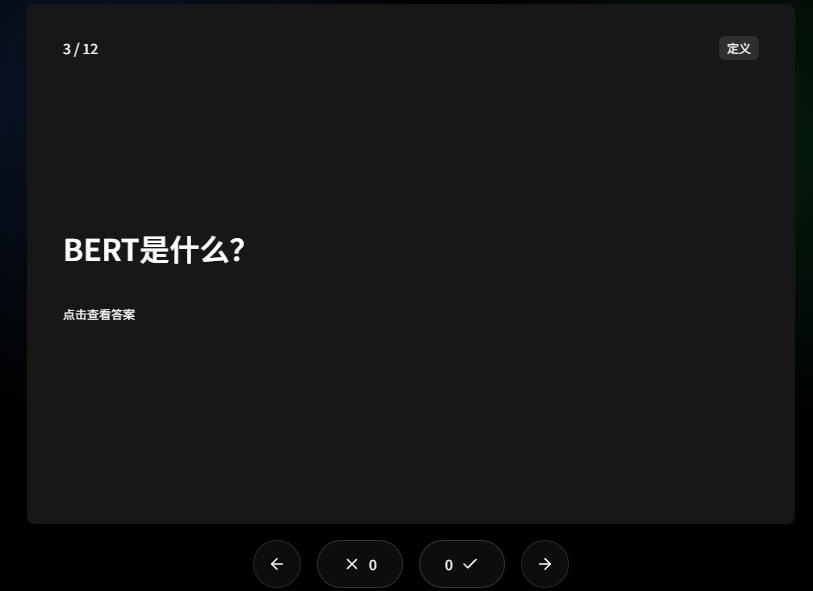
- A flashcard learning agent was added:
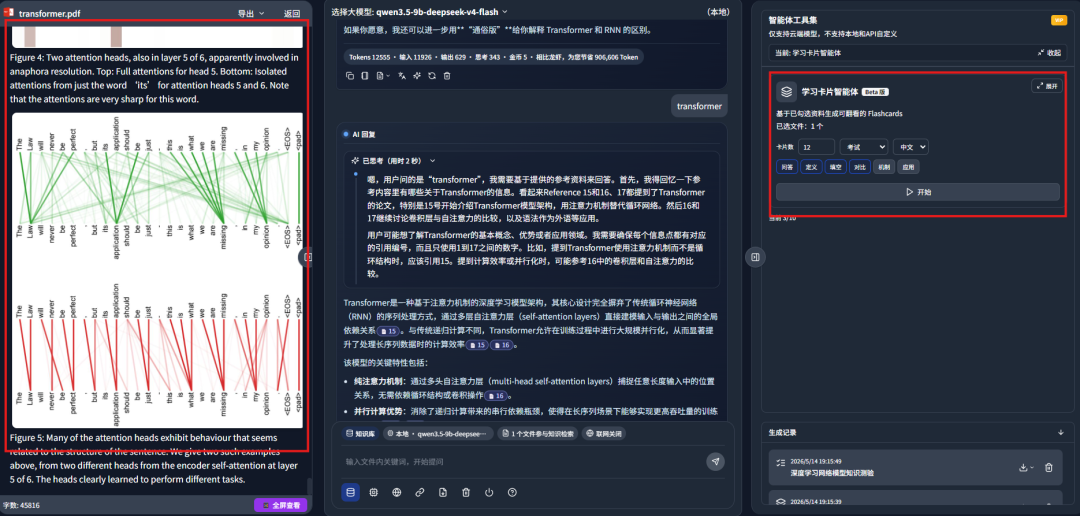
It can generate review cards from selected materials with one click:
- EML email file upload is now supported. It currently supports learning from up to 34 document formats:
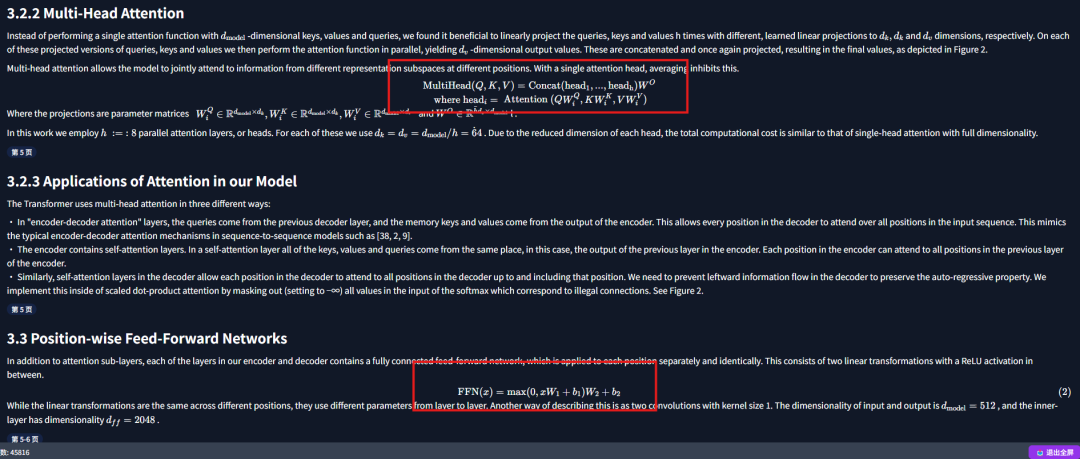
- Learning for complex documents, images, and tables was further improved. Even papers with complex formulas can be handled more easily:
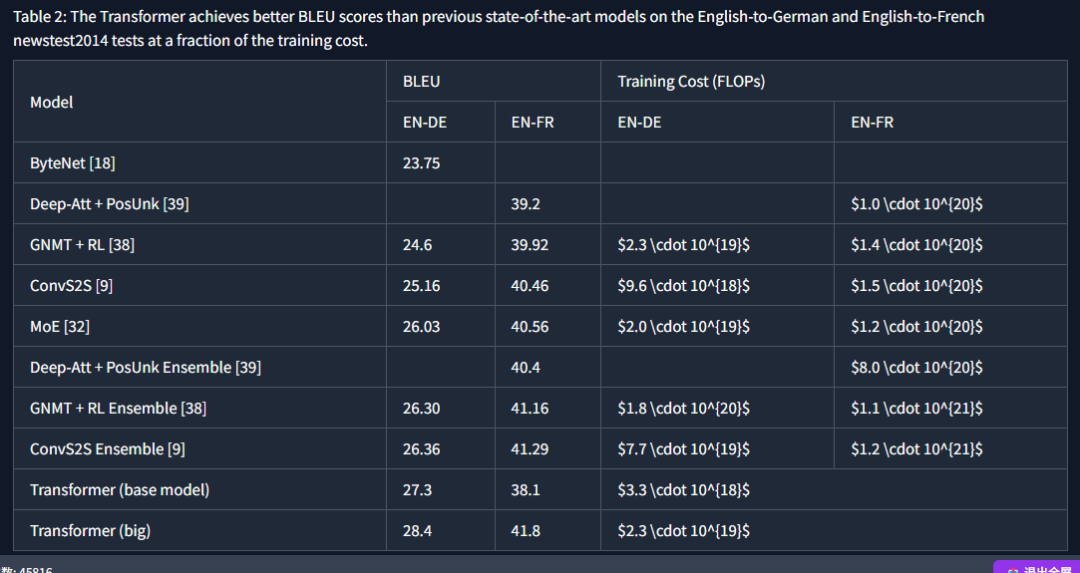
Tables are also supported:
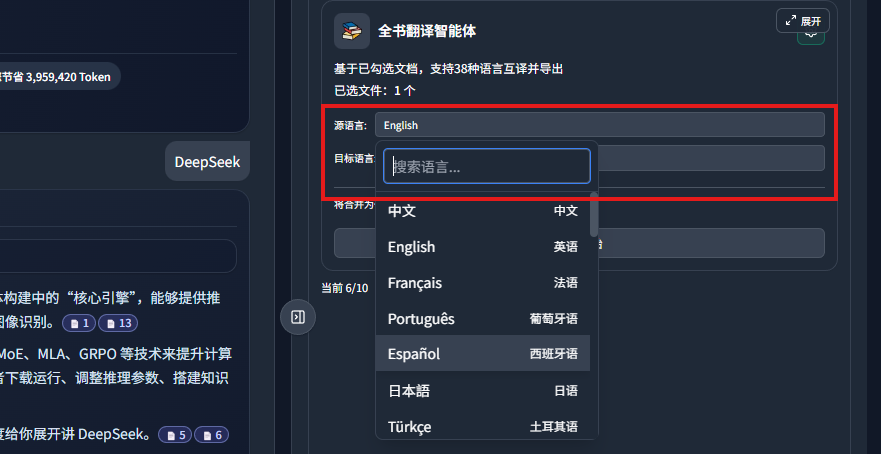
- Publication-grade translation is supported. Layout-preserving translation has been further optimized:
The left side is the source file, and the right side is the translated layout:
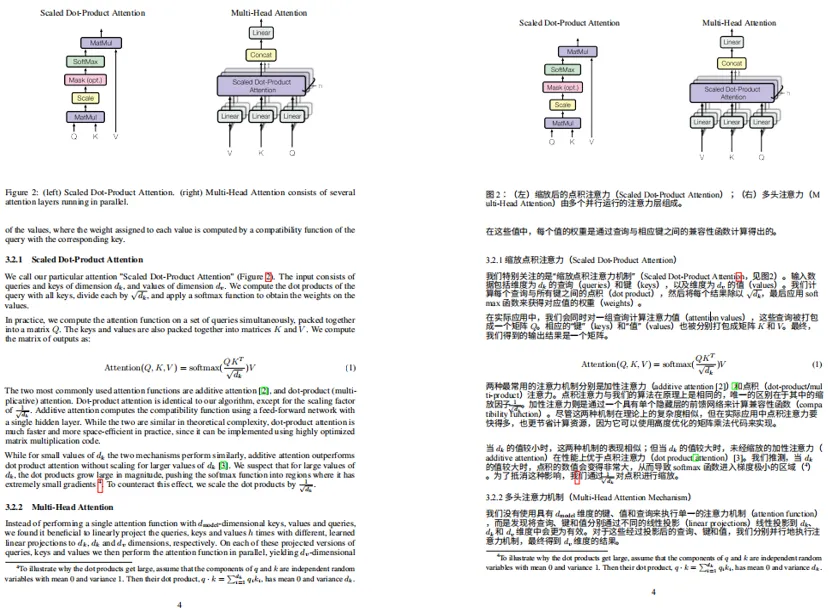
This solves a common problem users reported when translating foreign-language literature: messy formatting and broken layout.
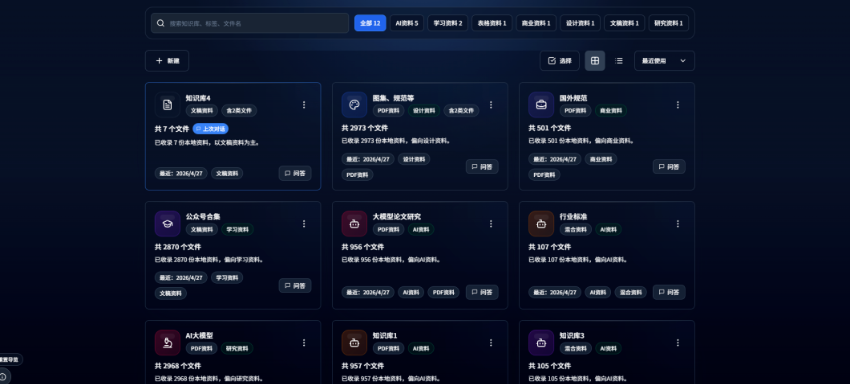
- Beyond these updates, the interface reading experience was optimized. The home page, AI replies, Markdown reading area, right-side panel, generation history, and data-analysis area now use more consistent visual styles so content is easier to read:
New-user guidance was also added, and several upload, startup, export, and display issues were fixed, including upload lag, startup errors, Word export, citation layout, large table rendering, and abnormal scrollbars.
Overall stability has improved noticeably.
3. How to get the latest DeepLocals
The usage flow is simple and beginner-friendly.
Step one: visit the download page:
https://deeplocals.com/download
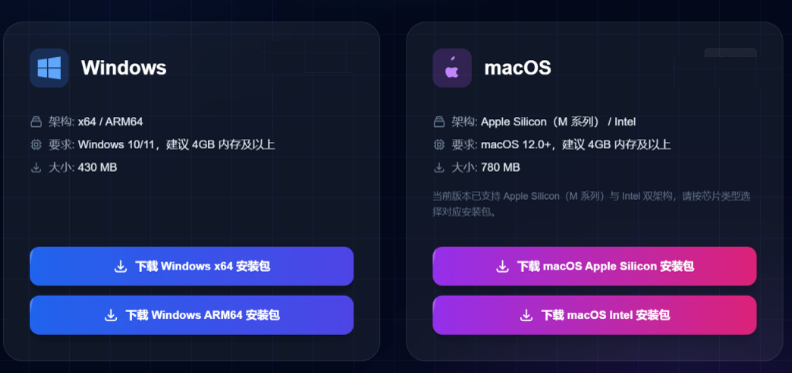
Step two: install it by double-clicking the installer. The installation process is stable.
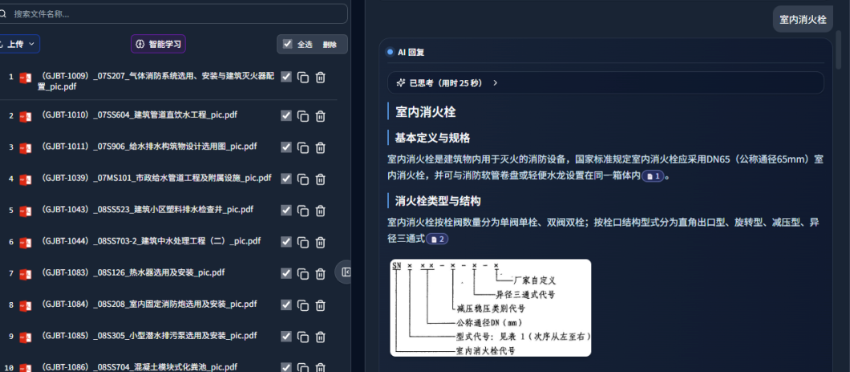
Step three: open the software, drag in files, and ask questions. No configuration is required:
Final thoughts
This DeepLocals upgrade brings higher file-learning speed, LM Studio local model access, a quiz-generation agent, a flashcard agent, and more.
The interface reading experience and new-user guide have also improved, making the overall experience more stable.
This English edition preserves the screenshots and workflow order from the original Chinese article.
Final verdict
DeepLocals V3.1.2 is mainly a workflow upgrade: faster learning, better local-model access, and more study-oriented agents. For document-heavy users, those improvements compound quickly.
From Field Note to Buying Decision
Use this AI field note to choose software, APIs, agents, search, and security tools.
AI Field Note FAQ
Use this field note as evidence before choosing AI tools
How should I use this AI field note?
Use it as hands-on evidence from a real AI workflow, then compare the related software category, model benchmark, API guide, security checklist, and tool alternatives before choosing a product.
Is this field note enough to choose an AI tool?
No. Treat the field note as practical context, then validate pricing, privacy, integration effort, reliability, benchmark fit, and team workflow before spending budget.
What should I read after DeepSeekMine Is Now DeepLocals: V3.1.2 Improves Local File Learning Speed?
Open AI Software Buyer Guides, AI Model Benchmarks, Best AI Coding Agents, Enterprise AI Search Tools, OpenAI vs Anthropic API, or LLM Security Tools depending on the decision you need to make.
When should teams re-test the result from this field note?
Re-test when the model, product plan, pricing, API behavior, prompt workflow, data policy, browser support, or deployment environment changes.
Continue