English translation
I Tested a Local AI Agent for One-Person Company Workflows
AI Field Note Decision Snapshot
Turn the test result into evidence quality, workflow, model/API, and buying-risk checks.
Use this snapshot to decide whether the field note supports a tool shortlist, a benchmark follow-up, an API comparison, or a security review before spending budget.
Evidence quality
Separate what was tested directly from what still needs vendor docs, benchmark data, pricing checks, or source verification.
Workflow transfer
Decide whether the field note applies to coding, search, research, support, content, document review, or internal automation.
Model and API implication
Map the result to model quality, latency, context window, multimodal fit, tool calling, or API reliability questions.
Buying risk
Check pricing, privacy, integration effort, data retention, security controls, and re-test triggers before turning evidence into spend.
Hi, I am Guozhen.
Some readers told me they are interested in building a "one-person company," but they do not know where to start.
In this article, I want to talk about a practical route.
When I say one-person company, or OPC, I do not mean that everyone must register an actual company.
What I care about more is one person plus AI gaining full-stack capability. I prefer to read OPC as One Person Capability.
1. One-person company
The entry point for this idea should be real production work.
You could become an independent data-analysis service provider or an industry-report writer. The core is whether you can independently complete the full loop:
data collection -> data cleaning -> visual analysis -> report delivery.
For example, start from real websites:
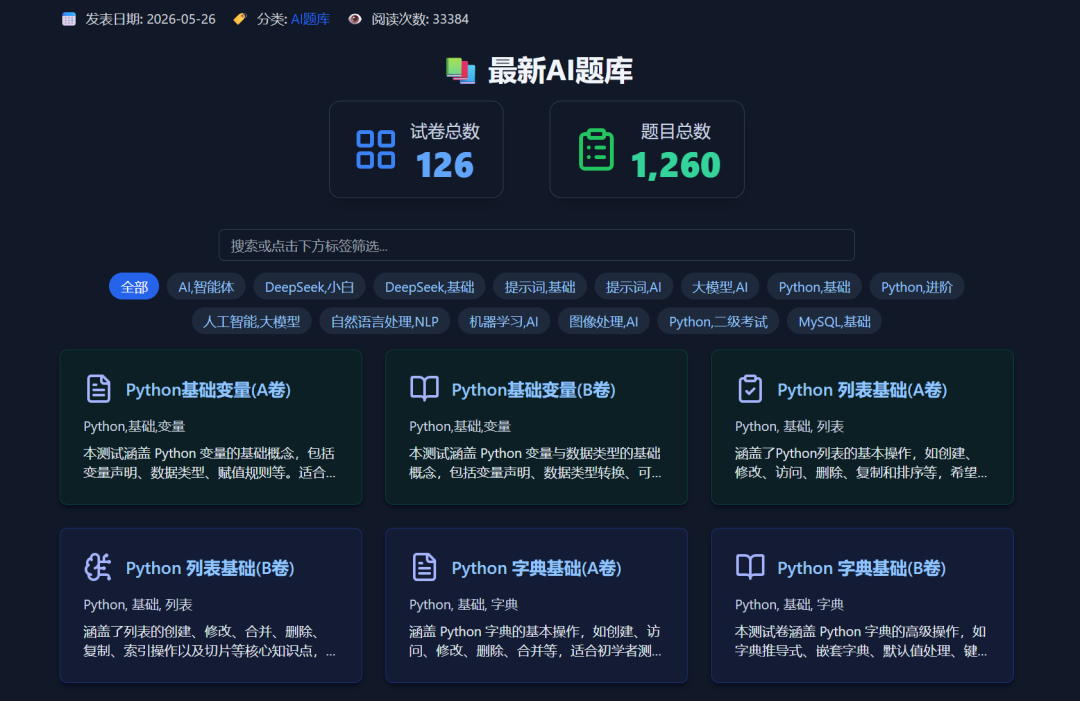
When the website terms allow public data access, AI tools can let one person complete work that previously required several people.
So the question becomes: how do you choose the right AI?
In recent years I have recommended quite a few practical AI tools to readers. If you use enough of them, you gradually build intuition about what AI is good at.
The tool I want to test today is the desktop 2.0 version of SenseTime's office agent, often called "Little Raccoon" in Chinese. It can help you start this kind of OPC workflow.
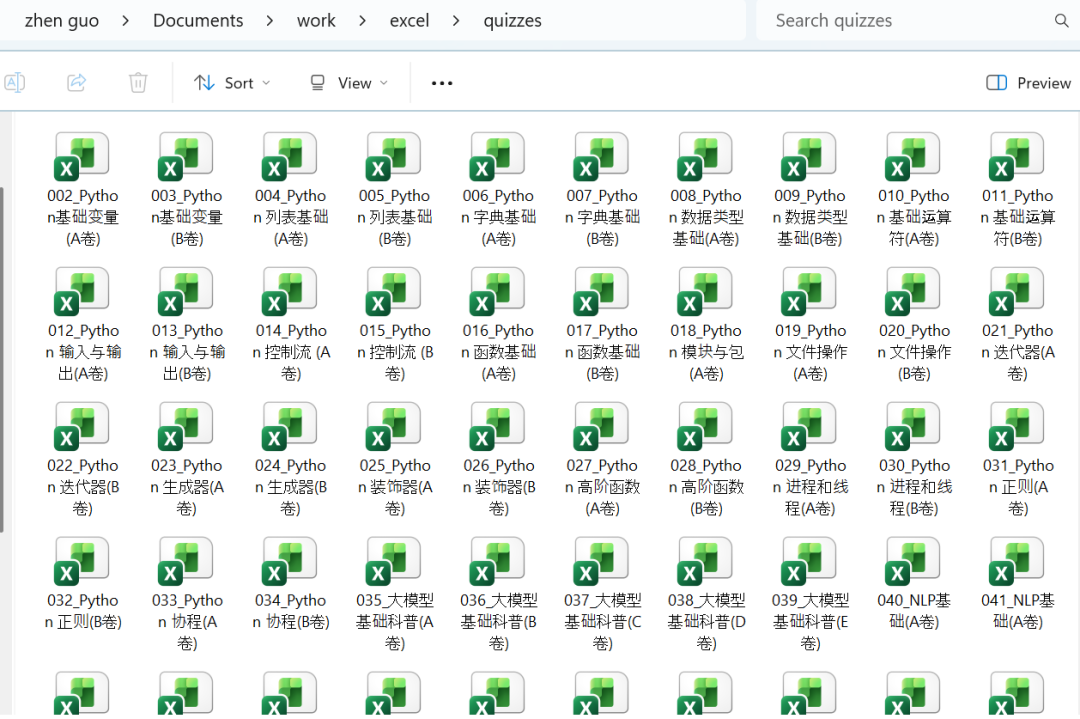
For example, one plain-language instruction can crawl 126 Excel files to the local machine:
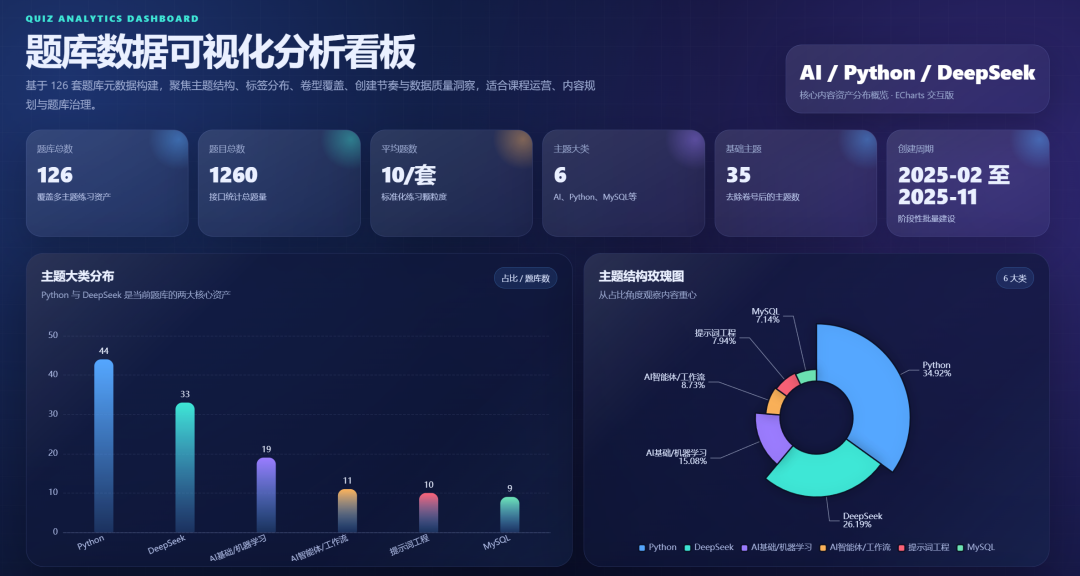
Another plain-language instruction can generate a visual analysis dashboard. I explain the generation process in section 2:
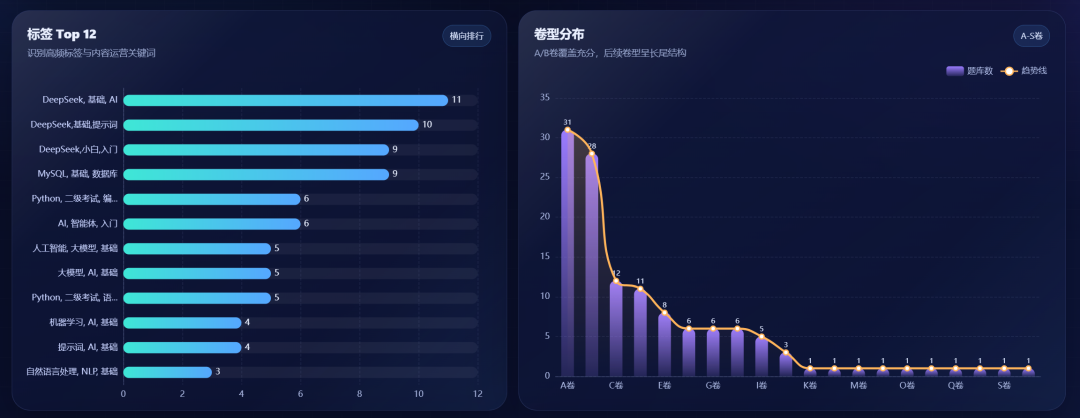
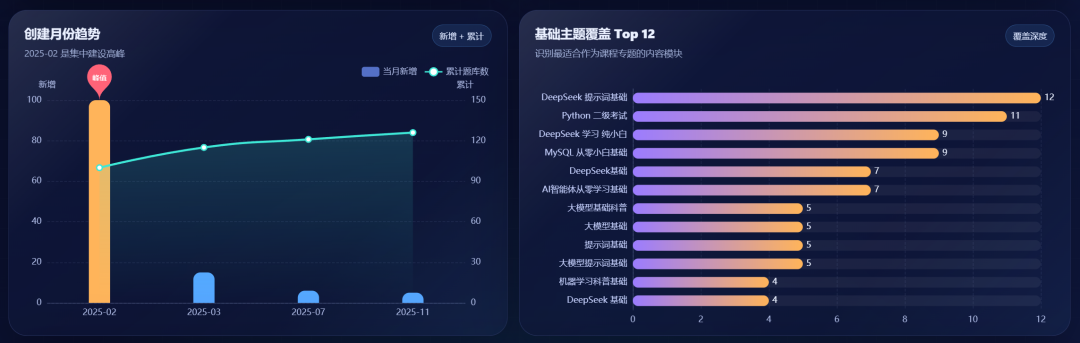
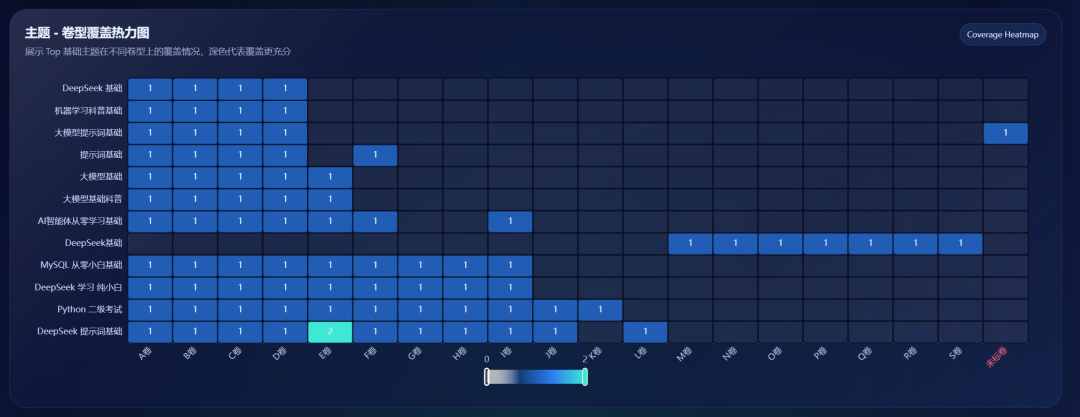
This is a complete OPC route. Below I will walk through how I tested it.
2. Testing Little Raccoon + OPC
After installing it on my computer, the interface looked like this:
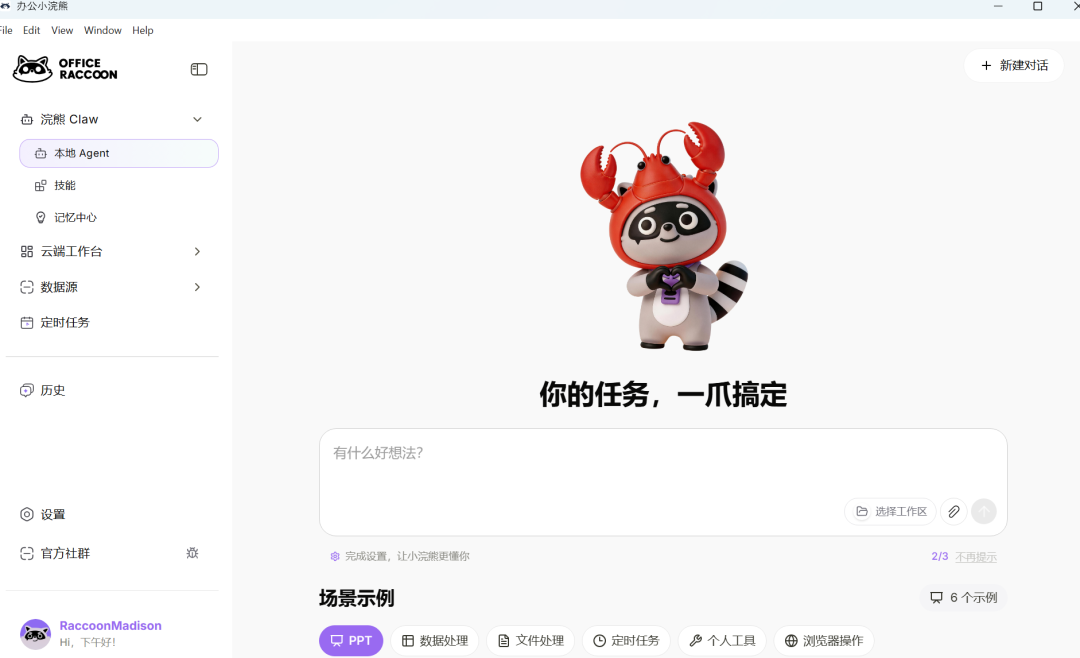
Its positioning is no longer a simple chat box. It is an AI execution assistant that goes deep into your local computer environment.
I entered a plain-language instruction asking it to crawl data from more than 100 web pages:
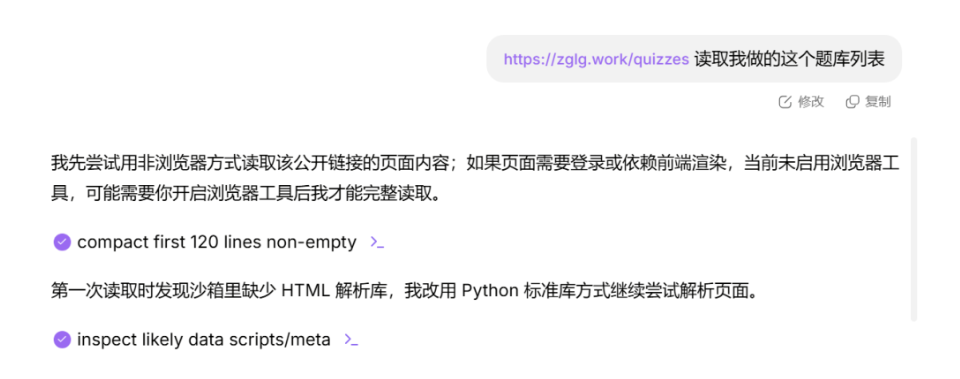
After a while, it saved the Excel file to my computer:
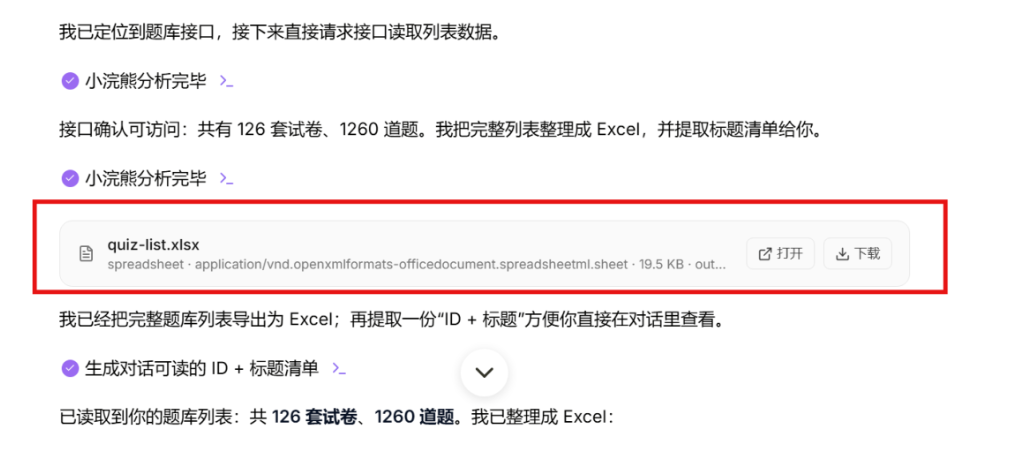
Opening the Excel file, I saw this:
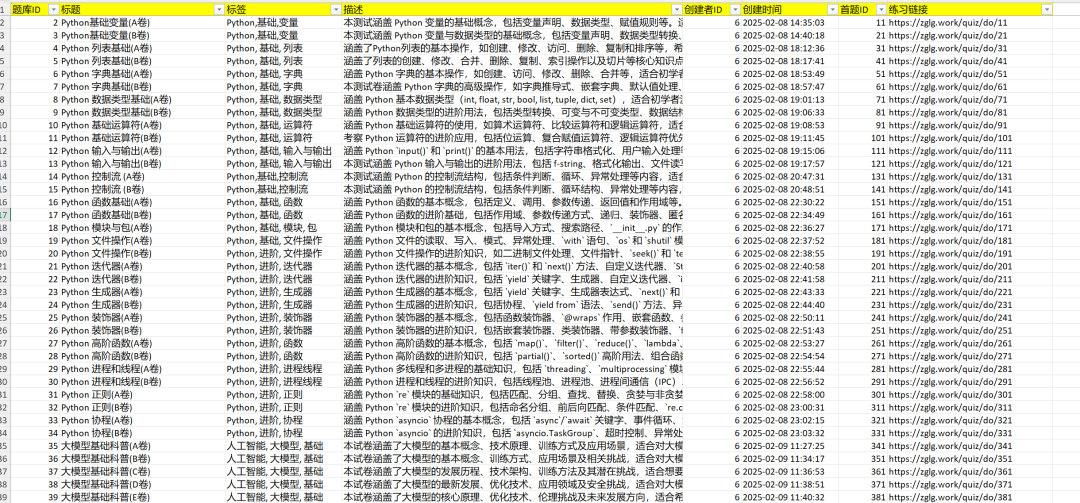
No hand-written program was needed. For people in many industries, this greatly lowers the barrier to doing OPC-style work.
Next, I used it for data analysis and asked it to directly output visual charts and an industry report:
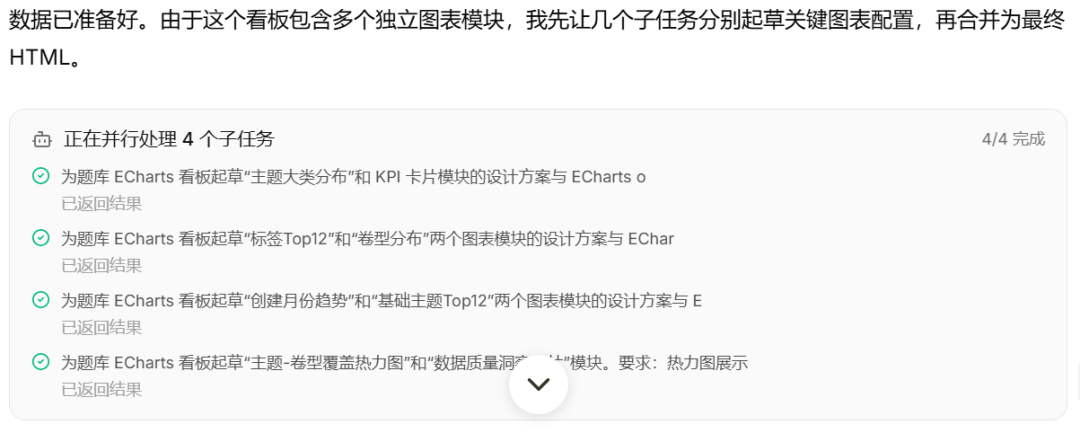
The generated ECharts dashboard HTML looked like this:

After opening the HTML file, the complete result was the dashboard shown near the beginning of the article. The screenshot and generated code correspond like this:
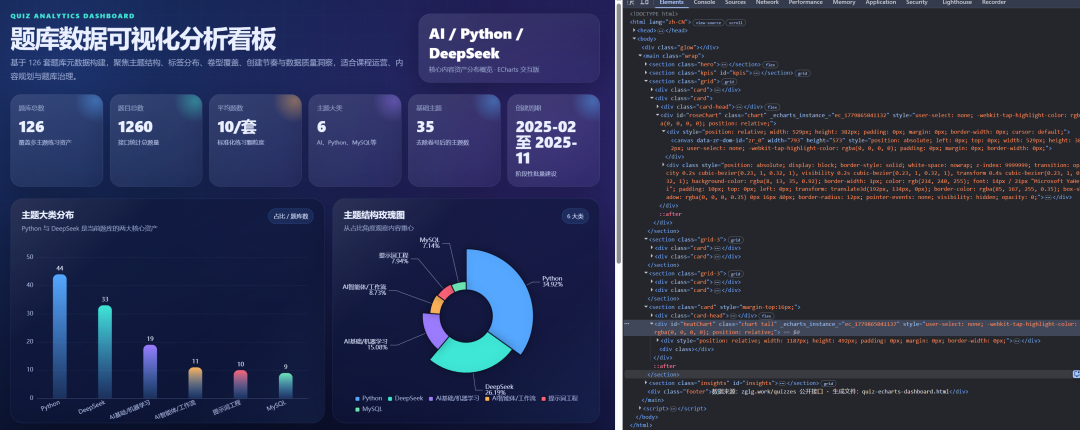
What do you think of this data-analysis dashboard?
I have been a programmer for ten years. If I had to manually build a result like this, I would not expect to finish it in one day.
Even if I did finish it, it might not look this polished. In Little Raccoon, one prompt produced it. If we use AI well, "one person equals one team" may become more and more realistic.
SenseTime's Little Raccoon also launched an OPC capability challenge. If you want to participate, you can follow this practical route:
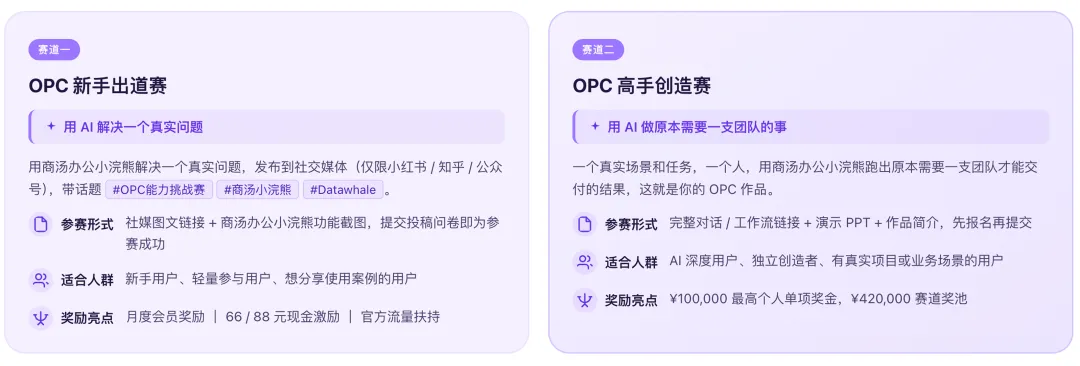
The challenge has a total prize pool of 3 million RMB:

To push the test further, I increased the difficulty.
3. Advanced test
The previous section only crawled basic description data for exam papers. Next, I asked it to do something larger: crawl the full questions and options from 126 exam sets, totaling 1,260 questions.
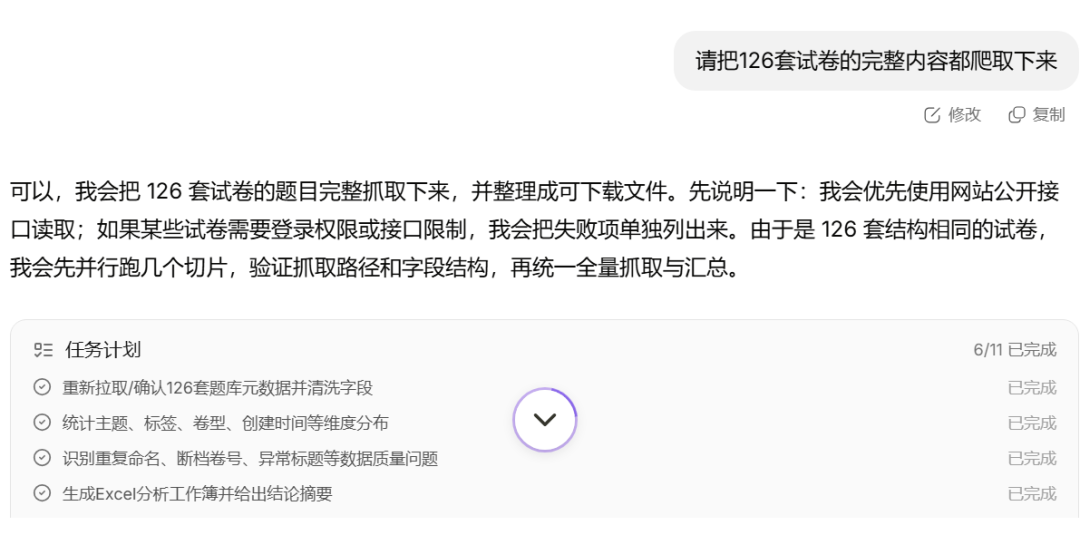
Note: I checked the website's robots.txt. The data was public and crawling was allowed.
It started parallel processing:
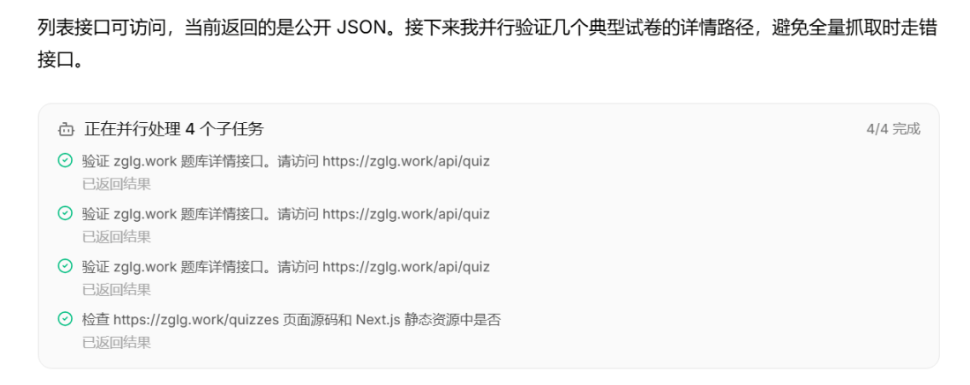
All 1,260 questions were saved to the desktop:
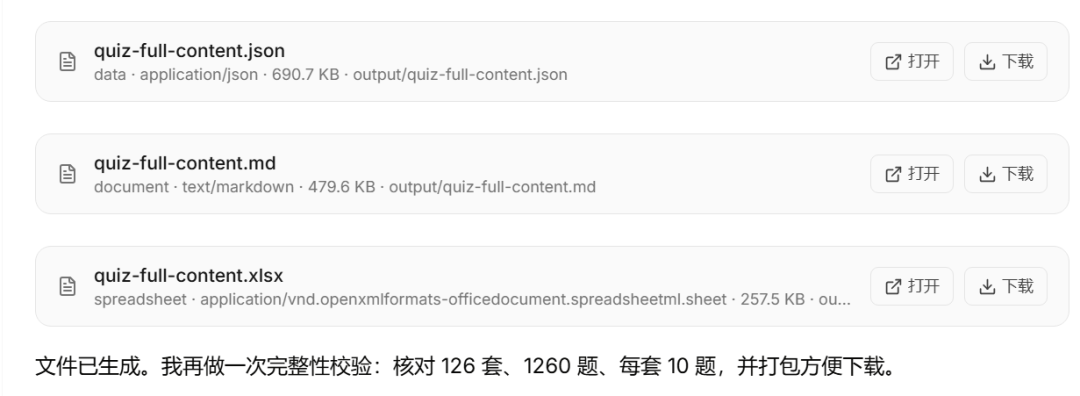
After a while, 126 Excel files were saved in my folder.
Little Raccoon supports Ctrl+K quick launch:

Then I asked it to merge the 126 Excel files into one combined Excel file:
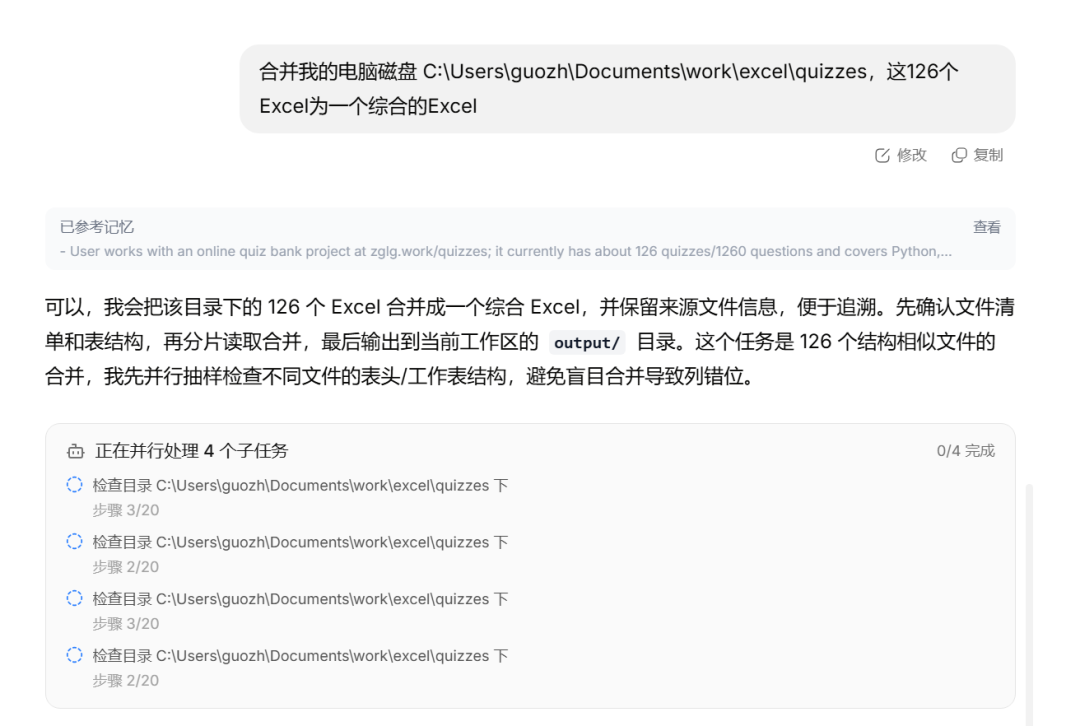
The merged Excel file was saved locally. I opened it and checked whether it contained 1,260 rows:
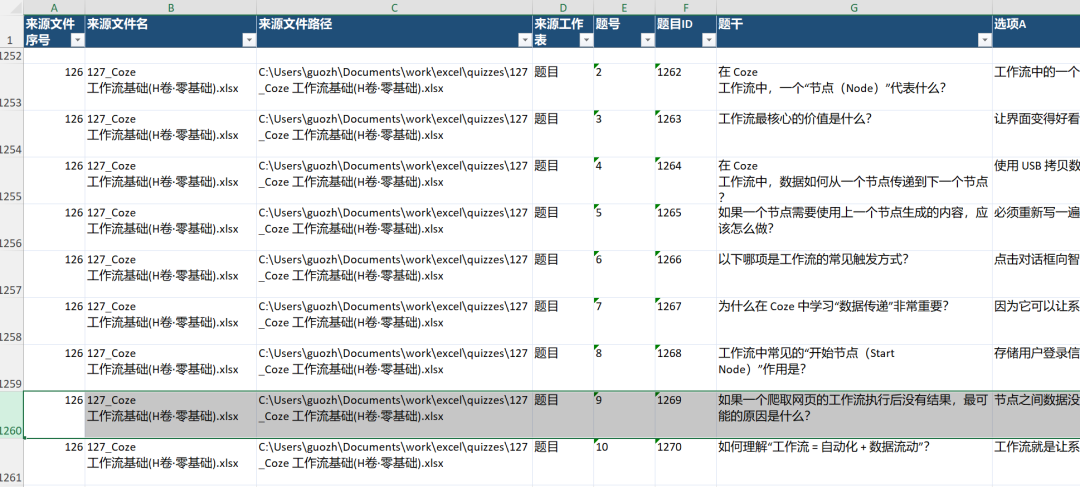
With one plain-language instruction, it merged 126 Excel files. Before AI, this type of batch task was difficult for non-programmers.
Now the full workflow from acquisition to merging was complete. Next, I ran another round of data analysis and visualization with another plain-language instruction:
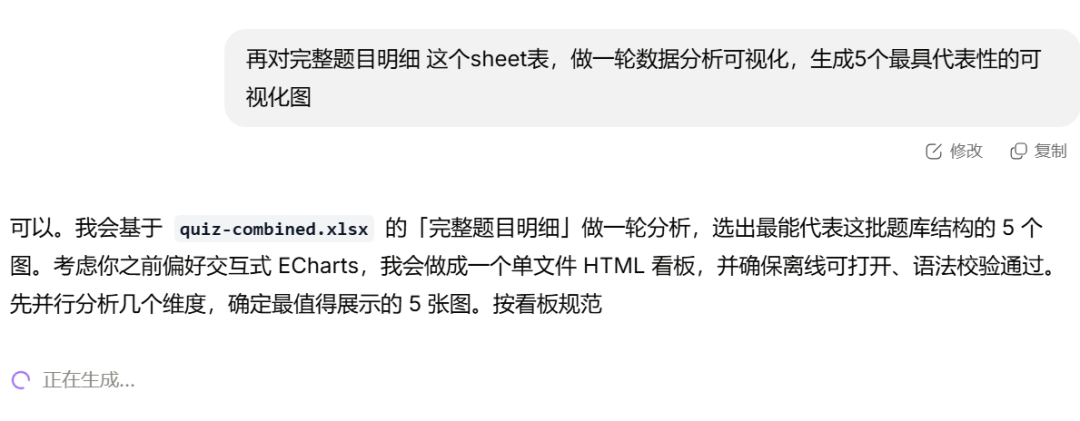
After a while, it generated the following data-analysis dashboard:
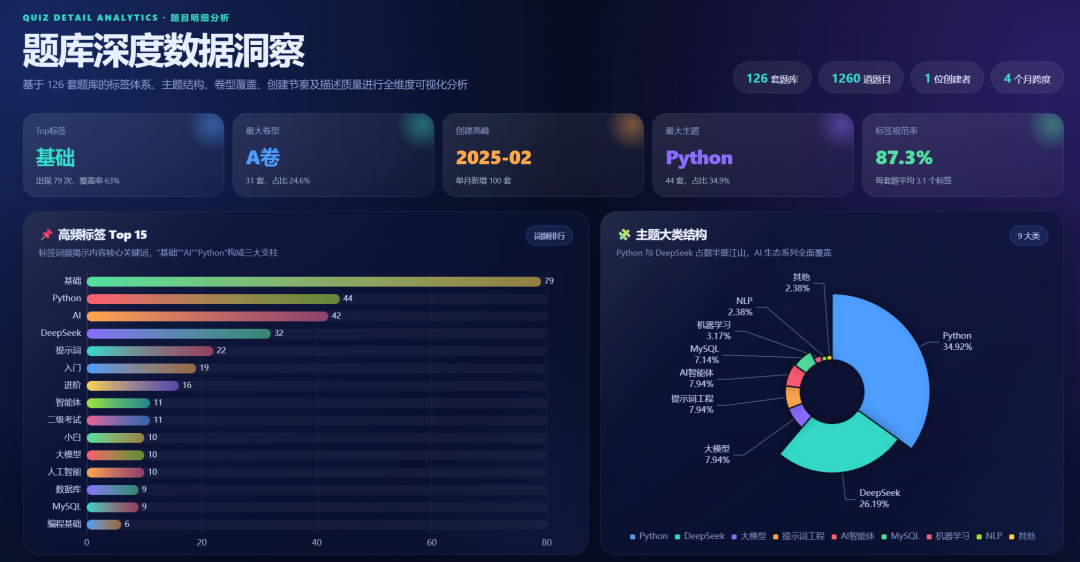
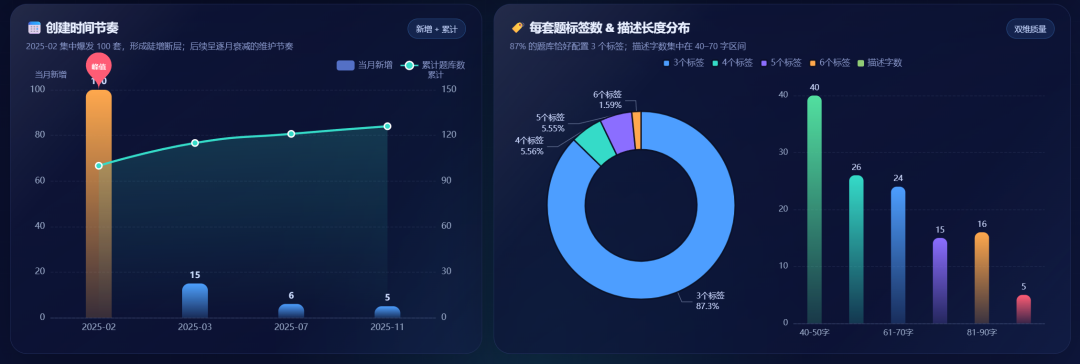
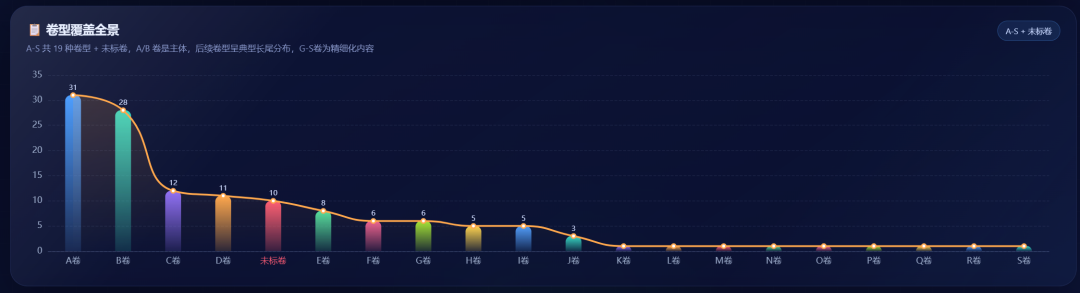
The visuals looked good and the chart combinations were appropriate. All of this came from one plain-language instruction.
Desktop 2.0 also connects directly with team collaboration tools. The generated analysis conclusions can be exported into a Feishu document with one click and sent to a team:

Final thoughts
This article explored the one-person-company idea through the Little Raccoon desktop 2.0 agent, connecting local file reading, web data acquisition, and document delivery.
It makes the idea "one person + AI = one team" feel much more real.
AI is not just for being lazy. The point is to hand repetitive crawling and organizing work to AI, then save our time for higher-value thinking and judgment.
This English edition preserves the screenshots and workflow order from the original Chinese article.
Final verdict
The one-person-company idea becomes practical only when AI handles the repetitive work around reading, crawling, and document production. This test shows that the workflow is becoming realistic.
From Field Note to Buying Decision
Use this AI field note to choose software, APIs, agents, search, and security tools.
AI Field Note FAQ
Use this field note as evidence before choosing AI tools
How should I use this AI field note?
Use it as hands-on evidence from a real AI workflow, then compare the related software category, model benchmark, API guide, security checklist, and tool alternatives before choosing a product.
Is this field note enough to choose an AI tool?
No. Treat the field note as practical context, then validate pricing, privacy, integration effort, reliability, benchmark fit, and team workflow before spending budget.
What should I read after I Tested a Local AI Agent for One-Person Company Workflows?
Open AI Software Buyer Guides, AI Model Benchmarks, Best AI Coding Agents, Enterprise AI Search Tools, OpenAI vs Anthropic API, or LLM Security Tools depending on the decision you need to make.
When should teams re-test the result from this field note?
Re-test when the model, product plan, pricing, API behavior, prompt workflow, data policy, browser support, or deployment environment changes.
Continue