English translation
I Tested a Local Knowledge Base That Learns Hundreds of Files and Exports Reports
AI Field Note Decision Snapshot
Turn the test result into evidence quality, workflow, model/API, and buying-risk checks.
Use this snapshot to decide whether the field note supports a tool shortlist, a benchmark follow-up, an API comparison, or a security review before spending budget.
Evidence quality
Separate what was tested directly from what still needs vendor docs, benchmark data, pricing checks, or source verification.
Workflow transfer
Decide whether the field note applies to coding, search, research, support, content, document review, or internal automation.
Model and API implication
Map the result to model quality, latency, context window, multimodal fit, tool calling, or API reliability questions.
Buying risk
Check pricing, privacy, integration effort, data retention, security controls, and re-test triggers before turning evidence into spend.
Hi, I am Guozhen.
Many people have a large amount of material on their computers: PDFs, Word documents, Excel files, meeting notes, project documents, papers, contracts, and more.
But when you actually need to use them, the problem appears: there are too many files, and you have no idea which document contains the answer.
When a computer has thousands or even tens of thousands of files, traditional search is often not enough.
If this is your pain point, this article may be useful.
1. Result demo
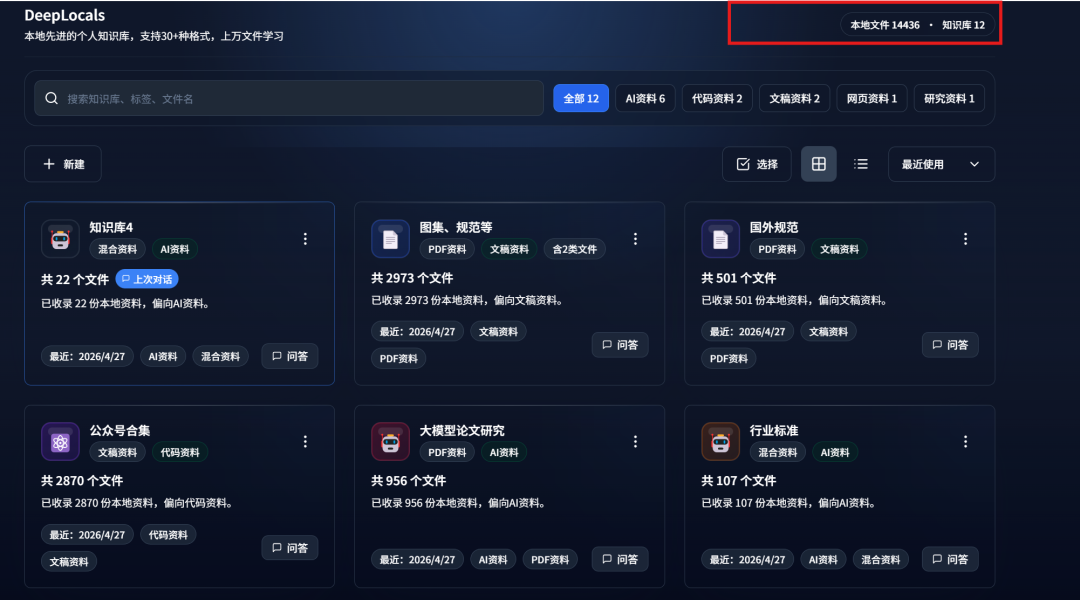
As shown below, the tool learned more than 10,000 PDF, Word, and other documents on my computer:
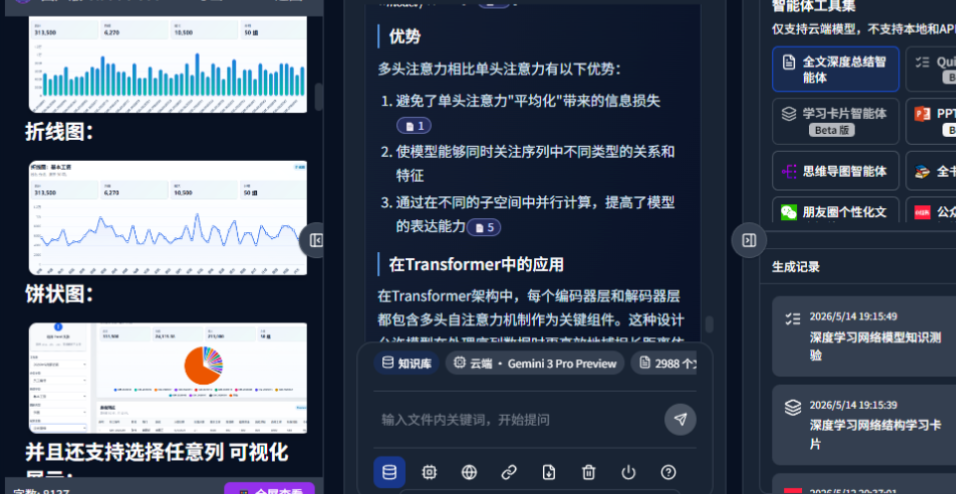
After learning the files, it can understand text and images, supporting multimodal learning:
It can answer questions with both text and images based on your own files. It supports both cloud and local modes:
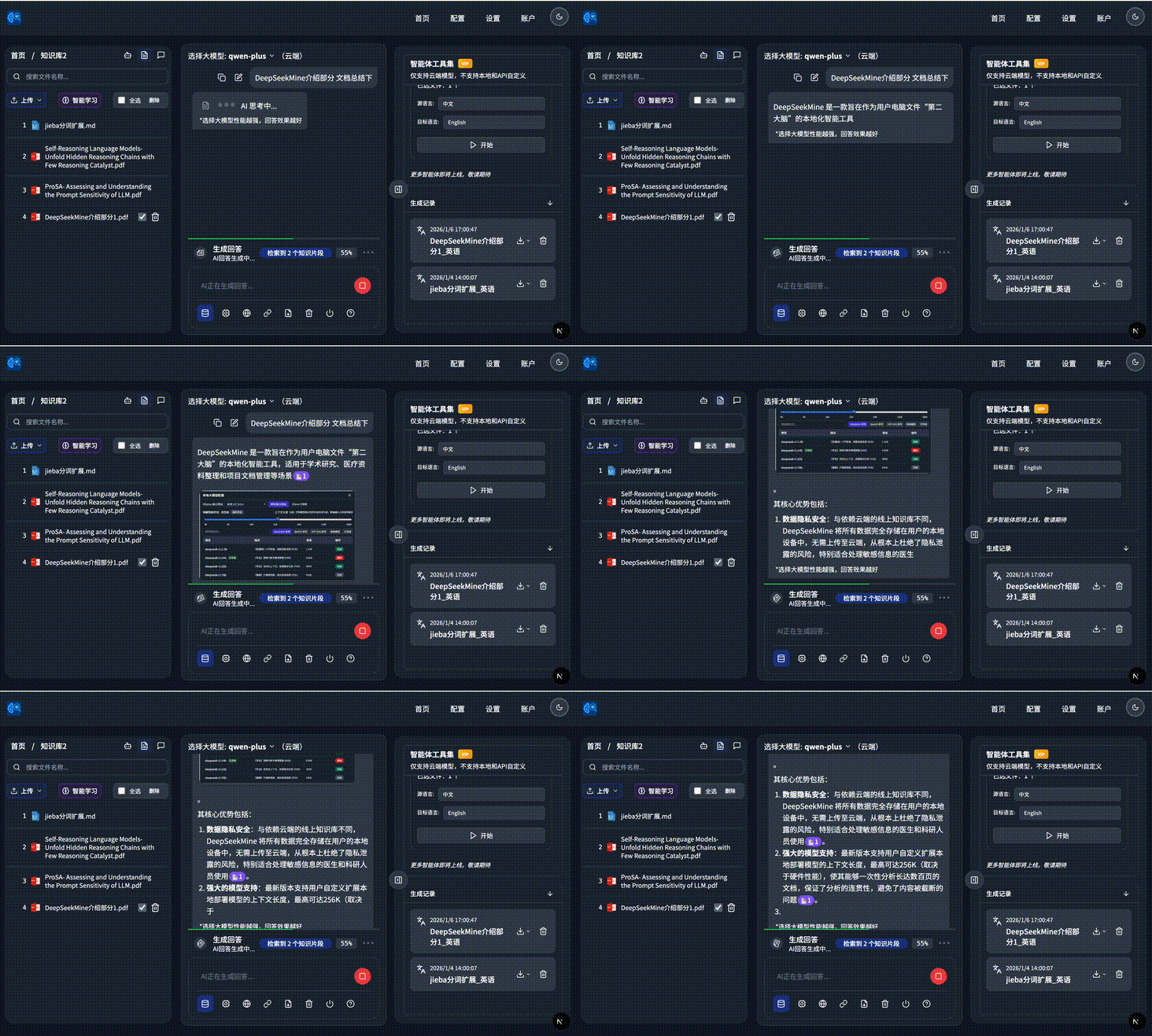
It automatically combines the learned local files on the left and answers with text plus images:
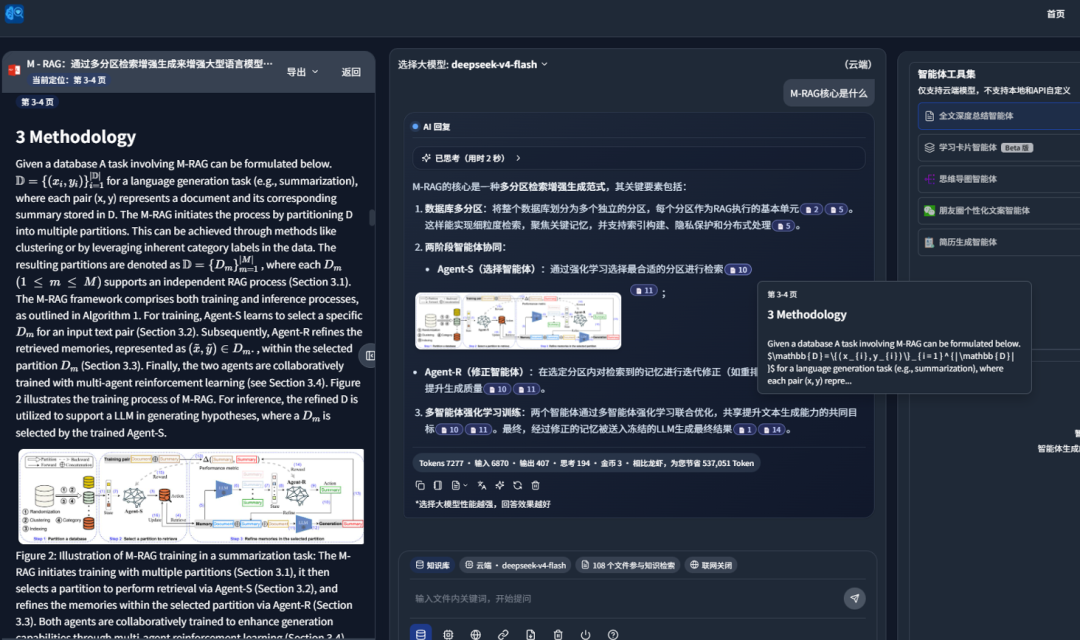
It can also search and analyze foreign-language papers:
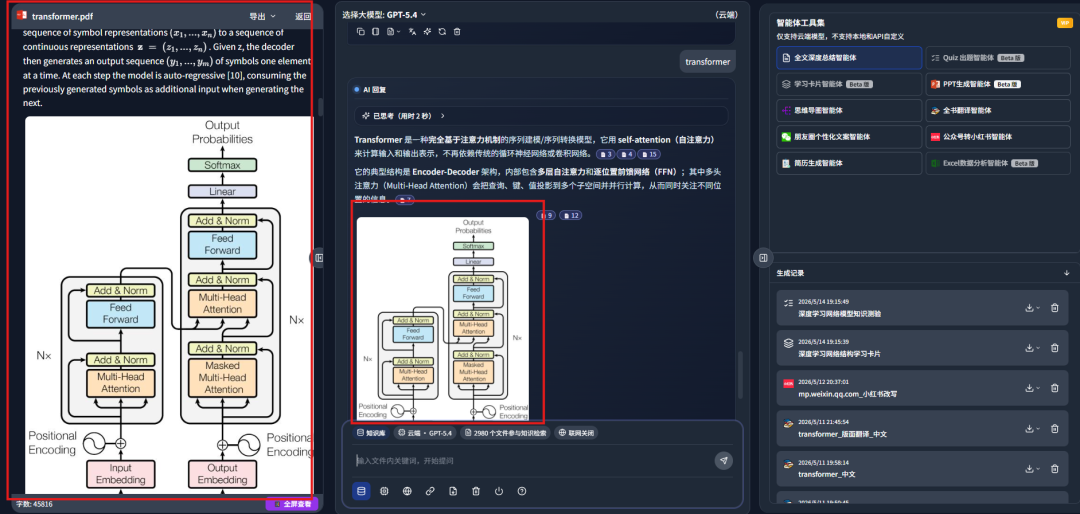
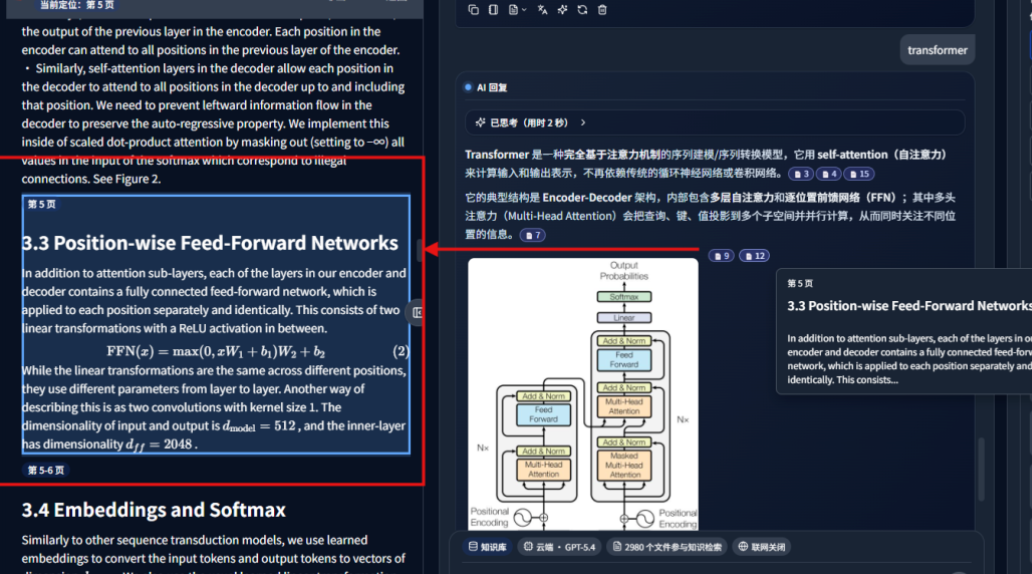
The answer includes complete citation sources. Clicking the citation block in the middle can locate the corresponding file paragraph on the left. It also supports formulas inside files:
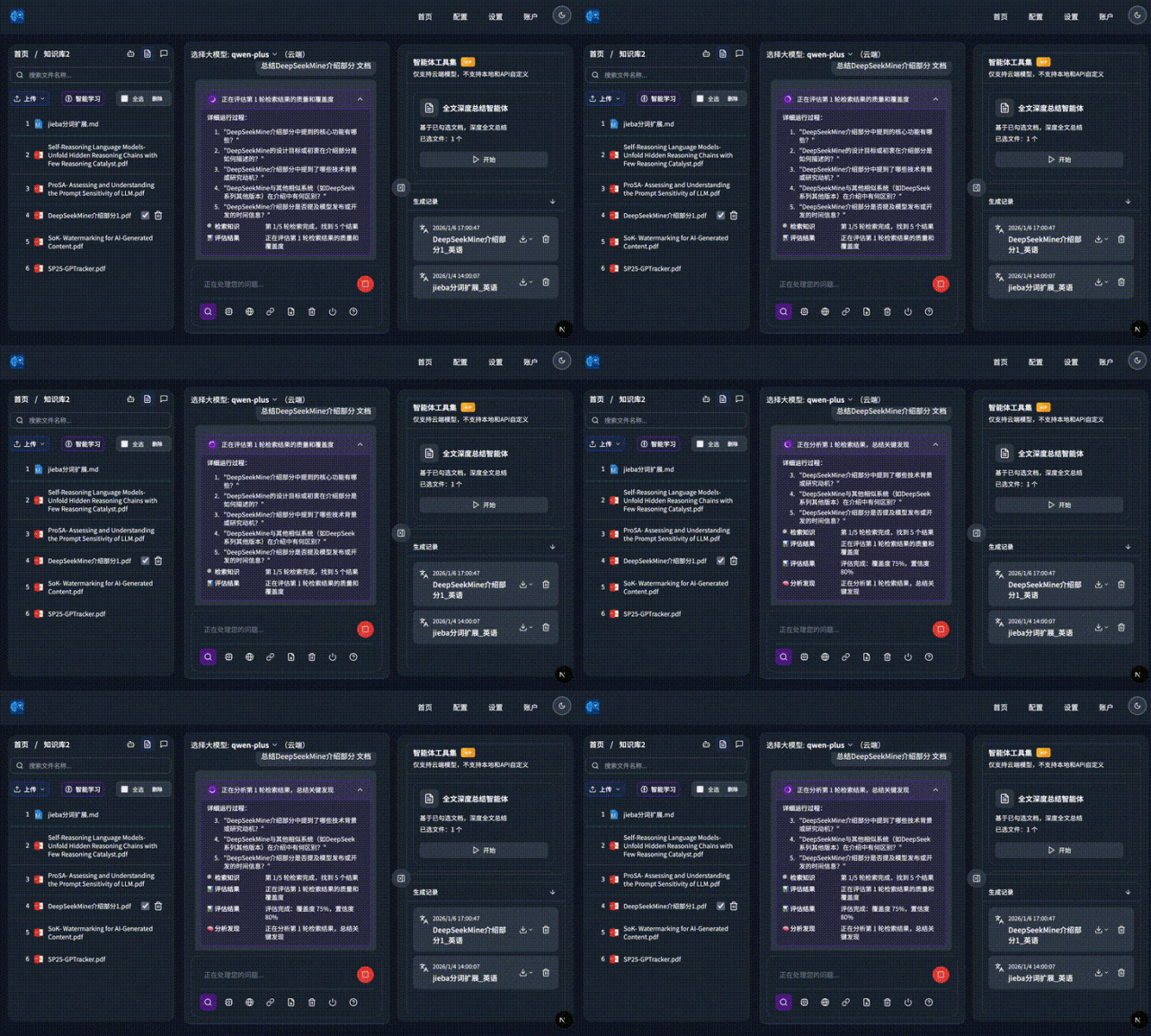
It supports deep research mode:
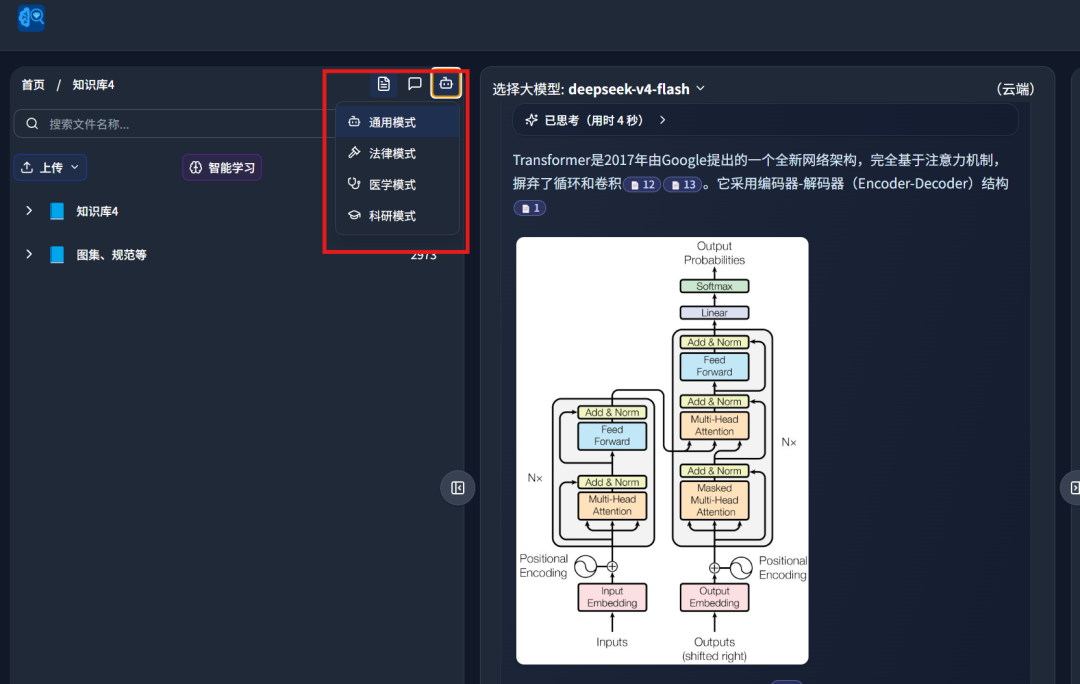
To make answers more professional, it provides four preset professional modes: general, legal, medical, and research.
Users can switch modes based on the current task:
It also supports answering across multiple knowledge bases:
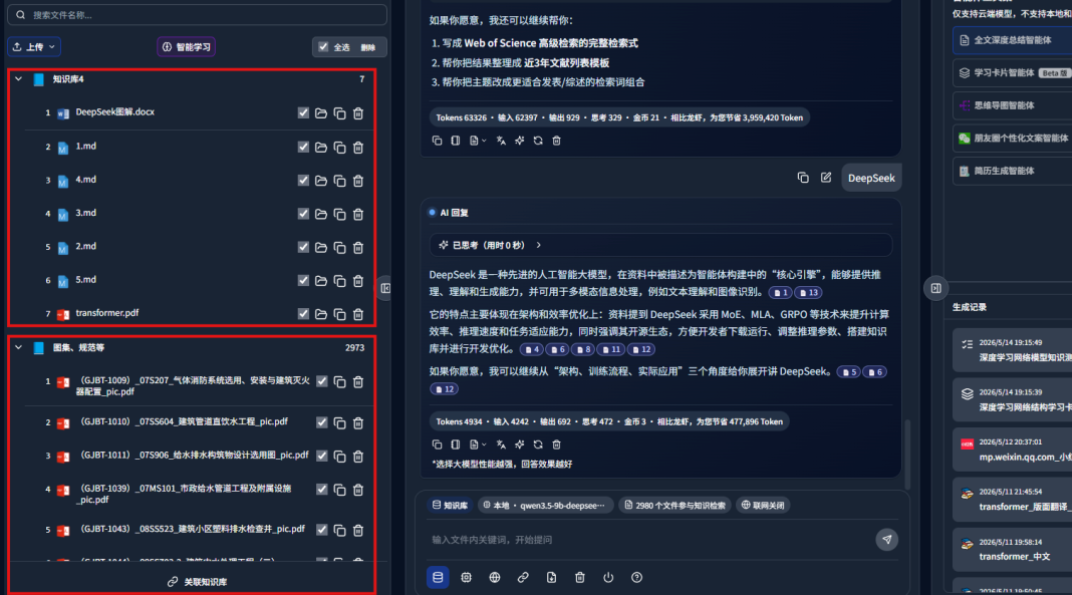
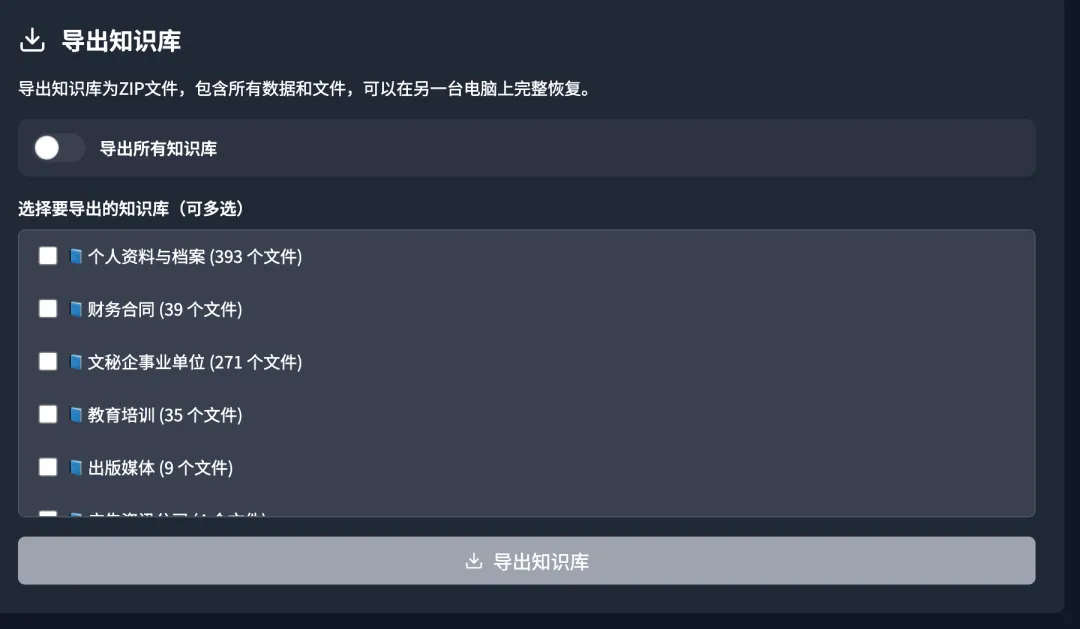
It supports migration export across knowledge bases, NAS file movement and copying, and similar file operations:
2. Knowledge-base test
The knowledge-base tool is called DeepLocals. It is one of my preferred local knowledge-base tools, and I have been using it for a while.
During the past week, I tested several additional features.
First, I tested its quiz-generation agent:
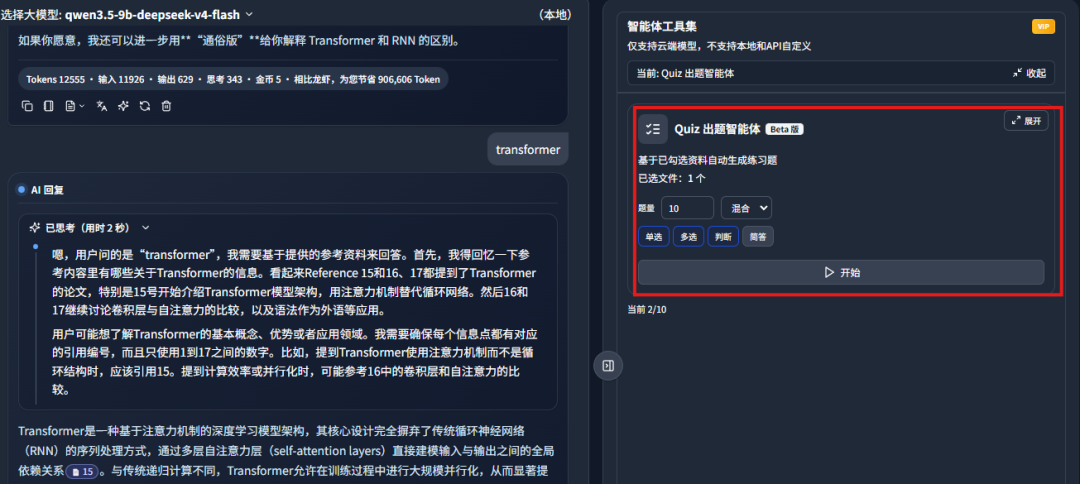
It can generate practice questions from the material in the knowledge base with one click:
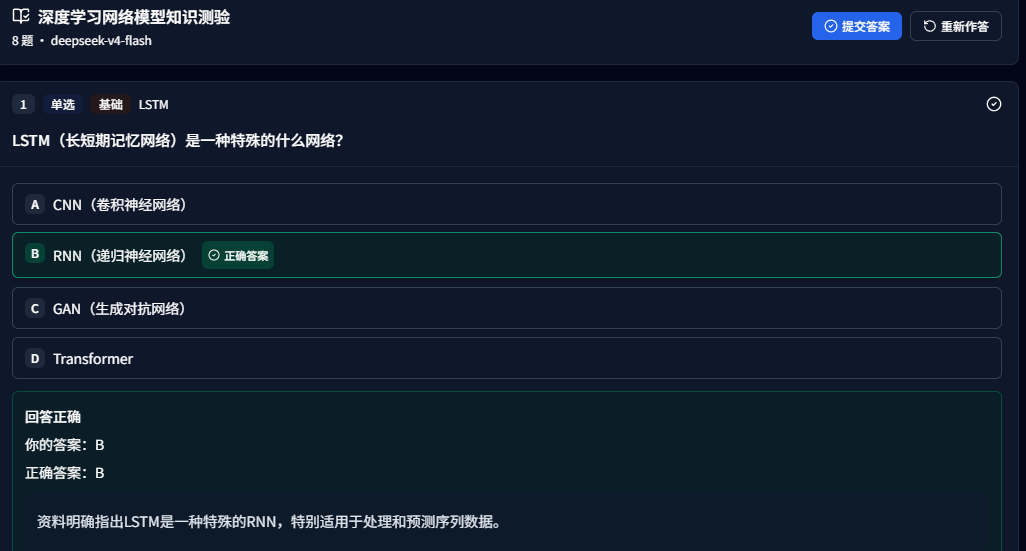
It also includes complete explanations and references to the source document paragraphs:
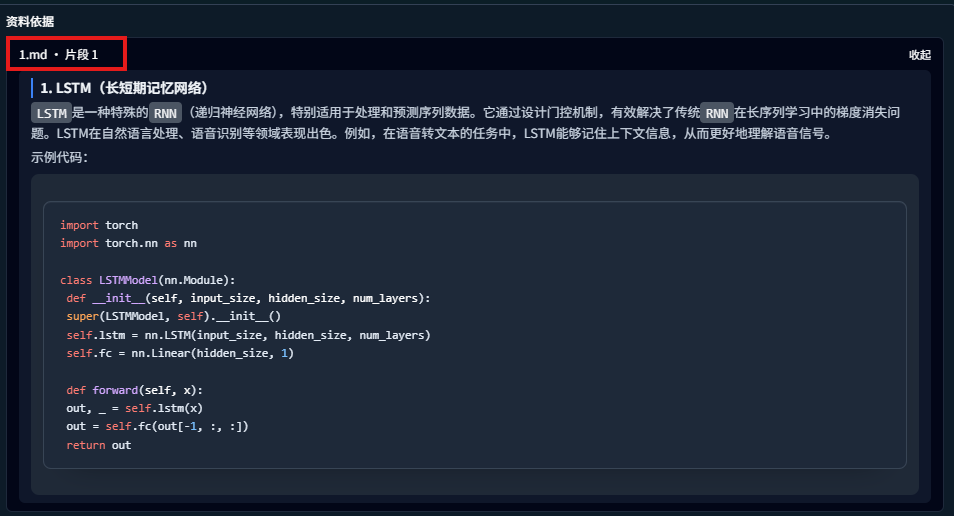
This agent can help me learn how to think through a topic. Practice questions make it faster to identify key concepts.
Second, I tested a flashcard learning agent, which is also interesting:
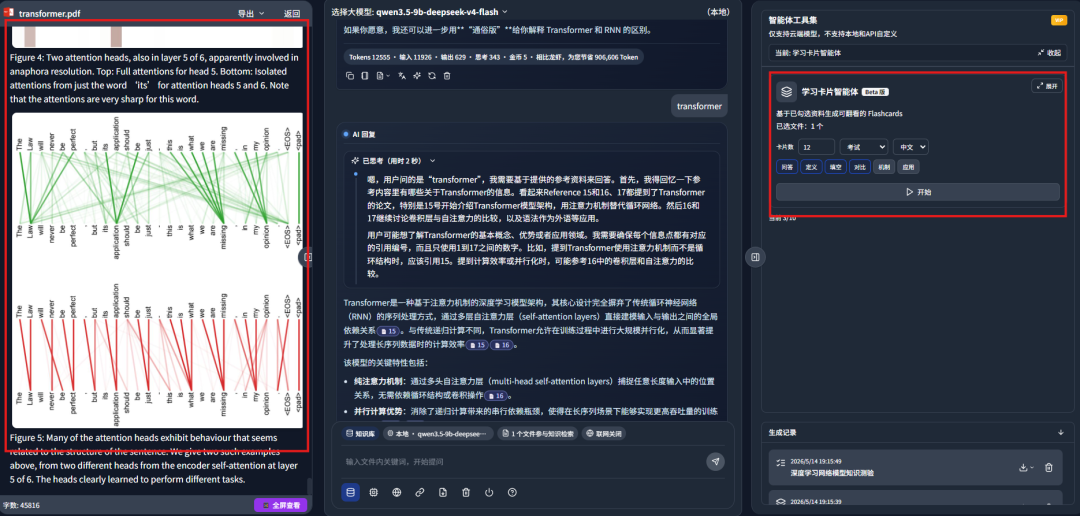
It generated review cards from selected materials:
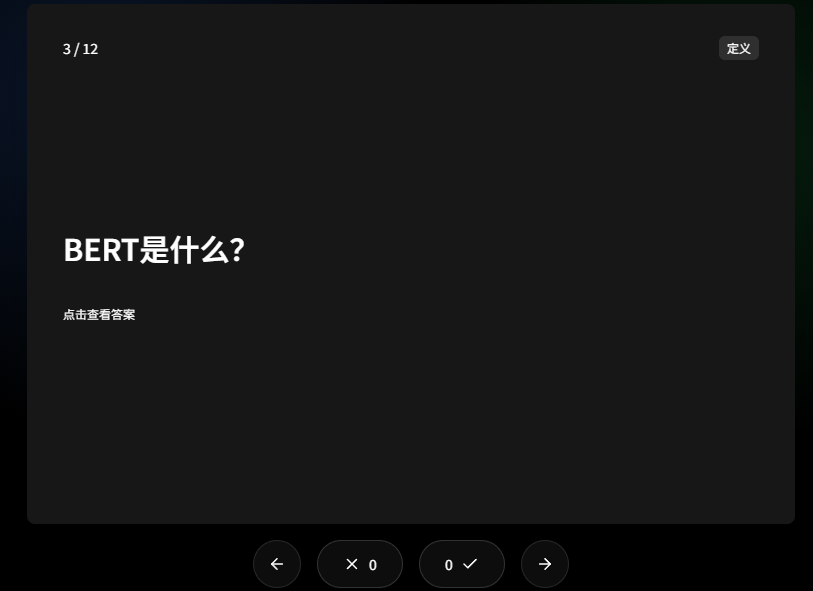
It can turn key knowledge from PDFs, Word documents, and Excel files into repeatable study cards. This is useful for exam review, training, and knowledge consolidation.
Third, I tested the newly supported upload-and-learn feature for work email files such as EML:
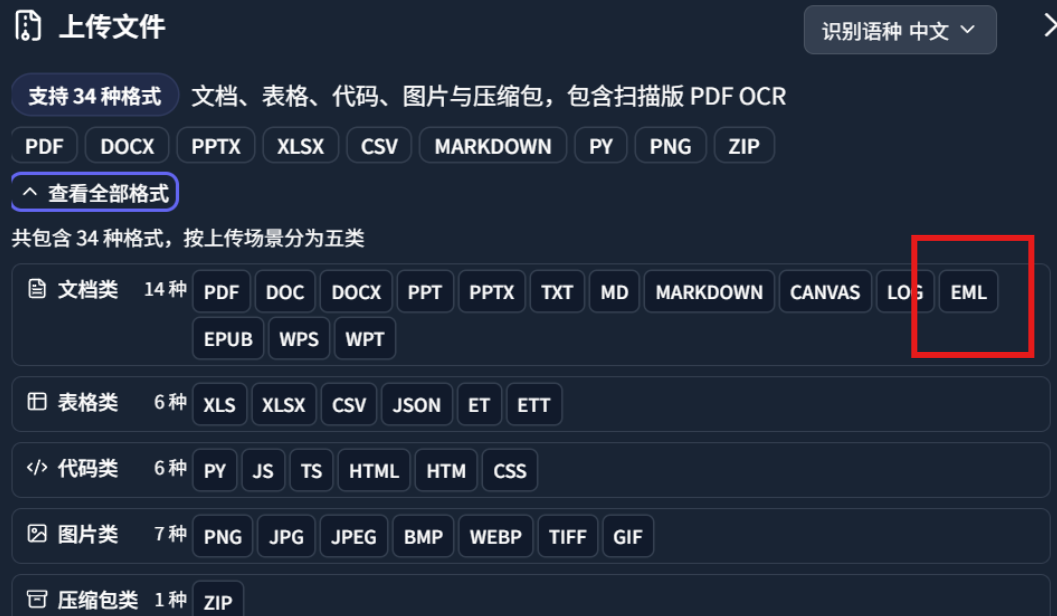
I imported work emails and material for writing Guozhen AI articles into the system:
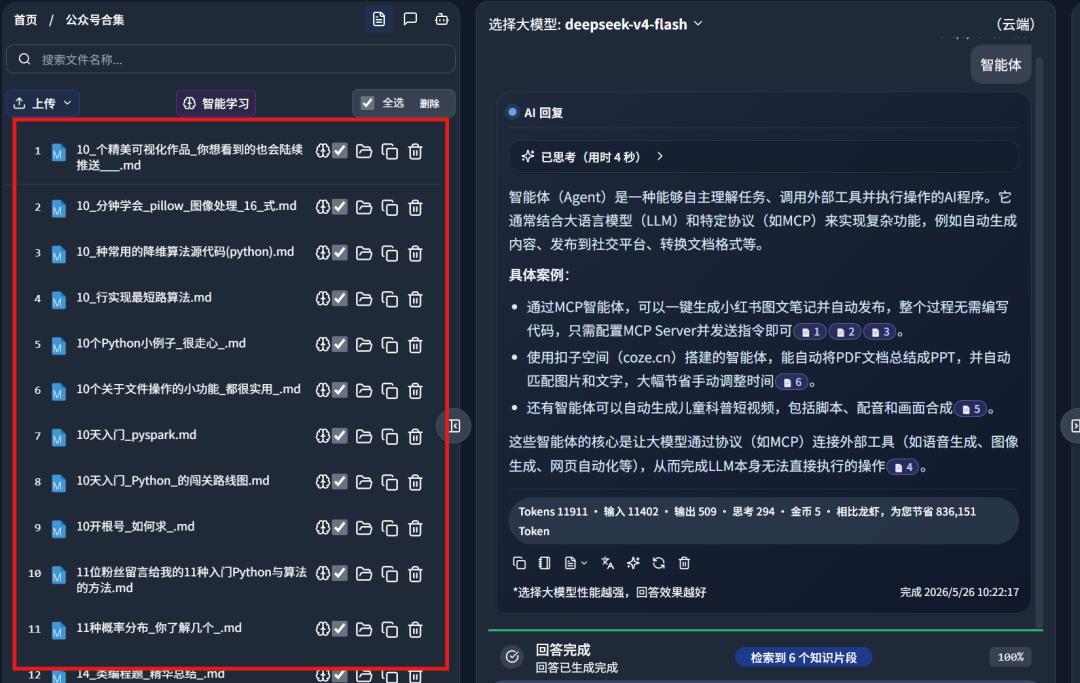
I will share more feature tests in later articles.
3. What a knowledge base is
A knowledge base can be understood simply as an external information library for AI.
This library can contain many kinds of material: PDFs, Word documents, web pages, FAQs, product manuals, database records, code repositories, meeting notes, customer-service scripts, and more.
The workflow is roughly like this:
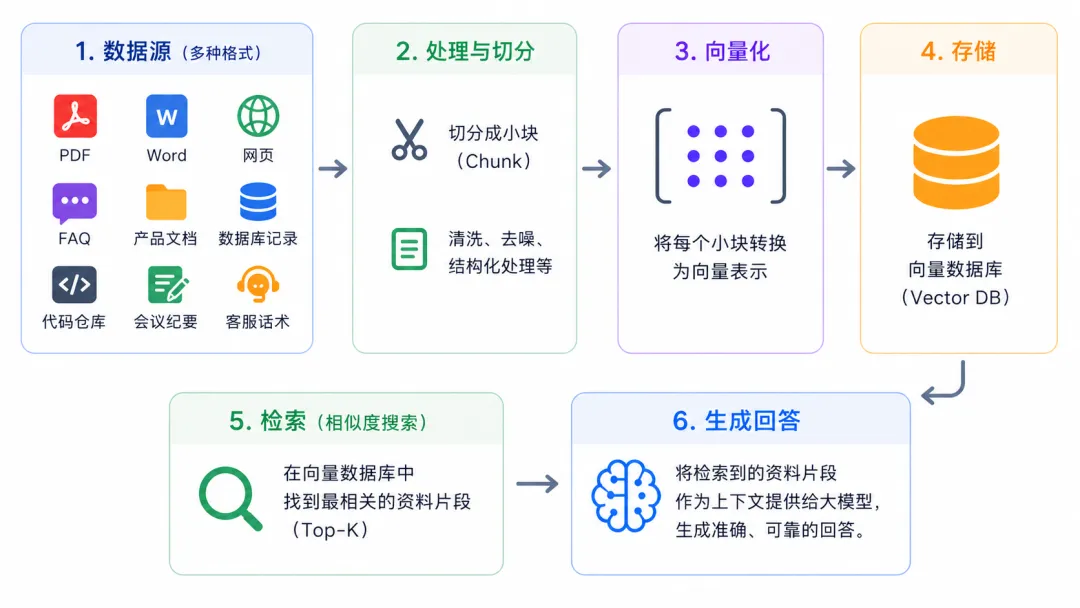
The system first splits these materials into smaller chunks, converts each chunk into vectors, and stores them in a vector database.
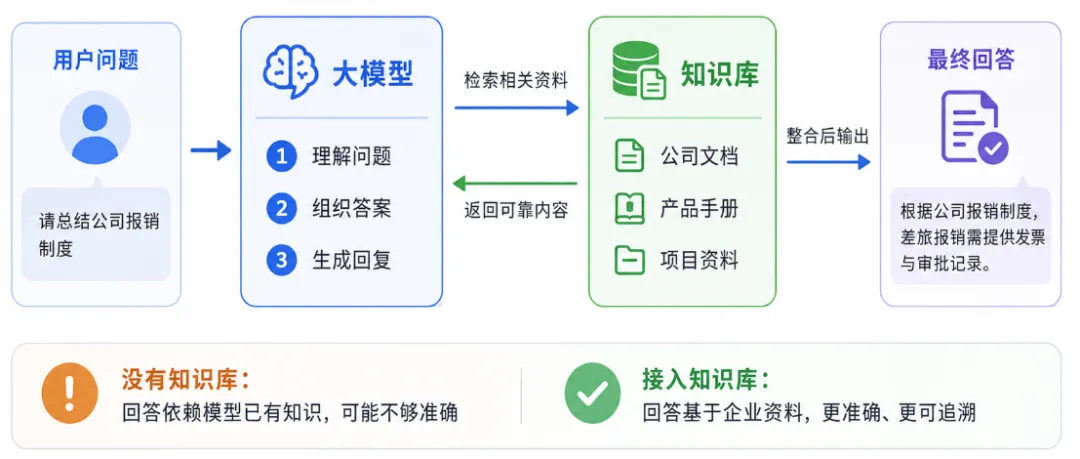
When a user asks a question, the system does not rely only on the model's own memory. It first retrieves the most relevant chunks from the knowledge base, then sends those materials to the large model so the answer is grounded in the original documents.
The benefit is clear: the AI has source material to rely on, so it is less likely to invent answers. It can also handle private knowledge from a company or an individual's computer, which the base model would not know:
Final thoughts
This article tested DeepLocals, a local knowledge-base tool. It feels like giving your computer files an AI brain.
It can help you find answers, summarize materials, and generate reports from many local files.
The part I like most is that its answers are not generated from thin air. They come with complete citation sources, so you can go back to the original paragraph and verify them.
If your computer has a lot of material and you often face the problem of not finding, not finishing, or not organizing your documents, this kind of local knowledge-base tool is worth trying.
This English edition preserves the screenshots and workflow order from the original Chinese article.
Final verdict
This local knowledge-base workflow is useful because the answers remain tied to source evidence. For private file collections, citation-backed retrieval is much more valuable than a fluent but unverifiable answer.
From Field Note to Buying Decision
Use this AI field note to choose software, APIs, agents, search, and security tools.
AI Field Note FAQ
Use this field note as evidence before choosing AI tools
How should I use this AI field note?
Use it as hands-on evidence from a real AI workflow, then compare the related software category, model benchmark, API guide, security checklist, and tool alternatives before choosing a product.
Is this field note enough to choose an AI tool?
No. Treat the field note as practical context, then validate pricing, privacy, integration effort, reliability, benchmark fit, and team workflow before spending budget.
What should I read after I Tested a Local Knowledge Base That Learns Hundreds of Files and Exports Reports?
Open AI Software Buyer Guides, AI Model Benchmarks, Best AI Coding Agents, Enterprise AI Search Tools, OpenAI vs Anthropic API, or LLM Security Tools depending on the decision you need to make.
When should teams re-test the result from this field note?
Re-test when the model, product plan, pricing, API behavior, prompt workflow, data policy, browser support, or deployment environment changes.
Continue