English translation
DeepSeek-V4 and MinerU for Scanned PDF RAG: A Practical Local Knowledge Base Test
AI Field Note Decision Snapshot
Turn the test result into evidence quality, workflow, model/API, and buying-risk checks.
Use this snapshot to decide whether the field note supports a tool shortlist, a benchmark follow-up, an API comparison, or a security review before spending budget.
Evidence quality
Separate what was tested directly from what still needs vendor docs, benchmark data, pricing checks, or source verification.
Workflow transfer
Decide whether the field note applies to coding, search, research, support, content, document review, or internal automation.
Model and API implication
Map the result to model quality, latency, context window, multimodal fit, tool calling, or API reliability questions.
Buying risk
Check pricing, privacy, integration effort, data retention, security controls, and re-test triggers before turning evidence into spend.
Hi, I am Guozhen.
If you keep a lot of files on your computer, you probably know this problem already.
PDFs, Word documents, Excel sheets, meeting notes, contracts, research papers, and project documents all look useful when you save them. But when you actually need one specific clause, table, or experiment result, the file is suddenly impossible to find.
The problem gets worse when there are thousands of files. Windows search is not enough, and memory is even worse. For knowledge work, the real question is not only "can an AI answer me?" but "can it read the hard documents accurately enough to answer with evidence?"
This field note tests one solution: using MinerU for document parsing, then using DeepSeek-V4 inside DeepLocals as a local knowledge-base assistant.
1. Why scanned PDFs are hard for AI
Many PDFs on a real computer are not clean text files. They are scanned documents, complex research papers, or heavily formatted reports with two-column layouts, formulas, and tables.
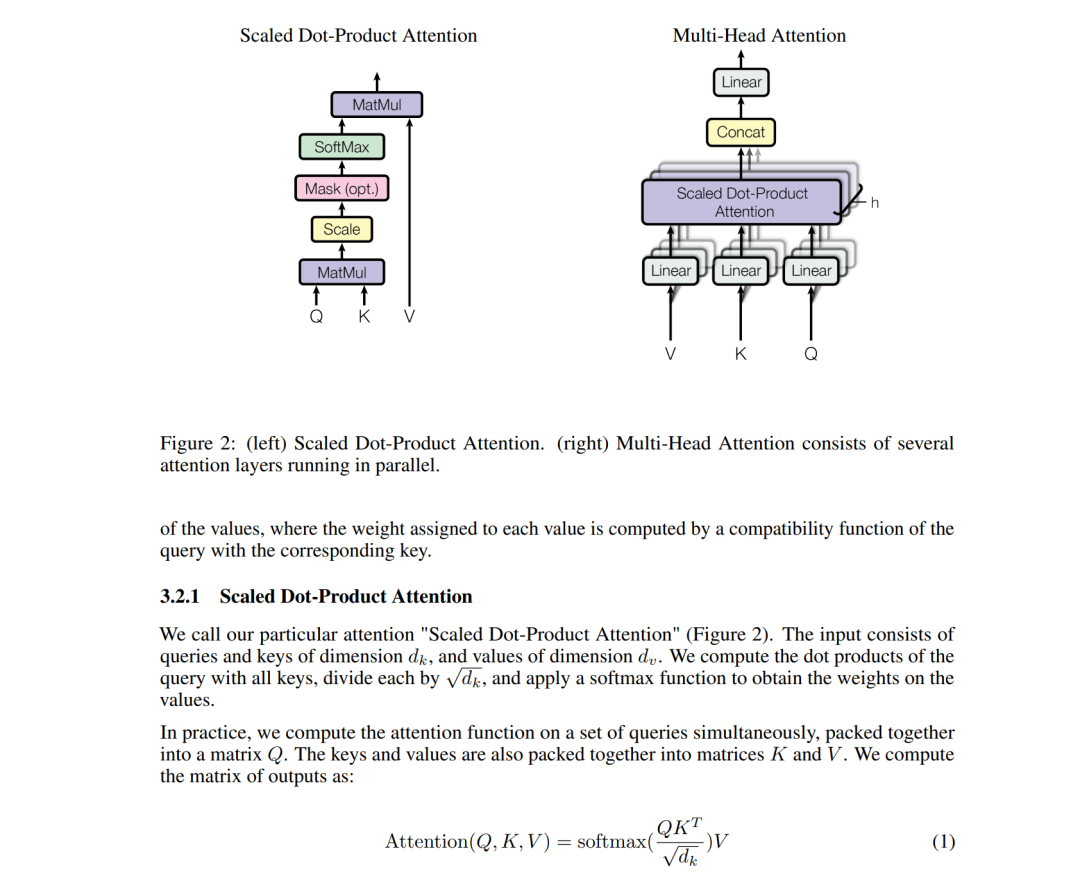
When these files are sent directly into an AI knowledge base, the parsed structure often breaks. In one test, I put the same paper into NotebookLM and the formula layout became problematic after parsing:
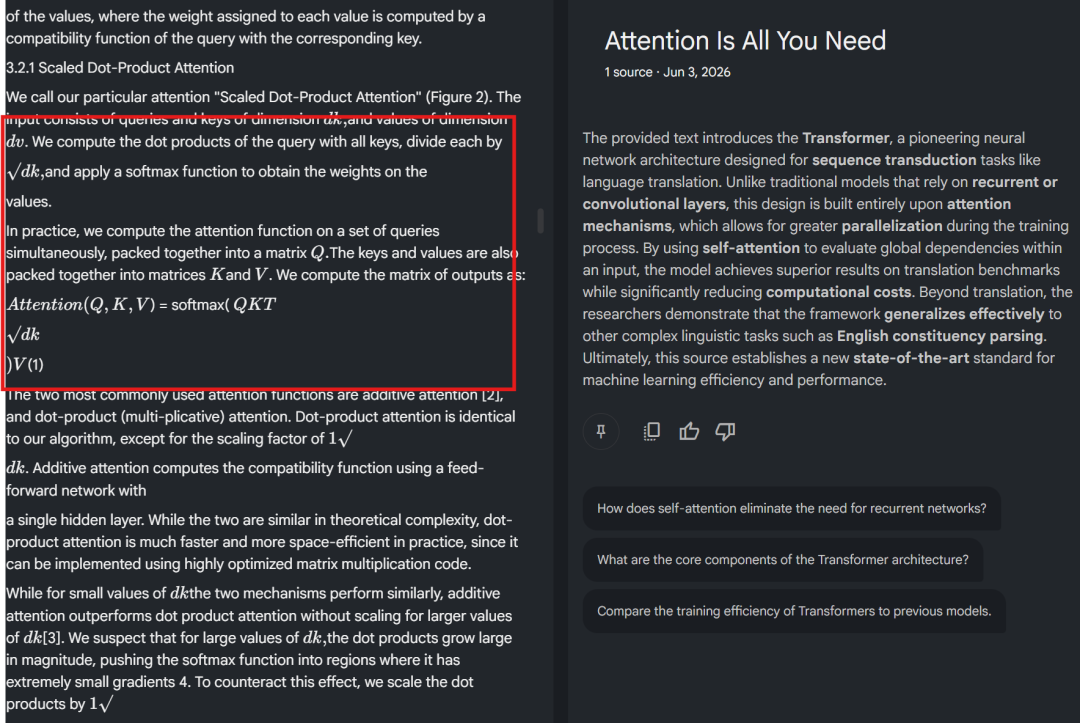
This is where MinerU becomes useful. MinerU is built for difficult documents: scanned pages, complex formulas, nested tables, and messy layouts.
After connecting MinerU to the DeepLocals knowledge base, the same formula was parsed more cleanly than the NotebookLM result:
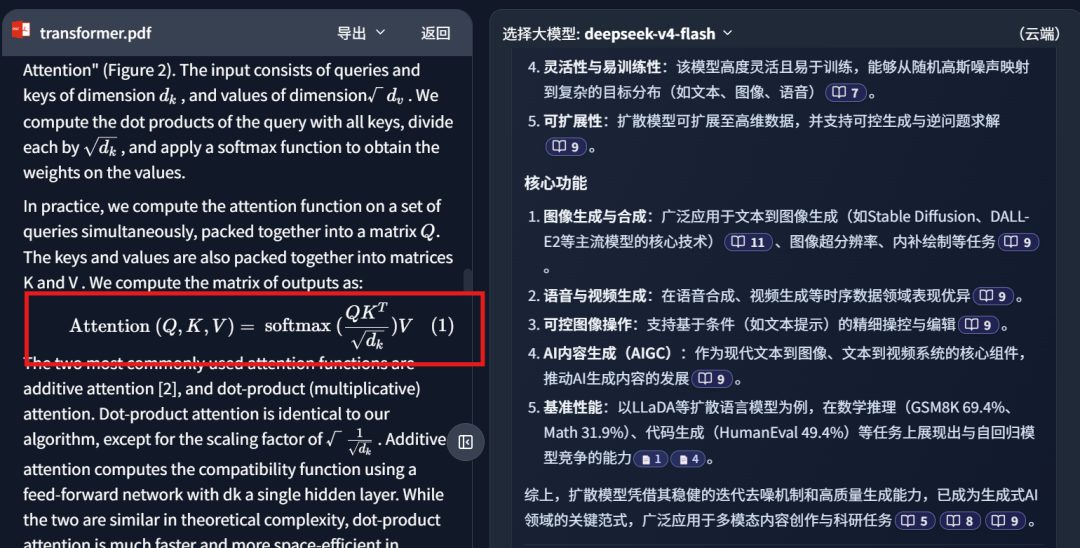
That matters because RAG depends on input quality. If the parser damages the document, the model may retrieve the wrong passage or answer from a distorted context. If the parser keeps the structure closer to the original, the local assistant has a much better chance of answering from the right evidence.
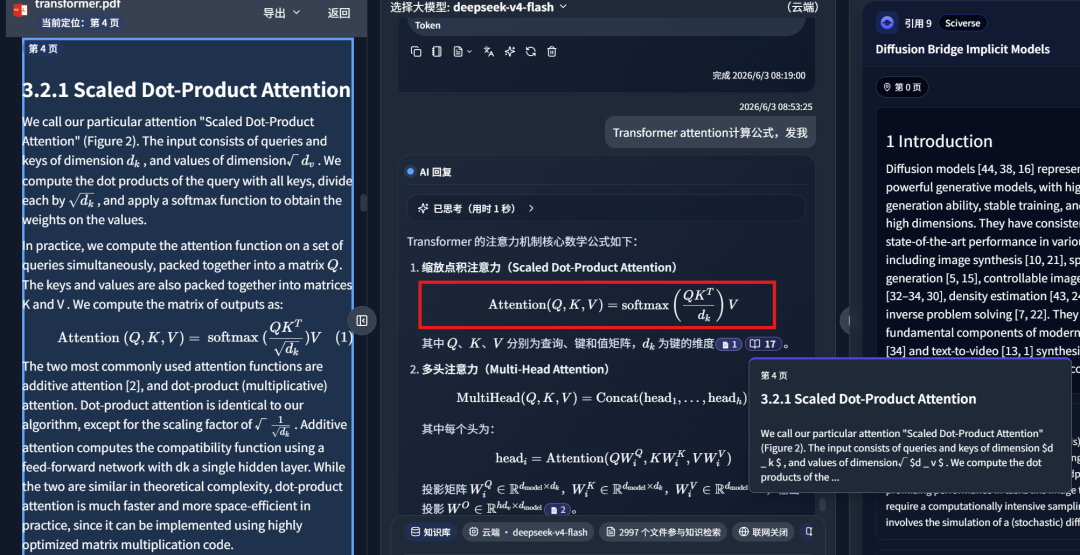
In the screenshot below, the knowledge-base answer hits the corresponding document fragment and returns an accurate answer:
MinerU's parsing quality comes from its document understanding pipeline:
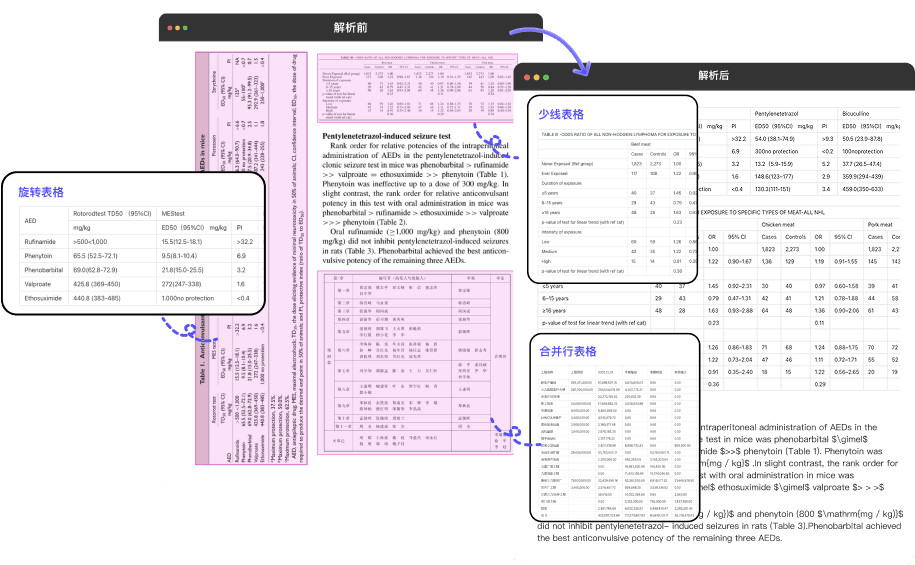
My short conclusion: for local RAG, better PDF parsing is not a small detail. It is the first layer of answer quality.
2. Local private files plus external academic search
Local documents are only one side of research. When writing a technical report or checking a method, I often need both my private files and external academic references.
MinerU has recently connected to Sciverse, an academic library with more than 25 million public papers:
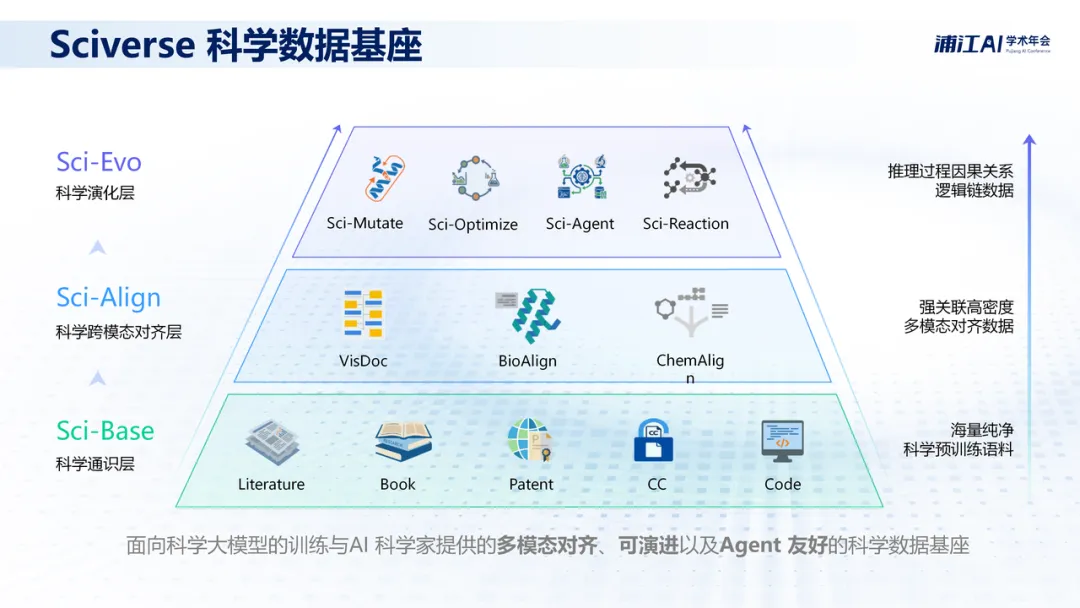
DeepLocals also supports this upgraded MinerU feature:
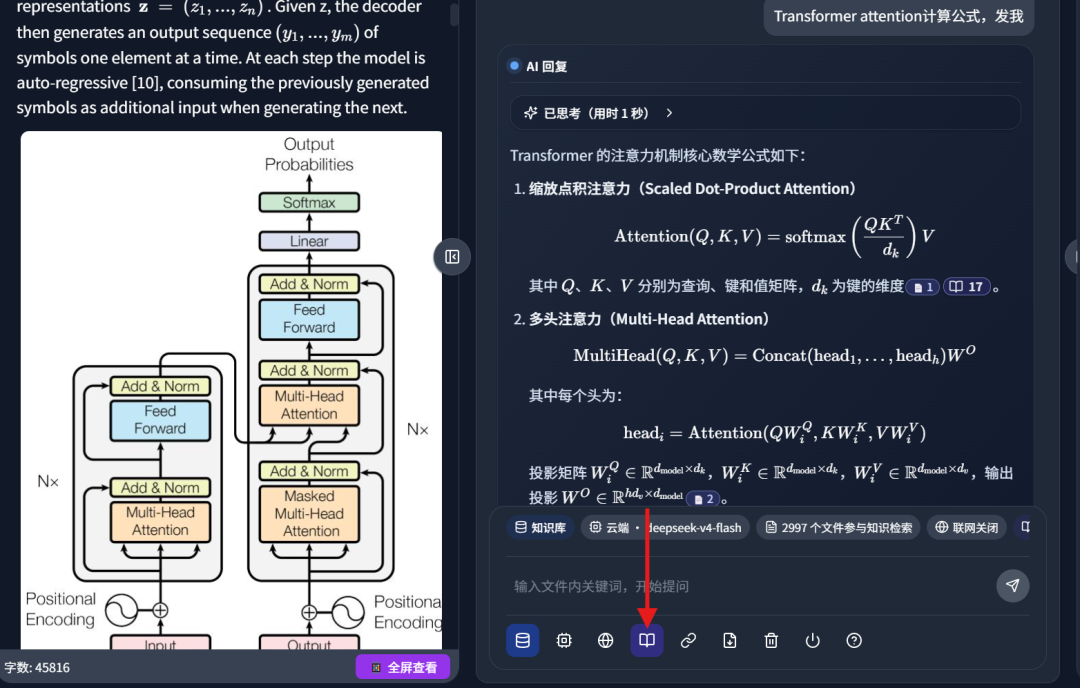
In practice, this means I can ask a question and enable academic literature search. DeepLocals then checks my local files while also searching external academic papers.
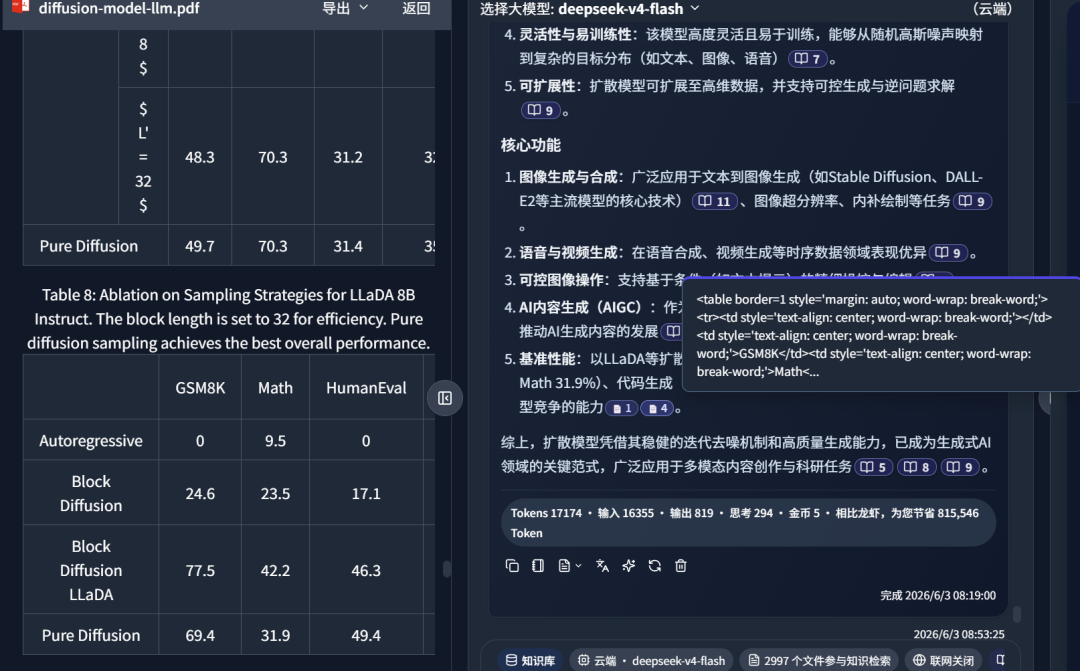
For example, I asked DeepSeek-V4 to summarize diffusion-related material:
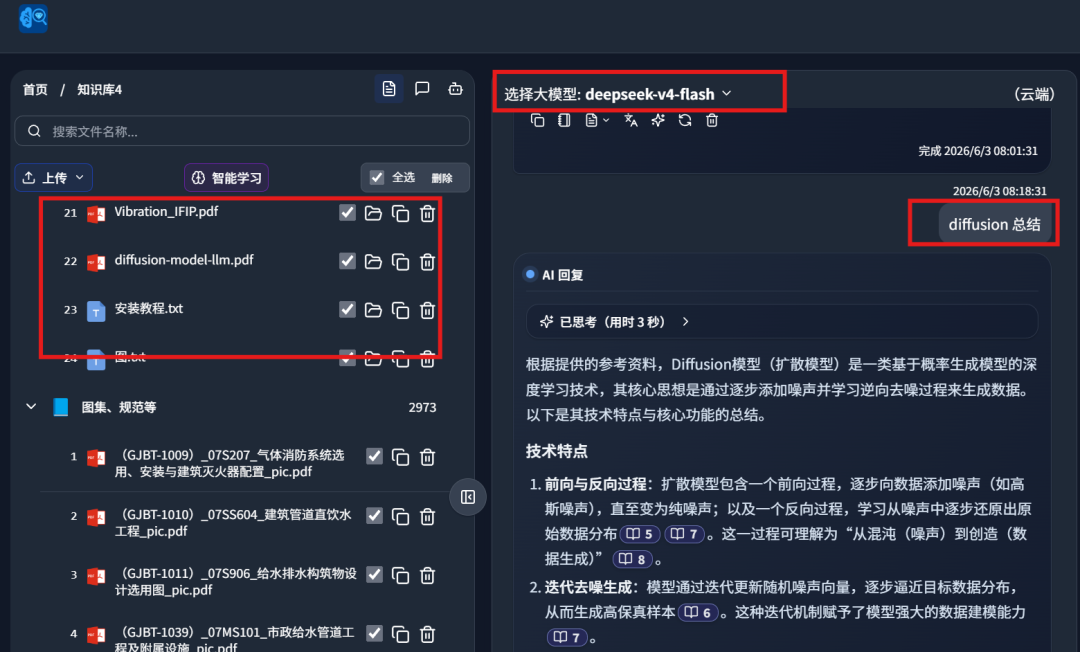
On the left side, it retrieved a local PDF paper from my own knowledge base:
At the same time, it searched the external academic library:
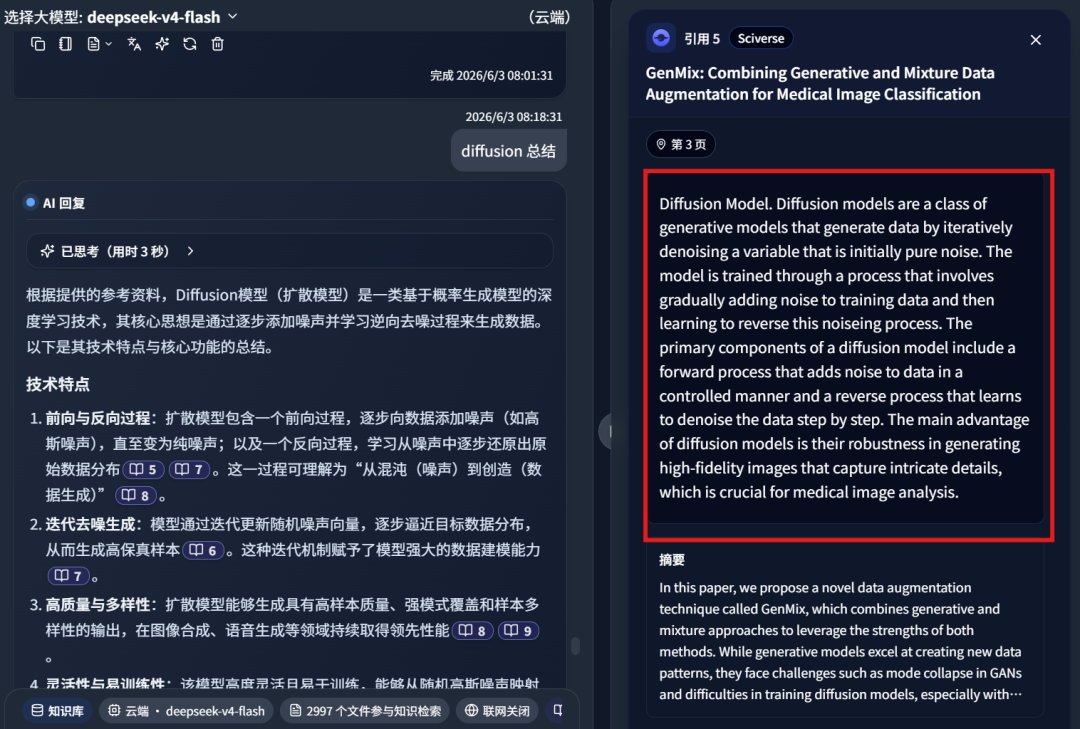
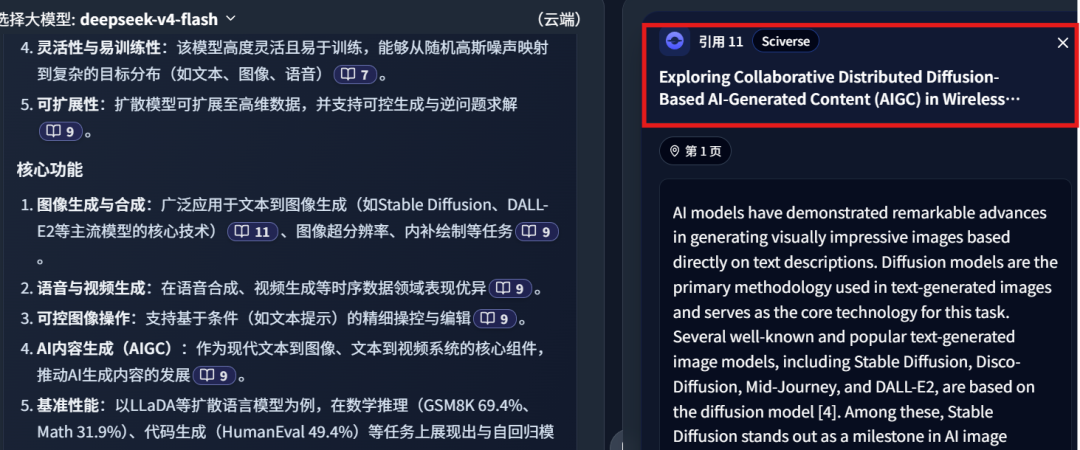
It returned multiple references, including reference 11:
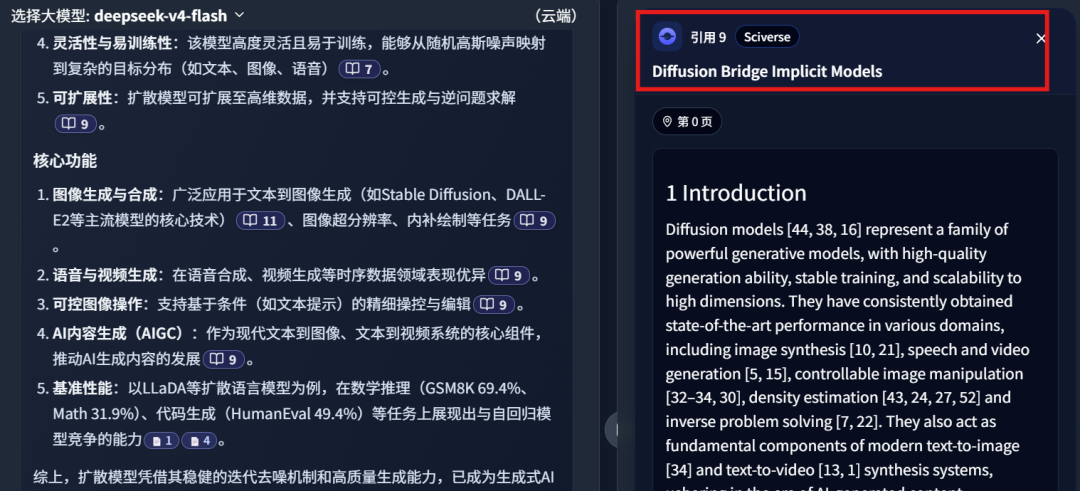
Reference 9:
And reference 8:
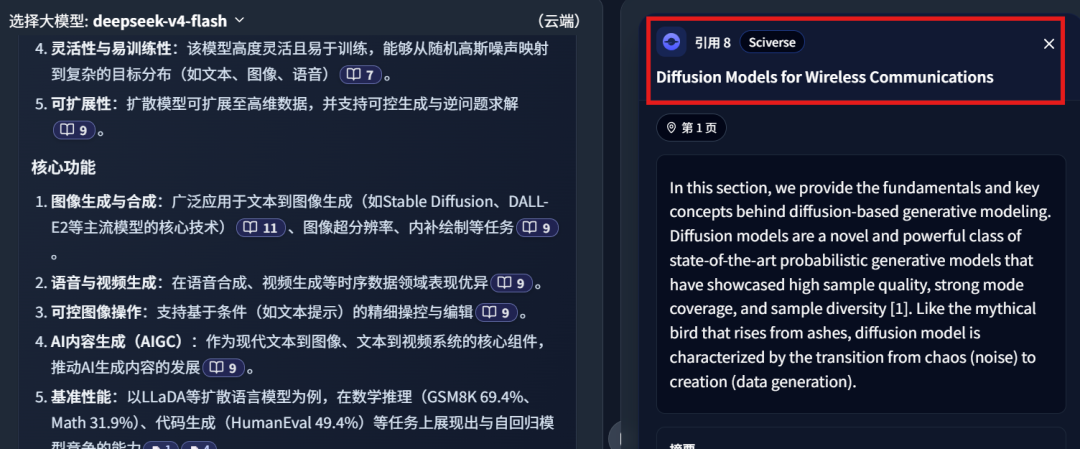
This private-file-plus-public-literature workflow saves a lot of manual searching. More importantly, it gives the final answer better grounding because the model is not limited to either my old local notes or a generic web summary.
3. DeepSeek-V4 inside a local knowledge base
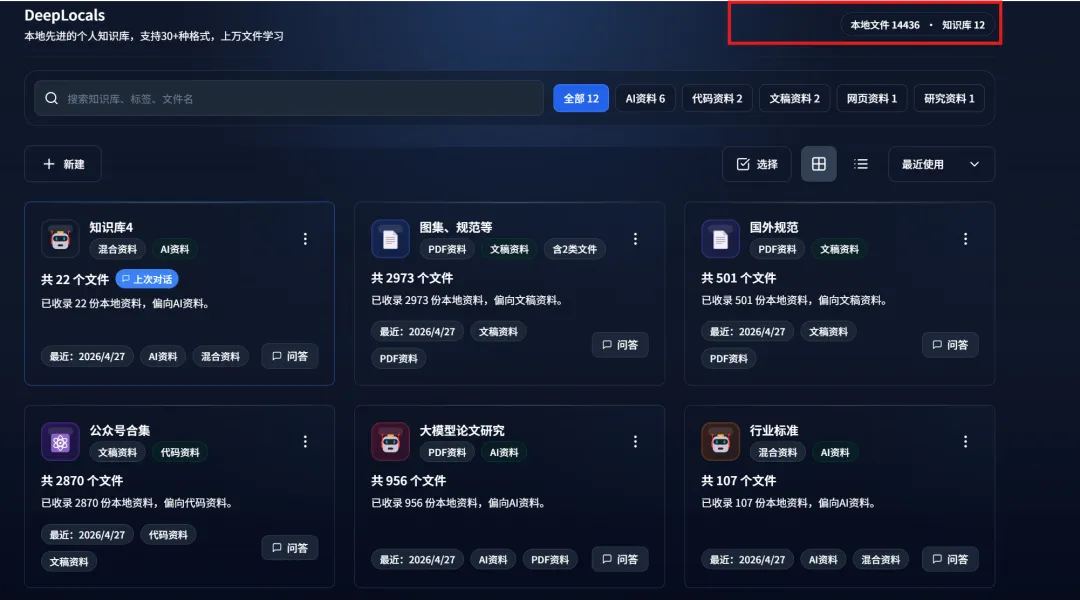
DeepLocals has learned a large number of PDFs, Word documents, and other files from my computer:
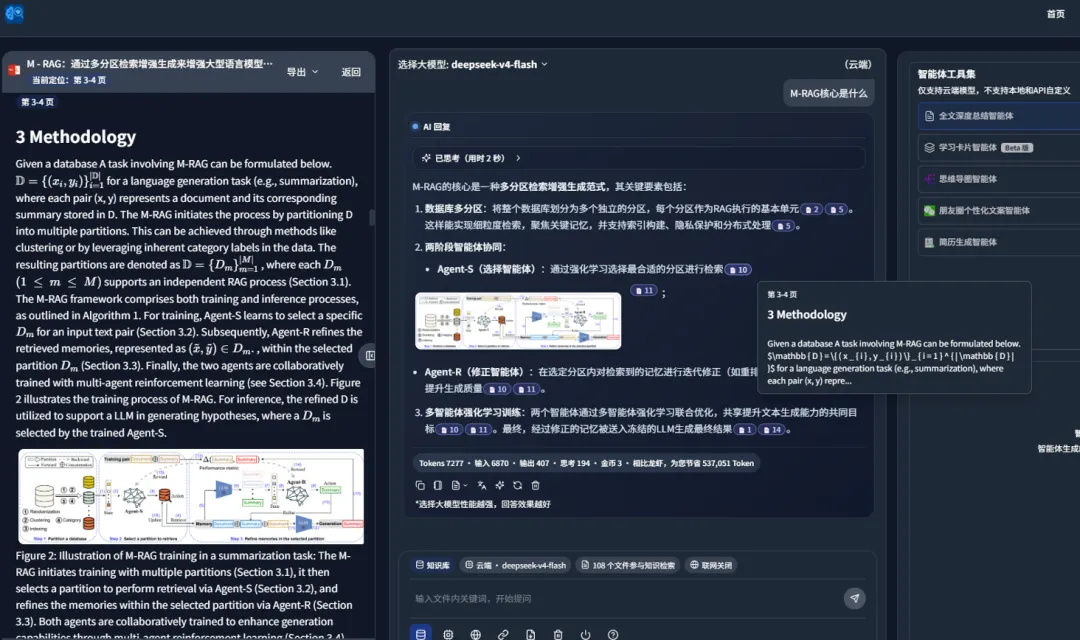
After learning the files, it can display both text and images, which makes it more useful for multimodal documents:
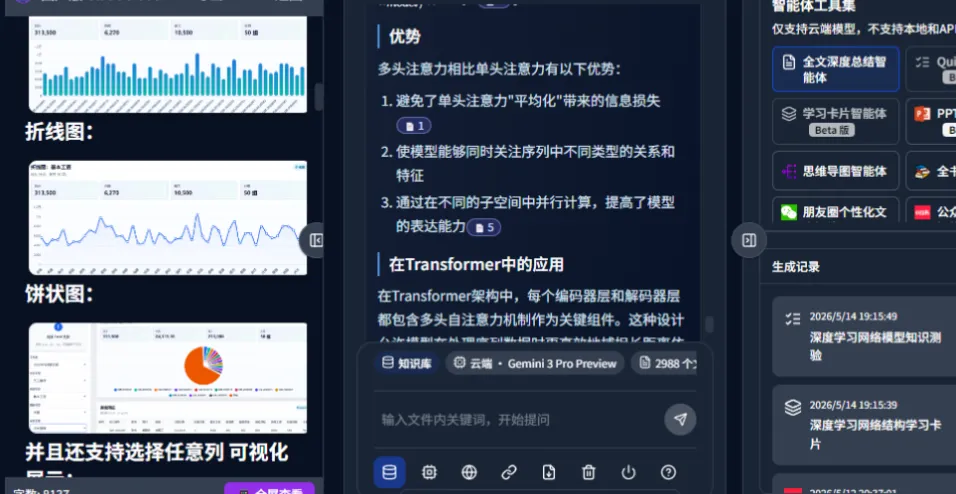
The product supports both cloud and local modes. In the example below, it answers with image-and-text context from the files it has learned:
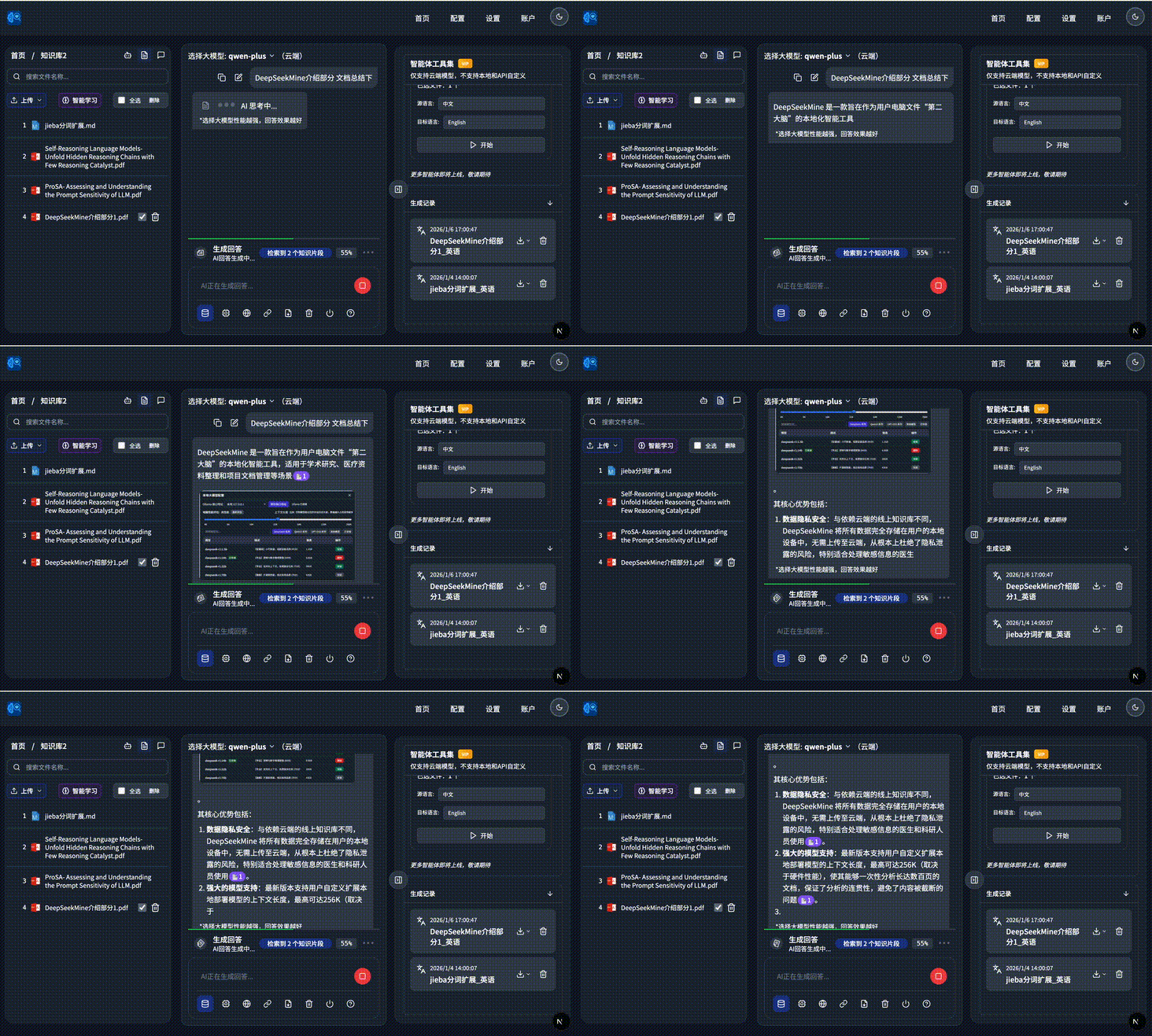
It can automatically combine local file evidence into the answer:
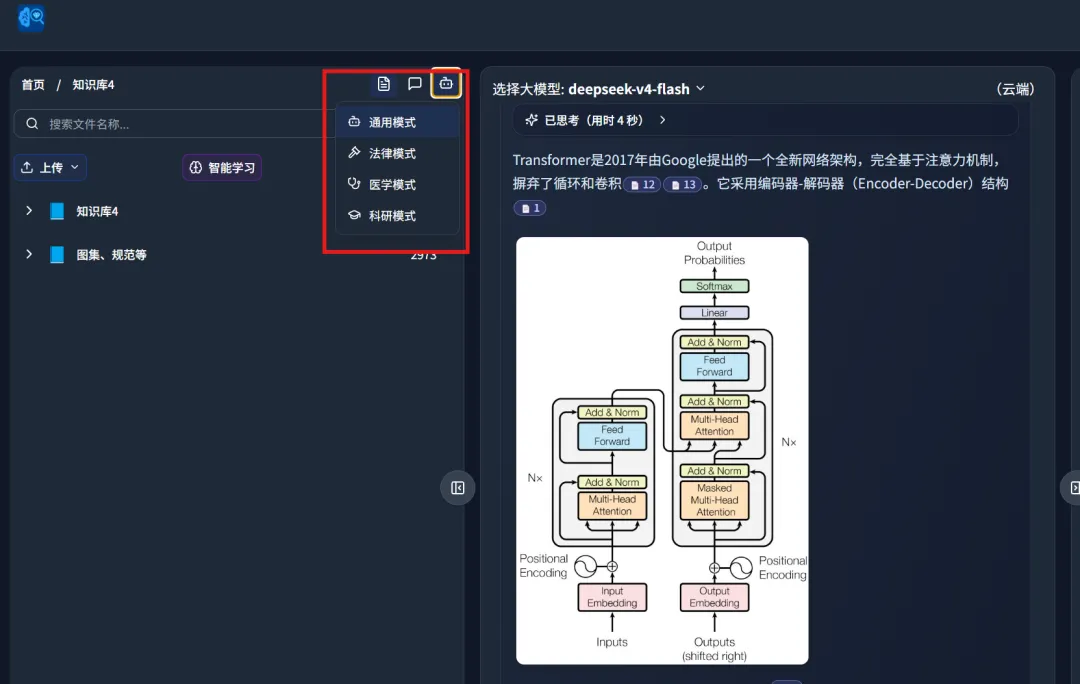
It also includes several specialized modes: general, legal, medical, and research:
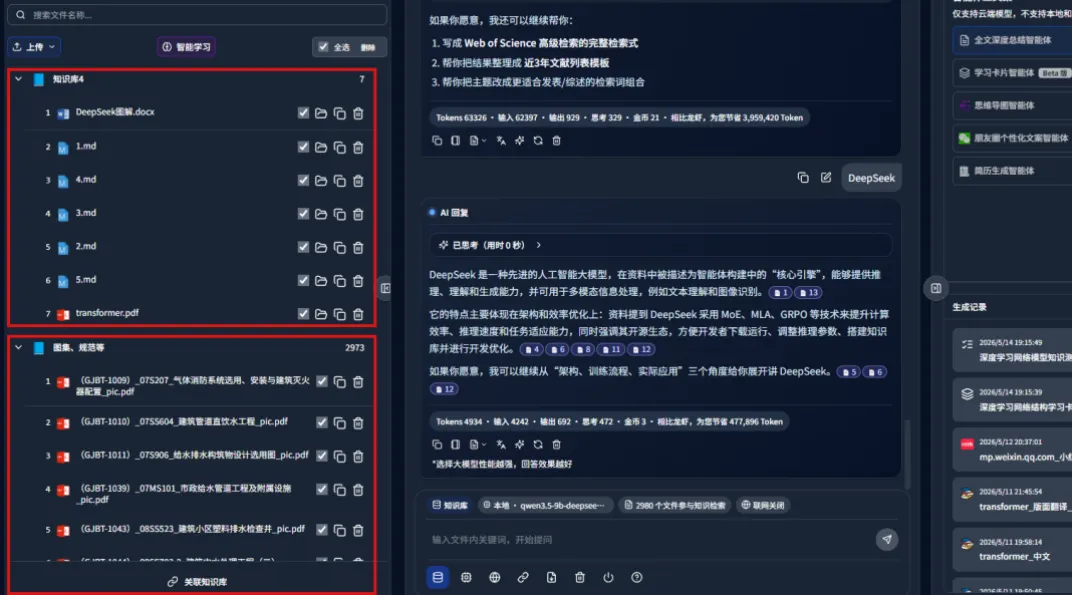
Another useful feature is cross-knowledge-base answering:
I also use other knowledge-base tools such as Tencent IMA, but for this particular test the MinerU plus DeepLocals workflow was strong because it handled difficult PDF parsing and evidence retrieval together.
4. What this setup is good for
This workflow is most useful when the files are difficult and the answer must be grounded:
- scanned PDFs and image-heavy reports
- papers with formulas, tables, and multi-column layouts
- legal, medical, or research documents where wording matters
- internal company files that should stay local
- research reports that need both private documents and external academic sources
It is less interesting if you only need a quick generic summary from a clean text document. In that case, many AI tools can already do the job.
Final verdict
The real improvement is not simply "DeepSeek-V4 can answer questions." The important part is the pipeline around it.
MinerU makes difficult documents more readable. DeepLocals turns those parsed files into a searchable local knowledge base. Sciverse adds external academic evidence. Together, this creates a more practical AI research workstation: local files are organized, external papers are searchable, and the final answer can point back to evidence.
If your computer is already full of documents and you want AI to help with real work instead of guessing from broken PDF text, this combination is worth testing.
From Field Note to Buying Decision
Use this AI field note to choose software, APIs, agents, search, and security tools.
AI Field Note FAQ
Use this field note as evidence before choosing AI tools
How should I use this AI field note?
Use it as hands-on evidence from a real AI workflow, then compare the related software category, model benchmark, API guide, security checklist, and tool alternatives before choosing a product.
Is this field note enough to choose an AI tool?
No. Treat the field note as practical context, then validate pricing, privacy, integration effort, reliability, benchmark fit, and team workflow before spending budget.
What should I read after DeepSeek-V4 and MinerU for Scanned PDF RAG: A Practical Local Knowledge Base Test?
Open AI Software Buyer Guides, AI Model Benchmarks, Best AI Coding Agents, Enterprise AI Search Tools, OpenAI vs Anthropic API, or LLM Security Tools depending on the decision you need to make.
When should teams re-test the result from this field note?
Re-test when the model, product plan, pricing, API behavior, prompt workflow, data policy, browser support, or deployment environment changes.
Continue