English translation
Qwen3.5 9B + Hermes: The Best Local Agent Setup I Have Tested So Far
AI Field Note Decision Snapshot
Turn the test result into evidence quality, workflow, model/API, and buying-risk checks.
Use this snapshot to decide whether the field note supports a tool shortlist, a benchmark follow-up, an API comparison, or a security review before spending budget.
Evidence quality
Separate what was tested directly from what still needs vendor docs, benchmark data, pricing checks, or source verification.
Workflow transfer
Decide whether the field note applies to coding, search, research, support, content, document review, or internal automation.
Model and API implication
Map the result to model quality, latency, context window, multimodal fit, tool calling, or API reliability questions.
Buying risk
Check pricing, privacy, integration effort, data retention, security controls, and re-test triggers before turning evidence into spend.
Hi, I am Guozhen.
More people are using AI agents now, and many are trying to build their own AI workstations.
This field note introduces a setup I have been testing: a local agent workflow that runs on your own computer and can keep working without relying on cloud inference.
The combination is Qwen3.5:9b + Hermes. Below is my hands-on test, including performance numbers, setup steps, and a few practical agent workflows.
1. Testing Qwen3.5:9b
In the open-source model world, the Qwen series is in a very strong position right now.
It is not only widely used in China. Recently, NVIDIA has also been quantizing Qwen models, including Qwen3.6-27B:
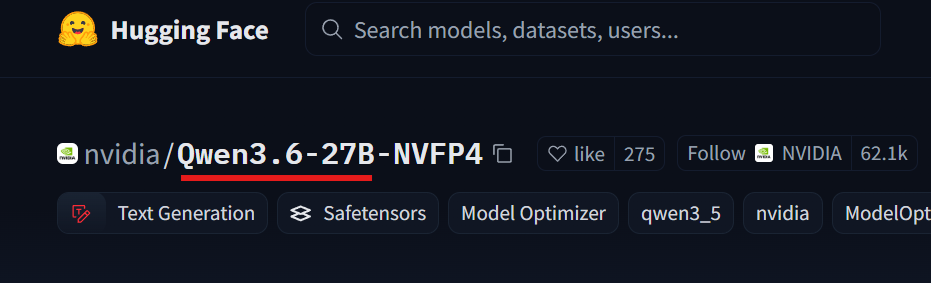
I have tested that larger model on my own machine. For the quantized Qwen3.6:27B to run smoothly on a single consumer GPU, a 32 GB RTX 5090 is basically the realistic option.
That hardware requirement is too high for most users. A large majority of people cannot run that model smoothly on their own computer.
So I moved down to a more realistic size. After a lot of local testing, Qwen3.5:9b turned out to be the most practical sweet spot.
It can run with 16 GB of system memory plus an 8 GB GPU. With a 12 GB to 16 GB GPU, the experience becomes much smoother.
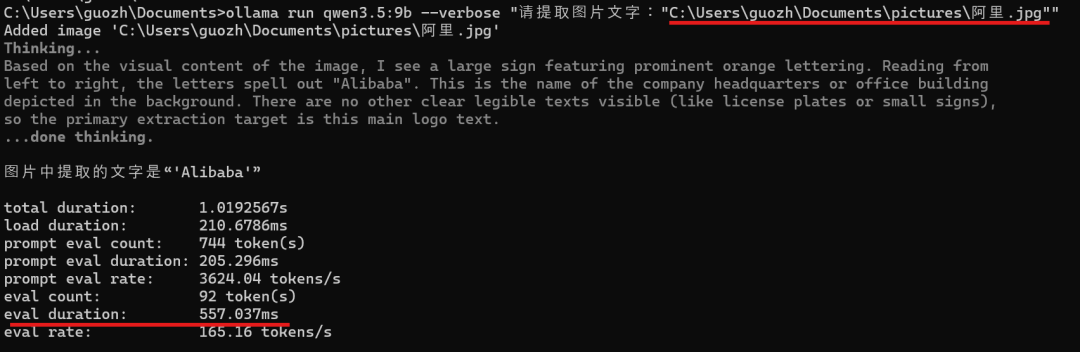
On my own test machine with a 32 GB RTX 5090, the model runs very smoothly. In the screenshot below, image understanding for a single image reached about 500 tokens per second:
Then I tested inference latency. I ran the same input 10 times and plotted the results:
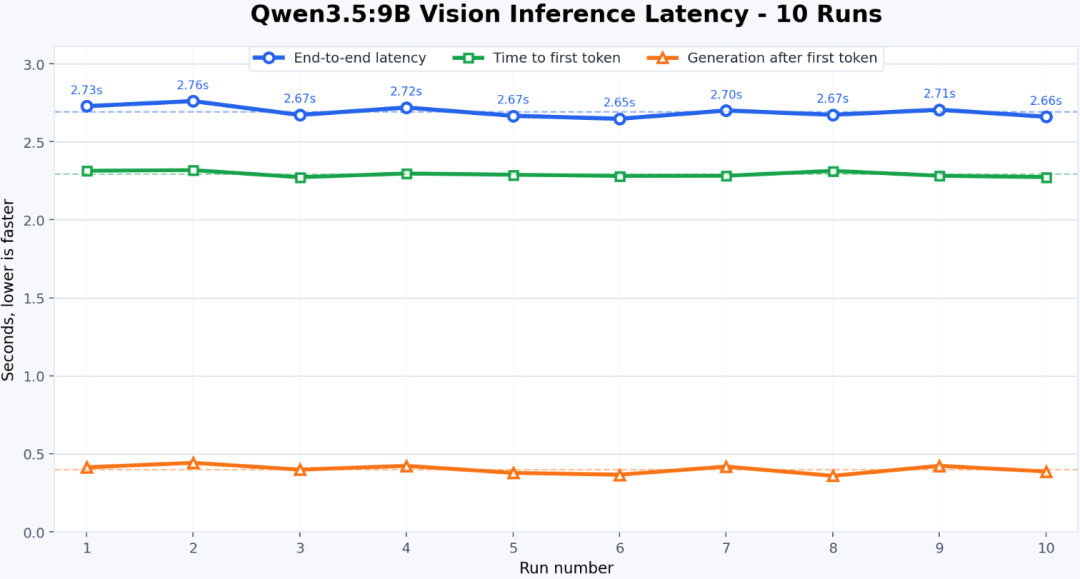
The average time to first token, or TTFT, was 2.29 seconds. After the first token, the average generation segment shown by the green line was 0.40 seconds.
The output-token speed curve is shown below:
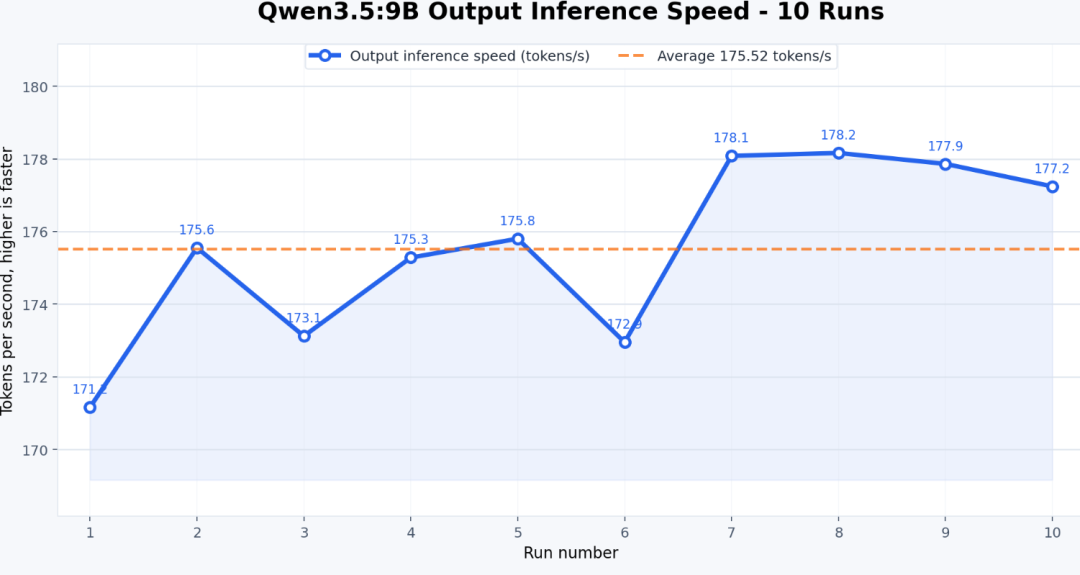
The average inference speed was 175.5 tokens per second.
This test used Qwen3.5:9b through Ollama, which I think is close to the best single-user, single-machine setup for this model size.
After testing it this way, Qwen3.5:9B feels like a sweet-spot model for local agents.
It does not consume VRAM like a 27B model, but it also does not collapse as easily as smaller models once the task becomes more complex.
It also supports up to a 256K context window, which is already enough for many local agent tasks:
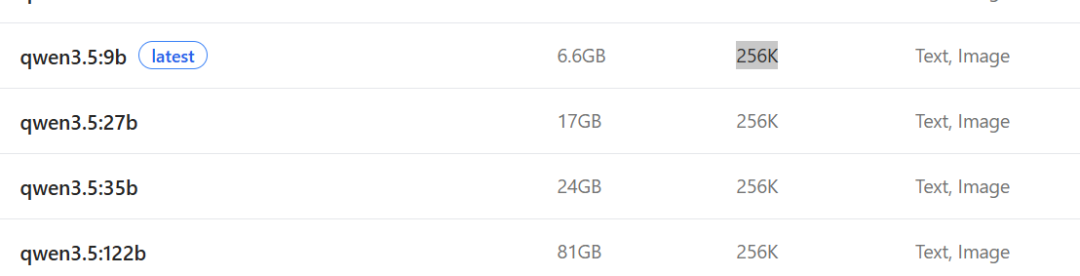
When you connect it to Hermes and use Hermes memory, multi-turn tasks become more continuous and easier to manage.
My conclusion from this part is simple: once Qwen3.5:9B is connected to Hermes, it is no longer just a local chatbot. It can handle many real local-agent tasks, which is why I think it is especially suitable for running agents on a single personal computer.
2. Connecting Qwen3.5 9B to Hermes
Why did I connect Qwen3.5 9B to Hermes first, instead of testing another agent framework?
The practical reason is that Hermes is relatively easy to install.
It is lighter, the setup path is shorter, and for normal users the chance of getting it running successfully is much higher.
That matters. A local agent tool is not useful just because it looks impressive. The real question is whether you can install it quickly on your own machine, connect a model, and actually start doing work.
Ollama now makes Hermes integration convenient. The command below automatically launches Hermes with qwen3.5:9b, so you do not need to configure the model manually afterward:
ollama launch hermes --model qwen3.5:9b
If Hermes is not installed yet, Ollama will help install it automatically:

Click Yes, and the installation starts automatically on your computer:
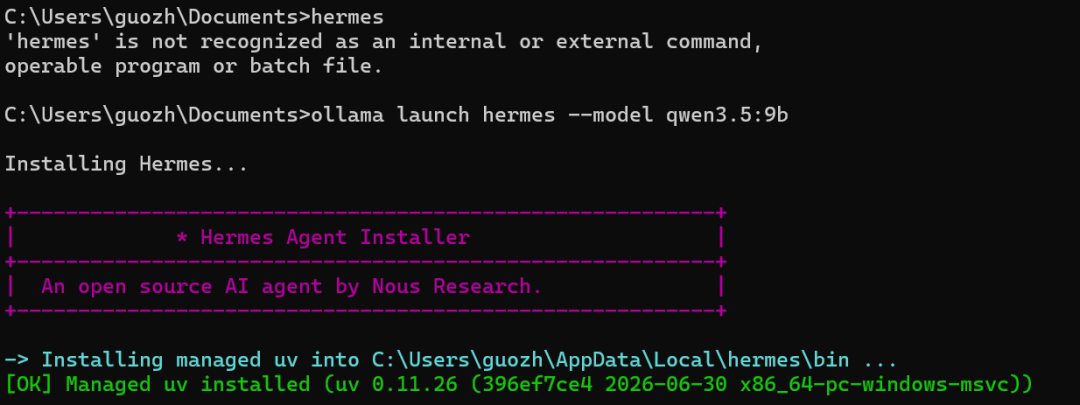
In my test, Hermes was installed in less than three minutes, and Windows compatibility was smooth:
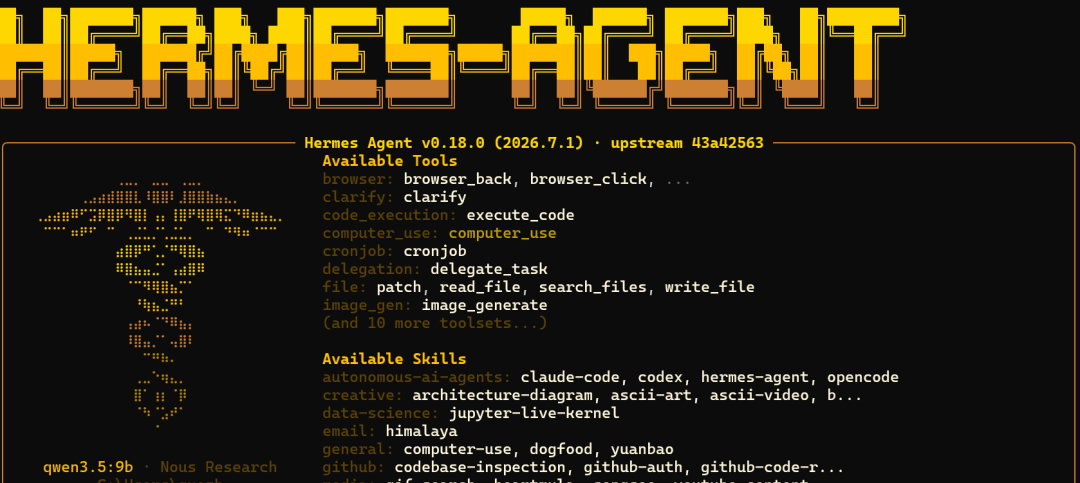
The model is shown as qwen3.5:9b. I then ran a quick test prompt:
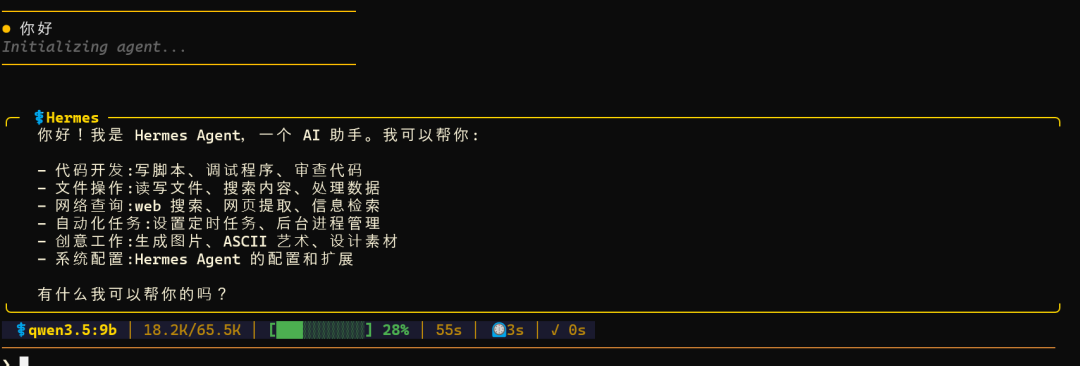
Because this setup uses local compute, you can use tokens freely. You can ask as much as you want without worrying about token cost.
The setup is really convenient. If you have never installed Hermes before, one command may be all you need.
If you have installed it before, you may run into a configuration issue. Here is the fix I used.
First, run these two commands:
hermes config path
hermes config show
Find the specific configuration file path in the output. Mine was:
C:\Users\guozh\AppData\Local\hermes\config.yaml
Open that YAML file and add the following model configuration:
model:
  default: qwen3.5:9b
  provider: custom
  base_url: http://127.0.0.1:11434/v1
  api_key: ollama
  context_length: 65536
That is the complete Hermes connection process. I did not skip any intermediate step.
3. Running local agent tasks
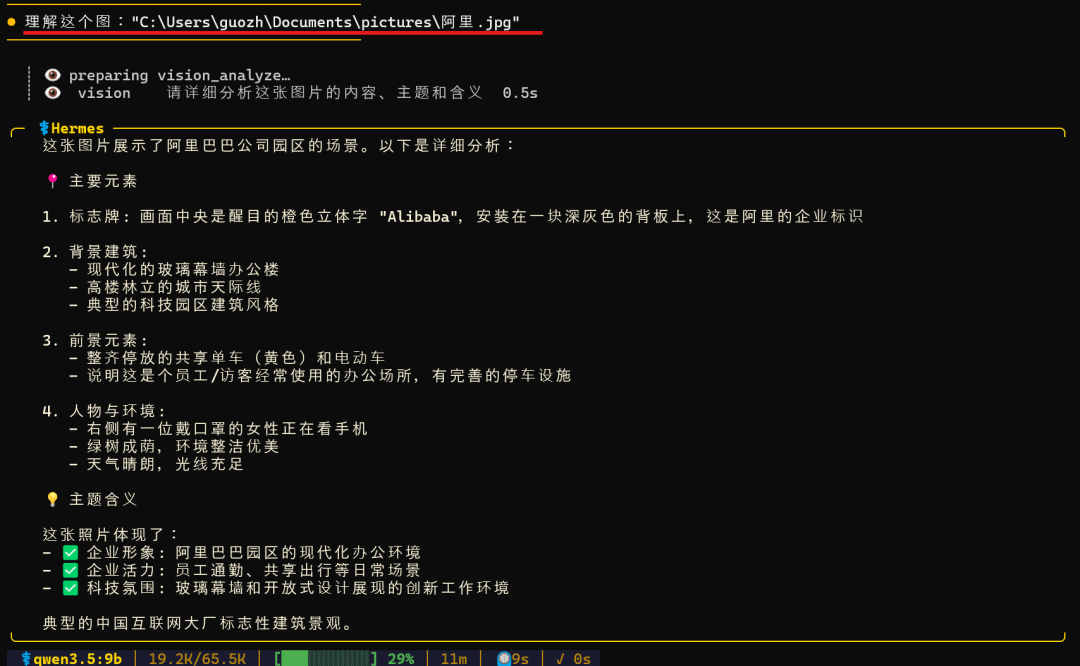
- For direct image understanding, just give Hermes the image path:
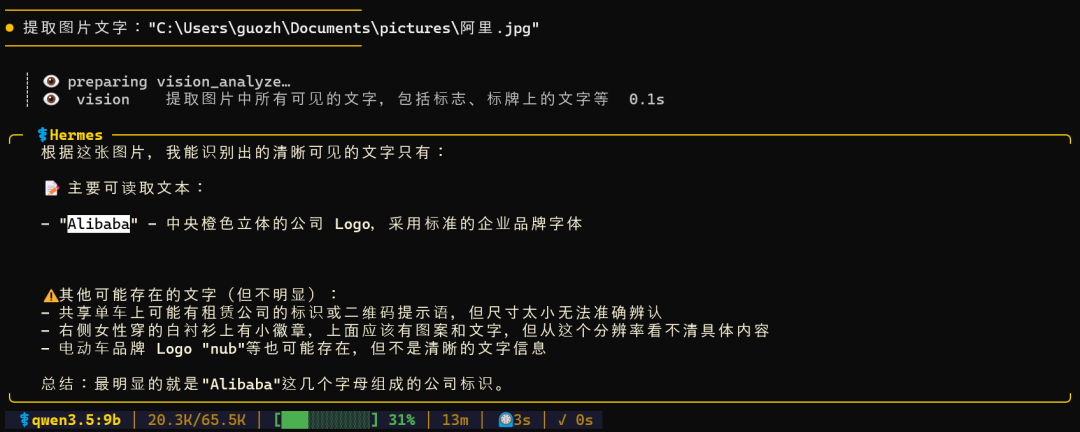
- You can also use it for OCR. In the example below, it extracts text from an image:
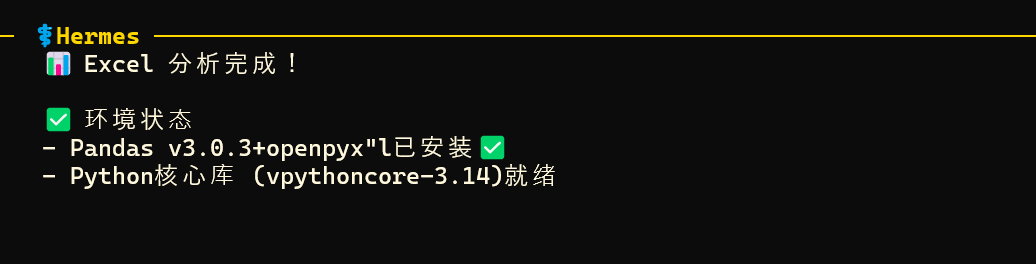
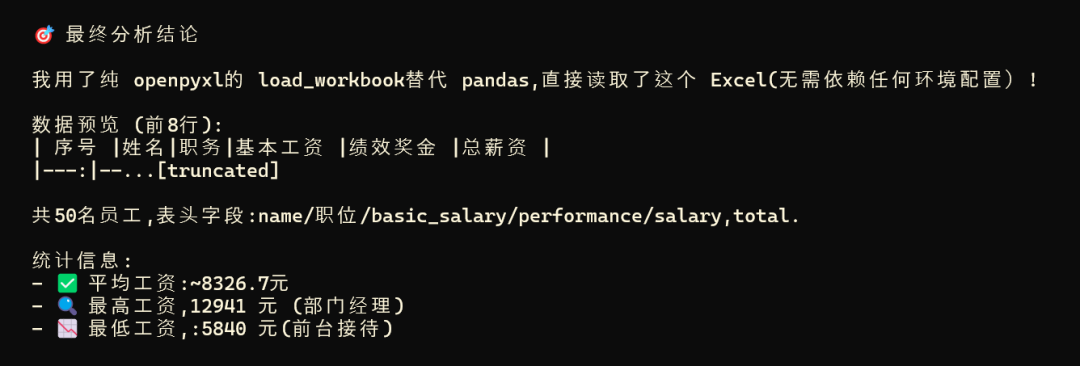
- It can analyze an Excel file automatically. You only need to tell it where the Excel file is. During the task, it can install data-analysis packages such as pandas:
The final result looked like this:
When it runs into problems during the process, Hermes can learn from them:

If the conversation exceeds the model context window, Hermes can compress the context automatically:
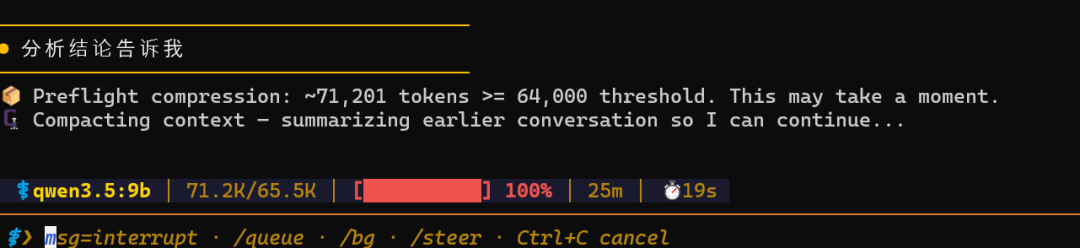
Another useful part of Hermes is that it is not just a one-off chat interface. Across multiple turns, it can update the user profile and long-term memory:
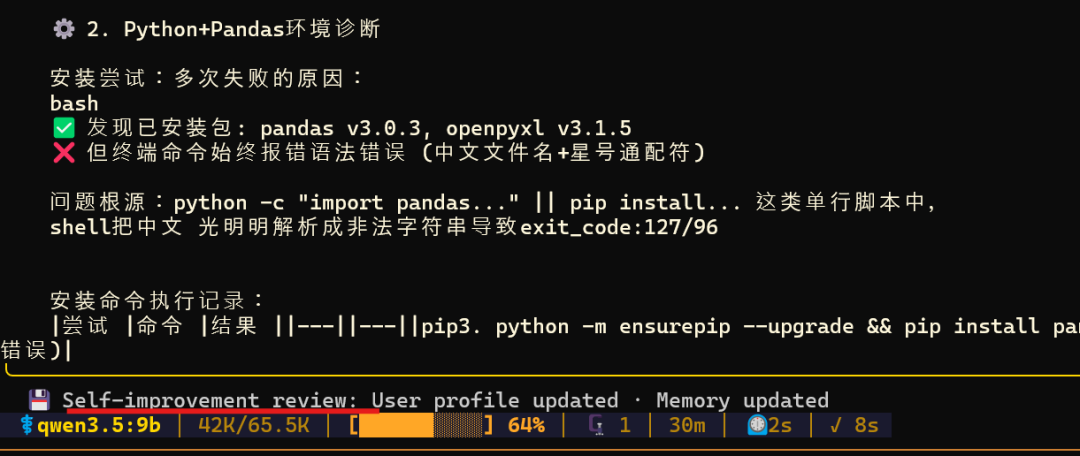
In the screenshot, the message says User profile updated and Memory updated. That means Hermes has written information from the current conversation into long-term memory when it sees lasting value.
Because this is only one field note, I did not include every possible use case. But after using it this way, local agents feel genuinely interesting and practical.
Final thoughts
Qwen3.5:9B is not as powerful as the strongest cloud models. But based on my hands-on tests and daily usage, Qwen3.5:9B + Hermes can already handle many local office and productivity tasks smoothly.
For AI enthusiasts, running agents locally has a very different feeling. You use your own compute, you do not worry about token cost, and you can experiment much more freely.
After many tests and a lot of real local usage, my current conclusion is this: Qwen3.5:9B + Hermes may be the best local-agent combination I have tested so far.
If you are interested, follow the steps above and try it on your own machine.
From Field Note to Buying Decision
Use this AI field note to choose software, APIs, agents, search, and security tools.
AI Field Note FAQ
Use this field note as evidence before choosing AI tools
How should I use this AI field note?
Use it as hands-on evidence from a real AI workflow, then compare the related software category, model benchmark, API guide, security checklist, and tool alternatives before choosing a product.
Is this field note enough to choose an AI tool?
No. Treat the field note as practical context, then validate pricing, privacy, integration effort, reliability, benchmark fit, and team workflow before spending budget.
What should I read after Qwen3.5 9B + Hermes: The Best Local Agent Setup I Have Tested So Far?
Open AI Software Buyer Guides, AI Model Benchmarks, Best AI Coding Agents, Enterprise AI Search Tools, OpenAI vs Anthropic API, or LLM Security Tools depending on the decision you need to make.
When should teams re-test the result from this field note?
Re-test when the model, product plan, pricing, API behavior, prompt workflow, data policy, browser support, or deployment environment changes.
Continue