English translation
DeepSeek-V4 with a Layout-Preserving Translation Agent Is Surprisingly Practical
AI Field Note Decision Snapshot
Turn the test result into evidence quality, workflow, model/API, and buying-risk checks.
Use this snapshot to decide whether the field note supports a tool shortlist, a benchmark follow-up, an API comparison, or a security review before spending budget.
Evidence quality
Separate what was tested directly from what still needs vendor docs, benchmark data, pricing checks, or source verification.
Workflow transfer
Decide whether the field note applies to coding, search, research, support, content, document review, or internal automation.
Model and API implication
Map the result to model quality, latency, context window, multimodal fit, tool calling, or API reliability questions.
Buying risk
Check pricing, privacy, integration effort, data retention, security controls, and re-test triggers before turning evidence into spend.
Hi, I am Guozhen.
Translation itself is no longer difficult. But preserving layout, keeping the translated document close to the original structure, and running the workflow on your own computer is much harder.
This article shares a practical solution.
1. Result demo
In the screenshot below, the left side is a page from an English paper, and the right side is the Chinese translation. The original layout is preserved:
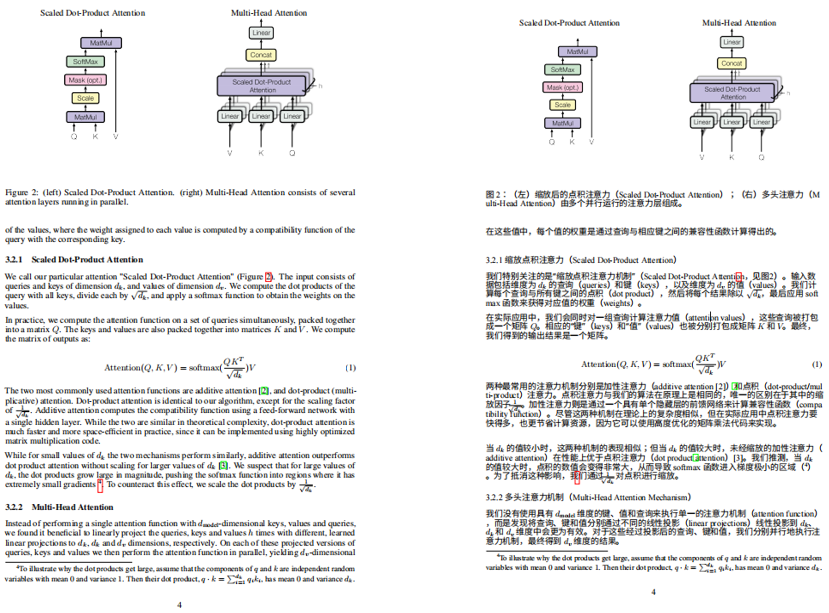
Even formulas are mostly aligned. The result is quite good.
This layout-preserving translation agent was developed by our team. It runs directly on your own computer and supports batch file translation.
Install DeepSeekMine first, then use the built-in translation agent that preserves the document layout.
2. Install DeepSeekMine
DeepSeekMine is a local knowledge-base AI tool that understands your files. It can automatically learn tens of thousands of files on your computer, supports more than 30 formats, and works out of the box.
The translation agent is included in the latest DeepSeekMine version.
First, download DeepSeekMine V3.0.0, the latest version we released:
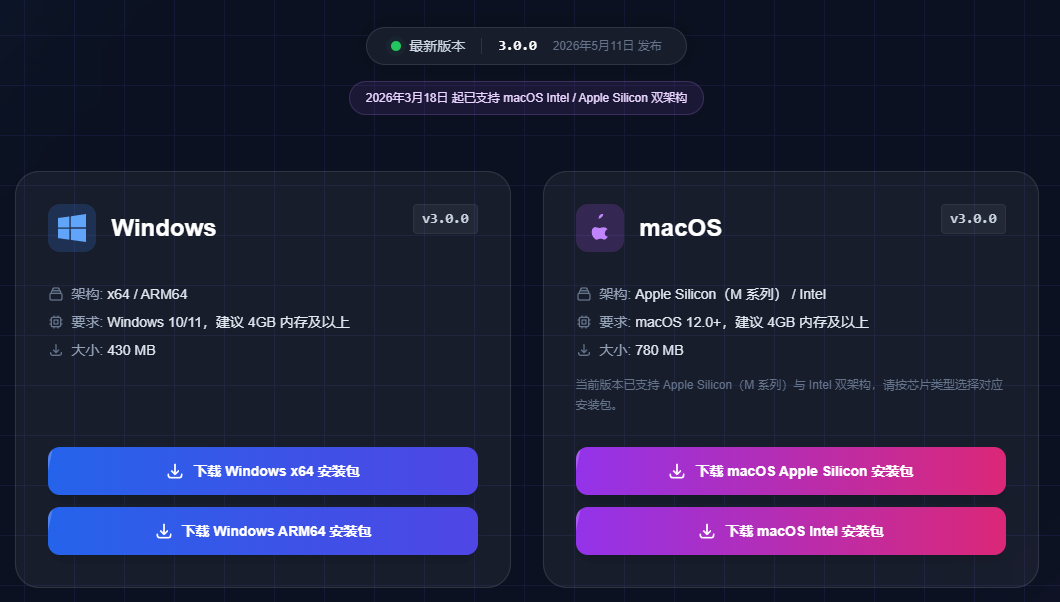
Website:
https://deepseekmine.com/download
After downloading, open the software and enter the home page:
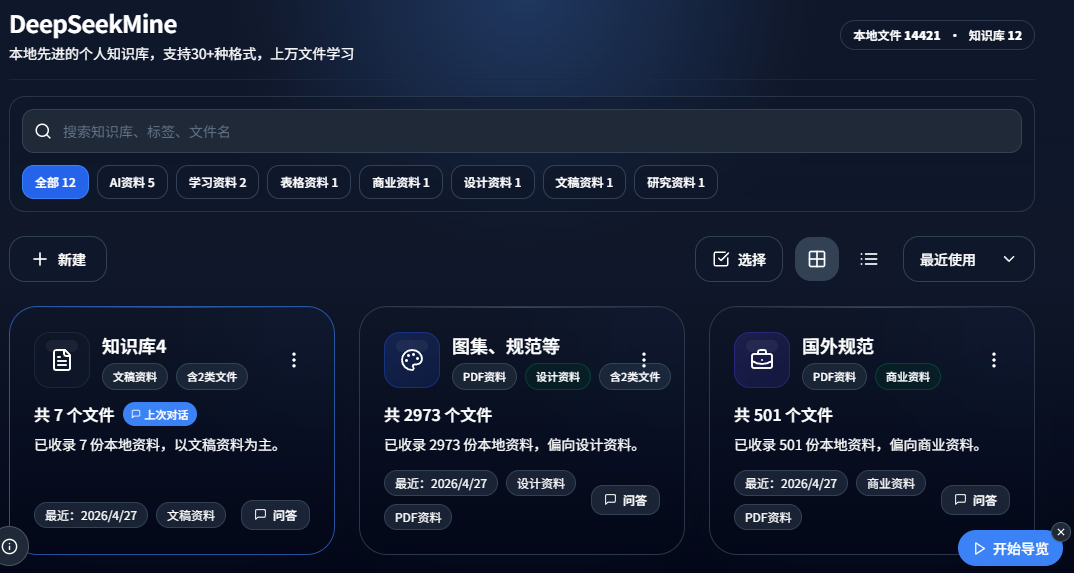
I have already imported more than 14,000 files from my computer into this knowledge base. It has become my second brain for office work and side projects:
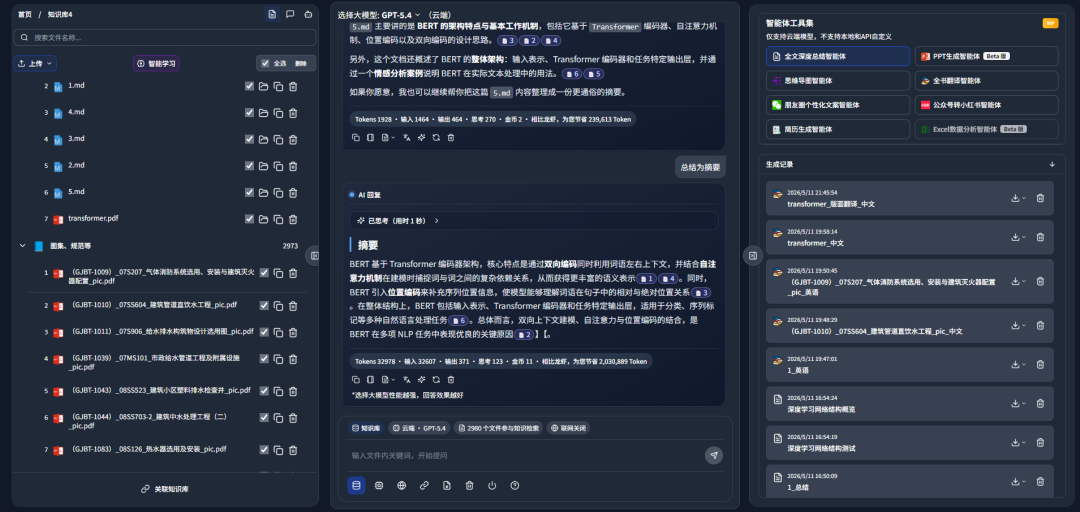
It supports cross-knowledge-base retrieval:
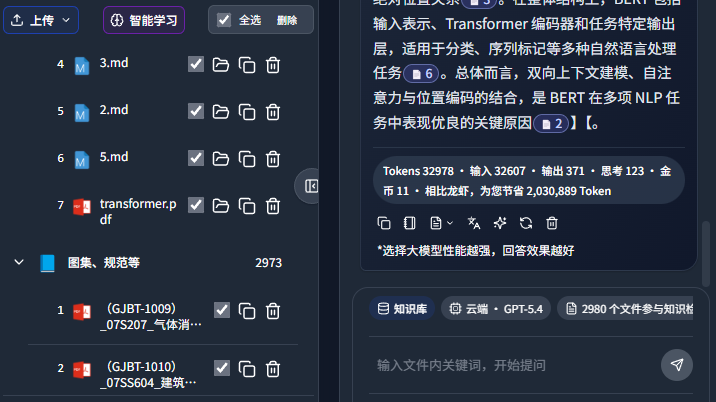
It also includes powerful domestic and international models. In the screenshot below, GPT-5.4 acts as the knowledge-base brain:
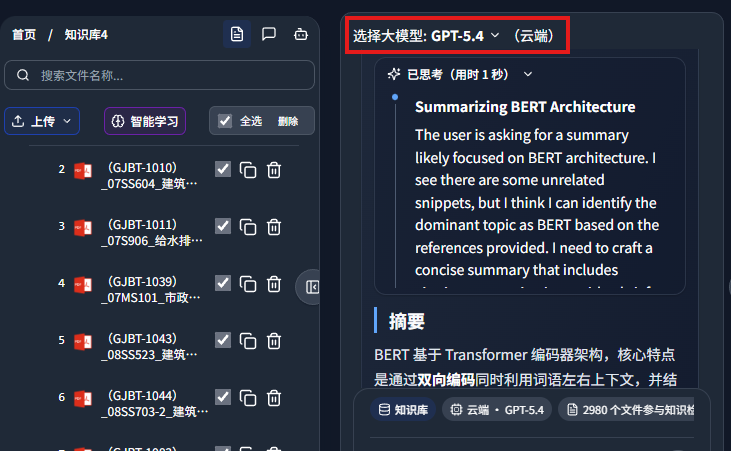
Below is the thinking process from Gemini-3-Pro:
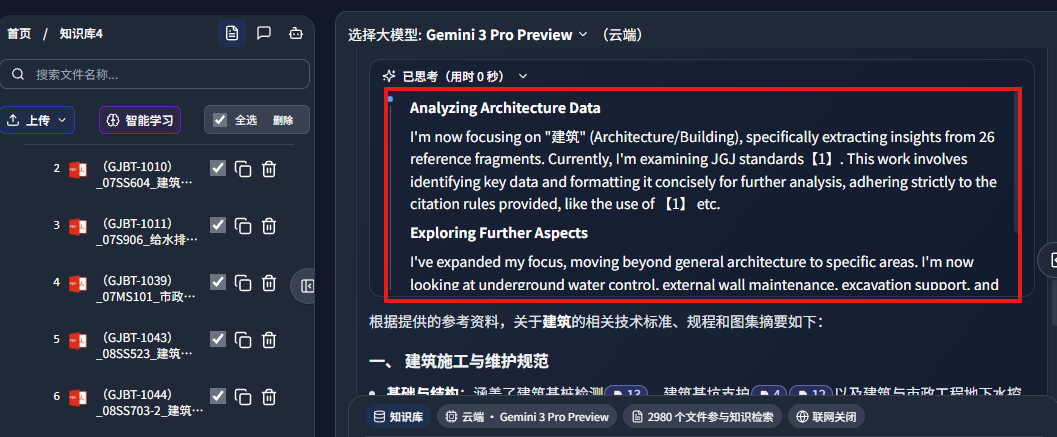
Answers include references to your documents:
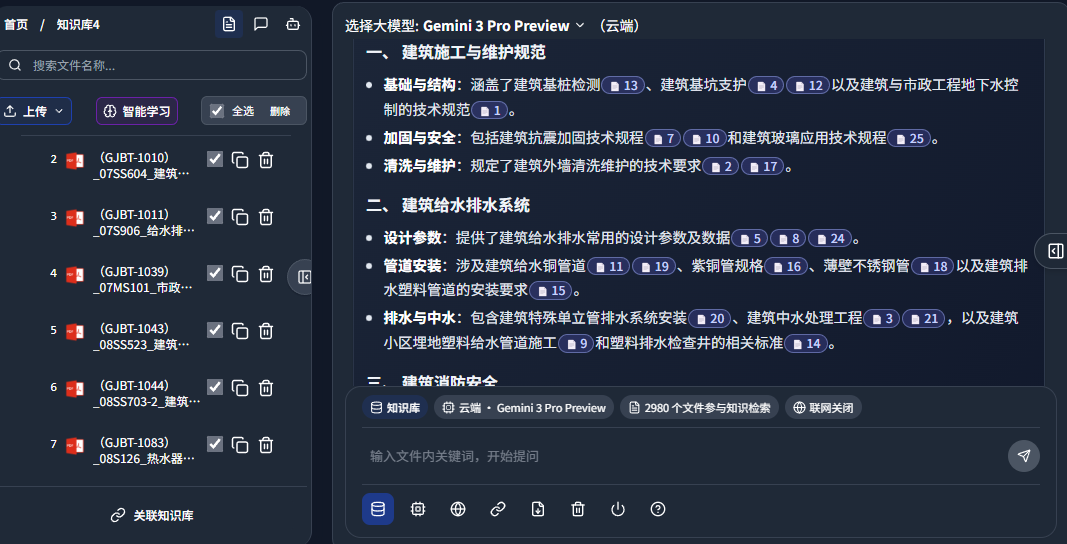
Clicking the reference can jump directly to the source location in your document:
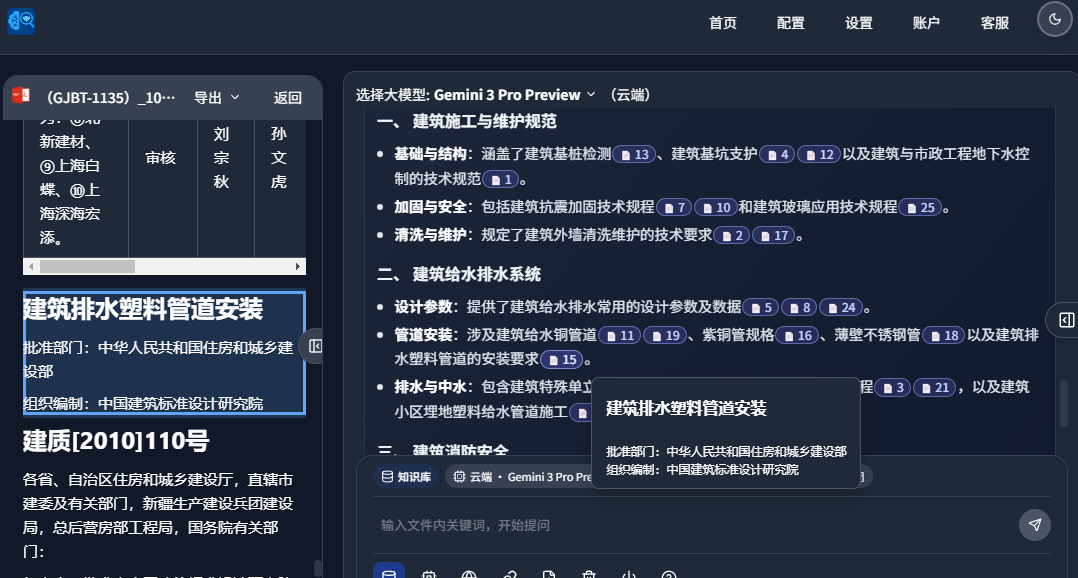
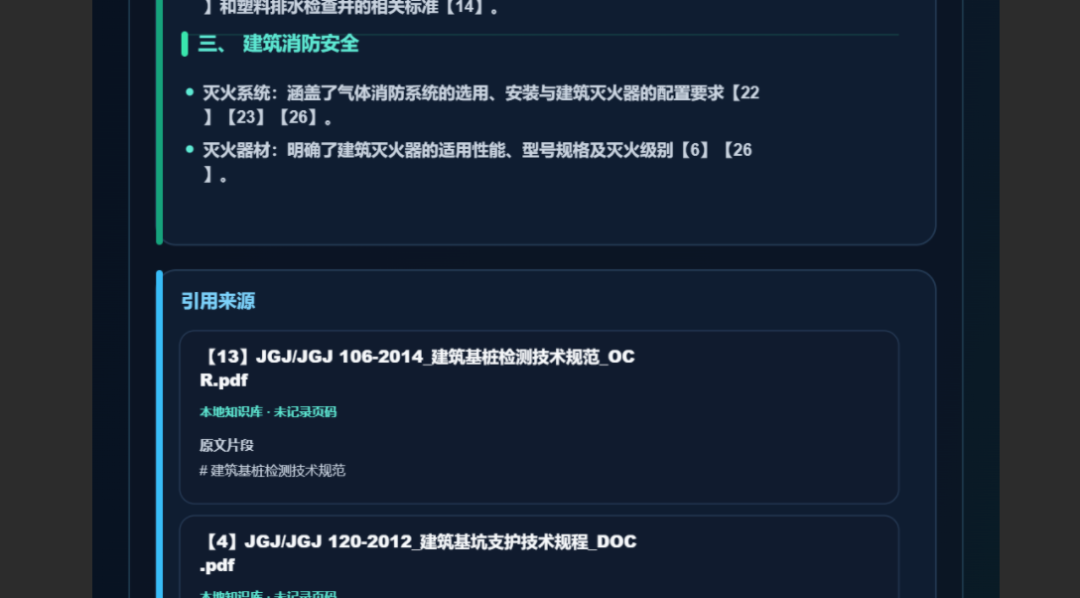
It also supports one-click export of posters with reference sources, making it easy to share results with colleagues:
3. Use the translation agent
The right-side panel contains multiple built-in agents:
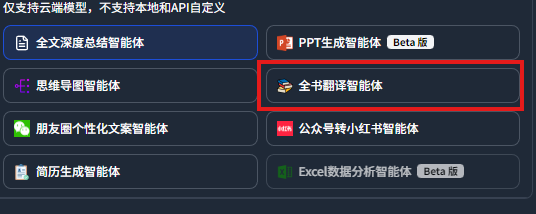
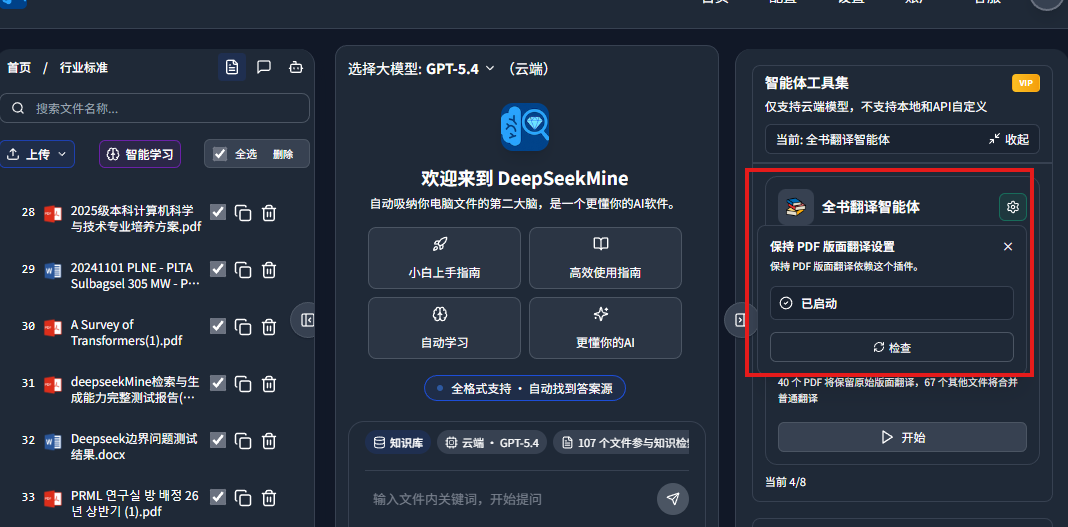
Click the full-book translation agent, then click the arrow shown below:
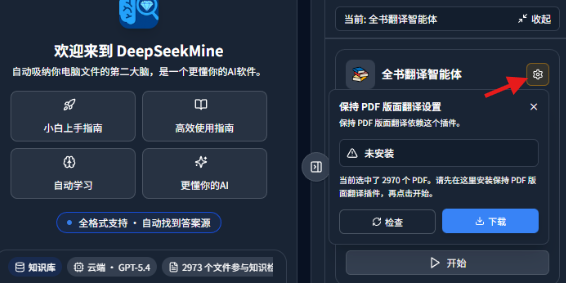
Important: remember to install the plugin.
After the plugin is installed, it looks like this:
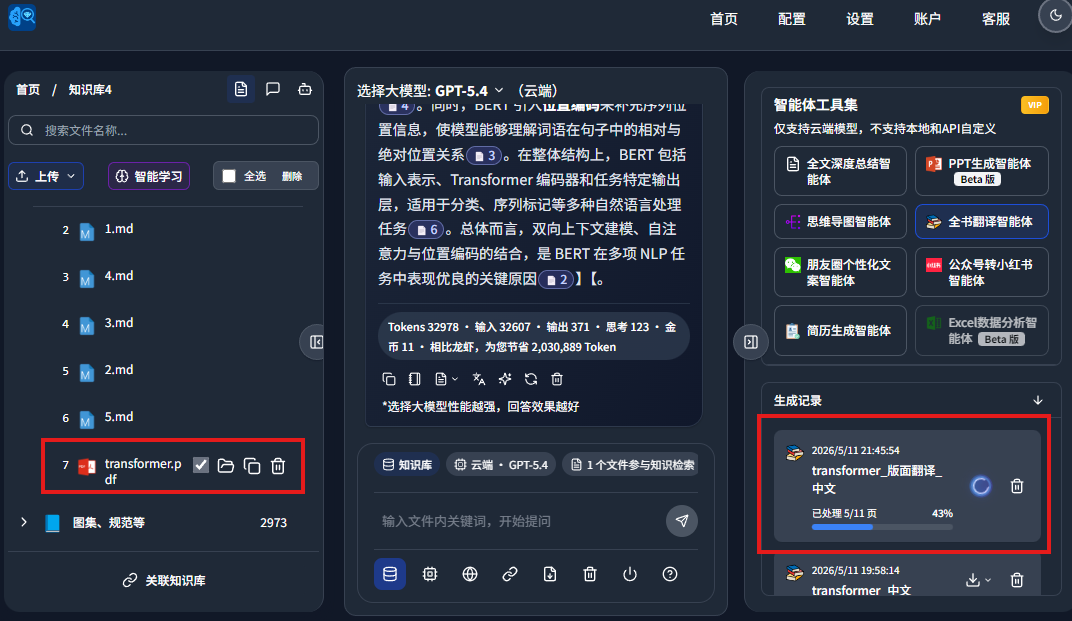
In your knowledge base, select the file you want to translate. Then click translate. The screenshot below shows translation progress at 43%:
After a while, the English paper was translated with layout preserved:
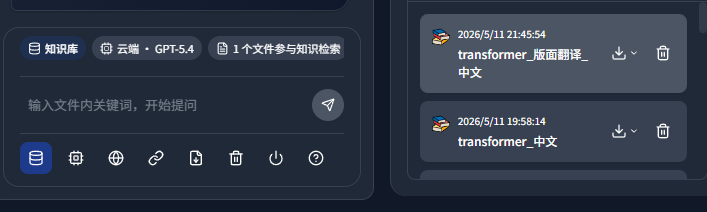
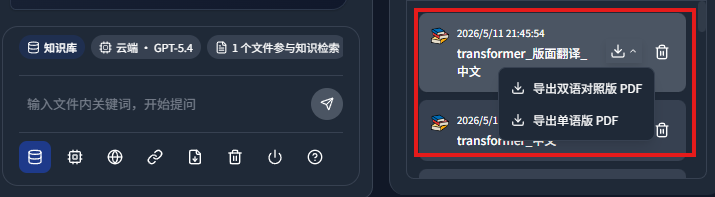
The translation supports export as bilingual PDF or monolingual PDF:
This is the monolingual PDF:
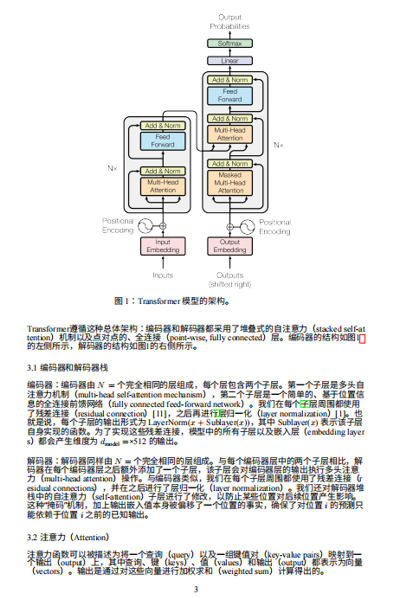
The bilingual PDF preserves formulas well:
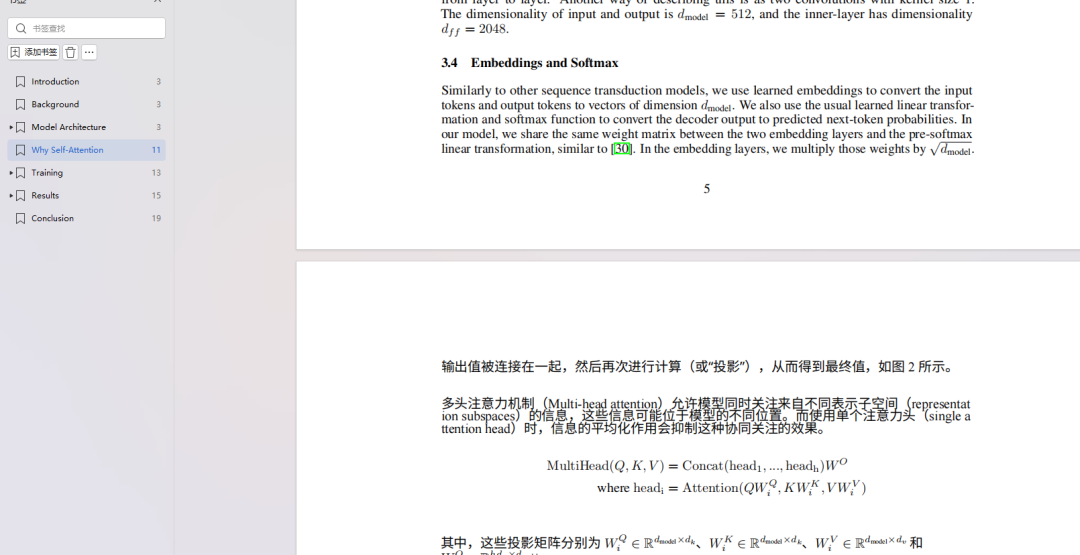
Final thoughts
Ordinary translation is no longer hard. The real value is preserving the original layout, formulas, and structure as much as possible after translation.
The full-book translation agent built into the latest DeepSeekMine can run directly on your own computer, supports batch file translation, and exports both monolingual PDFs and bilingual comparison PDFs.
For people who often process English papers, technical documents, textbooks, and research materials, this connects translation, layout preservation, and export into one workflow, reducing document-processing cost significantly.
This English edition preserves the screenshots and workflow order from the original Chinese article.
Final verdict
This workflow is valuable when translation quality depends on layout, formulas, and export format rather than plain text alone. For research papers and technical PDFs, the screenshots make the case more clearly than a generic translation claim.
From Field Note to Buying Decision
Use this AI field note to choose software, APIs, agents, search, and security tools.
AI Field Note FAQ
Use this field note as evidence before choosing AI tools
How should I use this AI field note?
Use it as hands-on evidence from a real AI workflow, then compare the related software category, model benchmark, API guide, security checklist, and tool alternatives before choosing a product.
Is this field note enough to choose an AI tool?
No. Treat the field note as practical context, then validate pricing, privacy, integration effort, reliability, benchmark fit, and team workflow before spending budget.
What should I read after DeepSeek-V4 with a Layout-Preserving Translation Agent Is Surprisingly Practical?
Open AI Software Buyer Guides, AI Model Benchmarks, Best AI Coding Agents, Enterprise AI Search Tools, OpenAI vs Anthropic API, or LLM Security Tools depending on the decision you need to make.
When should teams re-test the result from this field note?
Re-test when the model, product plan, pricing, API behavior, prompt workflow, data policy, browser support, or deployment environment changes.
Continue