English translation
A Chinese Alternative to Claude Code: Open Source, No Configuration, Ready to Use
AI Field Note Decision Snapshot
Turn the test result into evidence quality, workflow, model/API, and buying-risk checks.
Use this snapshot to decide whether the field note supports a tool shortlist, a benchmark follow-up, an API comparison, or a security review before spending budget.
Evidence quality
Separate what was tested directly from what still needs vendor docs, benchmark data, pricing checks, or source verification.
Workflow transfer
Decide whether the field note applies to coding, search, research, support, content, document review, or internal automation.
Model and API implication
Map the result to model quality, latency, context window, multimodal fit, tool calling, or API reliability questions.
Buying risk
Check pricing, privacy, integration effort, data retention, security controls, and re-test triggers before turning evidence into spend.
Hi, I am Guozhen.
Claude Code is a useful coding agent, but it has two barriers: you need to deploy the local environment first, and you need to connect an API before using it.
These two steps block many people.
In the past two days, I found a vibe-coding project called MonkeyCode:
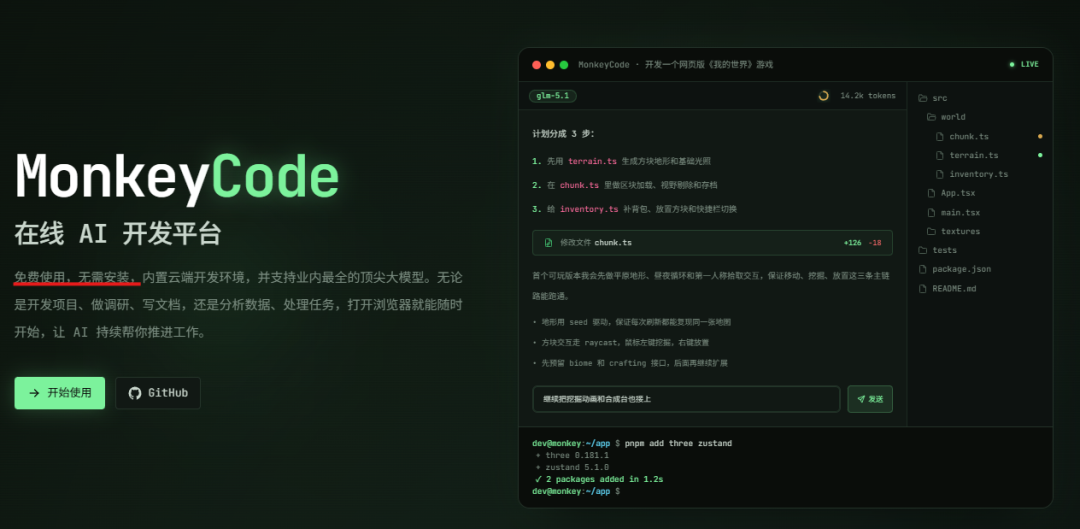
It solves both pain points. It is ready to use out of the box and does not require connecting your own API. It feels like a Chinese version of Claude Code. I tested how well it handles vibe-coding development.
1. Result demo
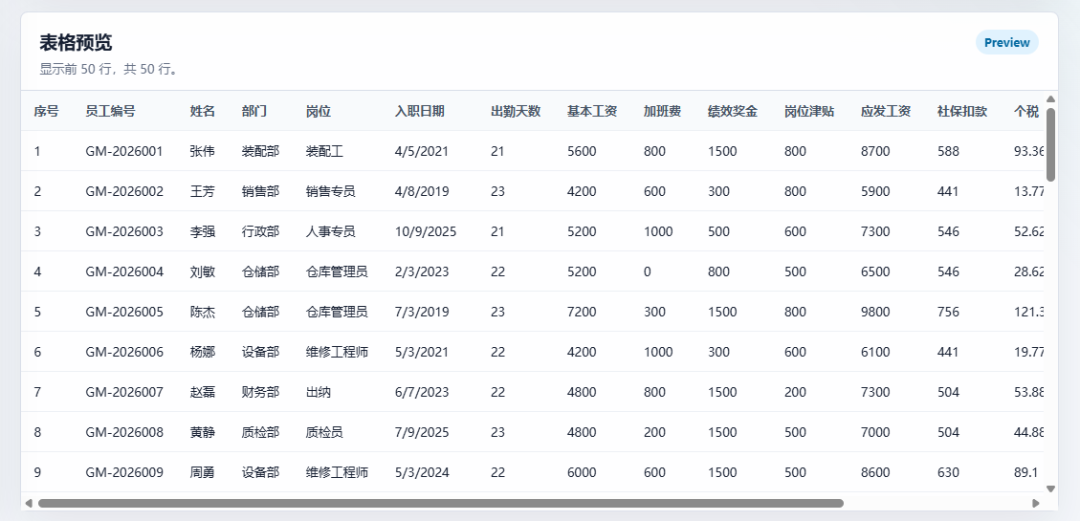
This is my original Excel file:

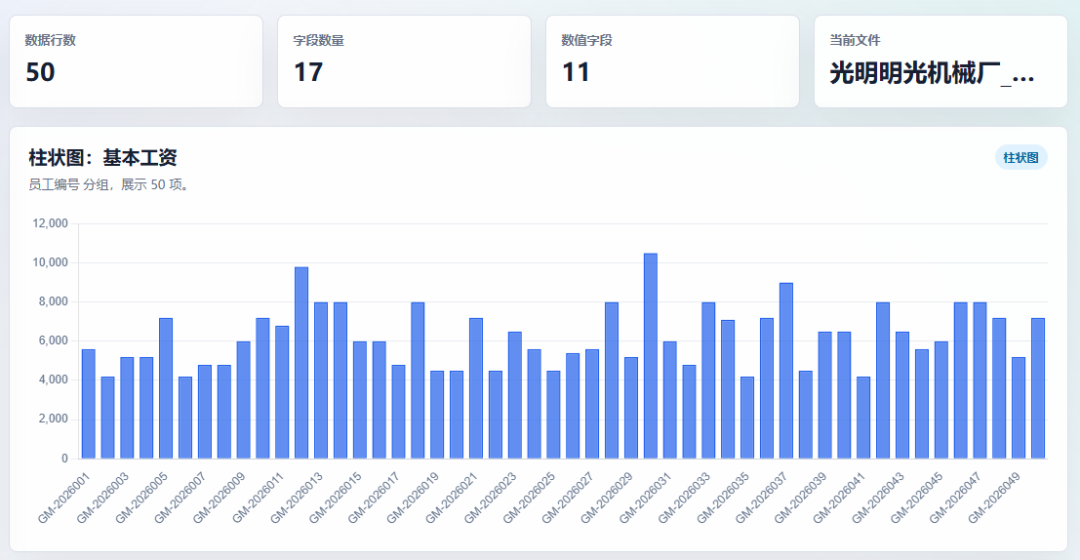
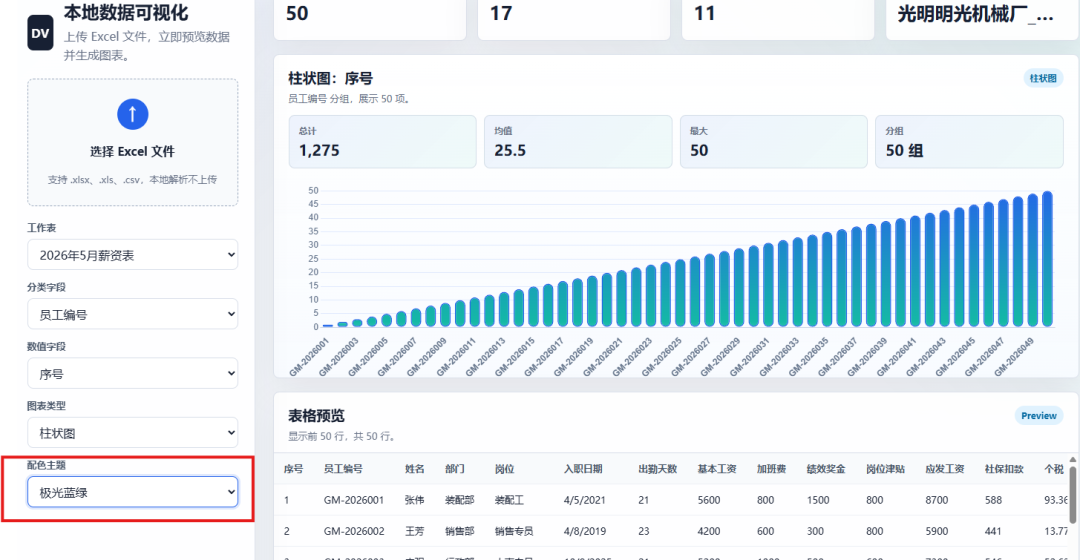
After importing it into a small web tool developed with MonkeyCode, it generated a laser blue-green bar chart:
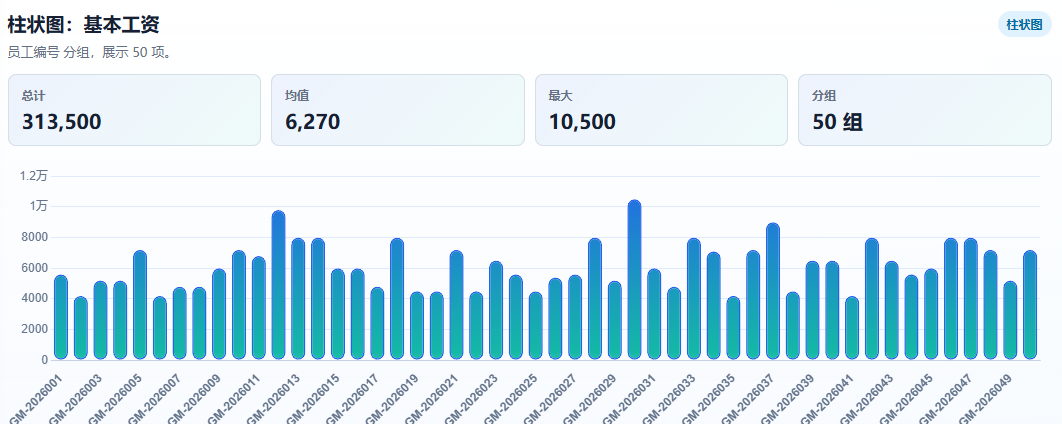
Line chart:
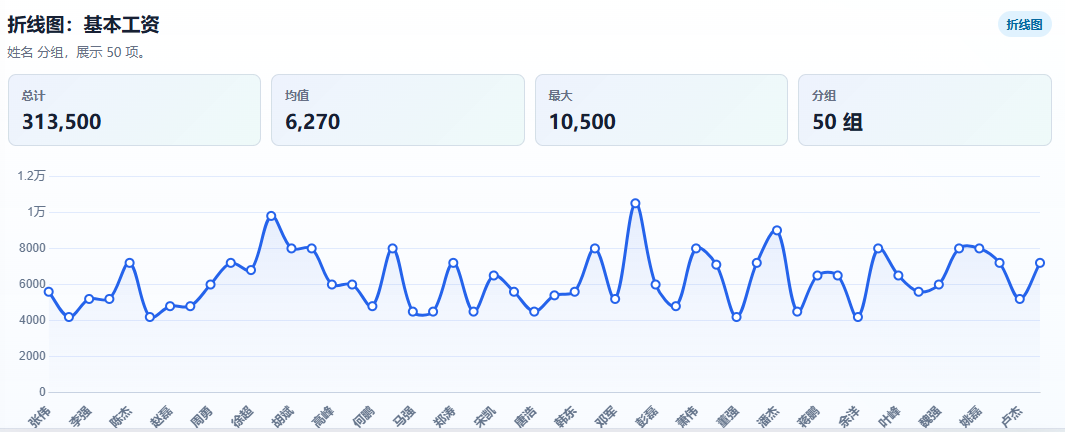
Pie chart:
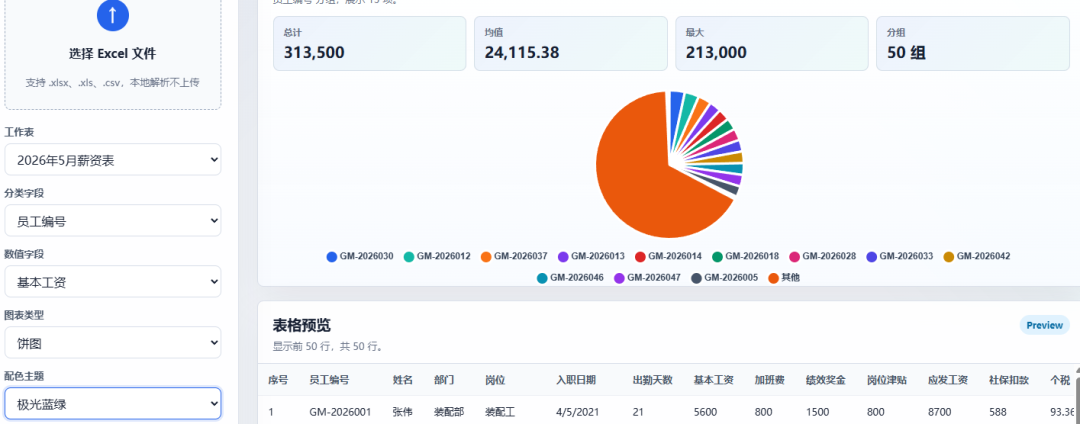
It also supports selecting any column for visualization:
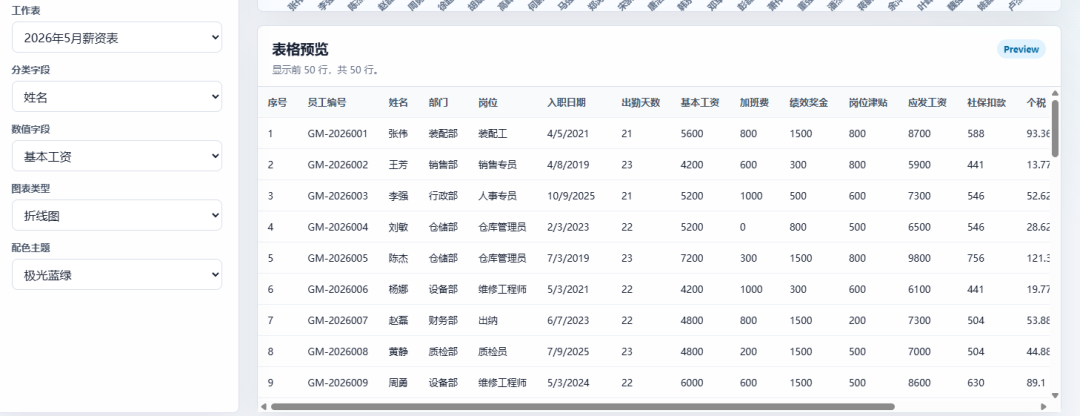
The biggest problem with many AI coding tools is this: they can write code, but you still have to run it yourself. They can explain errors, but they cannot keep testing in the real environment.
MonkeyCode requires no local environment setup and is ready to use.
2. What MonkeyCode is
MonkeyCode achieves this by putting the online terminal, file management, and remote assistance into one workspace.
It supports multiple devices. Whether you are using a computer at work or a phone on the subway, you can control AI to write code and fix bugs:
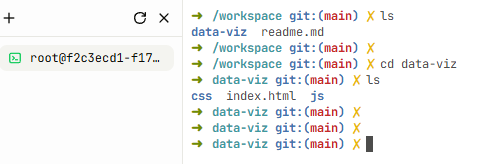
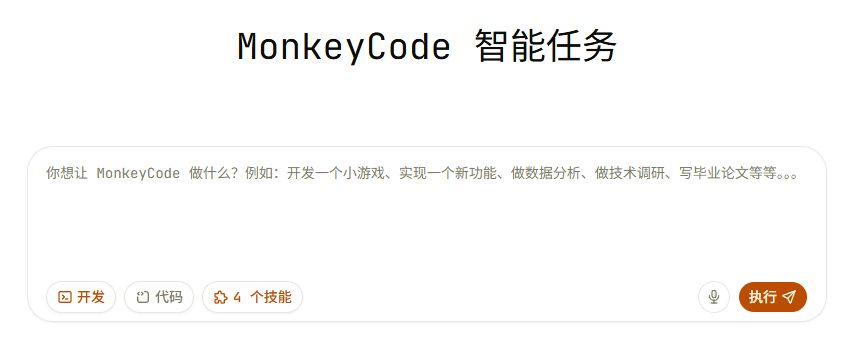
There is no complicated API configuration. After opening it, you can start directly. Free users get 20 million tokens per day, so there is little need to worry about running out:
The project is fully open source on GitHub:
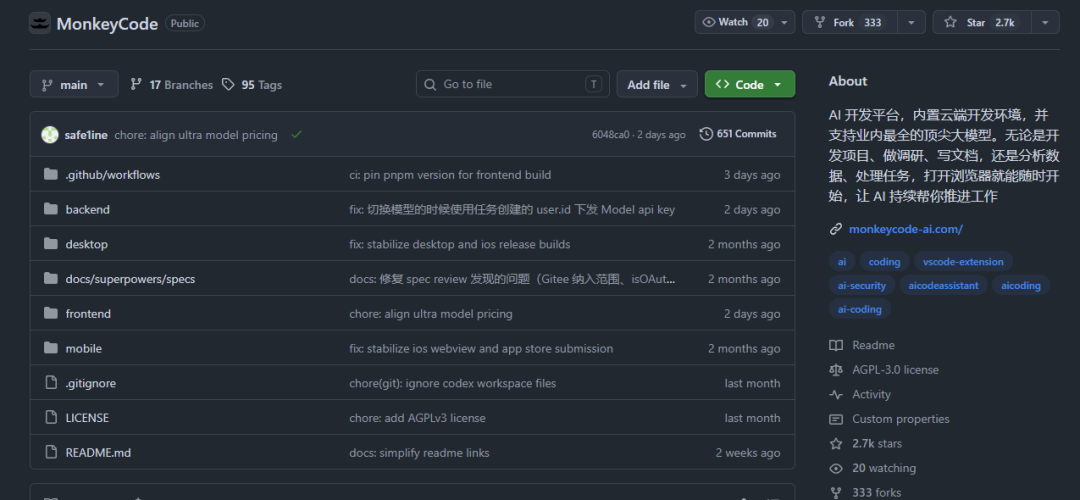
It also supports private deployment. Teams with strong data-privacy requirements can deploy it inside their own intranet.
3. MonkeyCode hands-on test
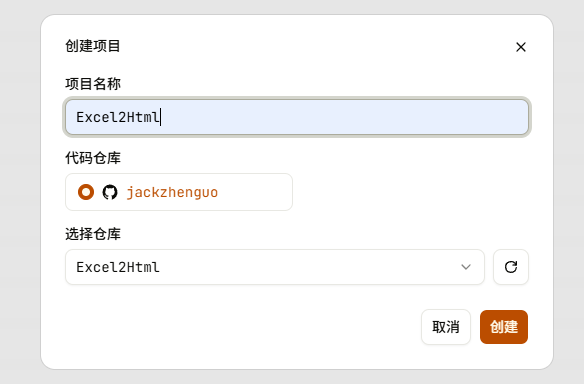
First, I created a project:
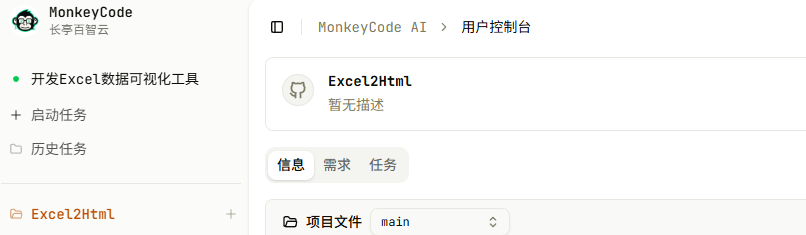
The project structure appeared:
Then I started the AI development task and entered the task in the text box:

MonkeyCode gives free users 20 million tokens per day. You can let it run and revise freely. During my test, I also found that if you have points, you can switch to the stronger GPT-5.5 model for more complex logic.
It automatically set up the development environment:

It entered the MonkeyCode agent development stage:
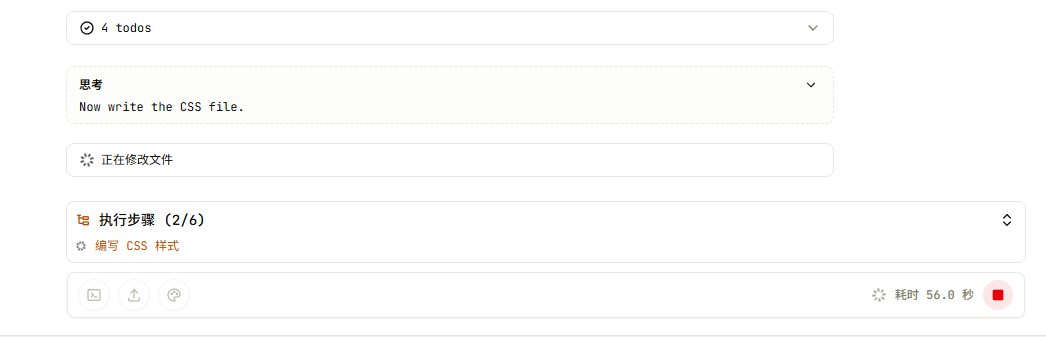
Traditional tools would require installing Node, Python, and other local environments. When errors appear, you have to configure them yourself. Here, the cloud development machine is allocated automatically.
The project directory appeared on the right:
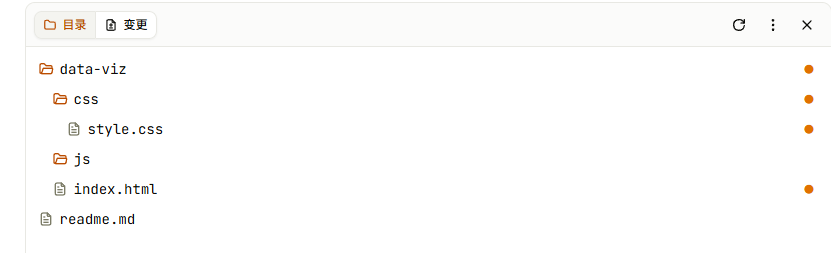
The site was automatically deployed in the cloud. The GIF below shows it running:
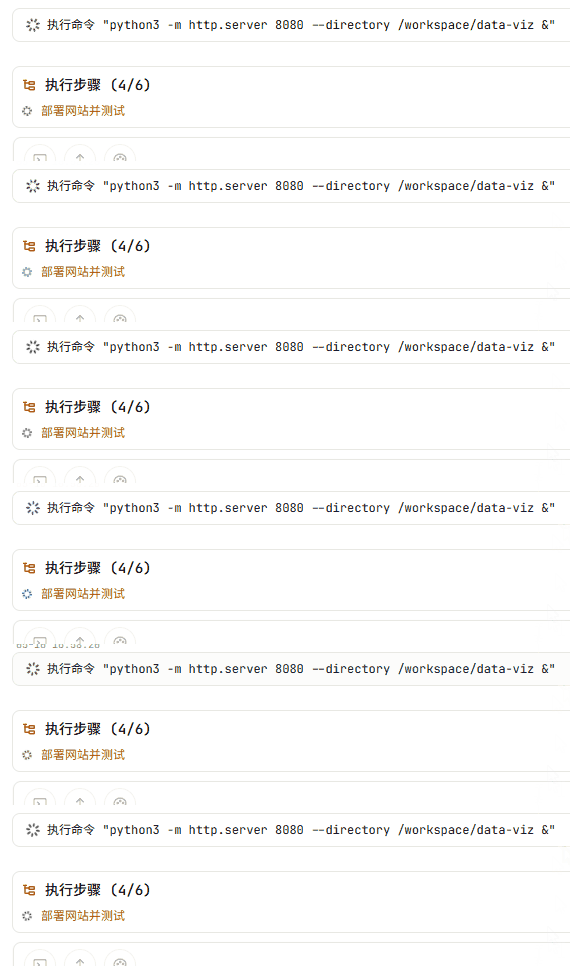
After about three minutes, the six planned tasks were completed, and I had submitted the result to the remote repository:
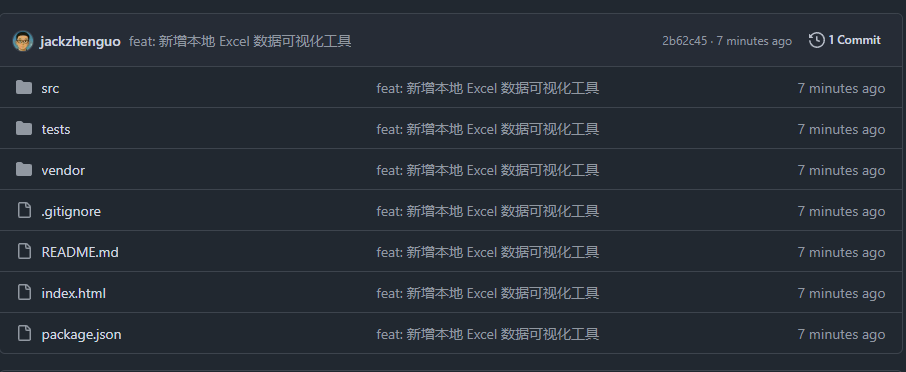
Clicking the link opened the page:

I uploaded an Excel file and converted it into an HTML visualization:
Bar chart:
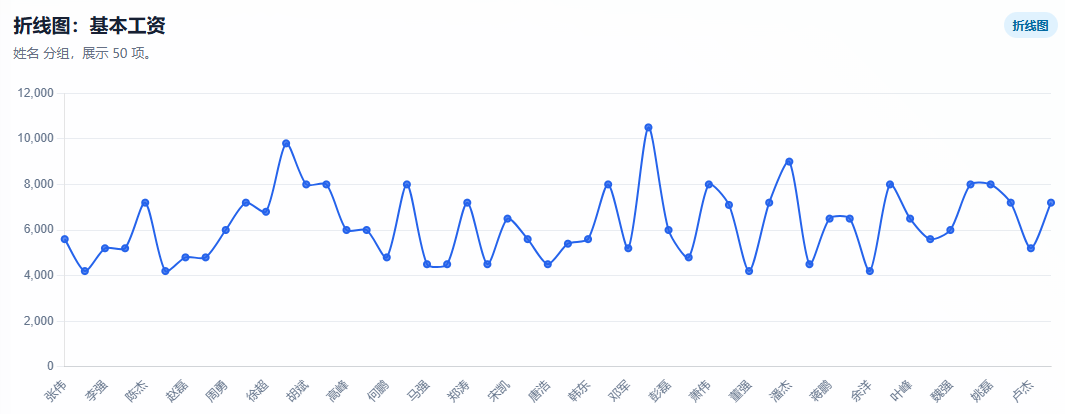
Line chart:
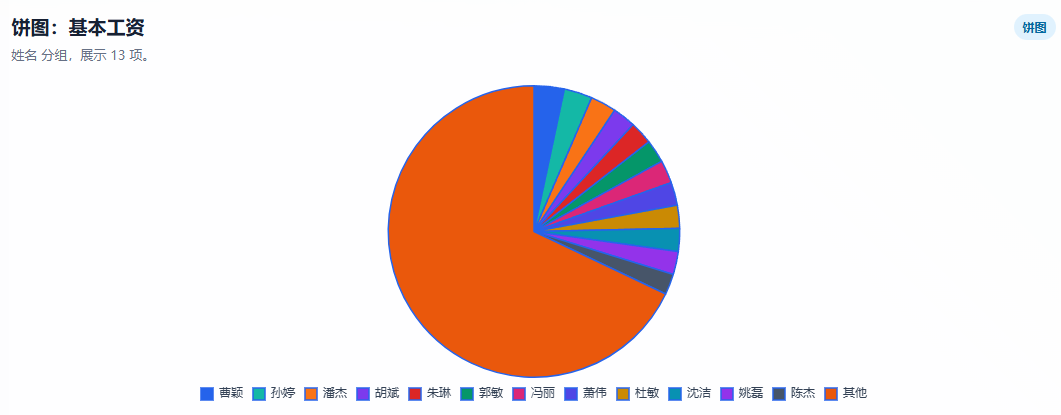
Pie chart:
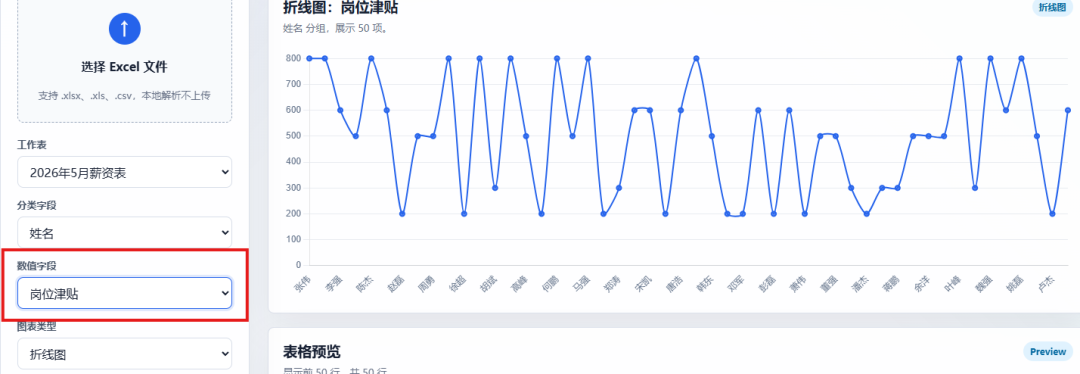
It supports numeric field configuration. Here, I selected a salary-allowance field for the line chart:
The first chart style was average, so I asked it to generate a better display style:
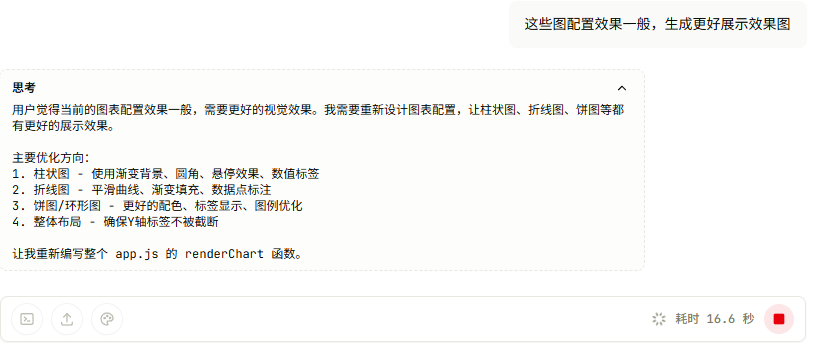
After processing, the new interface looked like this:
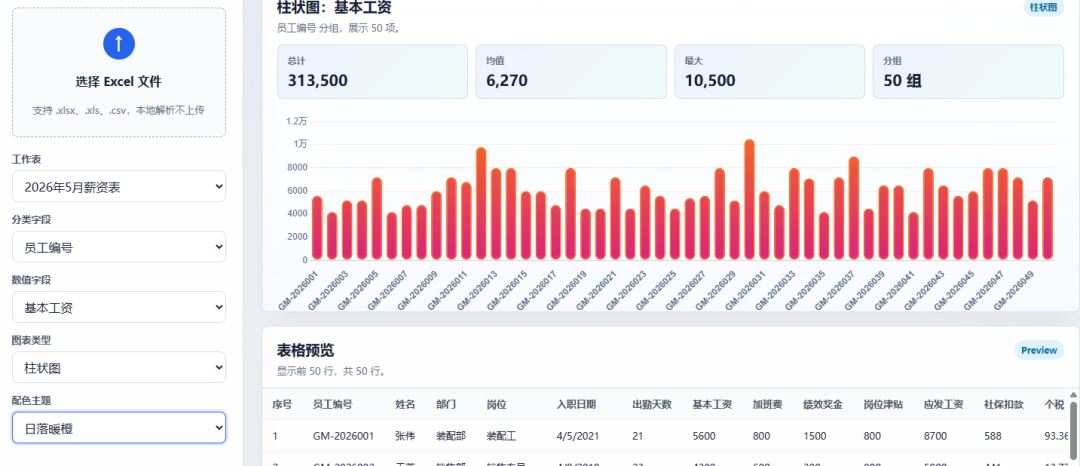
Sunset warm-orange bar chart:
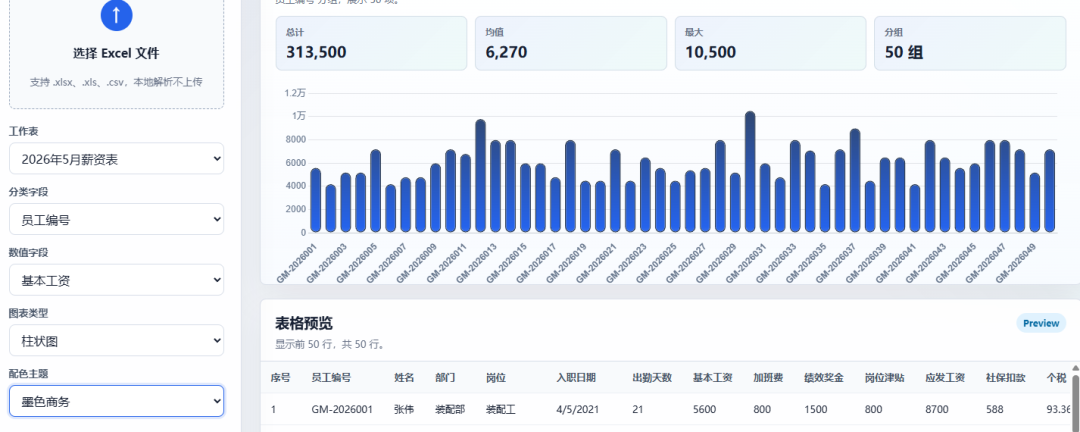
Ink business-style bar chart:
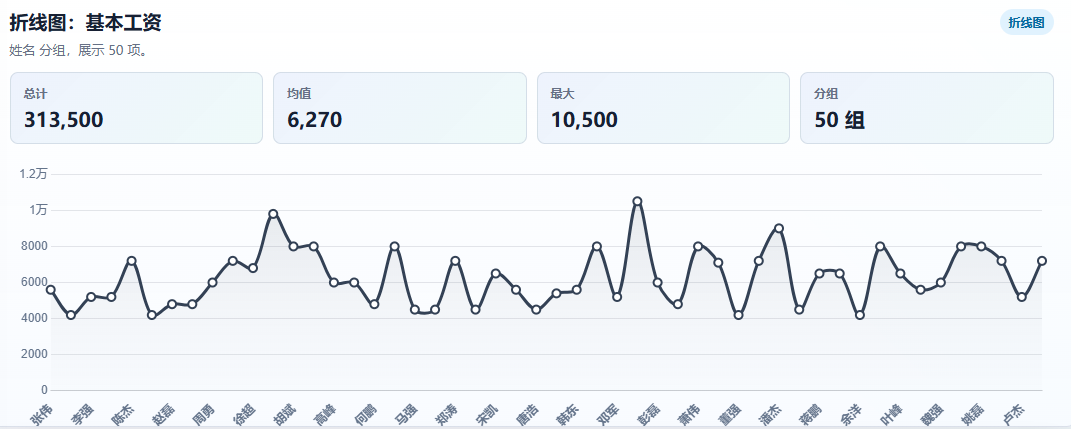
Line chart:
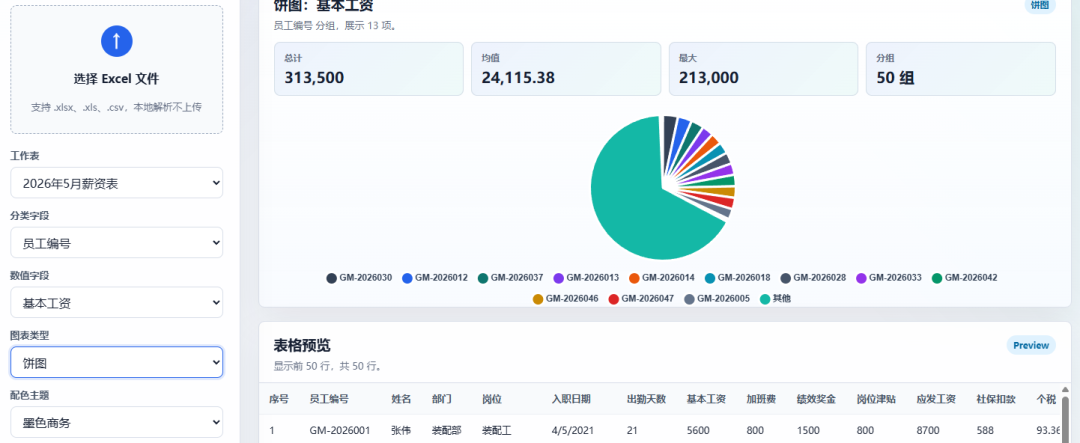
Pie chart:
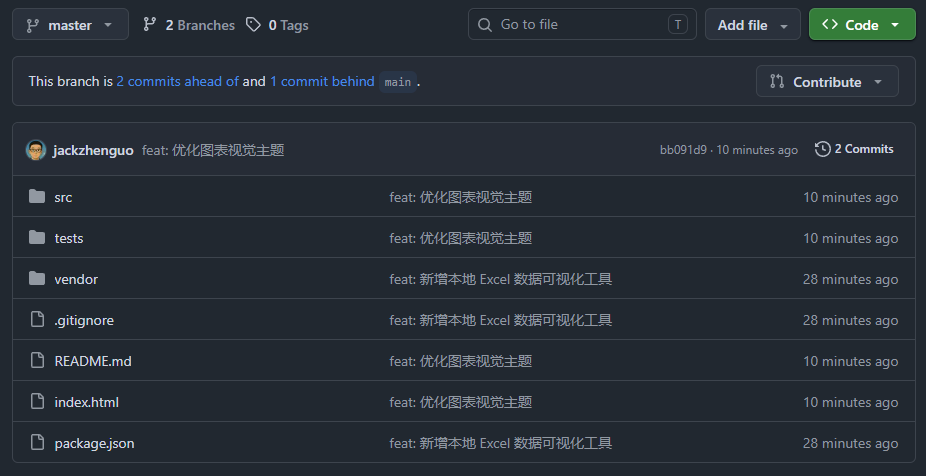
A real project does not end with "generate some code." The changes need to enter commits, PRs, review, and continued iteration. The project has been open-sourced on my GitHub:
https://github.com/jackzhenguo/Excel2Html/tree/master
Because MonkeyCode is open source, if your company has strict privacy requirements, you can deploy it privately inside your own intranet.
I also prepared an invite code for a group where people can discuss technical issues:

Final thoughts
This article tested MonkeyCode. It solves two pain points of Claude Code-style programming: no local environment setup and no need to connect your own API.
The overall experience feels like an online coding workspace: describe the requirement, write code, run the project, see the result, and keep modifying in the same page.
That is also the nature of vibe coding: first get the project running, then keep tuning it, and finally turn an idea into a usable tool or app.
This English edition preserves the screenshots and workflow order from the original Chinese article.
Final verdict
MonkeyCode is worth testing if you want a Claude Code-style browser coding agent without configuring a local environment first. The main value is reducing setup friction so the user can move directly from idea to runnable project.
From Field Note to Buying Decision
Use this AI field note to choose software, APIs, agents, search, and security tools.
AI Field Note FAQ
Use this field note as evidence before choosing AI tools
How should I use this AI field note?
Use it as hands-on evidence from a real AI workflow, then compare the related software category, model benchmark, API guide, security checklist, and tool alternatives before choosing a product.
Is this field note enough to choose an AI tool?
No. Treat the field note as practical context, then validate pricing, privacy, integration effort, reliability, benchmark fit, and team workflow before spending budget.
What should I read after A Chinese Alternative to Claude Code: Open Source, No Configuration, Ready to Use?
Open AI Software Buyer Guides, AI Model Benchmarks, Best AI Coding Agents, Enterprise AI Search Tools, OpenAI vs Anthropic API, or LLM Security Tools depending on the decision you need to make.
When should teams re-test the result from this field note?
Re-test when the model, product plan, pricing, API behavior, prompt workflow, data policy, browser support, or deployment environment changes.
Continue