English translation
Load data
AI Article Decision Snapshot
Turn the lesson into workflow, model, budget, and security checks before choosing tools.
Use this quick snapshot before leaving the article. It keeps the next search tied to practical AI software, model/API, cost, privacy, and implementation questions.
Workflow fit
Identify the real job behind the article: coding, research, document review, support, analytics, content, or internal automation.
Model or tool decision
Decide whether the next step is a software shortlist, an AI tool comparison, an API platform choice, or a model benchmark.
Budget and usage signal
Estimate seats, API calls, prompt volume, retries, review time, and fallback work before assuming the workflow is cheap.
Security and privacy review
Check whether source code, customer data, private documents, prompts, logs, or embeddings will enter the AI workflow.

Hyperparameter tuning is not about infinitely expanding the search range. A well-designed search space matters more than expensive search strategies—and the computational budget must be set in advance.

I start with a small budget to identify promising directions, then expand the ranges of the most critical parameters. Tuning too many parameters at once makes results difficult to interpret.
Before diving deeper into hyperparameter optimization, let’s briefly revisit the automated feature engineering process discussed in the previous article. Using dedicated tools, we performed feature selection and construction—laying a solid foundation for model performance. Now, as we enter the model training phase, hyperparameter tuning becomes a pivotal step toward boosting model effectiveness. In this article, we’ll explore several practical hyperparameter optimization methods to help you achieve better results in real-world applications.
The Importance of Hyperparameters
Hyperparameters are settings defined before the learning process begins; they govern model architecture and training behavior. In contrast, model parameters (e.g., weights and biases) are learned directly from data. Choosing appropriate hyperparameters can significantly influence model performance—for instance, controlling learning rate, regularization strength, or tree depth.
Hyperparameter Tuning Methods
1. Manual Tuning
This is the most basic and widely used approach: iteratively adjusting hyperparameters and evaluating resulting model performance. While flexible and intuitive, manual tuning quickly becomes inefficient—and prone to missing optimal combinations—when multiple hyperparameters and their value ranges are involved.
2. Grid Search
Grid search performs an exhaustive search over a predefined set of hyperparameter combinations. For each combination, it trains and evaluates the model. Its main advantage is completeness; its major drawback is high computational cost—especially as the number of hyperparameters grows.
Example Code
from sklearn.model_selection import GridSearchCV
from sklearn.ensemble import RandomForestClassifier

# Load data
X, y = load_data()  # Assume load_data() loads the dataset

# Define model
model = RandomForestClassifier()

# Define parameter grid
param_grid = {
    'n_estimators': [50, 100, 200],
    'max_depth': [None, 10, 20, 30],
    'min_samples_split': [2, 5, 10]
}

# Perform grid search
grid_search = GridSearchCV(estimator=model, param_grid=param_grid, scoring='accuracy', cv=5)
grid_search.fit(X, y)

# Print best hyperparameters
print("Best hyperparameters:", grid_search.best_params_)
3. Random Search
Unlike grid search, random search samples hyperparameter combinations randomly from specified distributions across the search space. It is more efficient and exploratory—particularly valuable when the search space is large or high-dimensional.
Example Code
from sklearn.model_selection import RandomizedSearchCV
from sklearn.ensemble import RandomForestClassifier
from scipy.stats import randint

# Load data
X, y = load_data()

# Define model
model = RandomForestClassifier()

# Define parameter distributions
param_dist = {
    'n_estimators': randint(50, 200),
    'max_depth': [None] + list(range(10, 31)),
    'min_samples_split': randint(2, 11)
}

# Perform random search
random_search = RandomizedSearchCV(
    estimator=model,
    param_distributions=param_dist,
    n_iter=100,
    scoring='accuracy',
    cv=5
)
random_search.fit(X, y)

# Print best hyperparameters
print("Best hyperparameters:", random_search.best_params_)
4. Bayesian Optimization
Bayesian optimization is a probabilistic, model-based optimization method. It constructs a surrogate model (e.g., Gaussian process) of the objective function and uses it to guide sequential sampling—selecting new hyperparameter configurations that maximize expected information gain. This approach is typically more sample-efficient than both grid and random search.

When selecting a hyperparameter tuning method, consider: grid search, random search, Bayesian optimization, early stopping, budget constraints, and validation set stability.
Example Code
Bayesian optimization using Hyperopt:
from hyperopt import fmin, tpe, hp, Trials

def objective(params):
    model = RandomForestClassifier(**params)
    score = cross_val_score(model, X, y, scoring='accuracy').mean()
    return -score  # Minimize objective → negate accuracy

space = {
    'n_estimators': hp.randint('n_estimators', 100),
    'max_depth': hp.choice('max_depth', [None] + list(range(10, 31))),
    'min_samples_split': hp.randint('min_samples_split', 10)
}

trials = Trials()
best = fmin(fn=objective, space=space, algo=tpe.suggest, max_evals=100, trials=trials)
print("Best hyperparameters:", best)
After studying “Hyperparameter Optimization: Hyperparameter Tuning Methods”, try applying it to your own scenario. Focus especially on whether inputs, processing steps, and outputs align coherently.
To apply “Hyperparameter Optimization: Hyperparameter Tuning Methods” to your own task, first narrow the scope—validate only one critical decision point.
Summary
In this article, we reviewed various hyperparameter tuning approaches—from foundational manual tuning to advanced Bayesian optimization. Selecting the right method depends on task complexity, available compute resources, and time constraints. In upcoming articles, we’ll delve deeper into practical implementation details, comparative trade-offs, and hands-on tips for grid search and random search.
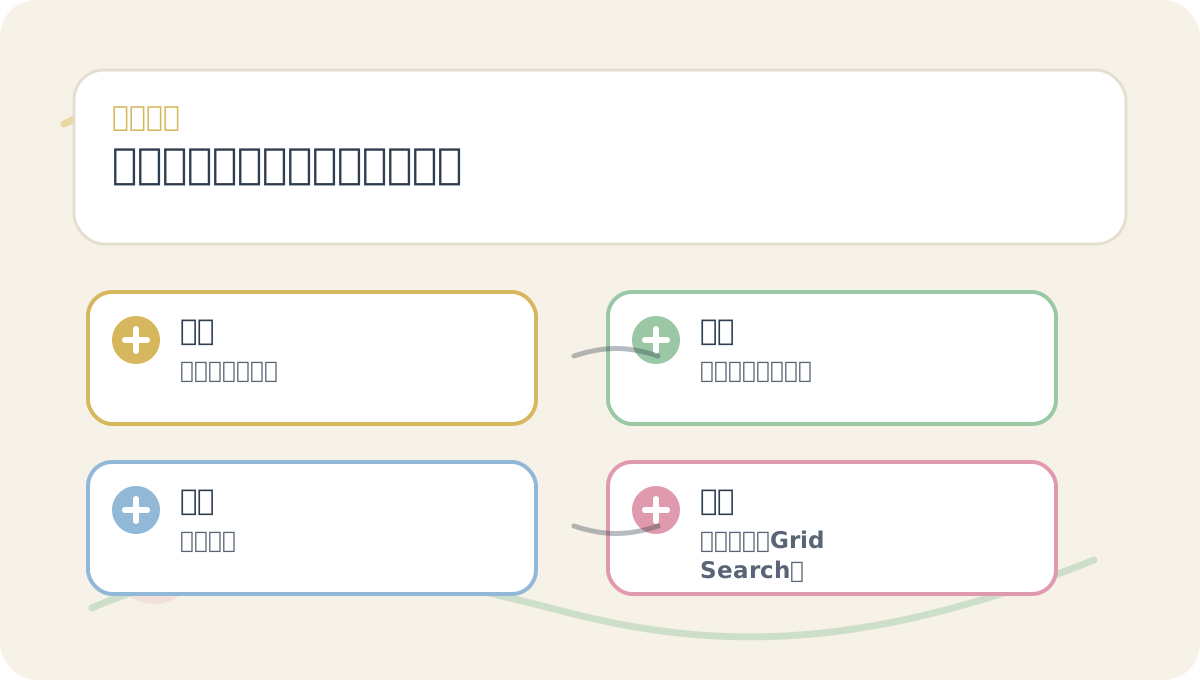
While reading “Hyperparameter Optimization: Hyperparameter Tuning Methods”, first align the questions, keywords, actions, and acceptance criteria shown in the diagram—then proceed to the main text for greater efficiency. After reading, try explaining the entire concept again using your own project as context.
By applying these hyperparameter tuning techniques thoughtfully, we reinforce the gains achieved through earlier automated feature engineering—ultimately elevating overall model performance. In the next article, we’ll examine the strengths, limitations, and practical nuances of grid search and random search in greater depth. Stay tuned for more insights in this AutoML tutorial series—and master the essentials of automated machine learning.
Apply This Lesson
Turn this article into AI software, model, API, and security decisions.
English Article FAQ
Use this article as evidence before choosing AI tools
How should I use this AI Tutorials article?
Use it as the implementation or learning layer, then connect the idea to AI software buyer guides, tool comparisons, benchmarks, API choices, and security checks before making a production decision.
Is this English article different from the Chinese original?
The English edition is localized for global AI readers while preserving the original diagrams, screenshots, prompts, code examples, and source context from the Chinese article.
What should I read after Load data?
Continue with AI Software Buyer Guides, AI Tools Workbench, Best AI Coding Agents, AI Model Benchmarks, OpenAI vs Anthropic API, or LLM Security Tools depending on the decision you need to make.
Can this article alone choose an AI product or model?
No. Treat the article as evidence and context, then validate fit with pricing, privacy requirements, integration effort, benchmark results, workflow tests, and fallback planning.
Continue