English translation
DeepSeek Multimodal Integration: Generate High-Resolution Images Rapidly on Your Local PC
AI Article Decision Snapshot
Turn the lesson into workflow, model, budget, and security checks before choosing tools.
Use this quick snapshot before leaving the article. It keeps the next search tied to practical AI software, model/API, cost, privacy, and implementation questions.
Workflow fit
Identify the real job behind the article: coding, research, document review, support, analytics, content, or internal automation.
Model or tool decision
Decide whether the next step is a software shortlist, an AI tool comparison, an API platform choice, or a model benchmark.
Budget and usage signal
Estimate seats, API calls, prompt volume, retries, review time, and fallback work before assuming the workflow is cheap.
Security and privacy review
Check whether source code, customer data, private documents, prompts, logs, or embeddings will enter the AI workflow.
Image generation may look intuitive—but rigorous evaluation is essential. You must verify stability of prompts, adequacy of output resolution, commercial usability of generated images, and whether inference speed meets practical requirements. Judging suitability for long-term use based on just one sample image is unreliable.
Prepare three categories of test prompts:
- People (to assess fine-grained detail rendering),
- Products (to evaluate photorealism and material fidelity),
- Flowcharts / Infographics (to examine text legibility, layout accuracy, and typographic correctness).
Pay special attention to infographics containing text—carefully inspect for typos, misaligned labels, or inconsistent fonts—not just overall visual appeal.
Many readers want to experience firsthand how large language models (LLMs) run locally on their own machines and produce real inference results. Going through the full deployment process truly bridges the gap between users and AI.
Earlier, we covered local deployment of the DeepSeek-R1 model—a unimodal LLM that accepts only text input and generates text-only responses. Today’s tutorial takes a different direction: deploying DeepSeek’s latest multimodal model, Janus-Pro:7B, released in January 2025. Once deployed, Janus-Pro:7B enables two powerful capabilities:
- Image Understanding: Upload an image → receive a rich, accurate textual description. This is highly practical—for example, extracting semantic content from screenshots, diagrams, or documents.
- Text-to-Image Generation: Input a prompt → generate corresponding high-resolution images. Also extremely useful across creative, design, and prototyping workflows.
1 Hardware Requirements for Deployment
Deploying large models demands adequate hardware. For Janus-Pro:7B, you’ll need approximately 24 GB of GPU VRAM. Compatible GPUs include NVIDIA RTX series (e.g., RTX 4090), A100, or other datacenter-grade accelerators.
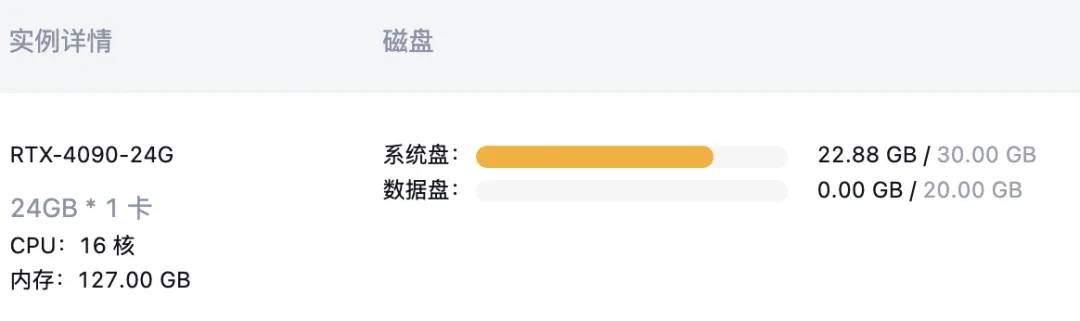
A quick note on why GPUs are essential: Large models require fast memory to cache both model weights and intermediate activation states during inference. These tensors must reside in high-bandwidth VRAM—not system RAM—to ensure efficient computation. A typical 7B-parameter model running in mixed-precision (FP16/BF16) consumes ~20–24 GB VRAM. The RTX 4090, for instance, delivers exactly 24 GB VRAM—making it ideal.
What if your local machine doesn’t meet this spec? Don’t worry—there’s a straightforward solution: cloud GPU platforms. We recommend gpugeek.com, which offers reliable, pre-configured GPU instances with popular frameworks and models. As demonstrated below, you can deploy Janus-Pro:7B in under 10 minutes—even without local GPU hardware.
2 Step-by-Step Deployment Guide
Step 1: Launch a GPU Instance
Open your browser and navigate to: 👉 https://gpugeek.com
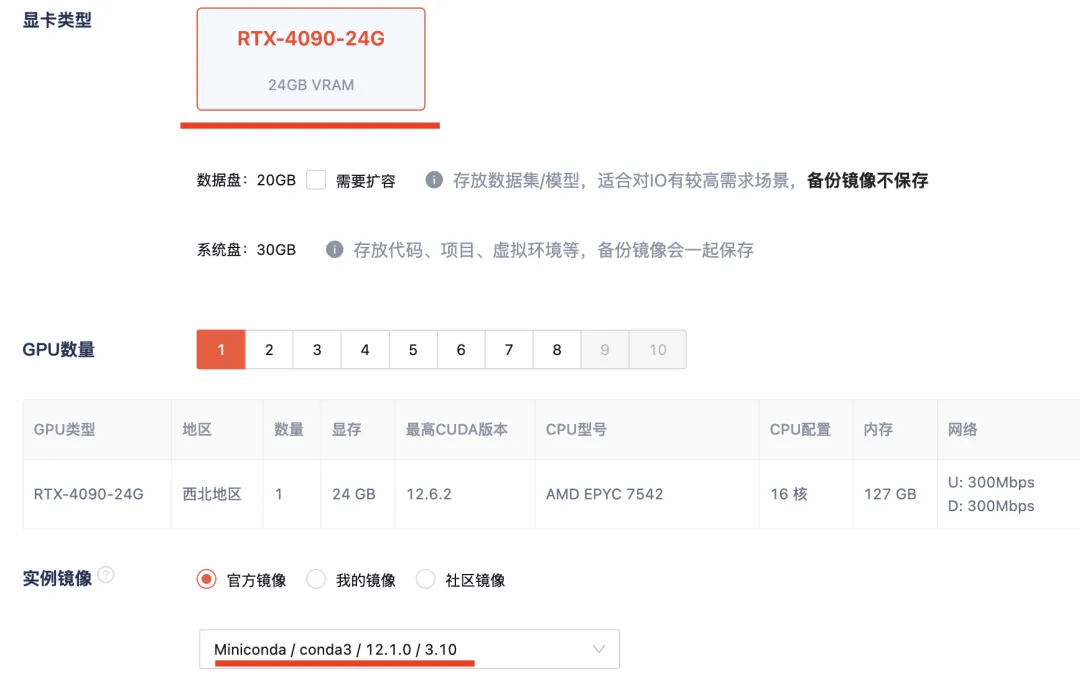
Click the top-right corner to open the user dashboard → select “Create New GPU Instance”. Configure as shown below:
- GPU: RTX-4090 (24 GB)
- OS Image: Miniconda
Step 2: Connect via SSH
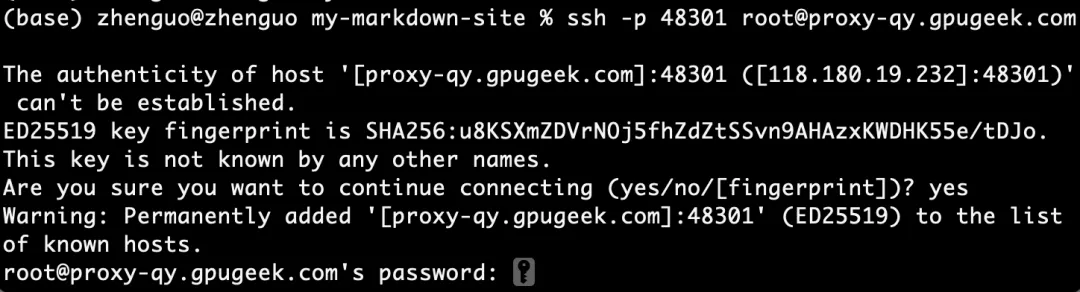
After creation completes, log in using your local terminal (e.g., macOS Terminal, Windows PowerShell, or Linux shell). Credentials appear in the bottom-right corner of the gpugeek interface—click “Login” to reveal them:

Then run this command on your local machine (substitute actual IP/port/credentials):
ssh -p 48301 root@proxy-qy.gpugeek.com
Once connected, verify GPU availability:
nvidia-smi --list-gpus
Expected output confirms your RTX-4090 is ready:

Step 3: Set Up Python Environment & Clone Repository
Create and activate a clean Conda environment:
conda create -n januspro python=3.10
conda activate januspro


Clone the official Janus-Pro repository:
git clone https://github.com/deepseek-ai/Janus.git
cd Janus
Step 4: Install Dependencies & Gradio UI
Install required packages in editable mode:
pip install -e .
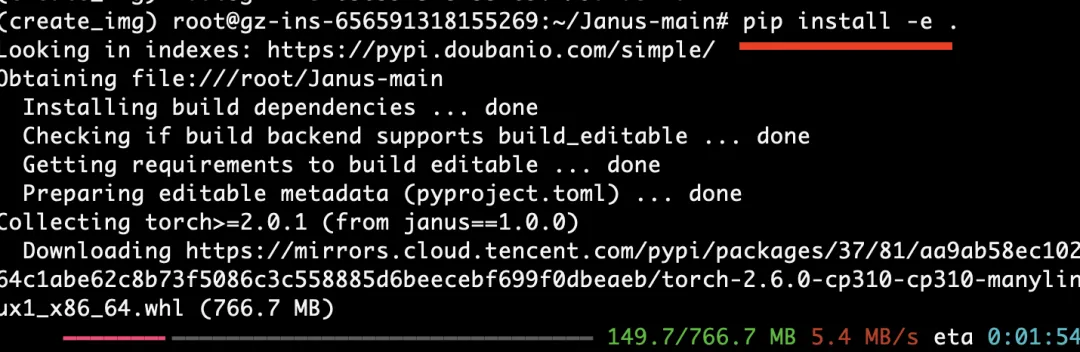
This takes ~5 minutes. Then install Gradio to launch the interactive web interface:
pip install gradio

Step 5: Download Model & Launch Inference Server
Configure Hugging Face mirror for faster downloads:
export HF_ENDPOINT=https://hf-mirror.com
huggingface-cli download deepseek-ai/Janus-Pro:7B
Launch the demo app:
python demo/app_januspro.py --device cuda
Finally, forward the Gradio port (7860) from the remote GPU server to your local machine:
ssh -L 7860:127.0.0.1:7860 -p 48301 root@proxy-qy.gpugeek.com
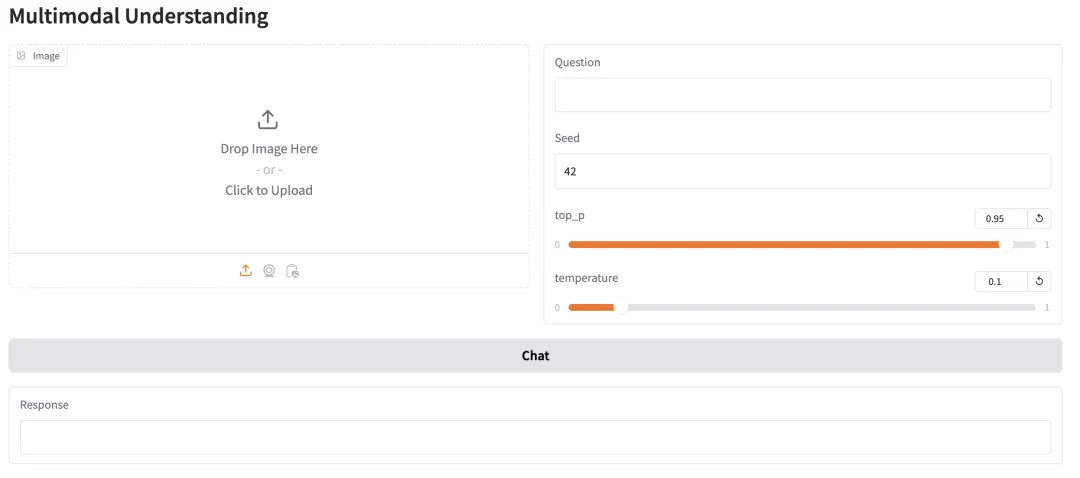
Now open your local browser and go to: 👉 http://127.0.0.1:7860/
You’ll see the live Janus-Pro:7B interface—congratulations! Your multimodal DeepSeek model is now fully deployed and operational:
3 Using Your Deployed Model
Janus-Pro:7B supports two core modalities:
✅ Image Understanding (“See & Describe”)
Upload any image—the model analyzes its visual content, including objects, scenes, text elements (e.g., legends, labels), and spatial relationships.
Let’s test it with DeepSeek’s official logo:
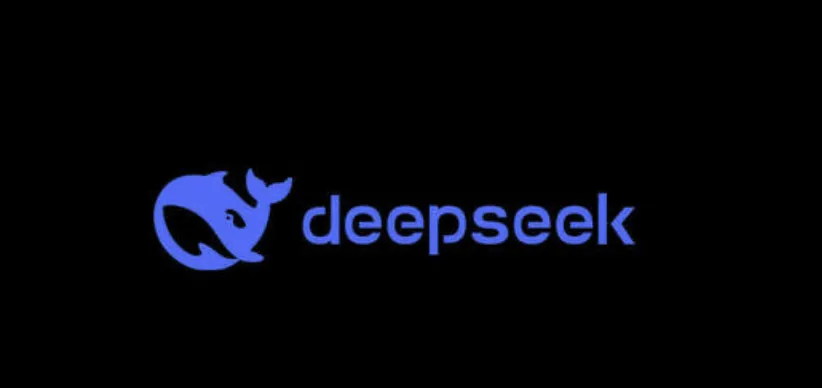
Upload it into the interface and ask a question like:
“Describe this logo in detail, including colors, typography, and symbolic meaning.”
Inference completes rapidly. Here's the first result:
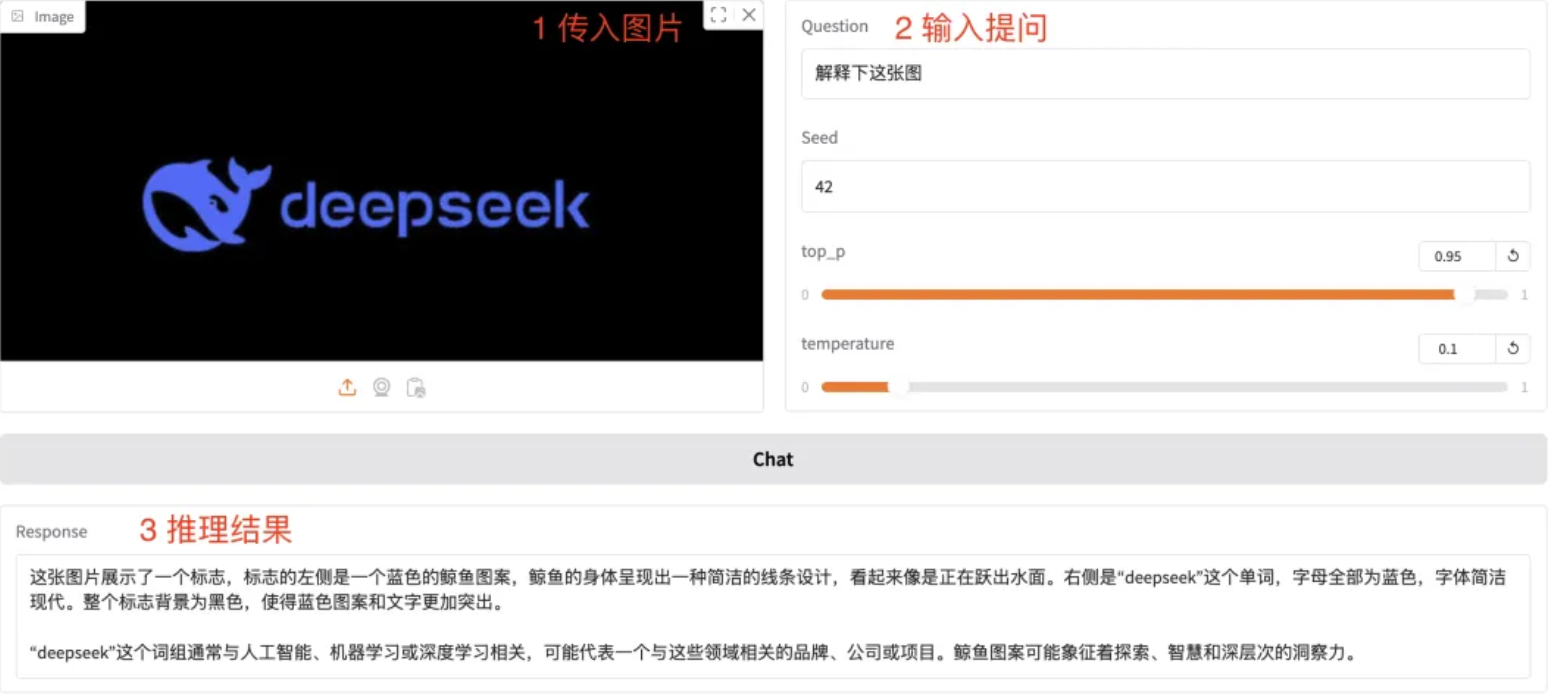
(Zoom in to read fine details—the description is impressively precise.)
✅ Text-to-Image Generation (“Prompt → Picture”)
Scroll down to the second tab in the Gradio UI:
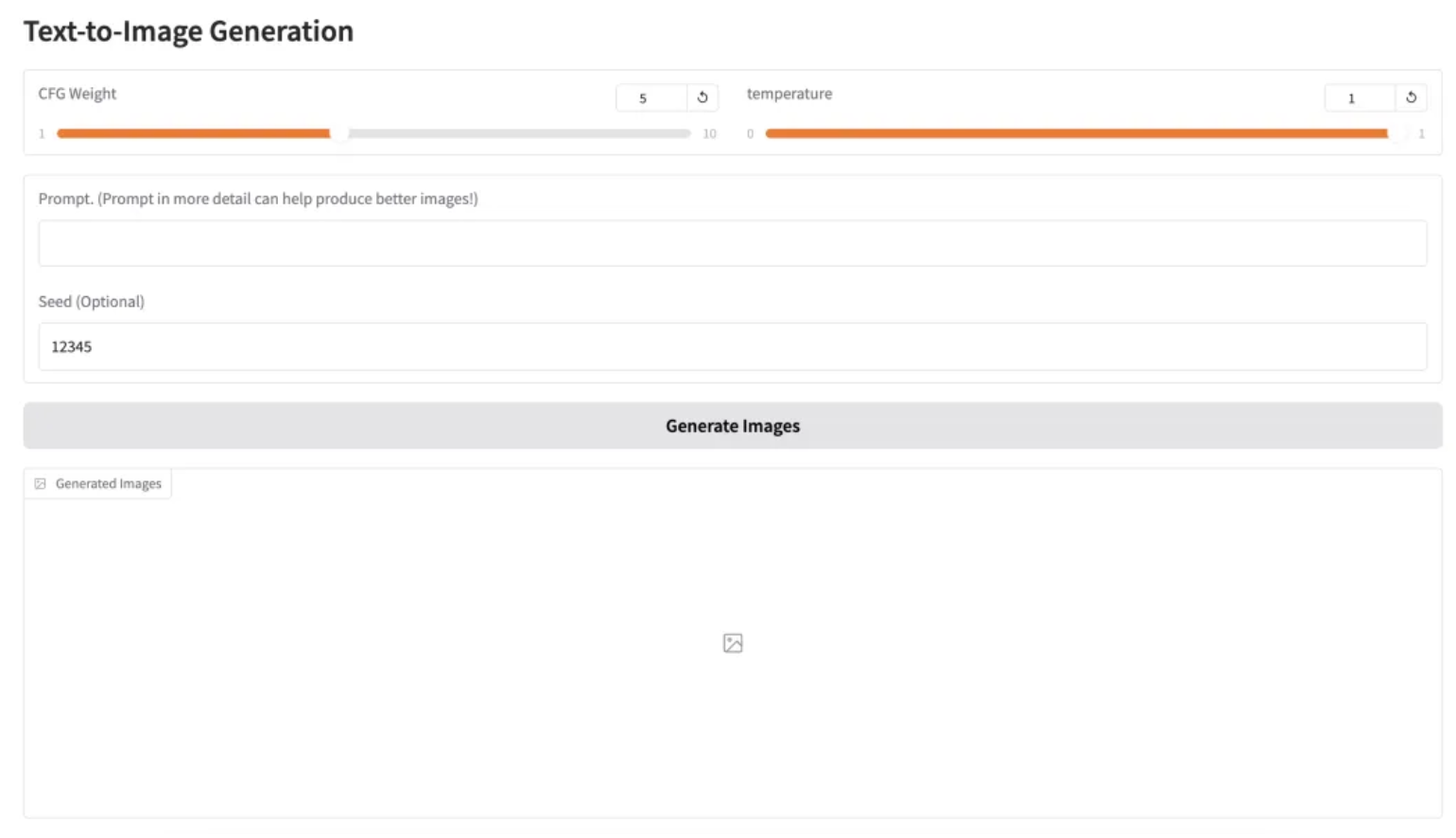
Try a simple English prompt:
a nice and realistic cat in the universe
Generation time: ~5–10 seconds. Output includes 5 diverse variations, all at high resolution:
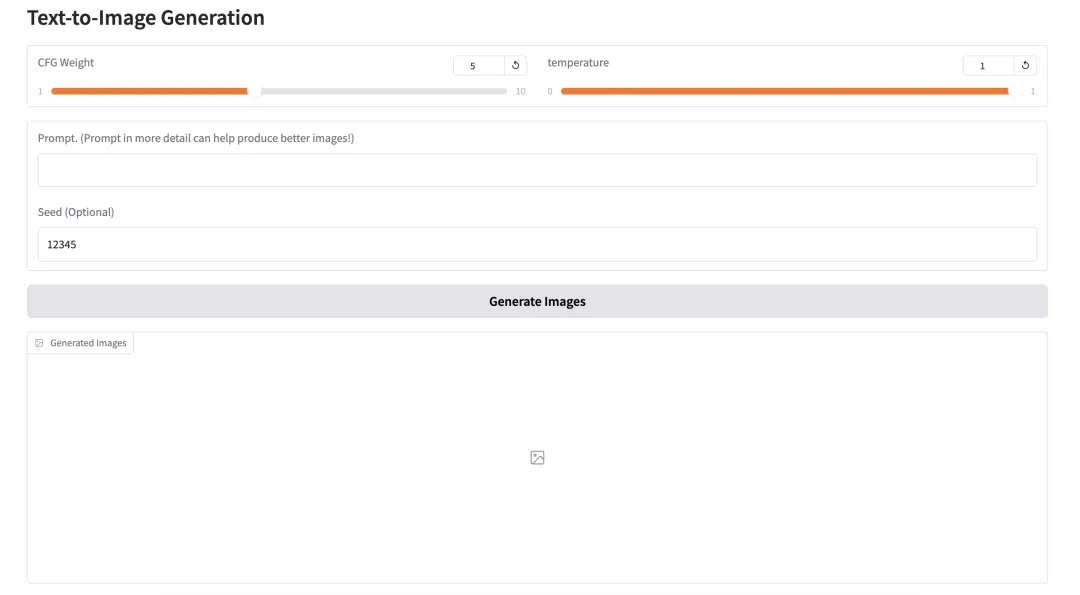
Zoomed-in sample (original Janus-Pro:7B, no fine-tuning):

💡 Tip for Chinese users: While Janus-Pro:7B performs best with English prompts, you can easily translate Chinese queries using free tools (e.g., Google Translate or local LLMs) before submitting.
You can also adjust creativity via the temperature slider. Try:
the face of a beautiful girl
Resulting outputs (5 samples):
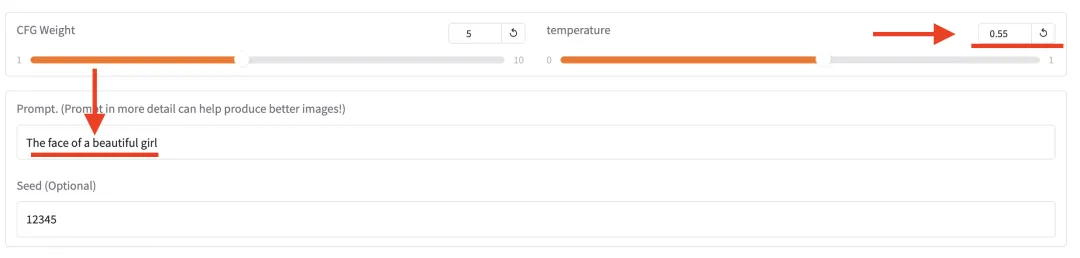

How do they look? Extremely fast inference + high-fidelity outputs confirm Janus-Pro:7B’s strong multimodal capability.
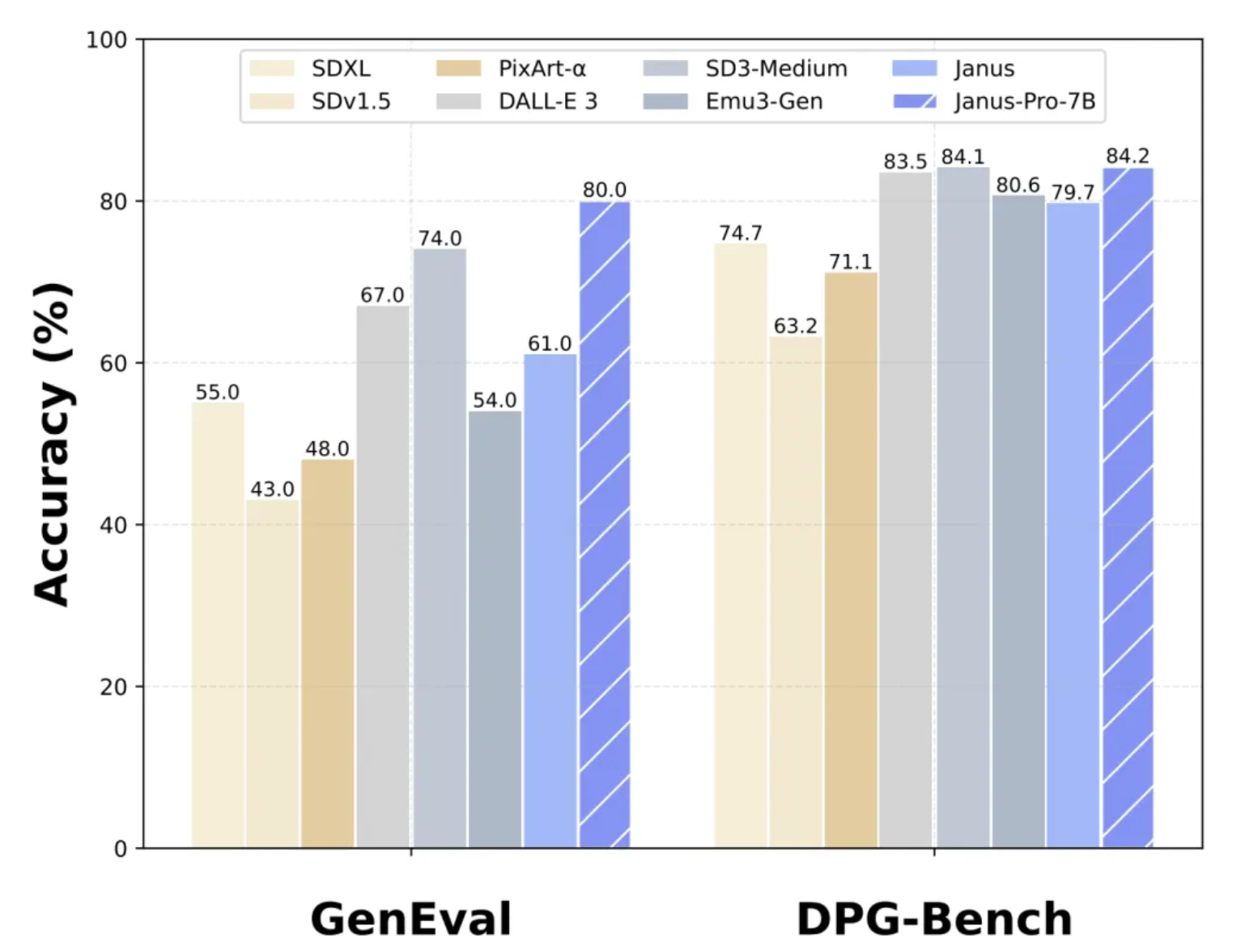
For benchmark context: Janus-Pro outperforms DALL·E 3 on standard multimodal evaluation datasets (e.g., MMMU, ChartQA, TextVQA):
🔍 How Does It Work?
Janus-Pro decouples vision understanding and image generation into separate encoder-decoder pathways—sharing only cross-modal representations within the Transformer layers:
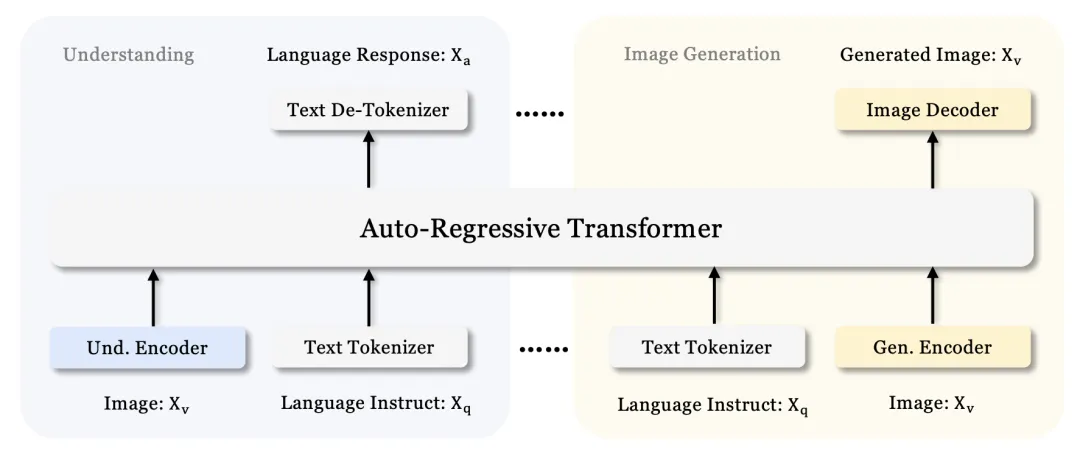
✅ Final Summary
This guide walks you through end-to-end deployment of an open-source multimodal LLM—no prior infrastructure setup needed. Following these steps, most users complete deployment in under 10 minutes, even without local GPU hardware.
🔹 No compatible local GPU? → Visit gpugeek.com and click “Read Original Article → Register & Get ¥10 Voucher” (valid for Janus-Pro deployment). → Their A5000 GPU servers are currently priced at just ¥0.88/hour—an industry-leading discount. Ideal for experimentation or light production use.
Once deployed via gpugeek, you gain access to Janus-Pro:7B’s dual superpowers:
- “See & Describe”: Extract and interpret rich semantics from images—including embedded text, structure, and intent.
- “Prompt → Picture”: Generate stunning, high-resolution images from natural-language prompts—powered by DeepSeek’s state-of-the-art multimodal architecture.
💡 There’s no substitute for hands-on experience. This tutorial empowers you to interact directly with cutting-edge AI—not as a black box, but as a tool you’ve built, configured, and mastered.
Start building today.
Apply This Lesson
Turn this article into AI software, model, API, and security decisions.
English Article FAQ
Use this article as evidence before choosing AI tools
How should I use this AI Tutorials article?
Use it as the implementation or learning layer, then connect the idea to AI software buyer guides, tool comparisons, benchmarks, API choices, and security checks before making a production decision.
Is this English article different from the Chinese original?
The English edition is localized for global AI readers while preserving the original diagrams, screenshots, prompts, code examples, and source context from the Chinese article.
What should I read after DeepSeek Multimodal Integration: Generate High-Resolution Images Rapidly on Your Local PC?
Continue with AI Software Buyer Guides, AI Tools Workbench, Best AI Coding Agents, AI Model Benchmarks, OpenAI vs Anthropic API, or LLM Security Tools depending on the decision you need to make.
Can this article alone choose an AI product or model?
No. Treat the article as evidence and context, then validate fit with pricing, privacy requirements, integration effort, benchmark results, workflow tests, and fallback planning.
Continue