English translation
26. DeepSeek + RealAgent: Automate End-to-End Workflows with a Single Command
AI Article Decision Snapshot
Turn the lesson into workflow, model, budget, and security checks before choosing tools.
Use this quick snapshot before leaving the article. It keeps the next search tied to practical AI software, model/API, cost, privacy, and implementation questions.
Workflow fit
Identify the real job behind the article: coding, research, document review, support, analytics, content, or internal automation.
Model or tool decision
Decide whether the next step is a software shortlist, an AI tool comparison, an API platform choice, or a model benchmark.
Budget and usage signal
Estimate seats, API calls, prompt volume, retries, review time, and fallback work before assuming the workflow is cheap.
Security and privacy review
Check whether source code, customer data, private documents, prompts, logs, or embeddings will enter the AI workflow.
Generating workflows from a single instruction sounds incredibly appealing—but what truly matters to me is where and when the system pauses for human confirmation. Actions involving files, accounts, payments, or publishing must never proceed fully autonomously. Good automation should eliminate redundant steps—not responsibility.
When designing workflows, clearly label three types of nodes:
- Fully automatable steps,
- Steps requiring mandatory human approval, and
- Steps that trigger rollback upon failure.
Once these categories are rigorously distinguished, automation becomes significantly more robust—and far better suited for real-world work.
Recently, nearly one hundred readers have reached out to me daily via private messages. Their questions cluster around three main topics: whether personal knowledge base software supports offline use, how to develop such tools, and underlying technical principles.
This article addresses those questions head-on—readers interested in these topics will find it especially useful.
Currently, mainstream personal knowledge base software runs remotely in the cloud. That means your documents are uploaded to remote servers for processing—and thus cannot operate in a purely offline mode.
Curious readers may ask: Why do most knowledge base tools require online cloud operation instead of supporting pure offline use? If you’re intrigued by this question, keep reading—the explanation follows below.
1. Personal Knowledge Bases
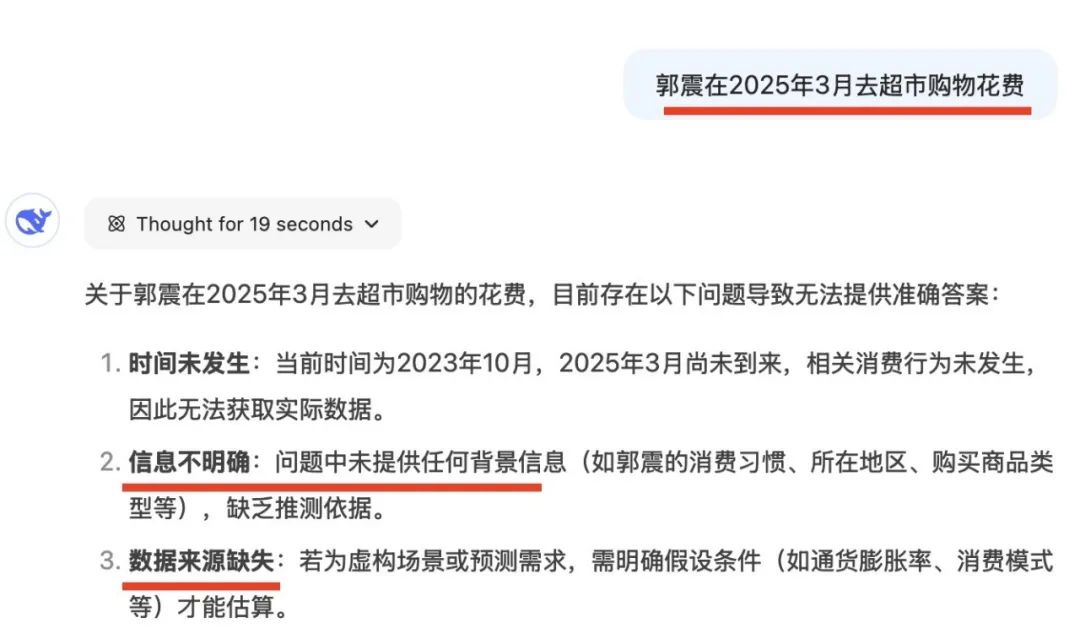
Large language models (LLMs) have already absorbed most publicly available human knowledge—but they remain entirely unaware of your personal files or proprietary corporate documents. Consequently, their responses to queries about such private data lack precision. For example, asking DeepSeek about this month’s supermarket spending yields no answer—precisely because, as the model itself states, the required data source is missing:
To solve this problem, the first approach leverages the LLM’s strong generalization capability: it functions as a zero-shot learner, capable of extracting insights from previously unseen documents. You simply upload a file, and the model learns from it on-the-fly to answer your question. However, this method has an obvious drawback—it forces you to manually locate and re-upload files every time, which is highly inconvenient.
So researchers proposed a second solution: build a personal knowledge base, where all your documents reside centrally—eliminating repeated file searches and uploads.
This led to the development of Retrieval-Augmented Generation (RAG), and—driven by rapid advances in AI agent technology over the past two years—to even more sophisticated RAG agents.
2. The “Brain” of the RAG Agent
A RAG agent consists of two core components:
- Its decision-making “brain”, typically a large language model, and
- External plugins that connect the LLM to your personal knowledge.
I’m currently developing such a RAG application called DeepSeekMine, now in active v0.6 iteration—with the goal of enabling fast, fully offline local execution.
Before starting development, we surveyed today’s most popular RAG agents—and found that the vast majority operate exclusively in the cloud. Two stood out:
- IMA, developed by Tencent (primarily an end-user application), and
- RealAgent, developed by RealAI (a platform supporting both using and building intelligent agents).
Below, we focus specifically on RealAgent’s workflow for building a personal knowledge base agent.
First, navigate to RealAgent’s agent-building interface—shown in its entirety below:
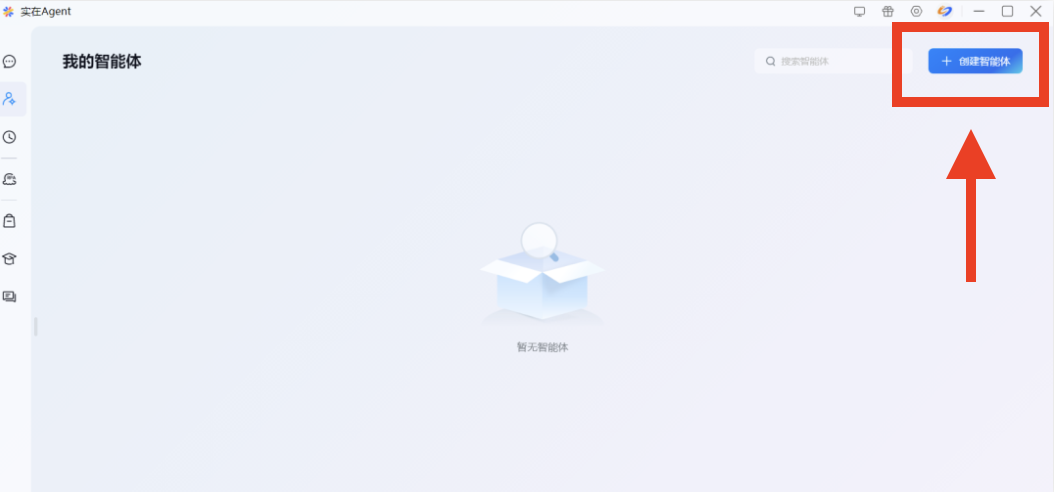
The top-right corner of that interface is zoomed in below. Click the “Create Agent” button:
You’ll then enter a drag-and-drop workflow builder—essentially a visual pipeline comprising input → LLM → optional plugins → output:

For building a knowledge-base agent, two steps are critical:
- Selecting an appropriate large language model, and
- Uploading and configuring your personal knowledge base.
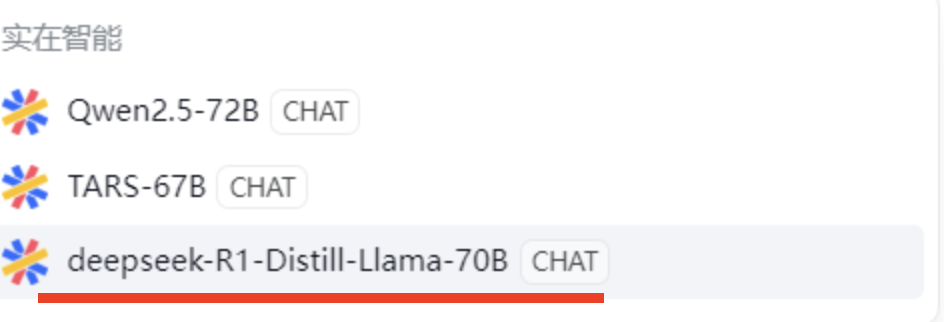
Let’s begin with step one—choosing the right LLM. The model selection interface appears as follows:
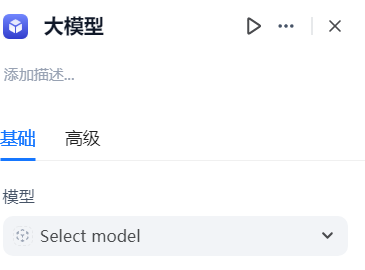
Options include Qwen2.5, TARS-67B (RealAI’s in-house model), and DeepSeek-R1. Notably, smaller LLMs are rapidly improving in performance—making local deployment increasingly practical. Choose any model based on preference; here, we select DeepSeek-R1-70B:
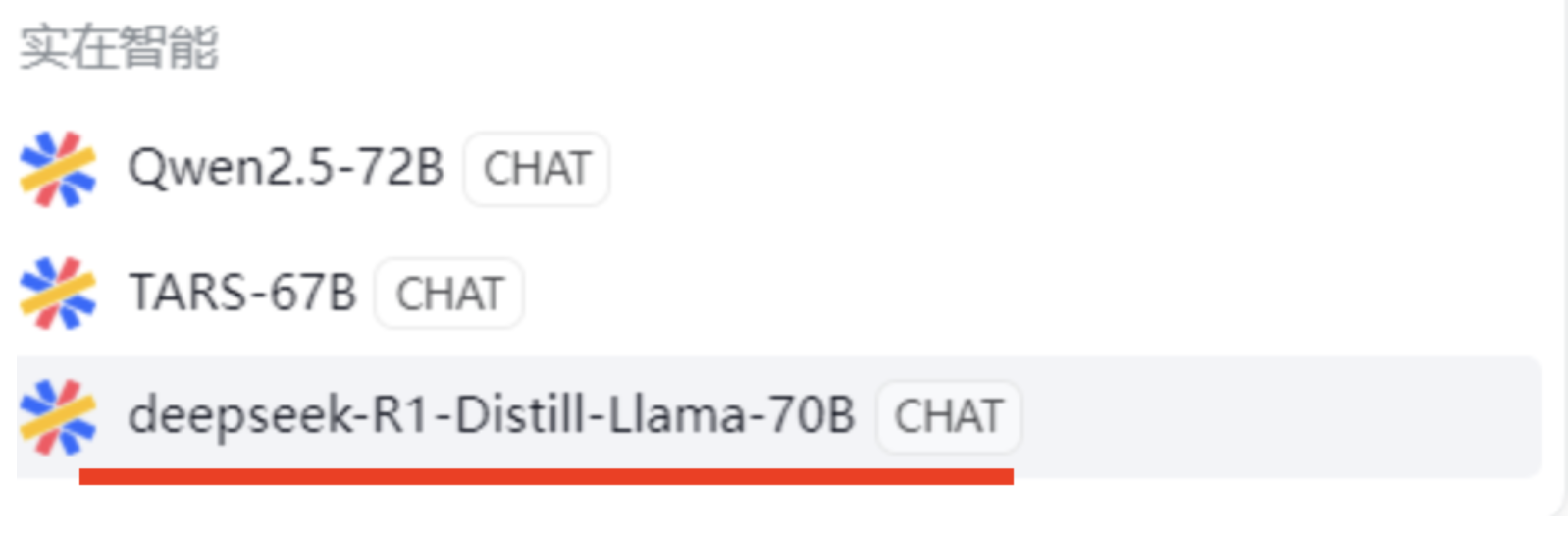
That completes the first phase: selecting an LLM via the UI. Next, we cover the second phase—constructing the knowledge base.
3. External Plugins for the RAG Agent
While the LLM serves as the RAG agent’s “brain,” the personal knowledge base functions as its external plugin. RealAgent’s knowledge-base setup is entirely GUI-driven and highly configurable.
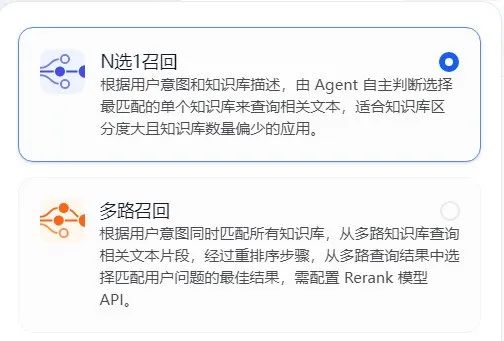
For instance, the first configuration option is N-out-of-1 retrieval vs. multi-path retrieval:
- N-out-of-1 selects the single most relevant document within one knowledge base.
- Multi-path retrieves fragments across multiple knowledge bases simultaneously:
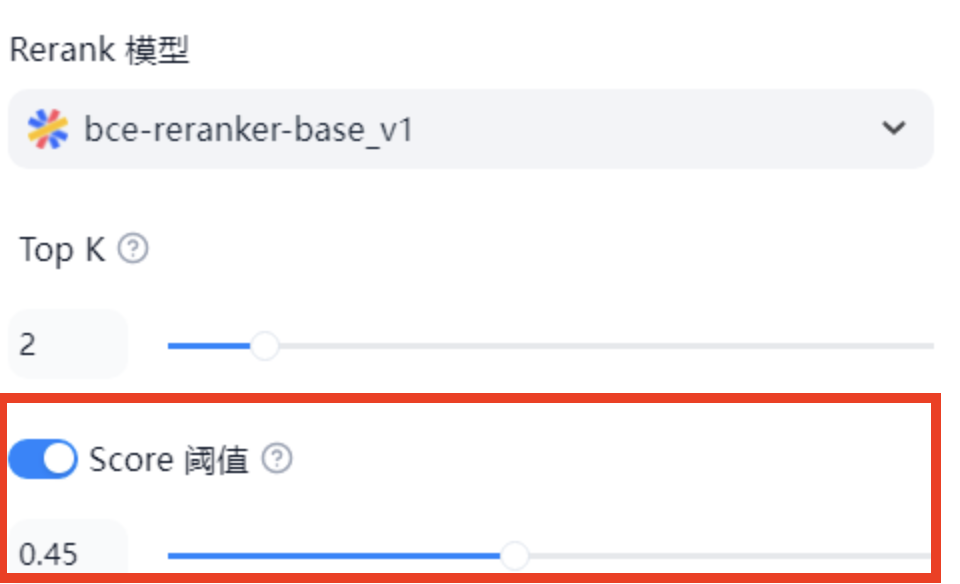
Another key RAG parameter is Score, shown below with its default value of 0.5. This represents the cosine similarity between the user’s query vector and a retrieved text chunk. Higher values indicate stronger semantic alignment—and 0.5 is already considered excellent:
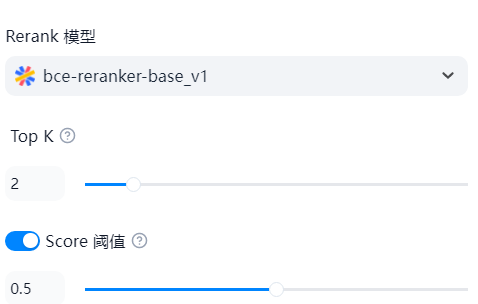
Empirically, lowering this threshold slightly (e.g., to 0.45) increases recall—allowing more candidate chunks to be fed into the LLM, thereby maximizing contextual relevance:
That covers the main knowledge-base configuration parameters.
Next, let’s upload personal documents to the remote knowledge base. Click the + button:
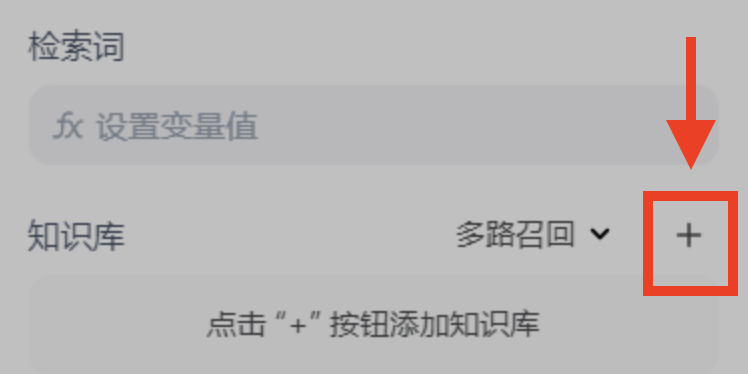
Then click the blue link labeled “Go Create”:
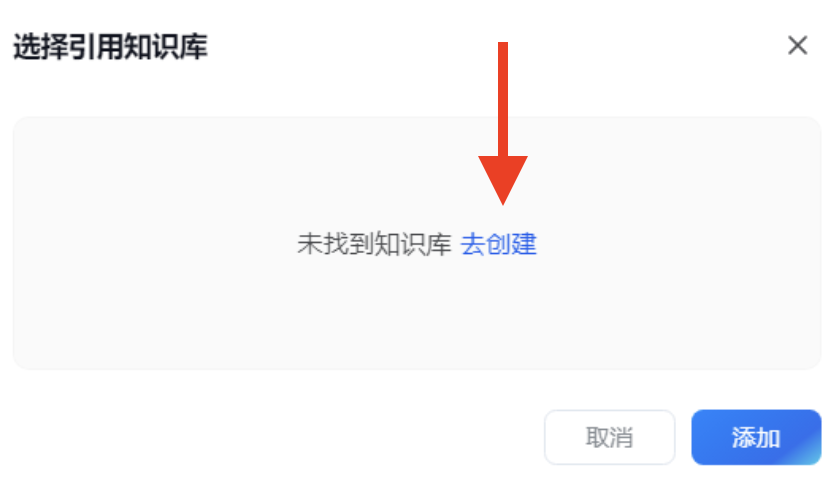
A new web page opens:
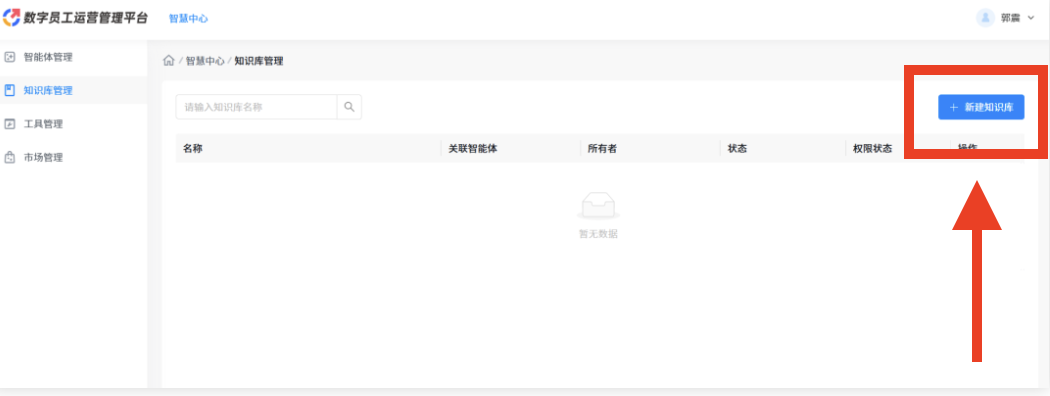
Click “Create New Knowledge Base” in the top-right corner:

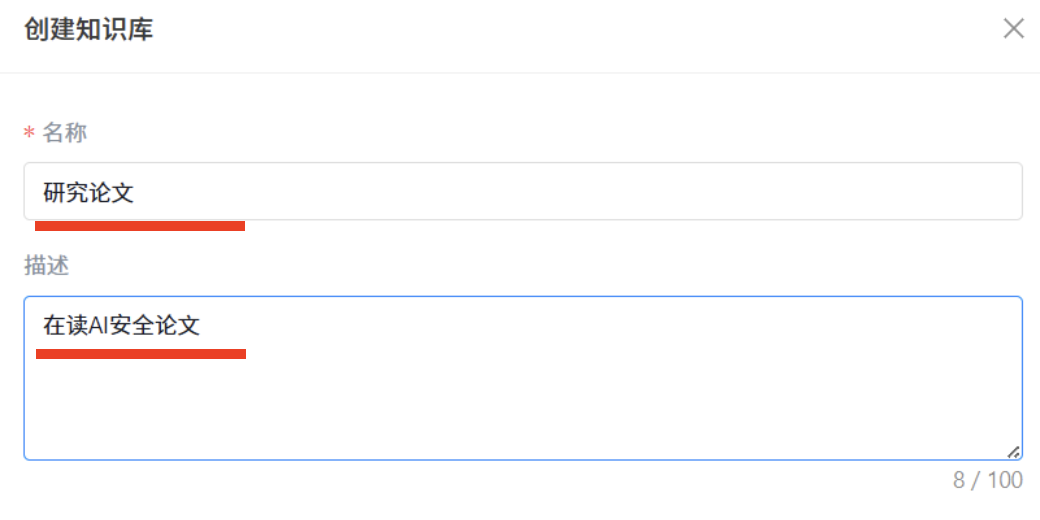
Enter a name and description:
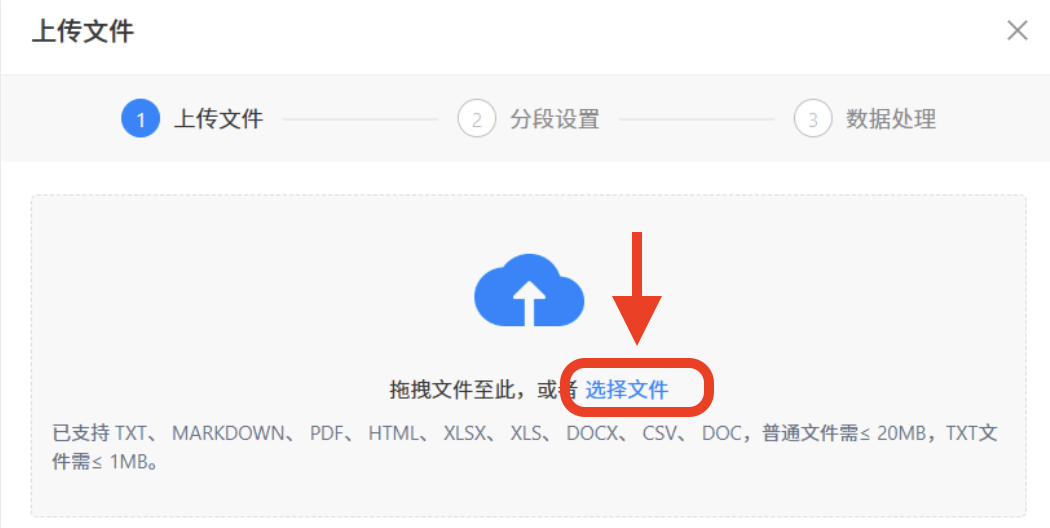
Click the blue “Select Files”, which supports numerous formats: .txt, .md, .pdf, .html, .xlsx, .docx, .csv, .doc, and more:
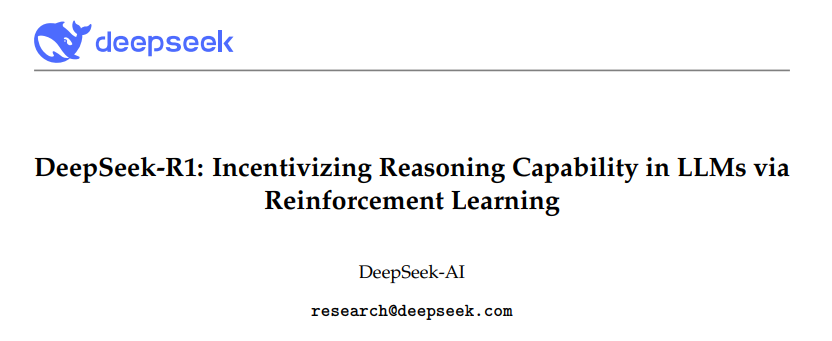
Now upload the DeepSeek-R1 paper PDF:
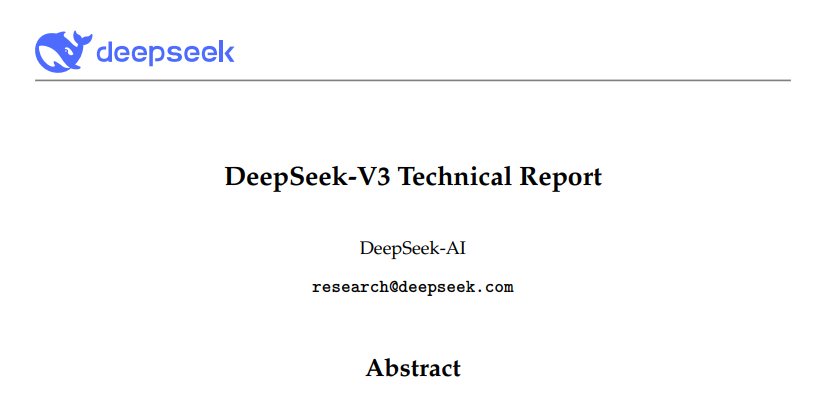
And similarly upload the DeepSeek-V3 paper:
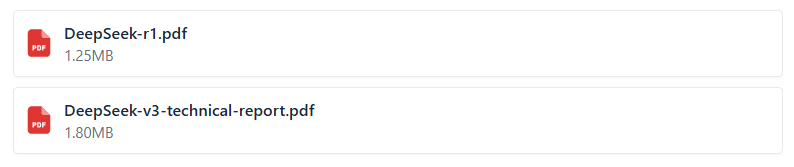
Upon completion, upload progress appears—confirming both files succeeded:
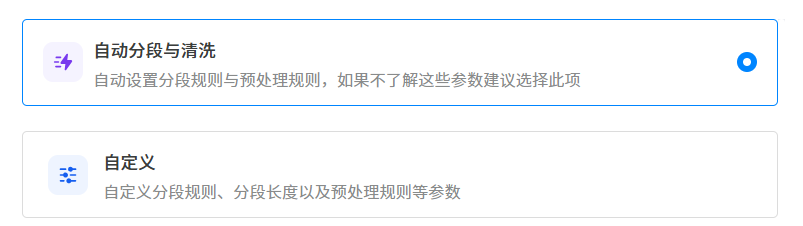
After upload, RealAgent automatically segments documents using its default logic:
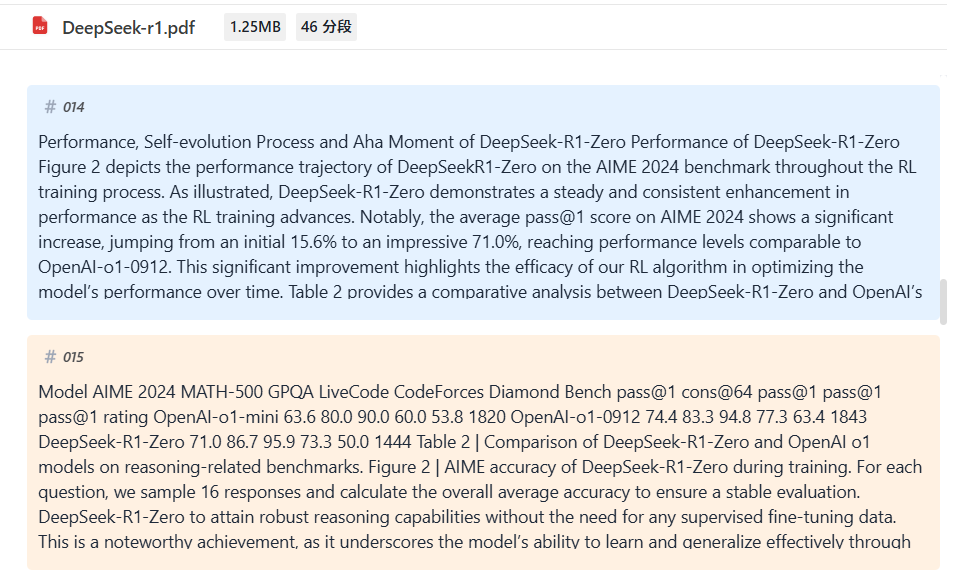
Once segmentation finishes, the interface confirms successful upload:

RealAgent’s visualization is exceptionally clear: here, we see the original PDF split into 46 segments. Note that these “segments” don’t necessarily align with natural paragraphs—they’re algorithmically determined semantic units:
At this point, your personal knowledge base is fully built. Next, you can instantly create a knowledge-retrieval agent via drag-and-drop:
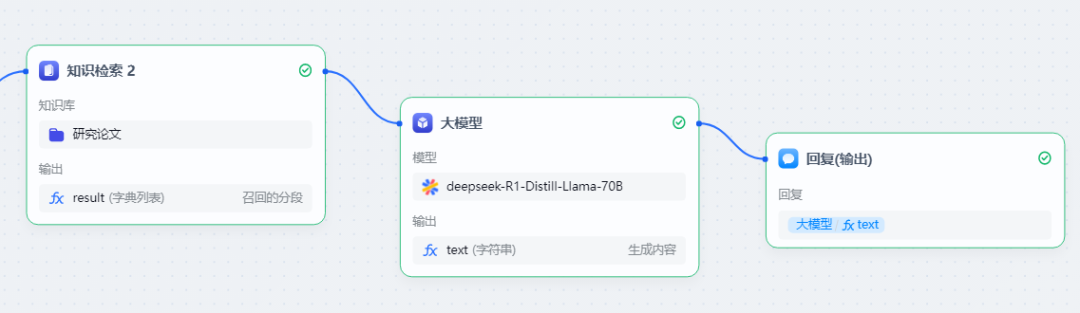
Within that module, select the newly created knowledge base. To test, first enable just one document and click Add:

Congratulations—you’ve just built your first knowledge-base agent using RealAgent! Now ask it a question. It will automatically:
- Retrieve relevant knowledge snippets (RAG),
- Inject them into the configured LLM, and
- Generate a grounded response.
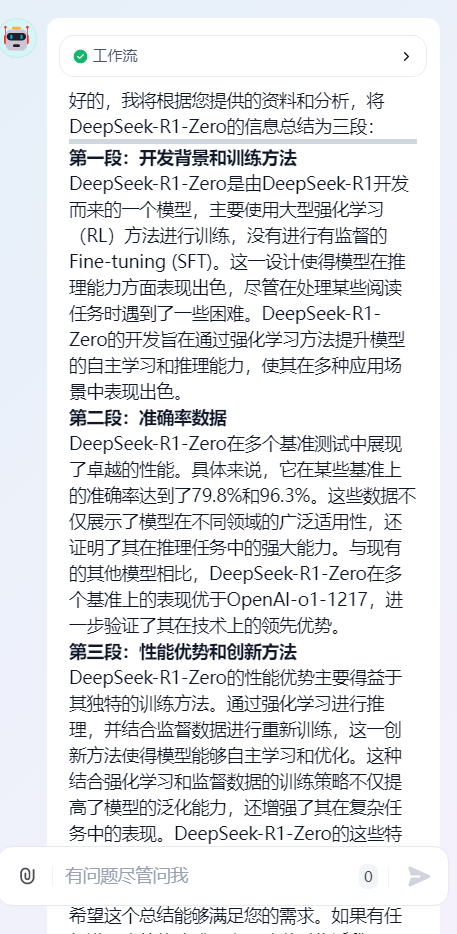
Try: “How was DeepSeek-R1-Zero trained?”

Watch the internal workflow activate—from Input Start, through Knowledge Retrieval #2, to the LLM, and finally to Response Output:
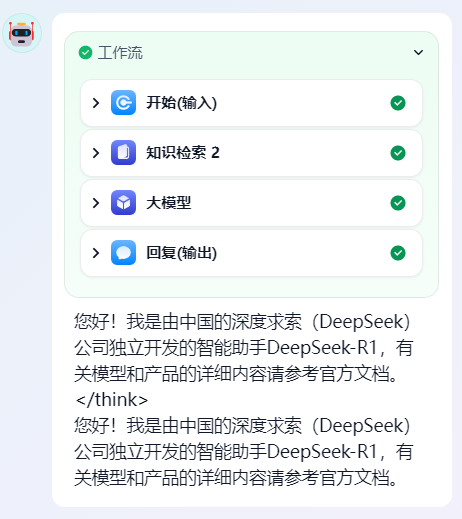
Expanding Knowledge Retrieval #2, you’ll see the original query embedded in the query field:
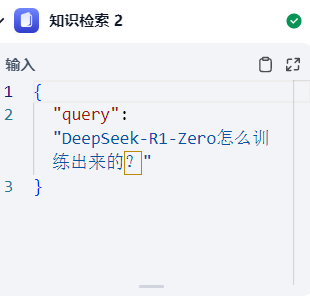
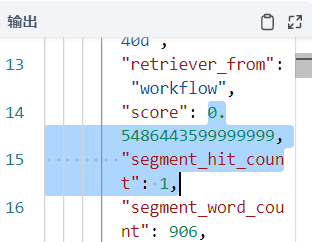
And the matched knowledge-base segment—with a similarity score of 0.5486:
The final response draws comprehensively from the source material, structured into three clear sections covering DeepSeek-R1-Zero’s introduction and training methodology:
Once verified, publish the agent. Before publishing, rename it to something descriptive—e.g., “Knowledge Base Agent”:

After publishing, the agent appears in your agent list:

Return to RealAgent’s chat interface, type @, and your new agent appears automatically:
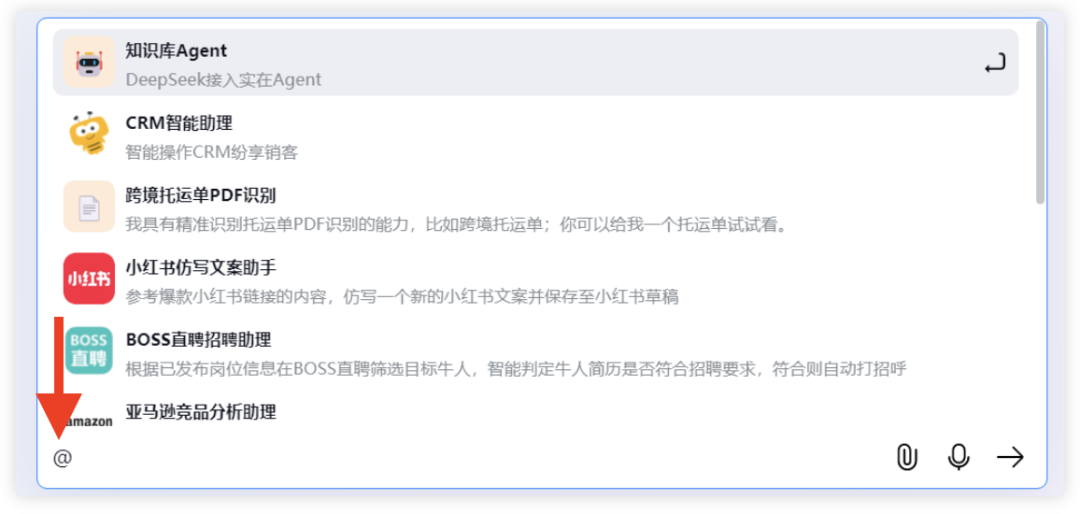
Select it—and begin asking questions immediately:
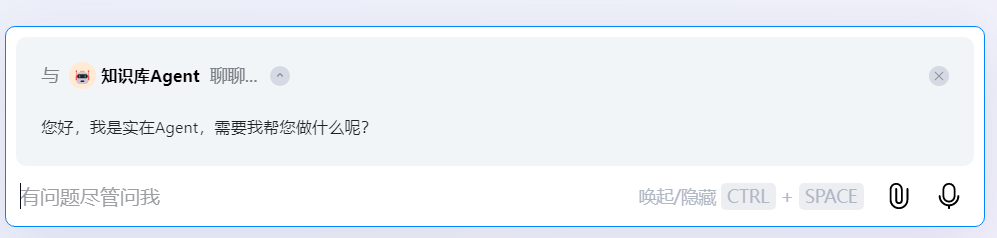
For example, ask about DeepSeek-R1’s other key algorithm—GRPO (Group Relative Policy Optimization)—and observe its accurate, well-grounded response:
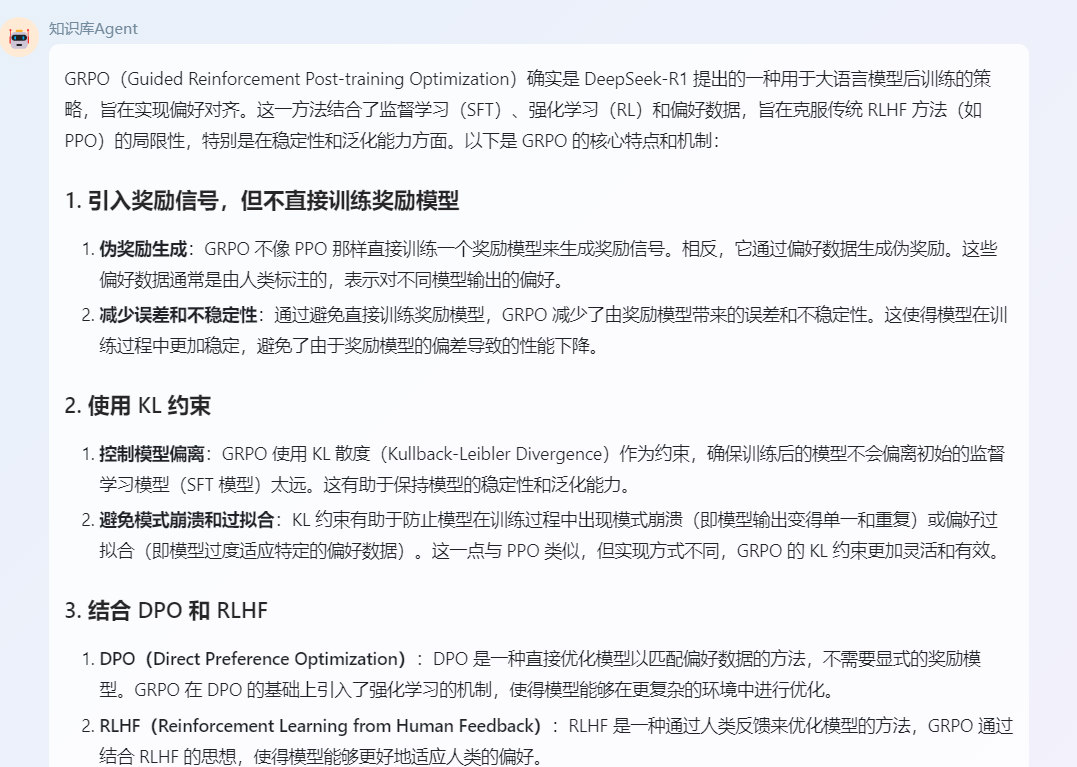
That concludes our full walkthrough of building a knowledge-base agent with RealAgent. Interested users can download the software and follow these exact steps:
https://www.ai-indeed.com/downloadCenter
4. Fully Autonomous Agents
Beyond ease of agent creation, RealAgent offers another powerful capability: one-shot workflow generation. Simply describe a task in plain language—and RealAgent auto-generates and executes the entire operational sequence.
Example: Extract the Douban Movie Top Chart (movie titles + ratings). Just type:

RealAgent instantly generates a precise 4-step workflow:
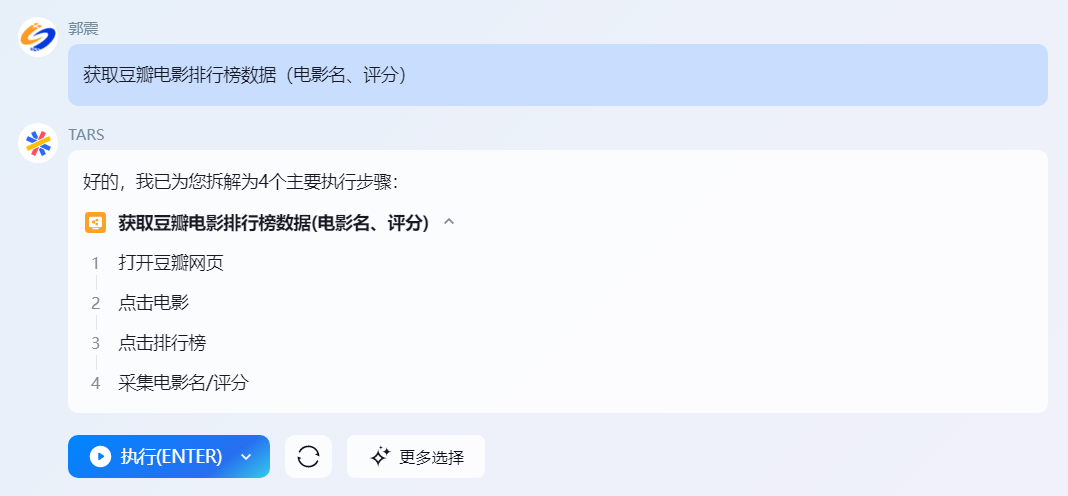
Press Enter, and it executes all steps automatically: opens the webpage, locates the chart, parses titles and scores—all within ~60 seconds.
Finally, it outputs clean, formatted results:
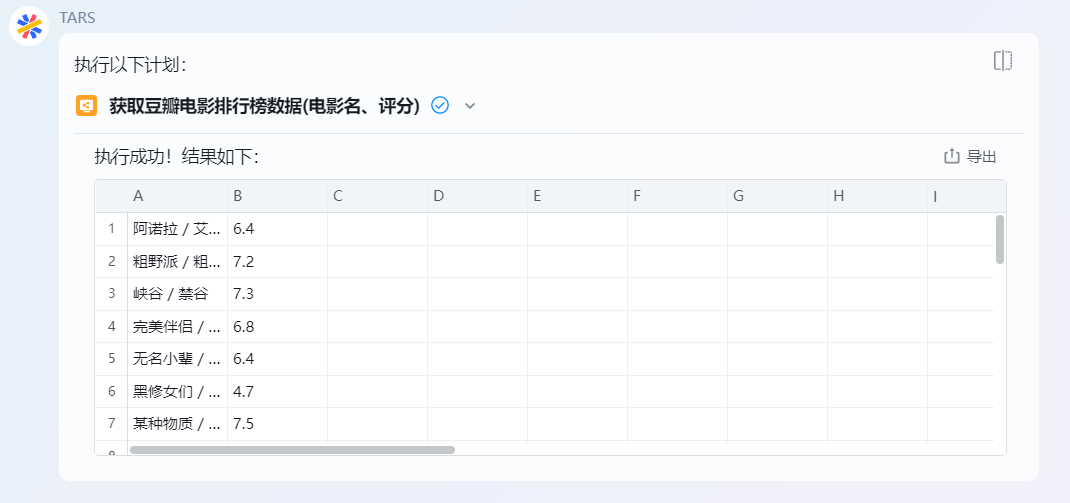
One sentence → auto-generated workflow → one keystroke → full automation. Truly impressive. Try it yourself using the steps above.
It’s worth reflecting: before LLMs and intelligent agents, building such a scraper would take a developer at least an hour. Today? One minute.
Summary
This article answers common questions about integrating LLMs with personal knowledge bases—including the online/offline trade-offs. As noted, mainstream RAG solutions today are cloud-based.
Regarding agent development, we demonstrated—using RealAgent—a practical, code-free method to build a knowledge-base agent. Key advantages include:
- Zero coding required—accessible to non-programmers;
- Intuitive drag-and-drop interface—streamlined UX;
- Polished, highly visual configuration UI—especially for knowledge-base settings.
We also explained core RAG concepts: origins of knowledge-base agents, architectural components, and critical algorithmic parameters (Top-K, Score, retrieval strategies).
Finally, we showcased RealAgent’s fully autonomous agent feature: describe a task in one sentence → generate a workflow → execute it with one keystroke.
Apply This Lesson
Turn this article into AI software, model, API, and security decisions.
English Article FAQ
Use this article as evidence before choosing AI tools
How should I use this AI Tutorials article?
Use it as the implementation or learning layer, then connect the idea to AI software buyer guides, tool comparisons, benchmarks, API choices, and security checks before making a production decision.
Is this English article different from the Chinese original?
The English edition is localized for global AI readers while preserving the original diagrams, screenshots, prompts, code examples, and source context from the Chinese article.
What should I read after 26. DeepSeek + RealAgent: Automate End-to-End Workflows with a Single Command?
Continue with AI Software Buyer Guides, AI Tools Workbench, Best AI Coding Agents, AI Model Benchmarks, OpenAI vs Anthropic API, or LLM Security Tools depending on the decision you need to make.
Can this article alone choose an AI product or model?
No. Treat the article as evidence and context, then validate fit with pricing, privacy requirements, integration effort, benchmark results, workflow tests, and fallback planning.
Continue