English translation
Integrate DeepSeek with Your Personal Knowledge Base: Latest V6 Installer Released for Windows and macOS
AI Article Decision Snapshot
Turn the lesson into workflow, model, budget, and security checks before choosing tools.
Use this quick snapshot before leaving the article. It keeps the next search tied to practical AI software, model/API, cost, privacy, and implementation questions.
Workflow fit
Identify the real job behind the article: coding, research, document review, support, analytics, content, or internal automation.
Model or tool decision
Decide whether the next step is a software shortlist, an AI tool comparison, an API platform choice, or a model benchmark.
Budget and usage signal
Estimate seats, API calls, prompt volume, retries, review time, and fallback work before assuming the workflow is cheap.
Security and privacy review
Check whether source code, customer data, private documents, prompts, logs, or embeddings will enter the AI workflow.
I approach major version upgrades more cautiously than minor ones. Always back up your existing data first, then validate the upgrade using a test knowledge base before migrating to your production database. This is especially critical for knowledge-base software: even if the application appears to launch successfully after an update, changes to indexing formats or configuration fields may silently break compatibility with legacy documents.
After upgrading, we recommend re-asking questions you previously posed using the older version—and comparing whether answers still correctly cite their original source material. If results change significantly, investigate indexing and configuration first—not jump to conclusions about model degradation.
The DeepSeek Personal Knowledge Base Integration Software V6 is now officially released. This article walks through V6’s new features, step-by-step usage workflow, and how to obtain it.
This software enables one core capability: integrating DeepSeek with your personal knowledge base, running entirely locally. If you’re interested in local, private, AI-powered knowledge retrieval—this is worth exploring.
1 V6 Feature Demo
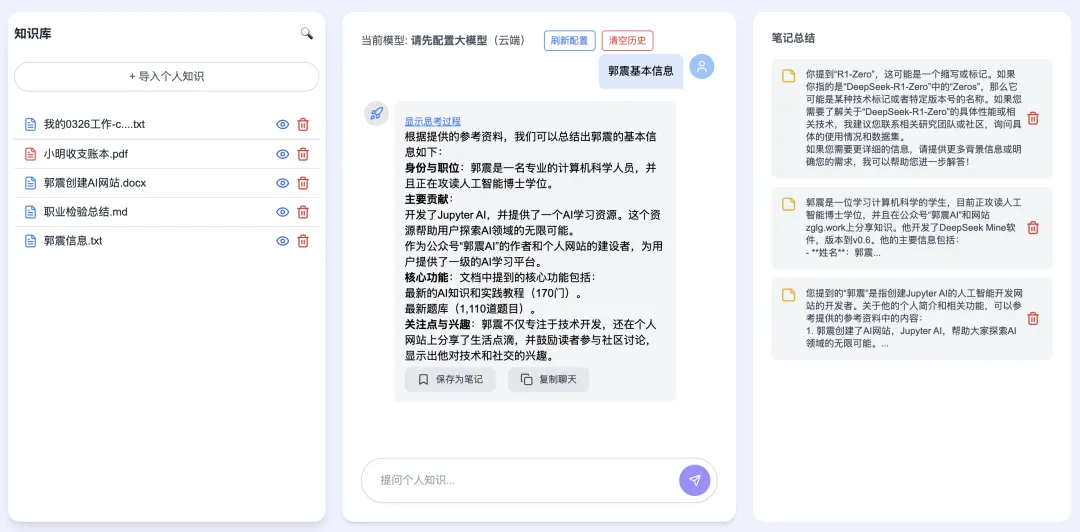
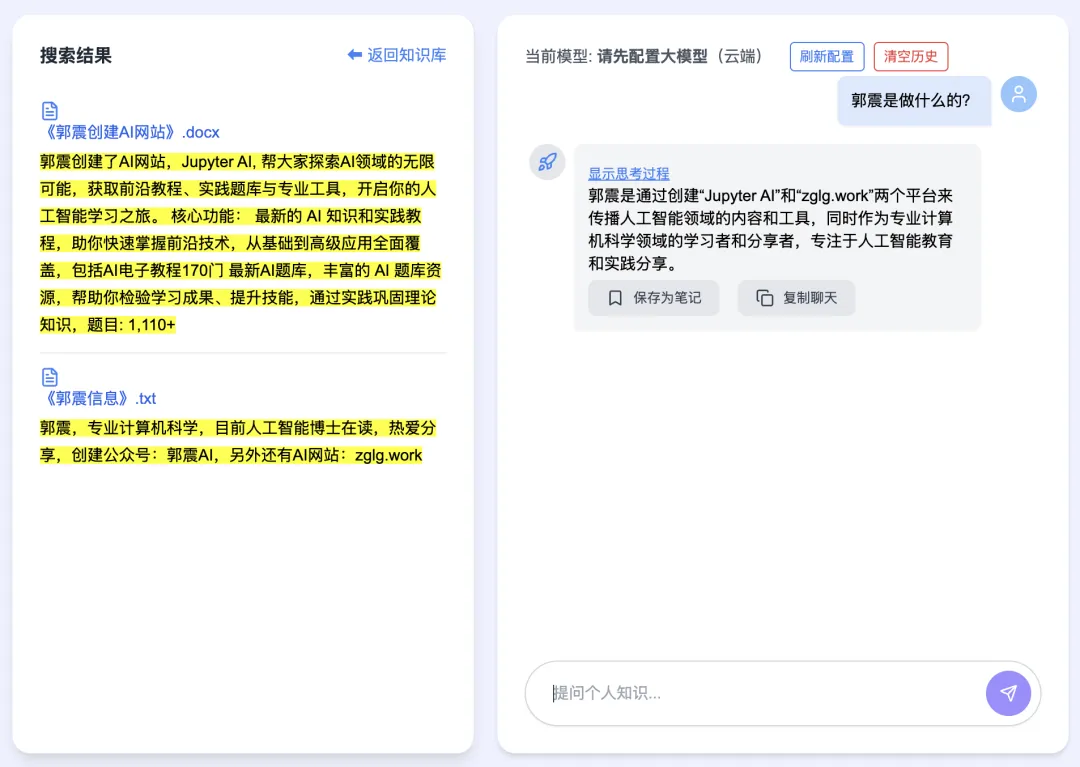
When you ask “What are Guo Zhen’s basic details?”, the system retrieves relevant content from two files in your personal knowledge base. On the left panel, highlighted snippets from matched documents appear; the central panel displays DeepSeek’s full reasoning process step-by-step.
The latest V6 delivers truly sub-second response times. You can verify this yourself in the animated GIF below:
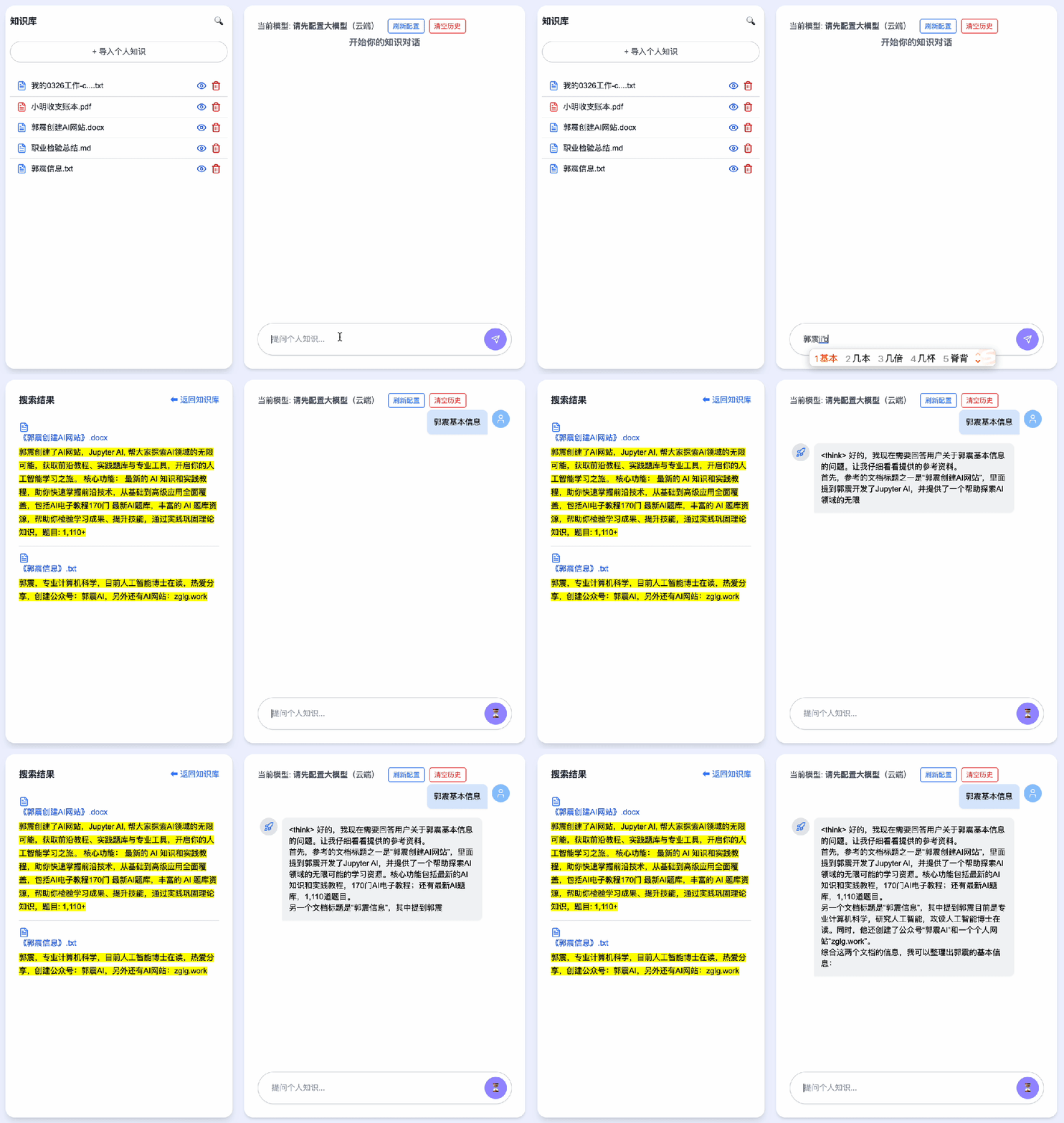
This GIF shows real-time performance—no speed-up applied. Frame count limitations in this article restrict us to displaying only the initial frames.
The demo uses the DeepSeek-R1:1.5b large language model—a compact yet capable model. Even at this scale, RAG (Retrieval-Augmented Generation) output maintains high factual accuracy and relevance.
From V5 to V6, our primary engineering focus was improving RAG answer precision. The result? A solution that is fast, accurate—and fulfills another widely requested feature: fully offline operation.
In short: Fast. Accurate. Fully Offline.
2 Usage Workflow
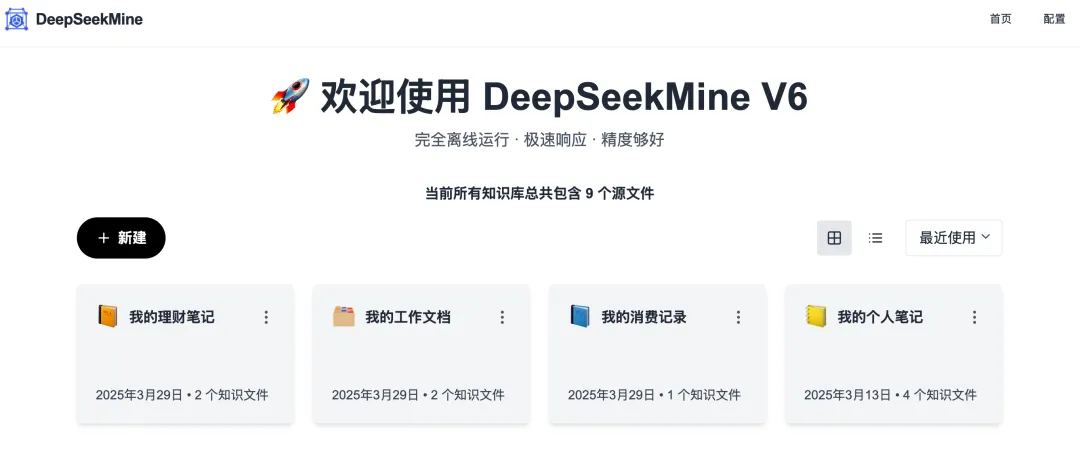
Launch the app to land on the home screen. Click “New” to create a knowledge base card. As shown below, four distinct knowledge bases have already been set up:
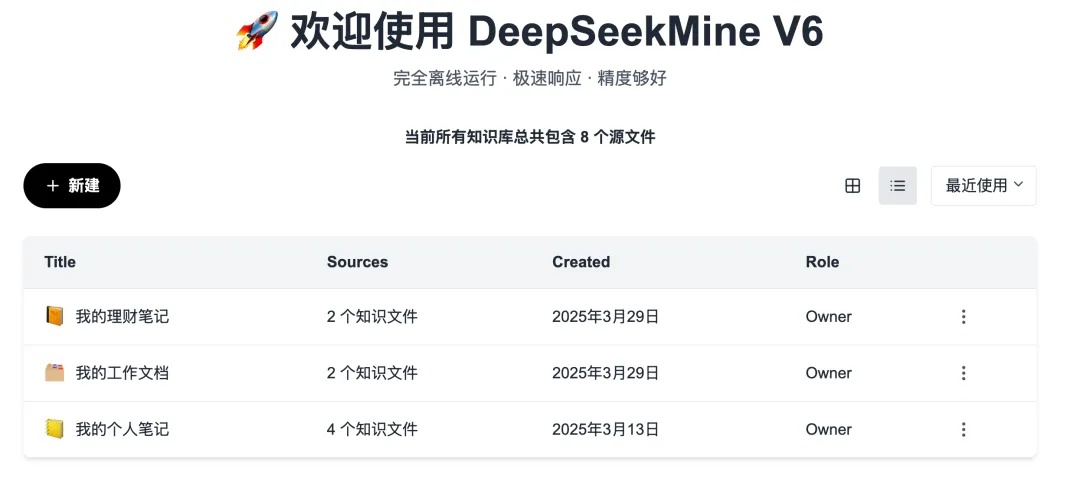
Knowledge bases can also be viewed in list format:
Click into any knowledge base to enter its main interface—comprising three panels arranged left-to-right: → Document loading area → Chat conversation window → Notes & summary panel
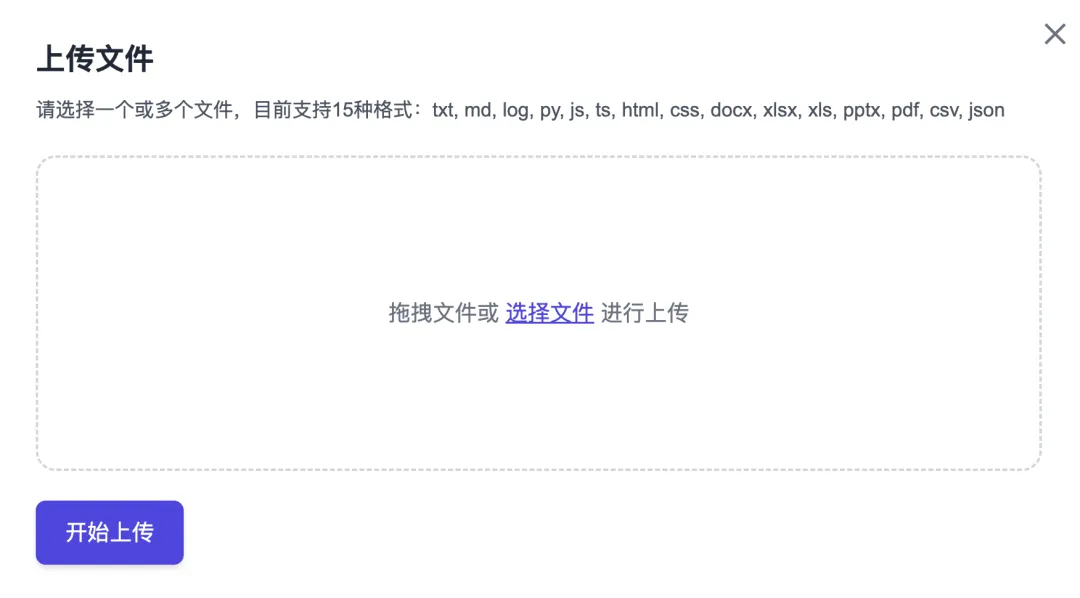
Click “Import Personal Knowledge”, and an upload dialog appears:
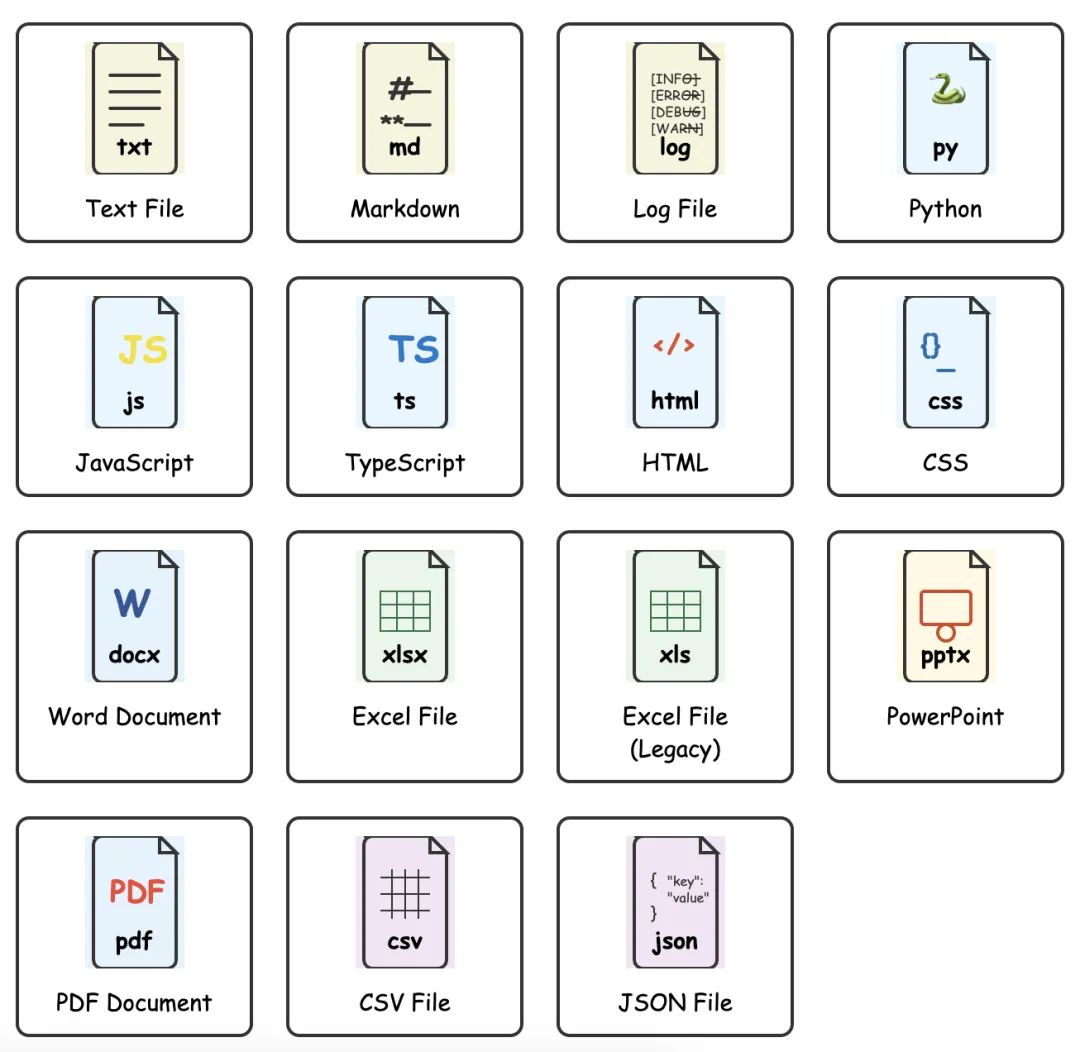
V6 supports importing files in 15 different formats, as listed here:
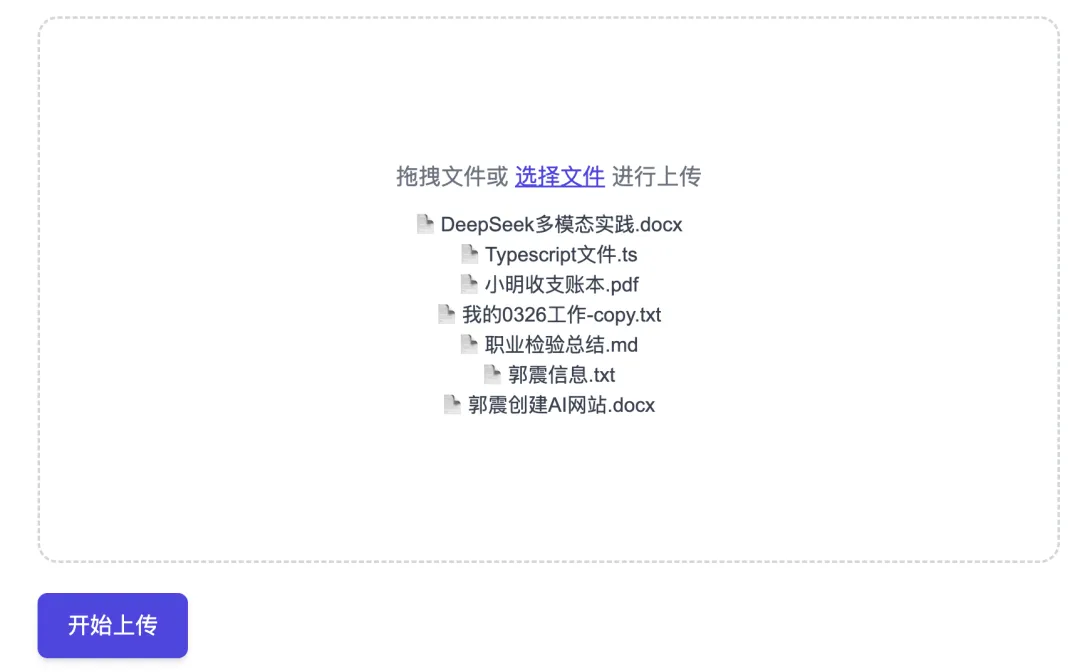
Batch uploads are fully supported—just drag-and-drop multiple files at once:
Then type your question into the central chat box:
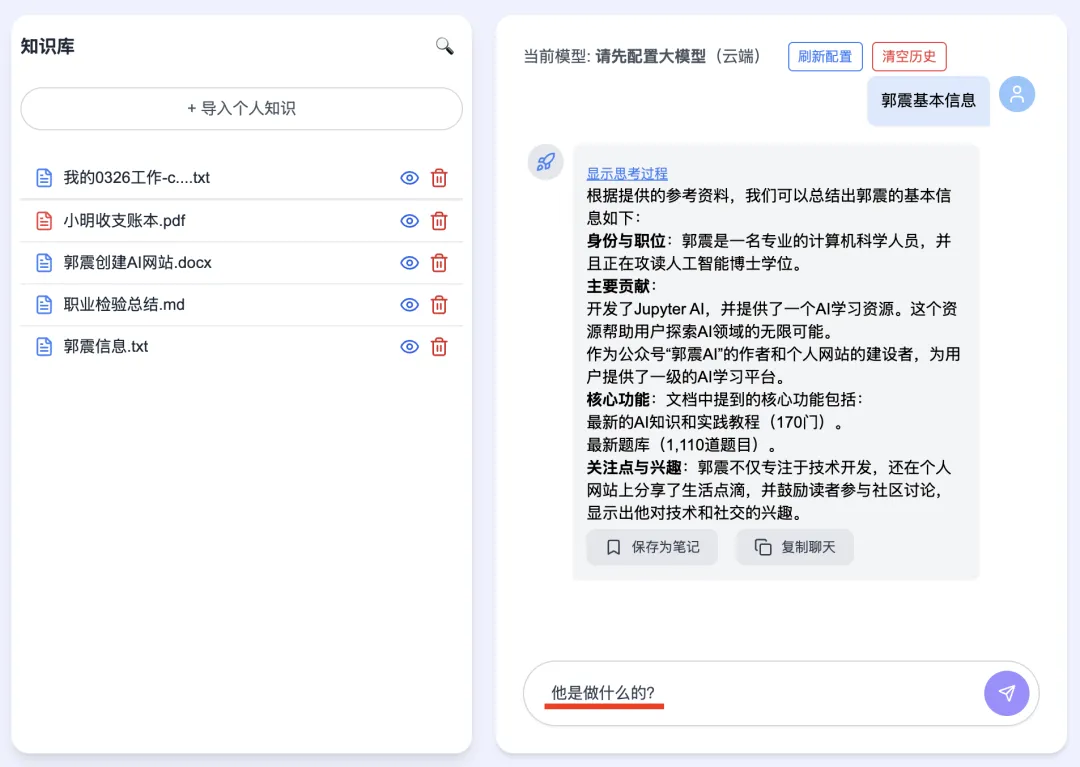
Press Enter. If matching documents are found, they appear instantly on the left panel—and the central panel renders DeepSeek’s complete thought process and final answer in real time:
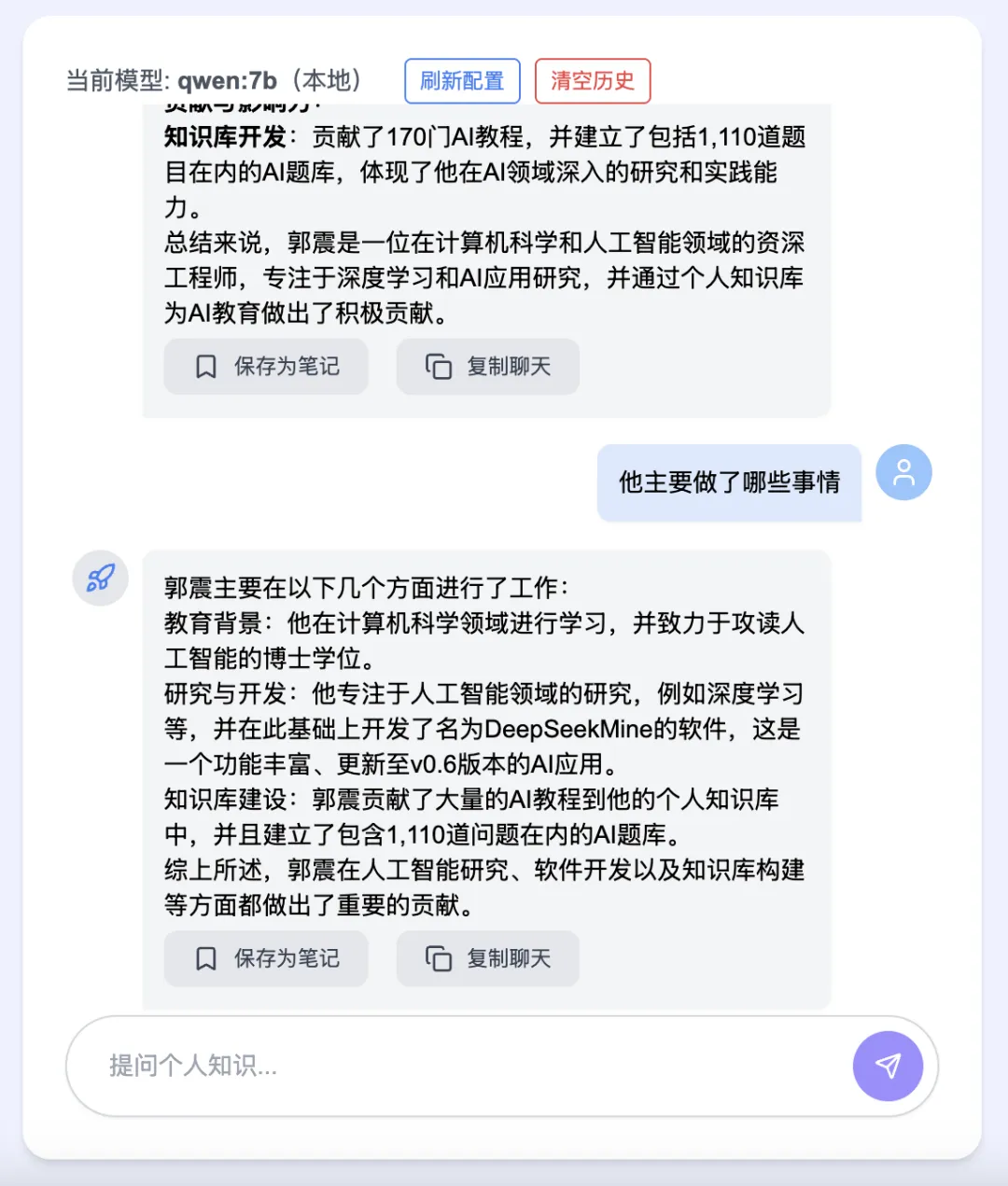
V6 supports multi-turn, context-aware conversations:
You can save standout answers by clicking “Save as Note”—they’re automatically stored locally and displayed in the right-side panel:

3 DeepSeekMine Key Advantages
Beyond DeepSeek model support, DeepSeekMine lets you configure any LLM of your choice.
-
Fully offline operation: Unlike cloud-based alternatives (e.g., ima), DeepSeekMine runs 100% locally—your documents never leave your device. No remote servers, no data leakage—maximum privacy by design.
-
Sub-second response latency: While many local LLM tools take minutes per query, DeepSeekMine consistently replies in under one second.
-
High-precision RAG: Achieving both speed and accuracy is technically demanding. Over the past two months, we’ve refined embedding models, retrieval algorithms, and prompt orchestration. V6 leverages semantic vector embeddings—boosting precision significantly—while keeping latency firmly in the sub-second range.
-
Truly plug-and-play: Install a local LLM via Ollama, click “Configure”, and go—no Python environment setup, no Next.js configuration, no manual vector database installation required.
Finally: DeepSeekMine is completely free—no cost, no subscriptions, no hidden fees. To get started, simply reply with: knowledge base below.

Final Summary
DeepSeekMine V6 marks a substantial milestone. We’ve decisively addressed RAG accuracy—delivering a robust, production-ready experience characterized by:
- Blazing-fast response speed
- High-fidelity, citation-aware answers
- 100% offline, privacy-first operation
DeepSeekMine remains entirely free to use—zero cost to you.
Apply This Lesson
Turn this article into AI software, model, API, and security decisions.
English Article FAQ
Use this article as evidence before choosing AI tools
How should I use this AI Tutorials article?
Use it as the implementation or learning layer, then connect the idea to AI software buyer guides, tool comparisons, benchmarks, API choices, and security checks before making a production decision.
Is this English article different from the Chinese original?
The English edition is localized for global AI readers while preserving the original diagrams, screenshots, prompts, code examples, and source context from the Chinese article.
What should I read after Integrate DeepSeek with Your Personal Knowledge Base: Latest V6 Installer Released for Windows and macOS?
Continue with AI Software Buyer Guides, AI Tools Workbench, Best AI Coding Agents, AI Model Benchmarks, OpenAI vs Anthropic API, or LLM Security Tools depending on the decision you need to make.
Can this article alone choose an AI product or model?
No. Treat the article as evidence and context, then validate fit with pricing, privacy requirements, integration effort, benchmark results, workflow tests, and fallback planning.
Continue