English translation
Install YOLOv5
AI Article Decision Snapshot
Turn the lesson into workflow, model, budget, and security checks before choosing tools.
Use this quick snapshot before leaving the article. It keeps the next search tied to practical AI software, model/API, cost, privacy, and implementation questions.
Workflow fit
Identify the real job behind the article: coding, research, document review, support, analytics, content, or internal automation.
Model or tool decision
Decide whether the next step is a software shortlist, an AI tool comparison, an API platform choice, or a model benchmark.
Budget and usage signal
Estimate seats, API calls, prompt volume, retries, review time, and fallback work before assuming the workflow is cheap.
Security and privacy review
Check whether source code, customer data, private documents, prompts, logs, or embeddings will enter the AI workflow.
YOLO performs detection in a single forward pass—making it well-suited for real-time applications. To understand it effectively, visualize bounding boxes, class labels, confidence scores, and Non-Maximum Suppression (NMS) together on the same diagram. This article first establishes the big picture: what problem it solves, what its core components are, and which types of tasks it fits best.
I begin by fixing the input image size, then tune the confidence threshold and NMS threshold. Without recording these thresholds, detection results become difficult—or impossible—to reproduce.
In the previous article on DenseNet application examples, we explored DenseNet’s superior performance in image classification tasks and demonstrated how to train and run inference with this model in practice. In this article, we shift focus to the YOLO (You Only Look Once) model’s application in segmentation tasks—specifically, how YOLO enables the integration of real-time object detection and image segmentation.
Overview of YOLO
YOLO is an efficient, real-time object detection model. Its defining characteristic is framing object detection as a regression problem: a single neural network directly predicts bounding boxes and class probabilities in one pass. This design allows YOLO to achieve high accuracy while maintaining computational efficiency.
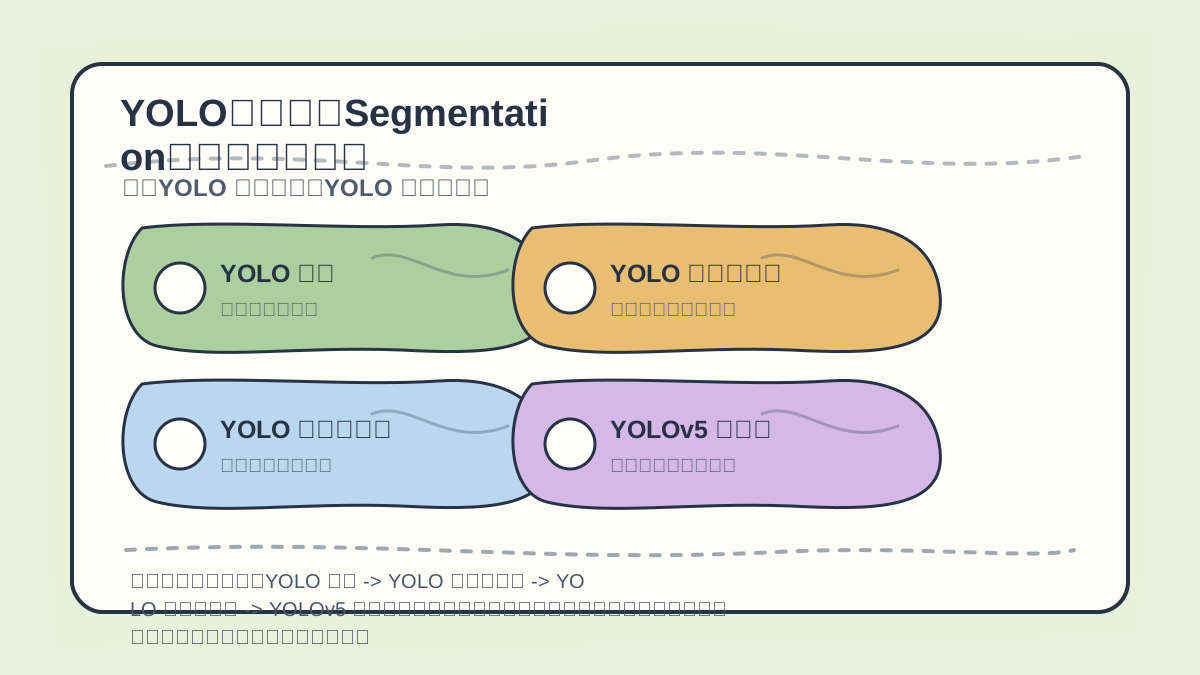
While reading this article, treat the progression “YOLO Overview → How YOLO Works → YOLO for Segmentation → YOLOv5 and Segmentation” as a verification checklist: first clarify the topic, logical flow, and validation points; only then revisit concrete examples, code snippets, or evaluation metrics for cross-checking.
How YOLO Works
YOLO divides the input image into an grid. Each grid cell is responsible for predicting objects whose center falls within that cell. For each cell, the model generates multiple candidate bounding boxes along with associated confidence scores.
- Architectural Framework:
YOLO’s network architecture is typically built upon Convolutional Neural Networks (CNNs), with the final layer outputting predicted bounding boxes and class probabilities. - Loss Function:
YOLO’s loss function jointly optimizes bounding box regression (localization) and classification, enabling balanced improvement in both detection accuracy and localization precision.
YOLO Applied to Segmentation Tasks
However, the standard YOLO model does not natively support segmentation. In many computer vision applications, image segmentation is indispensable—its goal being to partition an image into distinct regions, each corresponding to a specific object or background class. Consequently, adapting YOLO for segmentation usually requires architectural extensions or modifications.
After finishing “YOLO Segmentation Network: An Introduction to Object Detection and Image Segmentation”, take one minute to reflect:
- Are key concepts clearly distinguished?
- Are practical steps reproducible?
- Can you restate the conclusions in your own words?
YOLOv5 and Segmentation Networks
YOLOv5 is a pivotal version in the YOLO series. Building upon its strong object detection foundation, it introduces optional segmentation capabilities. Below are the fundamental steps to implement image segmentation using YOLOv5:
- Dataset Preparation: Prepare a dataset containing segmentation annotations (e.g., the COCO dataset).
- Model Selection: Choose
YOLOv5and configure it for segmentation mode. - Model Training: Train the model using the prepared dataset.
- Inference Execution: Apply the trained model to perform segmentation on new images.
Example Code
Below is a basic code example demonstrating how to perform image segmentation using YOLOv5:
# Install YOLOv5
!git clone https://github.com/ultralytics/yolov5  # Clone the YOLOv5 repository
%cd yolov5
!pip install -r requirements.txt  # Install dependencies

import torch

# Load a pre-trained YOLOv5 segmentation model
segmentation_model = torch.hub.load('ultralytics/yolov5', 'yolov5s', pretrained=True)

# Load test image
img = 'test.jpg'  # Input image to be segmented

# Run segmentation inference
results = segmentation_model(img)

# Display results
results.show()
# Save results
results.save()
Interpreting Results
- The
results.show()method displays the input image alongside detected objects and their corresponding segmentation masks. - The
results.save()method saves the annotated image—including bounding boxes and segmentation masks—to disk.
This example highlights two essential steps:
- Loading a pre-trained
YOLOv5segmentation model viatorch.hub. - Performing inference on an input image to obtain segmentation outputs.
When reviewing “YOLO Segmentation Network: An Introduction to Object Detection and Image Segmentation”, place key concepts, procedural steps, and observable outcomes side-by-side on a single page for effective consolidation.
When practicing “YOLO Segmentation Network: An Introduction to Object Detection and Image Segmentation”, explicitly document the input conditions, processing actions, and visible outputs together—facilitating efficient review and replication later.
Conclusion
In this article, we examined how the YOLO model can be applied to image segmentation—particularly through YOLOv5’s segmentation extension—to unify object detection and pixel-level segmentation in a single, efficient pipeline. This approach demonstrates how state-of-the-art detection techniques can be adapted to segmentation tasks, laying solid groundwork for further deep learning research.
In the next article, we will dive into YOLO’s source code to uncover its internal implementation details and optimization strategies—stay tuned!
Apply This Lesson
Turn this article into AI software, model, API, and security decisions.
English Article FAQ
Use this article as evidence before choosing AI tools
How should I use this AI Tutorials article?
Use it as the implementation or learning layer, then connect the idea to AI software buyer guides, tool comparisons, benchmarks, API choices, and security checks before making a production decision.
Is this English article different from the Chinese original?
The English edition is localized for global AI readers while preserving the original diagrams, screenshots, prompts, code examples, and source context from the Chinese article.
What should I read after Install YOLOv5?
Continue with AI Software Buyer Guides, AI Tools Workbench, Best AI Coding Agents, AI Model Benchmarks, OpenAI vs Anthropic API, or LLM Security Tools depending on the decision you need to make.
Can this article alone choose an AI product or model?
No. Treat the article as evidence and context, then validate fit with pricing, privacy requirements, integration effort, benchmark results, workflow tests, and fallback planning.
Continue