English translation
Load language model
AI Article Decision Snapshot
Turn the lesson into workflow, model, budget, and security checks before choosing tools.
Use this quick snapshot before leaving the article. It keeps the next search tied to practical AI software, model/API, cost, privacy, and implementation questions.
Workflow fit
Identify the real job behind the article: coding, research, document review, support, analytics, content, or internal automation.
Model or tool decision
Decide whether the next step is a software shortlist, an AI tool comparison, an API platform choice, or a model benchmark.
Budget and usage signal
Estimate seats, API calls, prompt volume, retries, review time, and fallback work before assuming the workflow is cheap.
Security and privacy review
Check whether source code, customer data, private documents, prompts, logs, or embeddings will enter the AI workflow.
Perception is not merely feeding raw data into a model, nor is decision-making simply selecting an arbitrary answer from the model’s output. A real-world intelligent agent must first organize its inputs into a state that can be meaningfully evaluated, then select actions based on goals, risks, and costs.
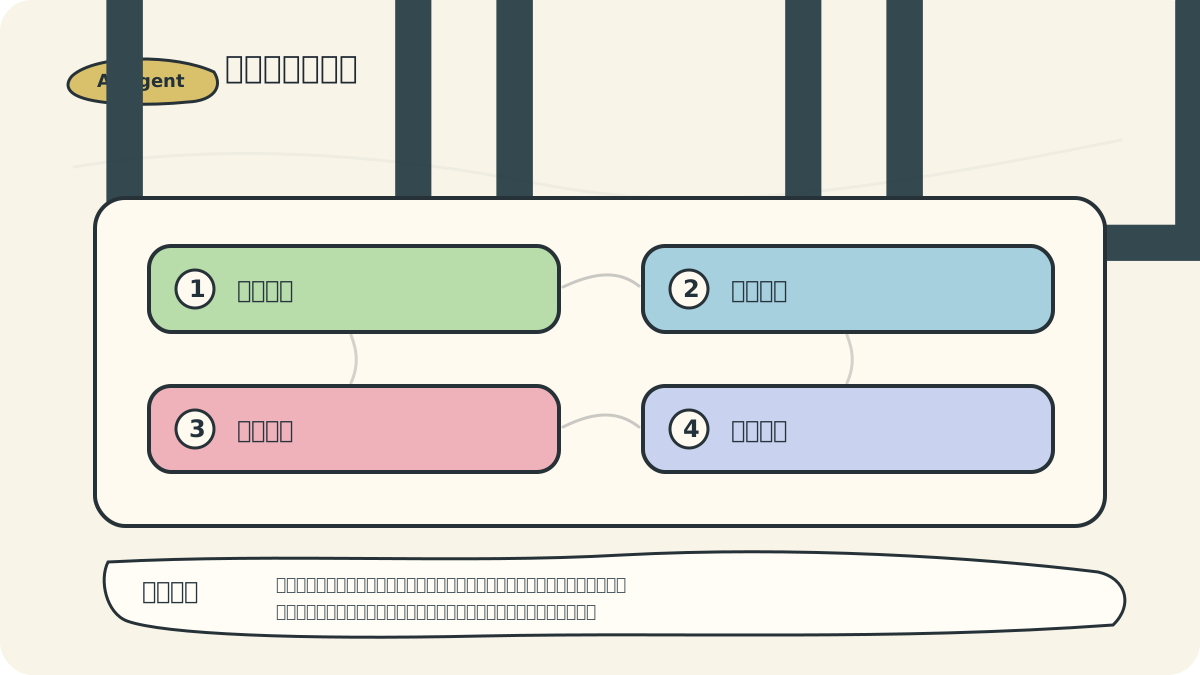
Consider a web-reading agent as an illustrative example: webpage body text, hyperlinks, buttons, and error messages all constitute perception; whereas deciding which link to click first, whether to continue searching, or when to stop constitutes decision-making. Separating these two layers clarifies system design significantly.

2.1 Perception Mechanism: The Agent’s “Eyes and Ears”
Perception is the intelligent agent’s primary means of understanding its environment—functionally analogous to human sensory systems. A robust perception mechanism enables the agent to acquire accurate, rich environmental information, thereby laying a reliable foundation for subsequent decision-making.

When analyzing an agent’s perception and decision mechanisms, begin by mapping what it observes, how it chooses, what actions it executes, and how it receives feedback. Only once this closed-loop structure is clearly defined should you proceed to discuss tool invocation or multi-step planning.
2.1.1 Fundamental Principles of Perception
The perception process typically comprises the following steps:
- Data Acquisition: Gathering raw data via sensors, APIs, user input, or other channels
- Preprocessing: Cleaning, normalizing, and converting raw data into standardized formats
- Feature Extraction: Identifying and isolating valuable features from preprocessed data
- State Representation: Encoding extracted features into an internal representation of the agent’s current state
2.1.2 Common Perception Modalities
Intelligent agents may support multiple perception modalities, each tailored to distinct types of environmental information:
- Text Perception: Processing natural language inputs—including commands, questions, or conversational utterances
- Visual Perception: Interpreting images and video—recognizing objects, scenes, and actions
- Audio Perception: Analyzing sound signals—including speech recognition and ambient acoustic analysis
- Numerical Perception: Handling structured data—such as sensor readings, market statistics, or telemetry
2.1.3 Technical Implementation of Perception Modules
Text Perception Implementation
Text perception commonly leverages Natural Language Processing (NLP) techniques:
import spacy

# Load language model
nlp = spacy.load("zh_core_web_sm")

class TextPerception:
    def __init__(self):
        self.nlp = nlp

    def perceive(self, text_input):
        # Process text input
        doc = self.nlp(text_input)

        # Extract named entities
        entities = [(ent.text, ent.label_) for ent in doc.ents]

        # Extract keywords
        keywords = [token.text for token in doc if token.pos_ in ("NOUN", "VERB") and not token.is_stop]

        # Analyze sentence intent
        intent = self._analyze_intent(doc)

        return {
            "entities": entities,
            "keywords": keywords,
            "intent": intent,
            "original_text": text_input
        }

    def _analyze_intent(self, doc):
        # Simple intent classification logic
        if any(token.text.lower() in ("what", "how", "why") for token in doc):
            return "question"
        elif any(token.text.lower() in ("please", "help", "need") for token in doc):
            return "request"
        else:
            return "statement"
Visual Perception Implementation
Visual perception typically employs computer vision techniques:
import cv2
import numpy as np
from tensorflow.keras.applications import MobileNetV2
from tensorflow.keras.applications.mobilenet_v2 import preprocess_input, decode_predictions

class VisionPerception:
    def __init__(self):
        # Load pre-trained model
        self.model = MobileNetV2(weights='imagenet')

    def perceive(self, image_path):
        # Read image
        image = cv2.imread(image_path)
        image = cv2.cvtColor(image, cv2.COLOR_BGR2RGB)

        # Resize image
        image = cv2.resize(image, (224, 224))

        # Preprocess
        image = np.expand_dims(image, axis=0)
        image = preprocess_input(image)

        # Classify objects
        predictions = self.model.predict(image)
        decoded_predictions = decode_predictions(predictions, top=5)[0]

        # Return recognition results
        return {
            "objects": [(label, float(score)) for _, label, score in decoded_predictions],
            "dominant_colors": self._extract_dominant_colors(cv2.imread(image_path)),
            "image_path": image_path
        }

    def _extract_dominant_colors(self, image, num_colors=3):
        # Convert to RGB
        image = cv2.cvtColor(image, cv2.COLOR_BGR2RGB)

        # Reshape pixels
        pixels = image.reshape(-1, 3)

        # K-means clustering
        from sklearn.cluster import KMeans
        kmeans = KMeans(n_clusters=num_colors)
        kmeans.fit(pixels)

        # Return dominant colors
        colors = kmeans.cluster_centers_.astype(int)
        return [tuple(color) for color in colors]
2.1.4 Multimodal Perception Fusion
Advanced agents often integrate information across multiple modalities—a process known as multimodal fusion:
class MultimodalPerception:
    def __init__(self):
        self.text_perception = TextPerception()
        self.vision_perception = VisionPerception()

    def perceive(self, inputs):
        perceptions = {}

        # Process text input
        if "text" in inputs:
            perceptions["text"] = self.text_perception.perceive(inputs["text"])

        # Process image input
        if "image" in inputs:
            perceptions["vision"] = self.vision_perception.perceive(inputs["image"])

        # Fuse perception outputs
        fused_perception = self._fuse_perceptions(perceptions)

        return fused_perception

    def _fuse_perceptions(self, perceptions):
        # Simplified fusion logic
        fused = {"confidence": {}, "entities": []}

        # Extract entities from text
        if "text" in perceptions:
            fused["entities"].extend(perceptions["text"]["entities"])

        # Extract objects from vision
        if "vision" in perceptions:
            for obj, conf in perceptions["vision"]["objects"]:
                fused["entities"].append((obj, "OBJECT"))
                fused["confidence"][obj] = conf

        return fused
2.2 Decision-Making Mechanism: The Agent’s “Brain”
The decision-making mechanism forms the core of an intelligent agent, responsible for selecting optimal actions based on perceived information and internal state.
After reading “Perception and Decision-Making Mechanisms of Intelligent Agents”, take one minute to reflect: Are key concepts clearly distinguished? Can practice steps be reliably reproduced? Can conclusions be restated in your own words?
2.2.1 Fundamental Principles of Decision-Making
The decision-making process generally involves the following steps:
- State Evaluation: Assessing both the current environmental state and the agent’s internal state
- Option Generation: Enumerating feasible candidate actions
- Option Evaluation: Quantifying the value or utility of each candidate action
- Action Selection: Choosing the optimal action—or sequence of actions
2.2.2 Common Decision Strategies
Rule-Based Decision-Making
The simplest strategy, relying on predefined conditional rules:
class RuleBasedDecision:
    def __init__(self):
        # Define decision rules
        self.rules = [
            {"condition": lambda state: "question" in state["intent"],
             "action": "answer_question"},
            {"condition": lambda state: "request" in state["intent"],
             "action": "fulfill_request"},
            {"condition": lambda state: "greeting" in state["intent"],
             "action": "respond_greeting"},
            # Default rule
            {"condition": lambda state: True,
             "action": "default_response"}
        ]

    def decide(self, state):
        # Evaluate each rule in order
        for rule in self.rules:
            if rule["condition"](state):
                return rule["action"]
Utility-Based Decision-Making
Assigns and compares quantitative utility scores to candidate actions:
class UtilityBasedDecision:
    def __init__(self):
        # Define actions and their utility functions
        self.actions = {
            "answer_question": self._calculate_answer_utility,
            "fulfill_request": self._calculate_fulfillment_utility,
            "provide_information": self._calculate_information_utility,
            "ask_clarification": self._calculate_clarification_utility
        }

    def decide(self, state):
        # Compute utility for each action
        utilities = {}
        for action, utility_func in self.actions.items():
            utilities[action] = utility_func(state)

        # Select action with highest utility
        best_action = max(utilities, key=utilities.get)
        return best_action

    def _calculate_answer_utility(self, state):
        # Compute utility for answering a question
        confidence = state.get("confidence", 0)
        question_clarity = state.get("question_clarity", 0)
        return 0.7 * confidence + 0.3 * question_clarity

    # Other utility functions...
Search-Based Decision-Making
Explores possible future states to identify optimal action sequences:
class SearchBasedDecision:
    def __init__(self, search_depth=3):
        self.search_depth = search_depth
        self.state_transition_model = self._get_transition_model()
        self.reward_model = self._get_reward_model()

    def decide(self, state):
        # Use simplified Minimax search
        best_action, _ = self._minimax_search(state, self.search_depth)
        return best_action

    def _minimax_search(self, state, depth):
        if depth == 0:
            return None, self._evaluate_state(state)

        best_value = float('-inf')
        best_action = None

        # Iterate over possible actions
        possible_actions = self._get_possible_actions(state)
        for action in possible_actions:
            # Predict next state
            next_state = self._predict_next_state(state, action)

            # Recursive search
            _, value = self._minimax_search(next_state, depth - 1)

            # Update best action
            if value > best_value:
                best_value = value
                best_action = action

        return best_action, best_value

    # Helper methods...
2.2.3 Machine Learning–Based Decision-Making
Modern agents increasingly rely on machine learning for adaptive, data-driven decisions:
Supervised Learning Decision-Making
from sklearn.ensemble import RandomForestClassifier
import numpy as np

class SupervisedLearningDecision:
    def __init__(self):
        # Instantiate classifier
        self.classifier = RandomForestClassifier()
        # Action-to-label mapping
        self.action_map = {
            0: "answer_question",
            1: "fulfill_request",
            2: "provide_information",
            3: "ask_clarification"
        }

    def train(self, states, actions):
        # Convert states to feature vectors
        X = [self._state_to_features(state) for state in states]
        # Encode actions as integer labels
        y = [self._action_to_label(action) for action in actions]

        # Train classifier
        self.classifier.fit(X, y)

    def decide(self, state):
        # Convert state to feature vector
        features = self._state_to_features(state)

        # Predict action class
        action_label = self.classifier.predict([features])[0]

        # Return corresponding action
        return self.action_map[action_label]

    def _state_to_features(self, state):
        # Feature encoding logic
        features = []

        # Intent one-hot encoding (4 possible intents)
        intent_features = [0] * 4
        intent = state.get("intent", "unknown")
        if intent == "question":
            intent_features[0] = 1
        elif intent == "request":
            intent_features[1] = 1
        elif intent == "greeting":
            intent_features[2] = 1
        else:
            intent_features[3] = 1

        features.extend(intent_features)

        # Confidence score
        features.append(state.get("confidence", 0))

        # Number of detected entities
        features.append(len(state.get("entities", [])))

        return features

    def _action_to_label(self, action):
        # Map action string to integer label
        for label, act in self.action_map.items():
            if act == action:
                return label
        return 0  # default label
Reinforcement Learning Decision-Making
import numpy as np
import random

class QLearningDecision:
    def __init__(self, state_size, action_size, learning_rate=0.1, discount_factor=0.9, exploration_rate=0.1):
        self.state_size = state_size
        self.action_size = action_size
        self.learning_rate = learning_rate
        self.discount_factor = discount_factor
        self.exploration_rate = exploration_rate

        # Initialize Q-table
        self.q_table = np.zeros((state_size, action_size))

        # Action-to-index mapping
        self.action_map = {
            0: "answer_question",
            1: "fulfill_request",
            2: "provide_information",
            3: "ask_clarification"
        }

    def decide(self, state):
        # Convert state to index
        state_index = self._state_to_index(state)

        # ε-greedy policy
        if random.random() < self.exploration_rate:
            # Exploration: choose random action
            action_index = random.randint(0, self.action_size - 1)
        else:
            # Exploitation: choose action with highest Q-value
            action_index = np.argmax(self.q_table[state_index])

        # Return selected action
        return self.action_map[action_index]

    def learn(self, state, action, reward, next_state):
        # Convert states and action to indices
        state_index = self._state_to_index(state)
        action_index = self._action_to_index(action)
        next_state_index = self._state_to_index(next_state)

        # Current Q-value
        current_q = self.q_table[state_index, action_index]

        # Max Q-value of next state
        max_next_q = np.max(self.q_table[next_state_index])

        # Update Q-value using Bellman equation
        new_q = current_q + self.learning_rate * (reward + self.discount_factor * max_next_q - current_q)

        # Update Q-table
        self.q_table[state_index, action_index] = new_q

    def _state_to_index(self, state):
        # Simplified state indexing logic
        # Real applications require more sophisticated state encoding
        intent = state.get("intent", "unknown")
        confidence = min(int(state.get("confidence", 0) * 10), 9)

        if intent == "question":
            intent_code = 0
        elif intent == "request":
            intent_code = 1
        elif intent == "greeting":
            intent_code = 2
        else:
            intent_code = 3

        # Composite state index
        return intent_code * 10 + confidence

    def _action_to_index(self, action):
        # Map action string to index
        for index, act in self.action_map.items():
            if act == action:
                return index
        return 0  # default index
2.3 Building a Simple Agent: Integrating Perception and Decision-Making
Now we combine perception and decision modules into a functional simple agent:
class SimpleAgent:
    def __init__(self):
        # Initialize perception module
        self.perception = MultimodalPerception()

        # Initialize decision module
        self.decision = RuleBasedDecision()

        # Action dispatch map
        self.actions = {
            "answer_question": self._answer_question,
            "fulfill_request": self._fulfill_request,
            "respond_greeting": self._respond_greeting,
            "default_response": self._default_response
        }

    def perceive_and_act(self, inputs):
        # Perception step
        perception_result = self.perception.perceive(inputs)

        # Decision step
        action_name = self.decision.decide(perception_result)

        # Execution step
        action_func = self.actions.get(action_name, self._default_response)
        response = action_func(perception_result)

        return response

    # Action implementations
    def _answer_question(self, perception):
        # Logic for answering questions
        entities = [e[0] for e in perception.get('entities', [])]
        return f"I’ll try to answer your question about {', '.join(entities)}."

    def _fulfill_request(self, perception):
        # Logic for fulfilling requests
        return "I’ll try to fulfill your request."

    def _respond_greeting(self, perception):
        # Logic for greeting responses
        return "Hello! It’s a pleasure to assist you."

    def _default_response(self, perception):
        # Fallback response
        return "I understand your input but am unsure how to respond. Could you please provide more details?"
2.4 Example: Building a Chat Agent
Let’s apply the above concepts to construct a simple chat agent:
class ChatAgent:
    def __init__(self):
        self.name = "Assistant Bot"
        self.text_perception = TextPerception()
        self.decision = RuleBasedDecision()
        self.knowledge_base = {
            "weather": "It’s sunny today, with a temperature of 25°C.",
            "time": "It’s currently 3 p.m.",
            "who are you": f"I’m {self.name}, an AI assistant."
        }

    def chat(self, user_input):
        # Perceive user input
        perception = self.text_perception.perceive(user_input)

        # Construct simple state
        state = {
            "intent": perception["intent"],
            "keywords": perception["keywords"],
            "entities": perception["entities"],
            "original_text": perception["original_text"]
        }

        # Decide action
        action = self.decide(state)

        # Execute and return response
        return self.execute_action(action, state)

    def decide(self, state):
        # Simplified rule-based decision logic
        if "who are you" in state["original_text"] or "what's your name" in state["original_text"]:
            return "self_introduction"

        for keyword in state["keywords"]:
            if keyword in self.knowledge_base:
                return "provide_knowledge"

        if state["intent"] == "question":
            return "answer_unknown_question"

        return "default_response"

    def execute_action(self, action, state):
        if action == "self_introduction":
            return self.knowledge_base["who are you"]

        elif action == "provide_knowledge":
            for keyword in state["keywords"]:
                if keyword in self.knowledge_base:
                    return self.knowledge_base[keyword]

        elif action == "answer_unknown_question":
            return f"Sorry, I don’t have information about {', '.join(state['keywords'][:2])}."

        return "I understand your message—could you please clarify further?"
Usage Example
# Instantiate chat agent
chat_agent = ChatAgent()

# Simulate conversation
responses = []
responses.append(chat_agent.chat("Hi, who are you?"))
responses.append(chat_agent.chat("What’s the weather like today?"))
responses.append(chat_agent.chat("What time is it?"))
responses.append(chat_agent.chat("How do I learn AI?"))

# Print dialogue history
for i, response in enumerate(responses):
    prompts = ["Hi, who are you?", "What’s the weather like today?", "What time is it?", "How do I learn AI?"]
    print(f"User: {prompts[i]}")
    print(f"Agent: {response}")
    print("-" * 50)
After completing “Perception and Decision-Making Mechanisms of Intelligent Agents”, try adapting the concepts to your own scenario—and pay close attention to whether inputs, processing steps, and outputs align coherently.
To apply “Perception and Decision-Making Mechanisms of Intelligent Agents” to your own task, start small: isolate and rigorously validate just one critical decision point.
2.5 Summary and Next Steps
This chapter comprehensively examined the perception and decision-making mechanisms—the two foundational pillars of intelligent agent operation. We covered:
- How perception modules acquire and process environmental information
- How decision modules evaluate options and select optimal actions based on perception outputs
- How to integrate perception and decision components into a cohesive, functional agent
In practice, agent design must be customized to specific tasks and environmental constraints. As task complexity grows, more advanced perception and decision algorithms become necessary.
In the next chapter, we will delve into intelligent agents’ memory systems and learning mechanisms—enabling them to accumulate experience and continuously improve performance.
Apply This Lesson
Turn this article into AI software, model, API, and security decisions.
English Article FAQ
Use this article as evidence before choosing AI tools
How should I use this AI Tutorials article?
Use it as the implementation or learning layer, then connect the idea to AI software buyer guides, tool comparisons, benchmarks, API choices, and security checks before making a production decision.
Is this English article different from the Chinese original?
The English edition is localized for global AI readers while preserving the original diagrams, screenshots, prompts, code examples, and source context from the Chinese article.
What should I read after Load language model?
Continue with AI Software Buyer Guides, AI Tools Workbench, Best AI Coding Agents, AI Model Benchmarks, OpenAI vs Anthropic API, or LLM Security Tools depending on the decision you need to make.
Can this article alone choose an AI product or model?
No. Treat the article as evidence and context, then validate fit with pricing, privacy requirements, integration effort, benchmark results, workflow tests, and fallback planning.
Continue