English translation
5. This Side-Hustle AI Agent Automates WeChat Official Account & Xiaohongshu Posts — Truly Game-Changing
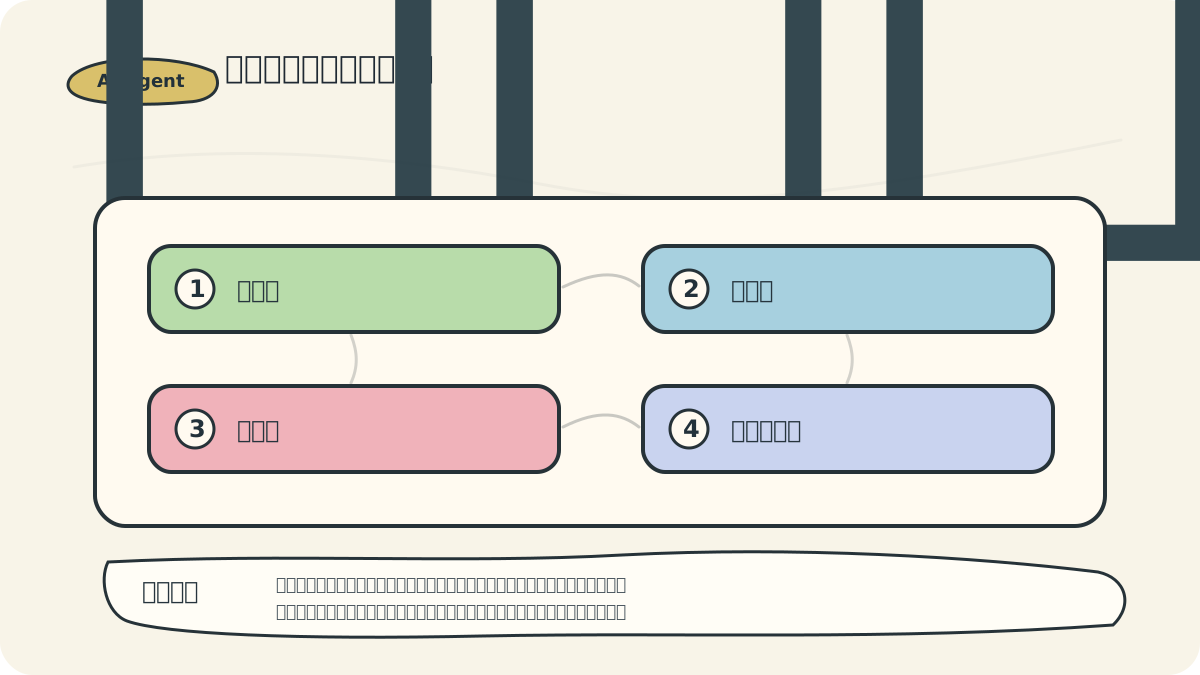
AI Article Decision Snapshot
Turn the lesson into workflow, model, budget, and security checks before choosing tools.
Use this quick snapshot before leaving the article. It keeps the next search tied to practical AI software, model/API, cost, privacy, and implementation questions.
Workflow fit
Identify the real job behind the article: coding, research, document review, support, analytics, content, or internal automation.
Model or tool decision
Decide whether the next step is a software shortlist, an AI tool comparison, an API platform choice, or a model benchmark.
Budget and usage signal
Estimate seats, API calls, prompt volume, retries, review time, and fallback work before assuming the workflow is cheap.
Security and privacy review
Check whether source code, customer data, private documents, prompts, logs, or embeddings will enter the AI workflow.
This type of content tool shouldn’t be evaluated solely on its “one-click publishing” feature. What truly adds value is its ability to close the loop across topic selection, writing, image pairing, formatting, cross-platform publishing, and performance review—with full human control at every step.
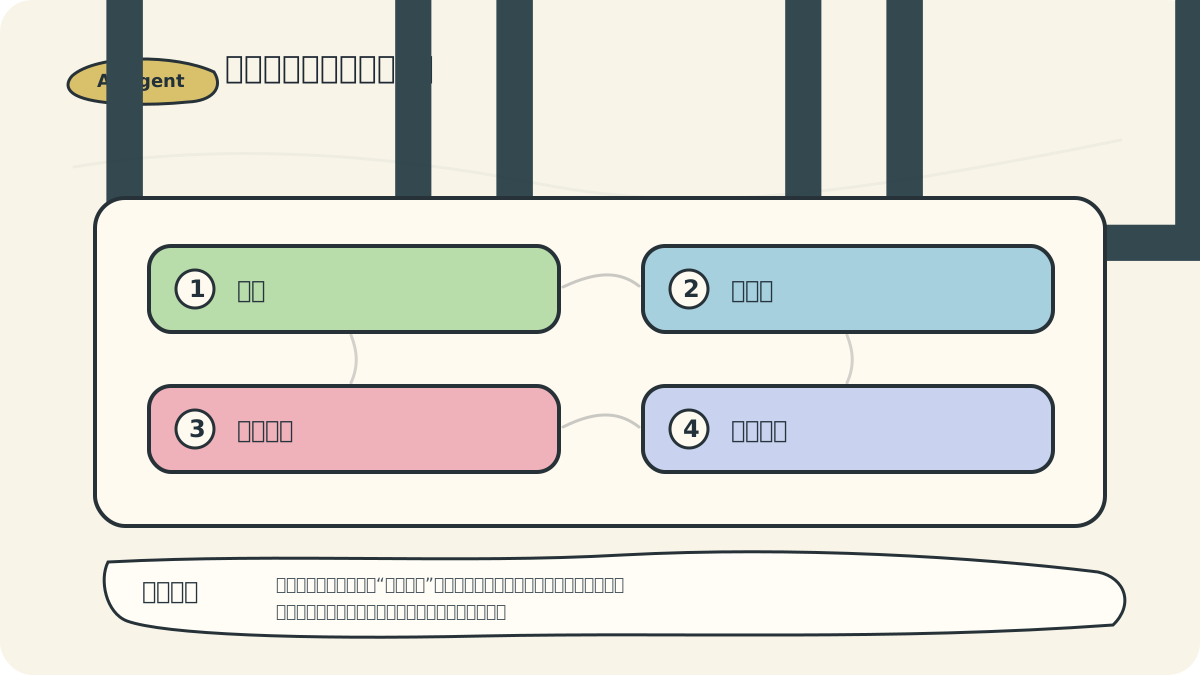
I treat it as a content workbench, not a “get-rich-quick button”: topic selection must align with your account’s positioning; drafts need rewriting into natural, human-sounding language; images must match platform-specific aesthetics; and post-publishing analytics demand thoughtful reflection. This approach reflects real-world practice—and avoids sounding like generic tool marketing copy.
Hi, I’m Guo Zhen.
Recently, I’ve received many messages through my backend—most asking the same question: “I want to start an AI-powered side hustle, but I don’t know where to begin.” For example: “I’d like to do writing-based side gigs on WeChat Official Accounts and Xiaohongshu—but after experimenting for a while, I’m still stuck.”
Today’s article tackles this head-on—offering a practical, sustainable path forward.
1 Proof of Results
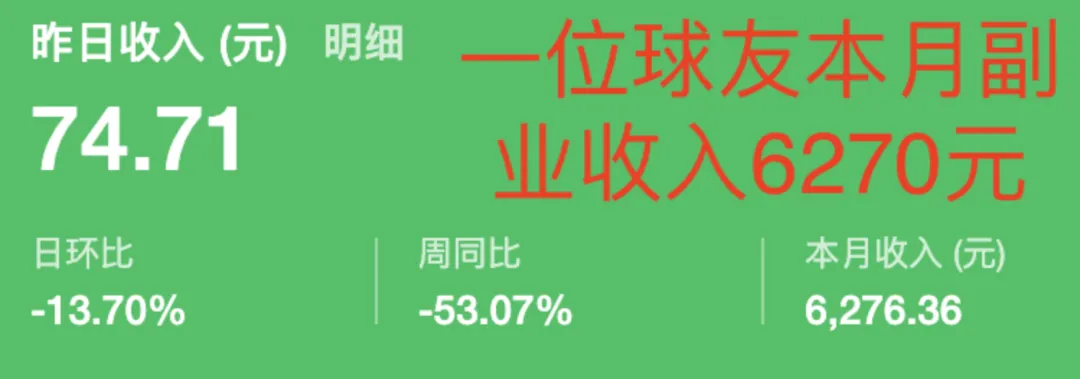
Let me first show you what one member of my community (a “Qiu You,” or “ball friend”) earned this year from side-hustle writing:
Using the writing techniques and tools outlined in this article, he generated revenue via WeChat Official Account traffic monetization. Here’s his monthly side-hustle income for February:
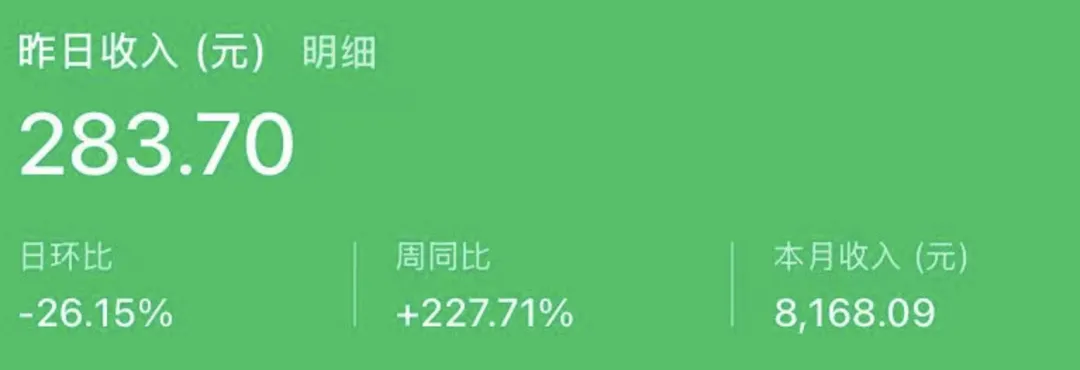
And here’s his March income: over ¥8,100:
Of course, writing side gigs aren’t for everyone—and not everyone is suited for them. But if you’re reading this and are considering such a path, keep going.
Next, I’ll walk you through the specific tools and methodologies I use for my own WeChat Official Account side hustle.
2 Auto-Generating Xiaohongshu Posts
There are many AI text-generation tools available today. Familiar models like DeepSeek can easily produce Xiaohongshu-style posts—for instance, prompting DeepSeek with a trending topic like “Su Chao” yields something like this:
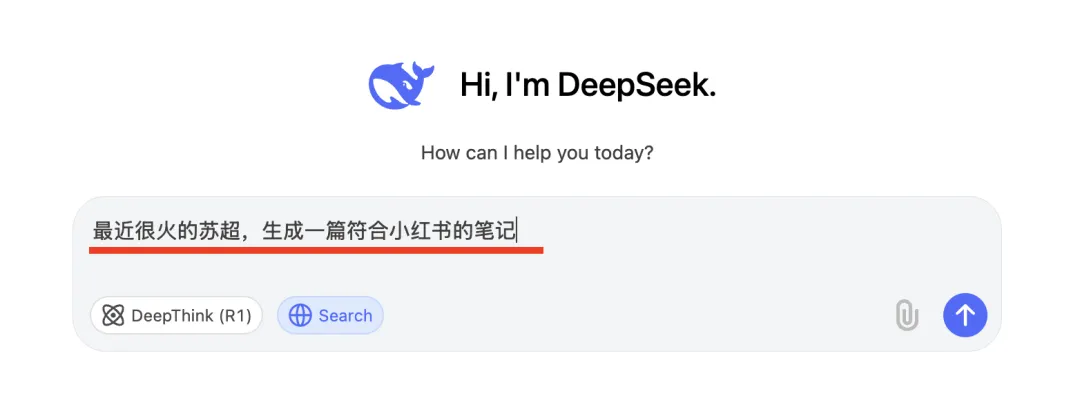
By enabling its built-in search function, we ensure factual accuracy—and here’s the output:
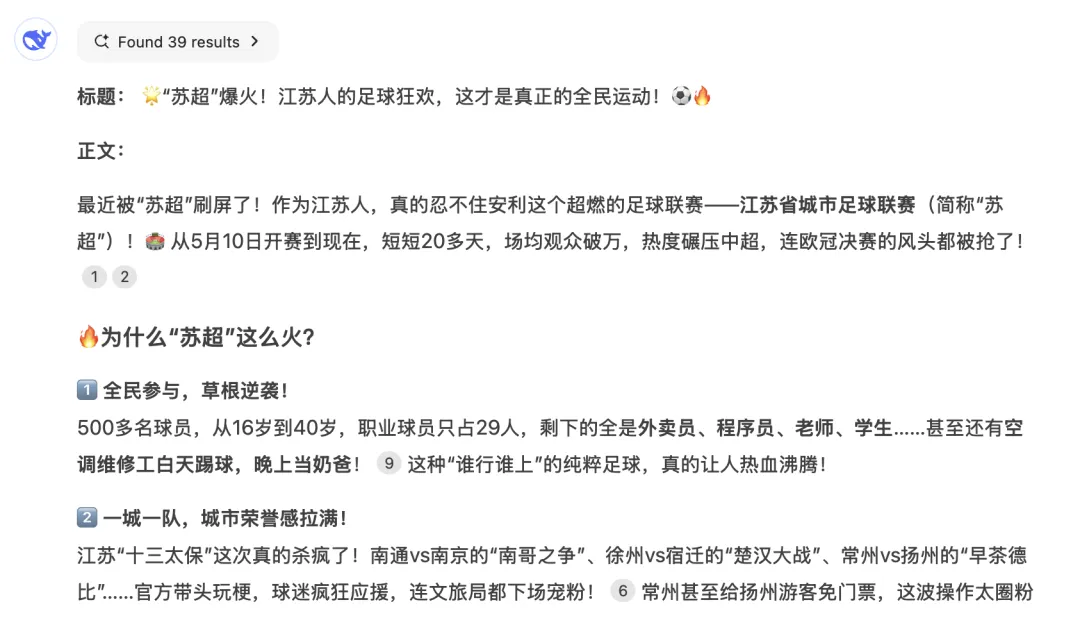
The output is decent—but two major issues remain:
- It generates text only, with no matching visuals, while Xiaohongshu thrives on image-and-text posts. Text alone will not cut it.
- While “Su Chao” is trending, it may not suit your account’s niche or audience. DeepSeek offers no streamlined way to discover or refine relevant topics.
These pain points plague countless creators. So—is there an AI tool that solves both problems directly?
Large general-purpose models—DeepSeek, Xunfei Spark, Tencent Hunyuan, Doubao—are powerful, but they’re not purpose-built for these specific creative workflows. Specialized AI writing tools—including Notion AI, Xunfei Huiwen, Jasper, and WritingCat—are designed for content creation.
After testing them all, Xunfei Huiwen delivered the best experience for me—thanks to three standout advantages:
- Built-in one-click generation modules for both Xiaohongshu and WeChat Official Accounts
- A dedicated topic-selection module—customizable by industry vertical and sub-topic:
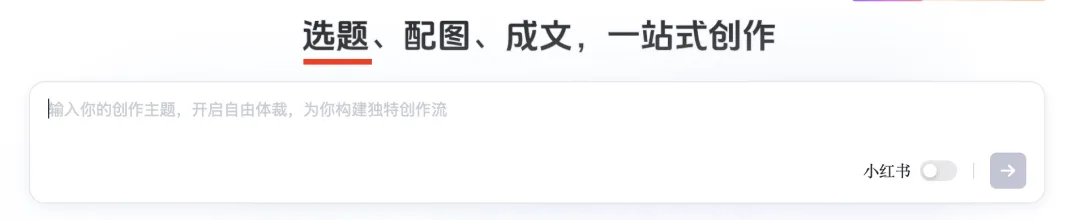
- Most importantly: automatic cross-platform publishing—not just drafting, but publishing directly to target platforms:

Below, I’ll walk you step-by-step through how I use Xunfei Huiwen to create a complete, image-rich Xiaohongshu post.
Step 1: Go to the Xunfei Huiwen web app: https://turbodesk.xfyun.cn/home
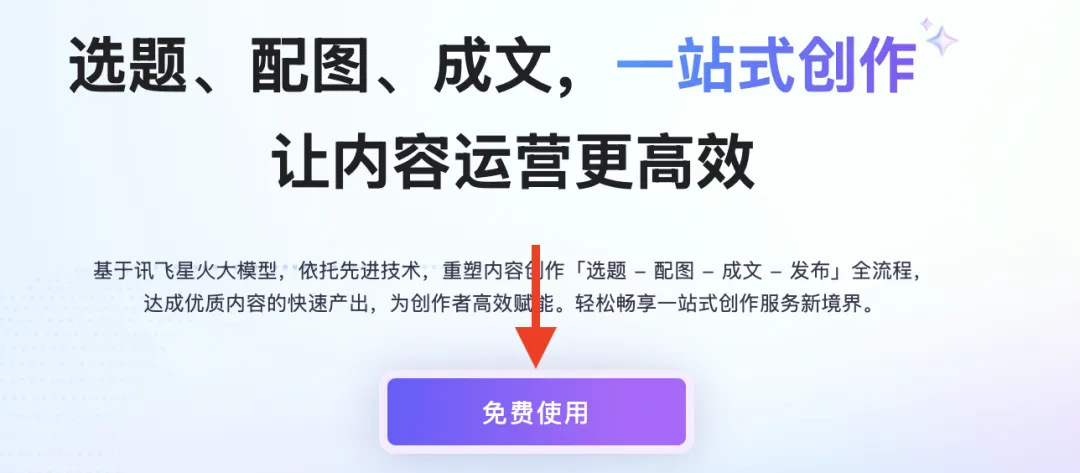
Step 2: On the homepage, click “Try for Free”:
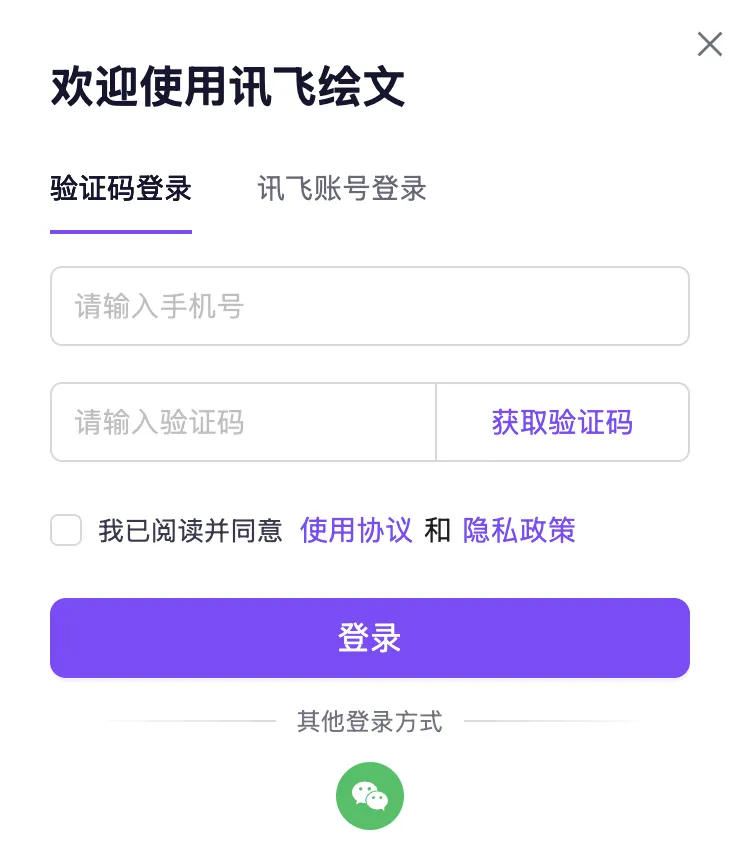
Then register a new account:
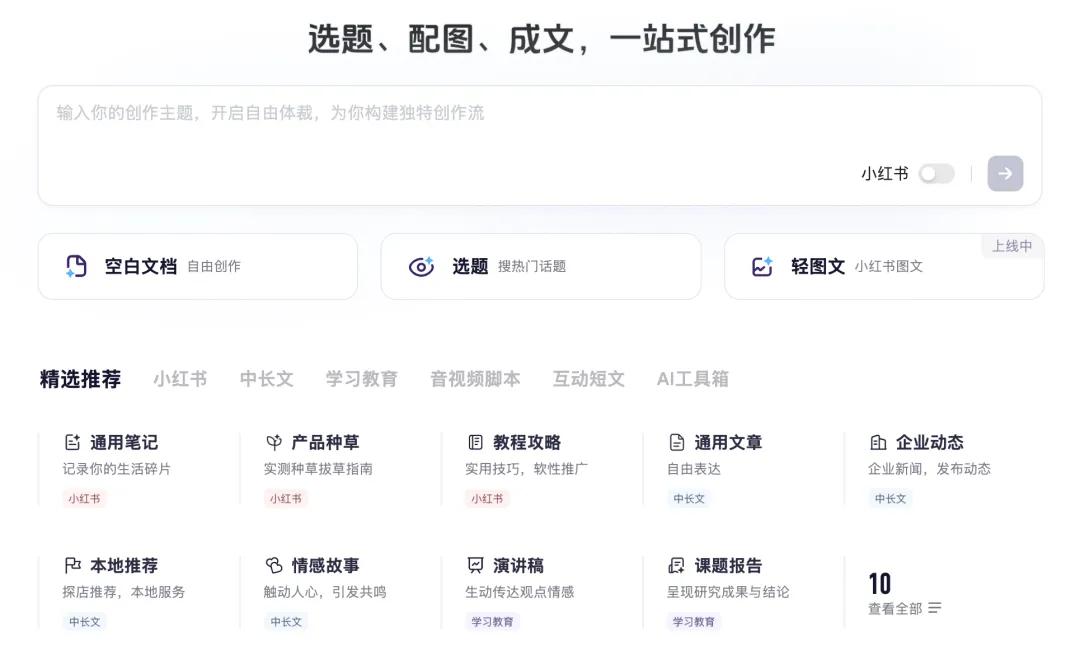
Once logged in, you’ll land on an integrated interface—where topic selection, image pairing, and article drafting all happen in one place:
Its topic engine delivers fine-grained suggestions—including today’s trending topics per platform:
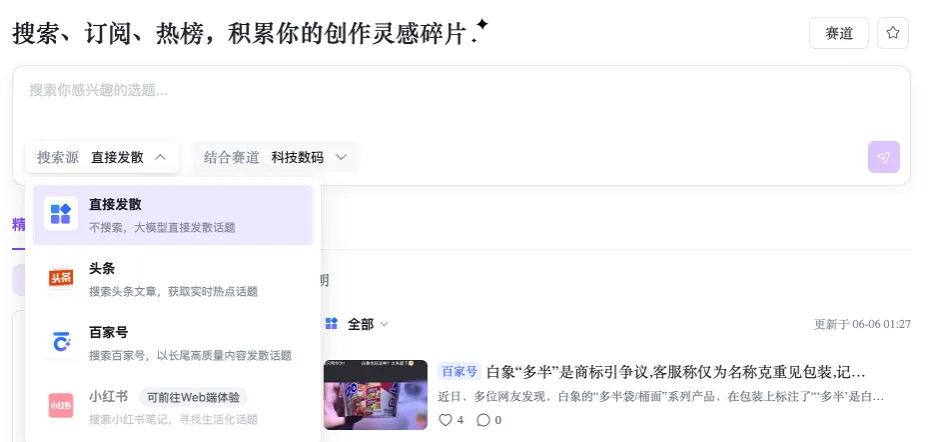
You can also filter by interest area—or “track”—to narrow down by niche:
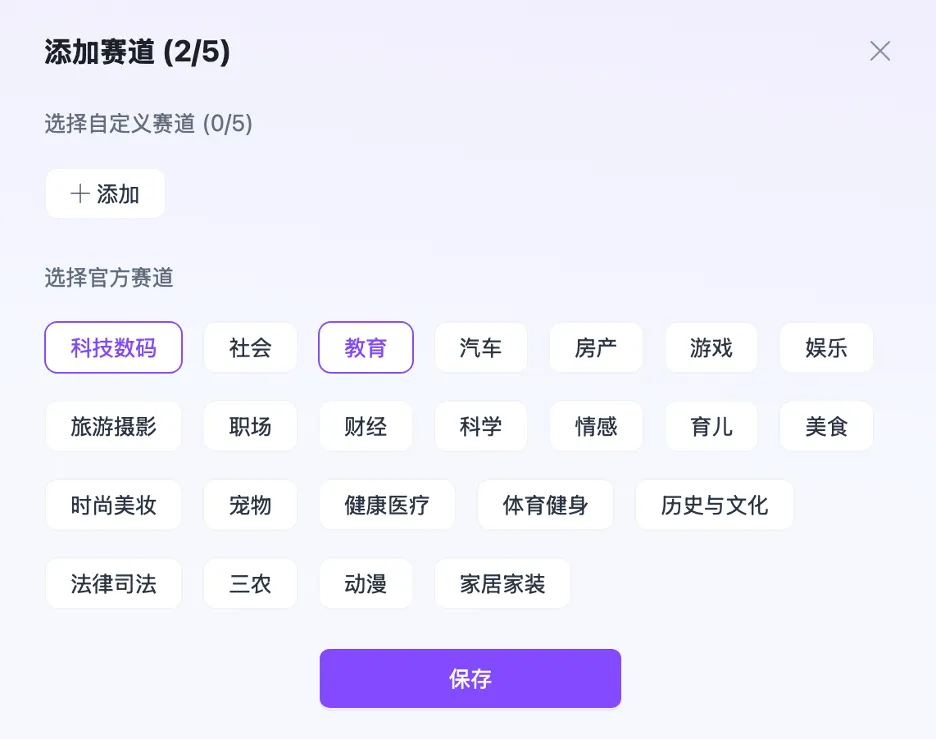
Combining real-time trends with your chosen track personalizes recommendations instantly—solving the classic “What should I write about?” paralysis. Based on my own usage, this method works remarkably well.
In short: Xunfei Huiwen fuses search sources, niche alignment, and personal interest—and even supports secondary idea expansion:
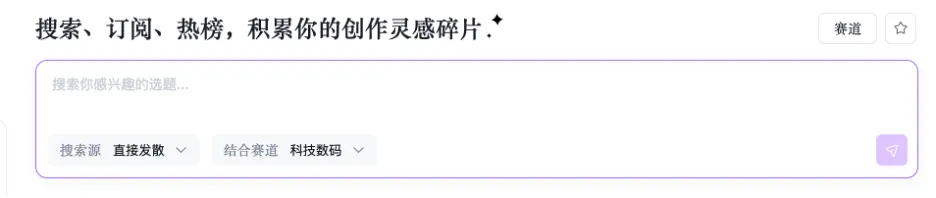
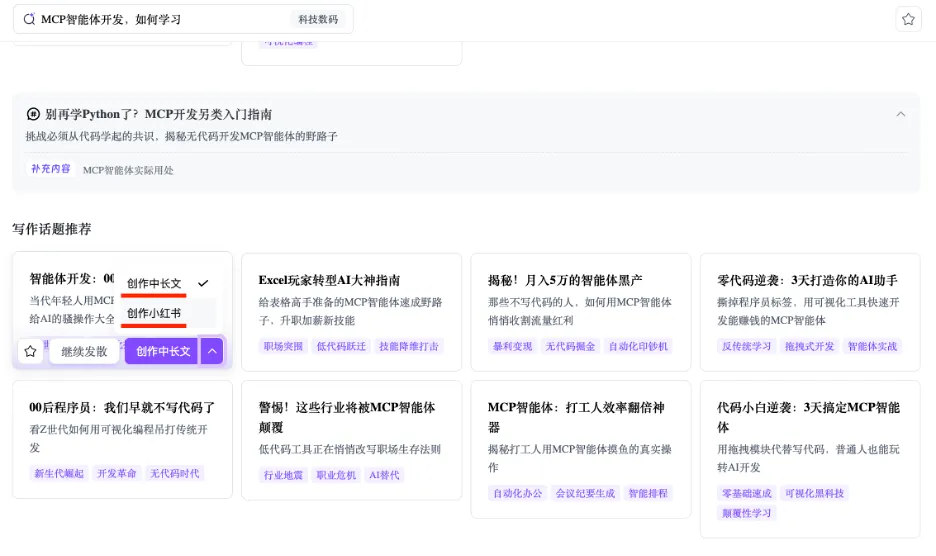
Once you’ve selected a topic and track, enter your prompt to trigger AI drafting. Try: “How to learn MCP Agent Development”, then select “Xiaohongshu Post”:
It auto-generates the full post—and supports live preview. Crucially, it includes built-in image pairing: no more juggling between tools! Two options: AI-generated images or curated stock photos:
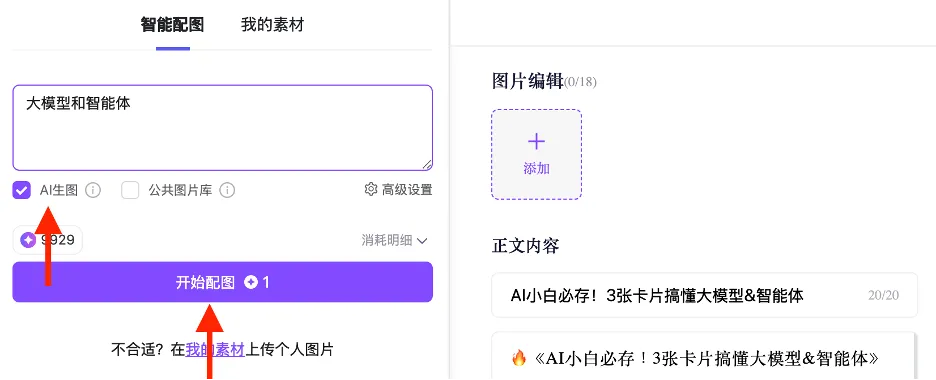
Click “Advanced Settings” to access granular AI image controls—e.g., choose 3D modeling, 4:3 aspect ratio, landscape orientation, then click “Generate Images”:
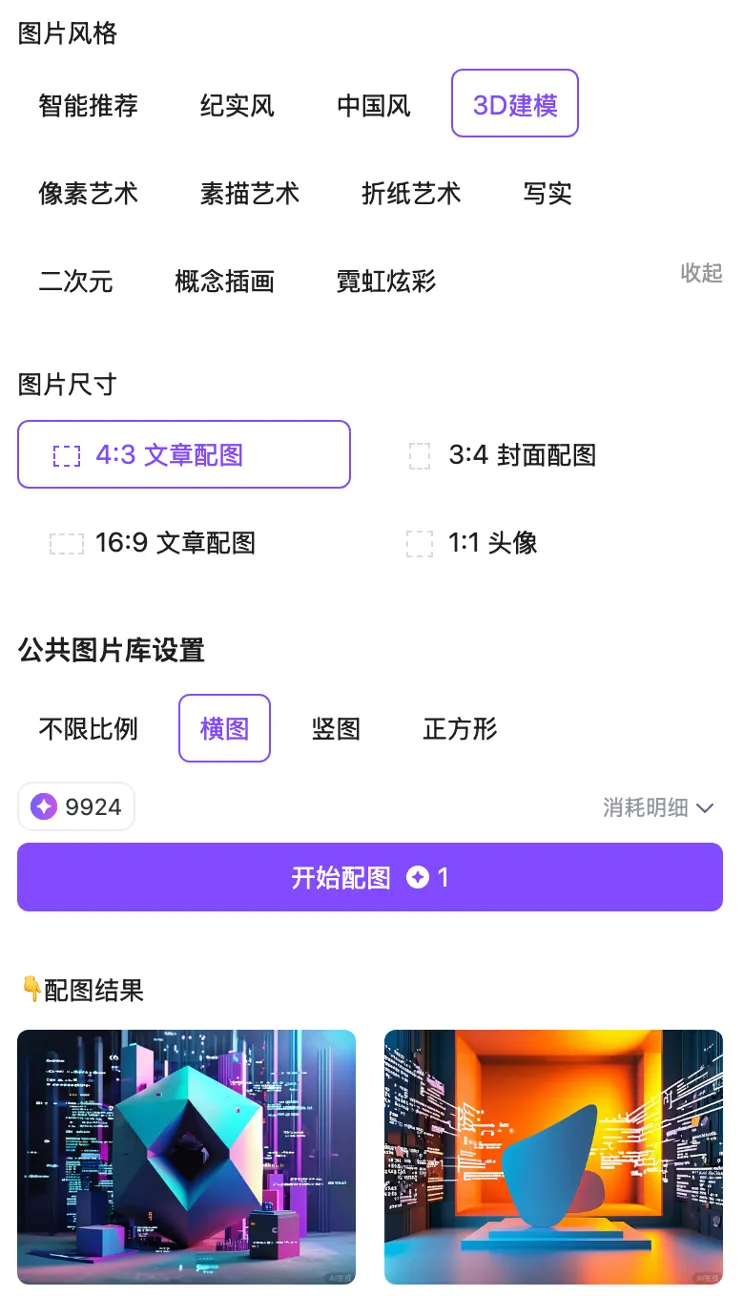
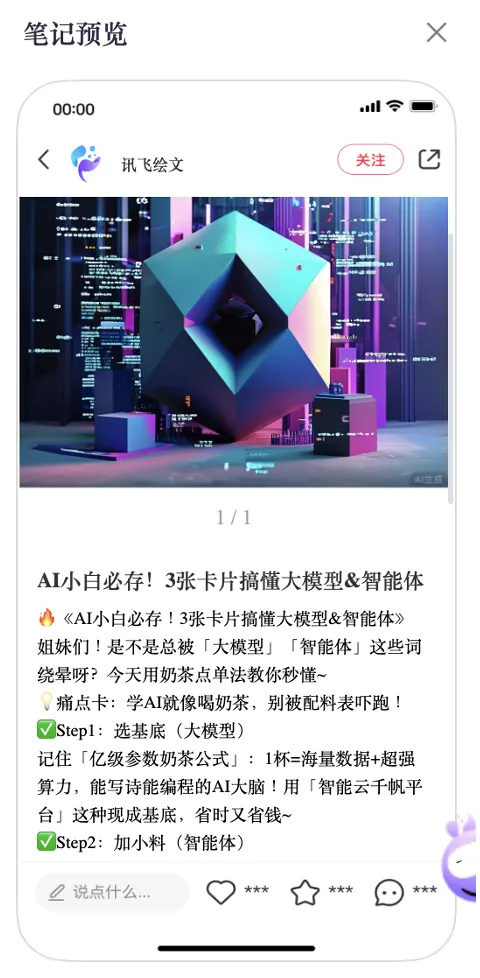
Here’s the final preview—text + AI-paired images:
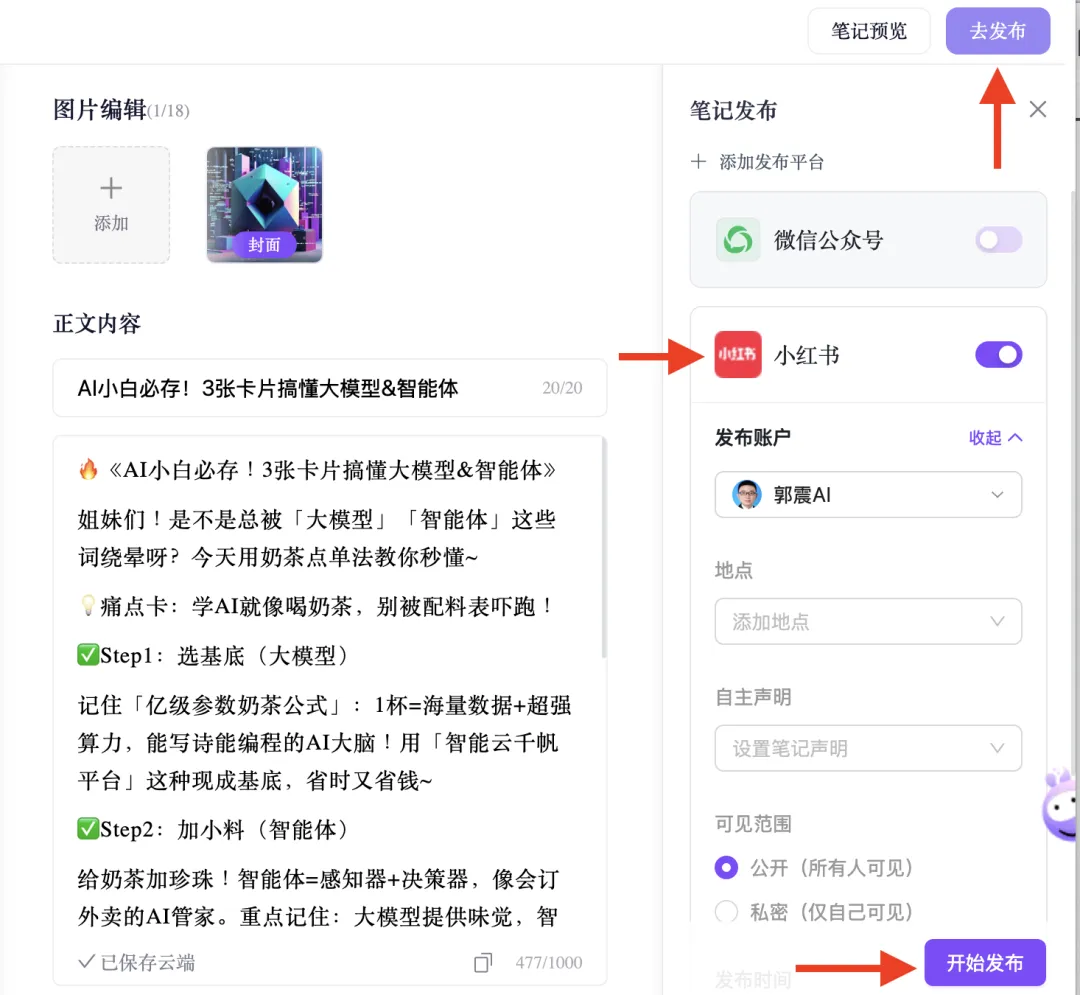
Then click “Publish”—and you publish directly inside Xunfei Huiwen: → Click “Publish” → Check “Xiaohongshu” → Click “Start Publishing”:
3 Auto-Generating WeChat Official Account Articles
Xunfei Huiwen also includes a robust long-form writing module—ideal for WeChat Official Accounts. Let’s dive into practical tips.
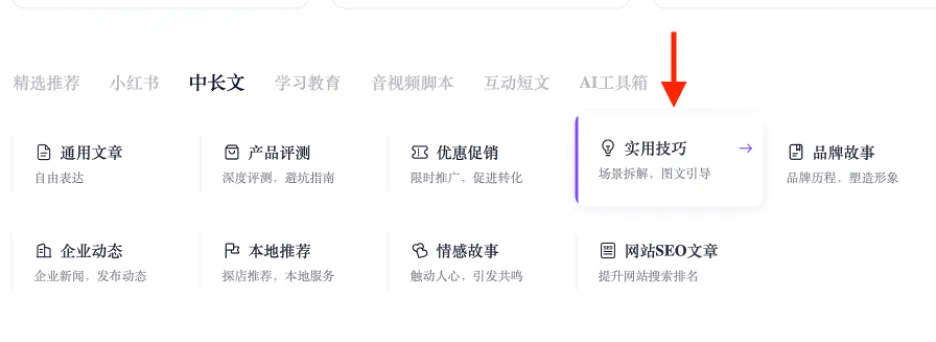
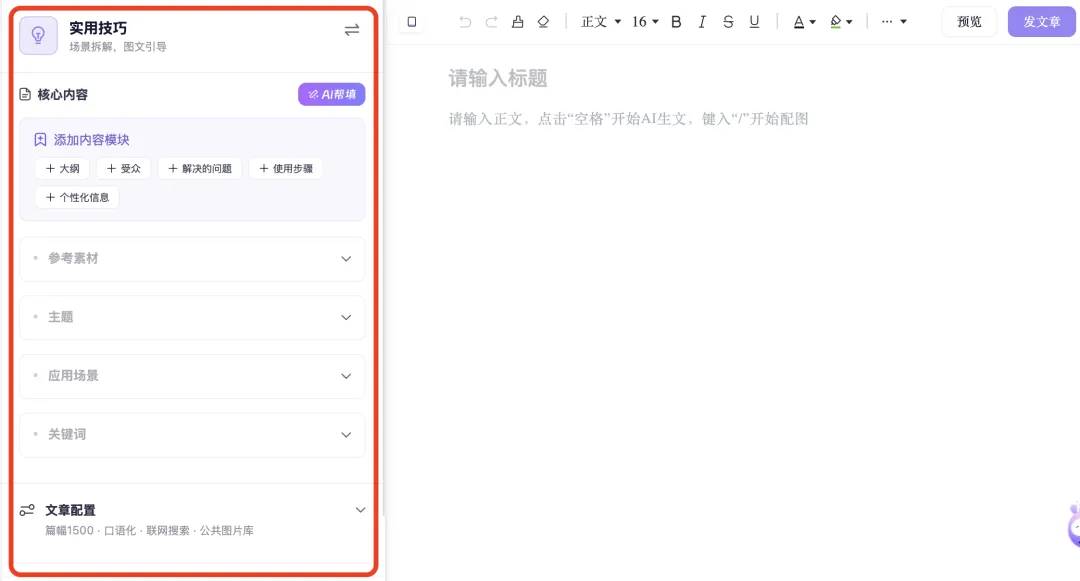
First, on the homepage, select “Practical Tips”:
You’ll land on a dual-pane interface: left side = article configuration; right side = visual editor. Start drafting with spacebar; trigger image generation with /:
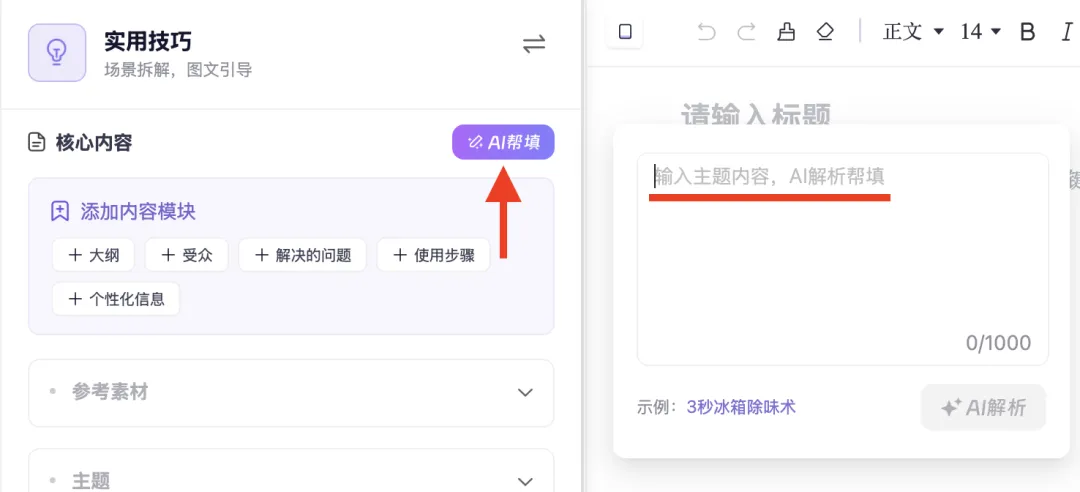
Its AI-assisted field-filling is highly practical: just input your core theme and content, and it auto-populates supporting elements:
Example: Input “Core Concepts of RAG Knowledge Bases” → Click “AI Analysis” → It auto-generates title, use cases, keywords, etc.:
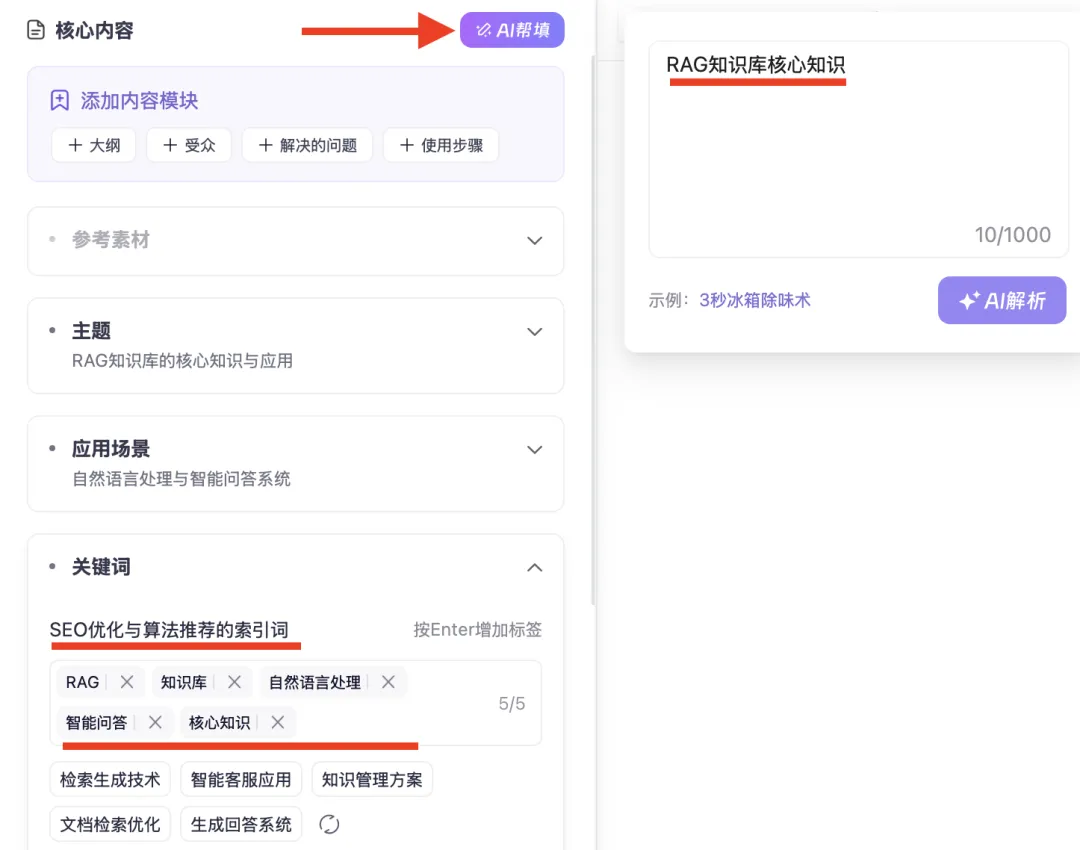
SEO optimization and algorithm-friendly indexing terms are critical—especially since both WeChat Official Accounts and Xiaohongshu rely heavily on recommendation algorithms. These directly impact open rates. Xunfei Huiwen’s implementation? Extremely useful.
One click generates a full WeChat article: ~1,300 words, 7 images. I recorded the process as a GIF—but due to WeChat’s frame limit, only the first few frames appear below:
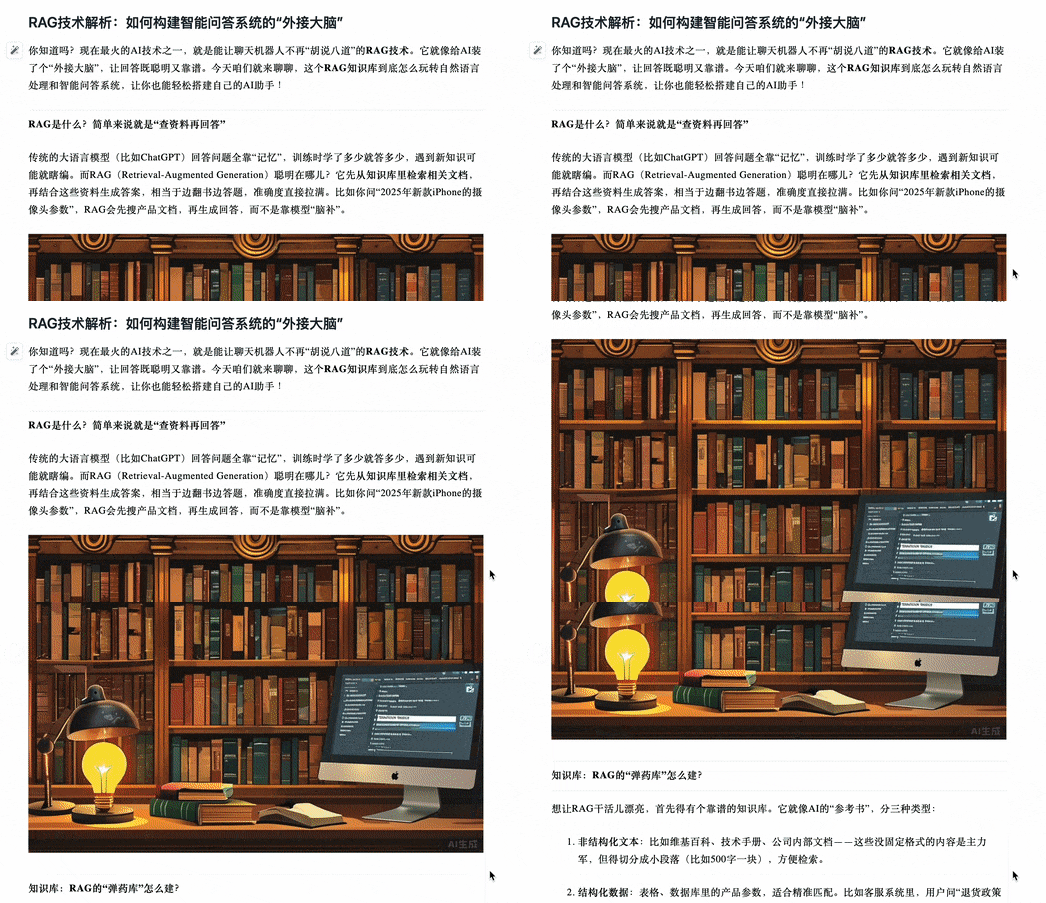
Frames 4–6:

One-click publishing to WeChat Official Accounts is supported, as shown on the right side of the interface below—just select your account, set title & cover image, and click “Start Publishing”:
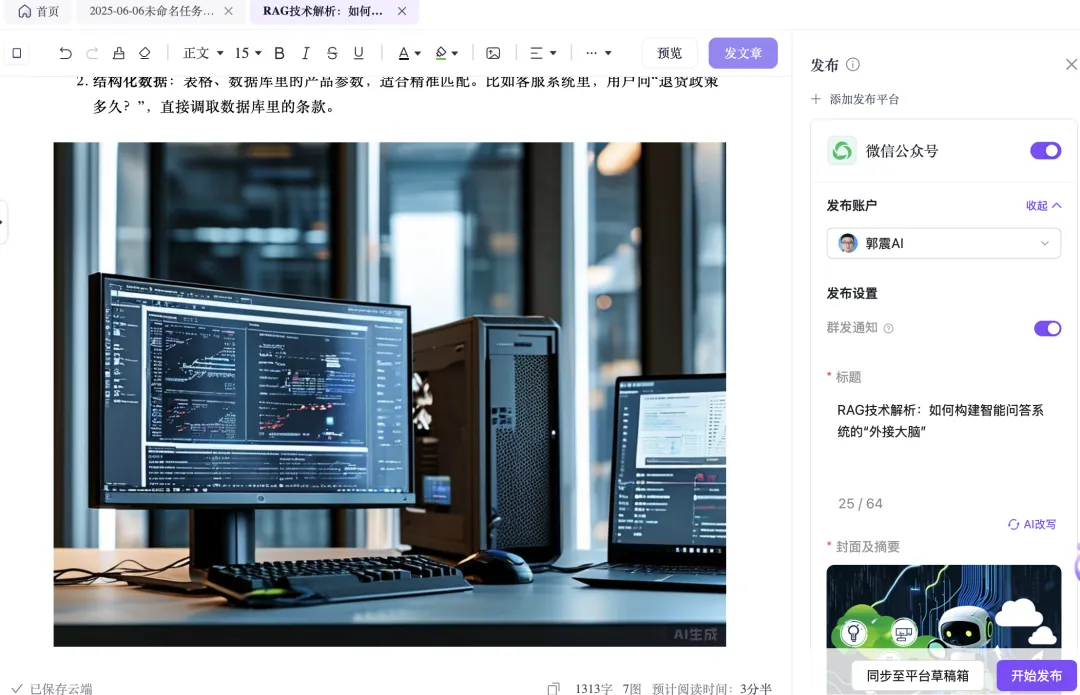
You can also edit text and swap images within the interface. Dissatisfied with AI-generated images? Replace them instantly using AI—no extra steps:
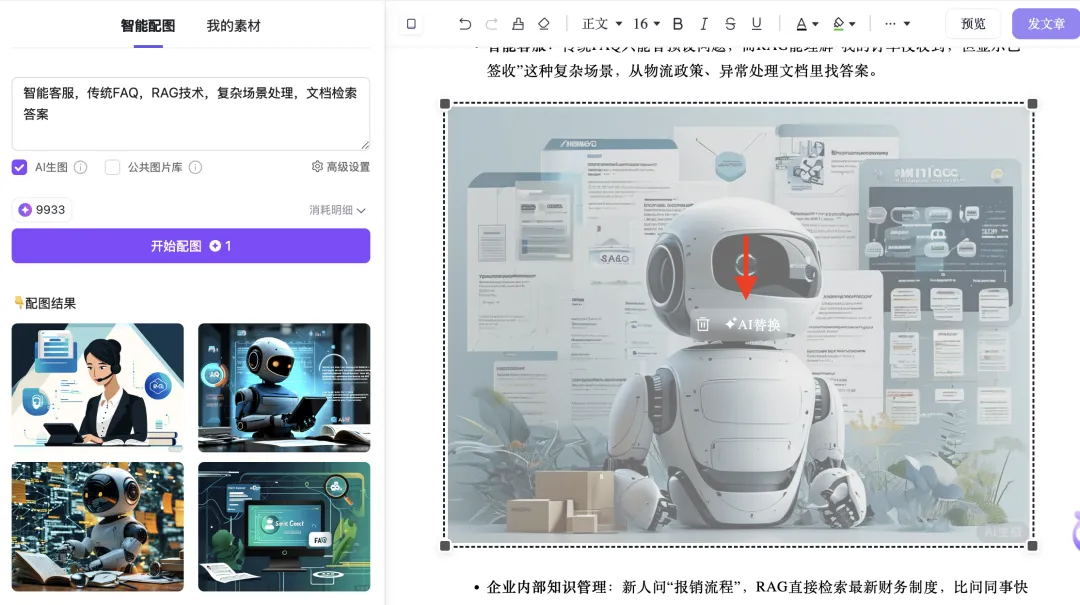
In summary: Xunfei Huiwen delivers end-to-end content creation—from ideation to publishing—all within a single, unified workspace.
Final Summary
This article addresses the core challenge facing aspiring AI side-hustlers: “Where do I even start?” The root cause? Difficulty selecting viable topics—and uncertainty about how to write effectively.
We reviewed several AI writing tools—and spotlighted Xunfei Huiwen, my go-to solution—highlighting three key strengths:
- Intuitive topic discovery—removing the biggest barrier to entry for content creators and side-hustlers.
- True end-to-end workflow—drafting, formatting, image pairing, and cross-platform publishing—unlike general-purpose LLMs (e.g., DeepSeek, Spark) focused solely on text generation.
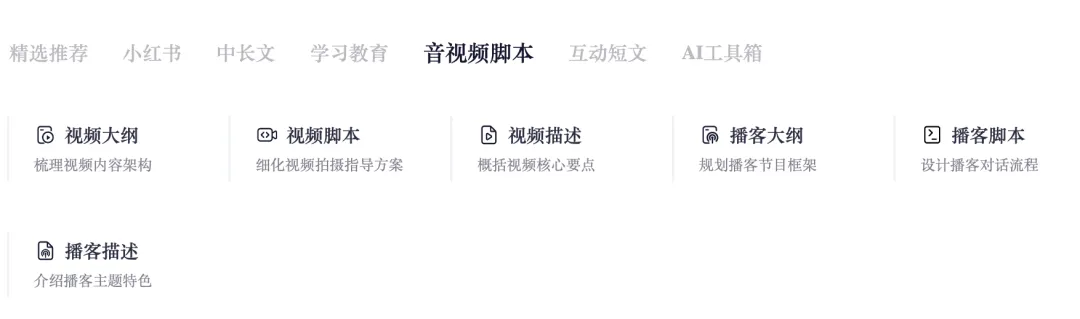
- Bonus capabilities—including AI-generated video/audio scripts and other productivity features. Explore them yourself:
If this resonates, follow the steps above and try it out.
This article totals 2,359 words and 27 images. If you found it helpful, please consider: ✅ Following me ✅ Liking, sharing, and clicking “Read Original” (WeChat’s “in-app view” equivalent) ⭐️ And—if you’re feeling generous—a star rating! Thanks for reading—and see you in the next one.
Apply This Lesson
Turn this article into AI software, model, API, and security decisions.
English Article FAQ
Use this article as evidence before choosing AI tools
How should I use this AI Tutorials article?
Use it as the implementation or learning layer, then connect the idea to AI software buyer guides, tool comparisons, benchmarks, API choices, and security checks before making a production decision.
Is this English article different from the Chinese original?
The English edition is localized for global AI readers while preserving the original diagrams, screenshots, prompts, code examples, and source context from the Chinese article.
What should I read after 5. This Side-Hustle AI Agent Automates WeChat Official Account & Xiaohongshu Posts — Truly Game-Changing?
Continue with AI Software Buyer Guides, AI Tools Workbench, Best AI Coding Agents, AI Model Benchmarks, OpenAI vs Anthropic API, or LLM Security Tools depending on the decision you need to make.
Can this article alone choose an AI product or model?
No. Treat the article as evidence and context, then validate fit with pricing, privacy requirements, integration effort, benchmark results, workflow tests, and fallback planning.
Continue