English translation
I Built an AI Agent Team: From Finding Trends to Producing a Video
AI Field Note Decision Snapshot
Turn the test result into evidence quality, workflow, model/API, and buying-risk checks.
Use this snapshot to decide whether the field note supports a tool shortlist, a benchmark follow-up, an API comparison, or a security review before spending budget.
Evidence quality
Separate what was tested directly from what still needs vendor docs, benchmark data, pricing checks, or source verification.
Workflow transfer
Decide whether the field note applies to coding, search, research, support, content, document review, or internal automation.
Model and API implication
Map the result to model quality, latency, context window, multimodal fit, tool calling, or API reliability questions.
Buying risk
Check pricing, privacy, integration effort, data retention, security controls, and re-test triggers before turning evidence into spend.
Hi, I am Guozhen.
Many readers are interested in making videos. I often receive messages asking how to build an AI agent team that can run the full video-production pipeline.
In this article, I will share my own workflow.
1. Result demo
The core video-production process is roughly this:
First find trends, then decide whether a topic is worth making. Next write the script, design the storyboard, generate visuals, produce the video, and finally add subtitles.
If every step requires copying text, switching tools, and pasting results back and forth, the process is still tiring.
The core workflow can be handled by building an AI agent team. Today I will introduce one platform I have used: OmniWork.
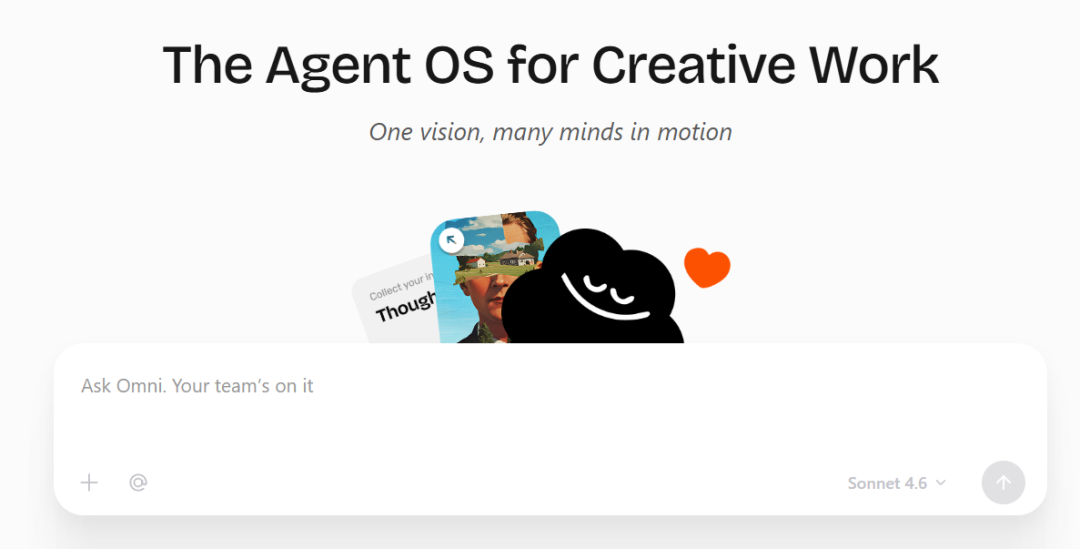
It requires no coding and the workflow feels smooth. Let us look at the final result first.
I asked OmniWork to find recent AI topics suitable for content creation, then choose one direction and continue turning it into a video.
What it gave me was not just a suggestion. It kept pushing the process forward and finally produced a video.
It can generate a video smoothly through an agent team, and it can also produce a competitor-capability radar chart from one sentence:
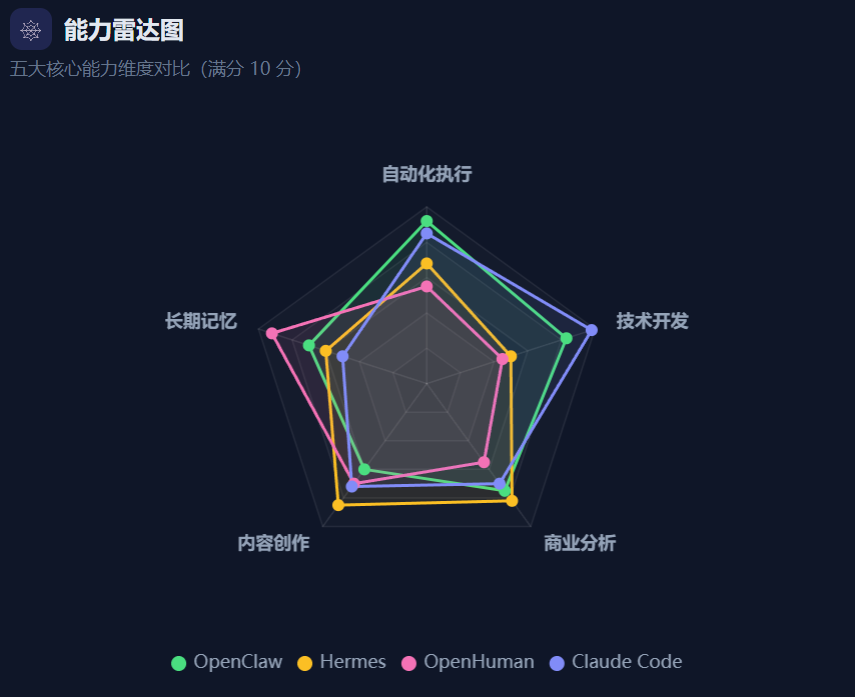
After running the whole process, my biggest feeling was this: it is not merely helping me "think of an idea"; it is completing the work.
Below, I will walk through how each agent member in the team is built.
2. Build the video-generation team
Step 1. Let the first member of the content team start: the trend-finding agent
For real content work, the first step is not writing. The first step is judging what is worth doing right now.
I first called the expert called Trending-Content-Monitor:
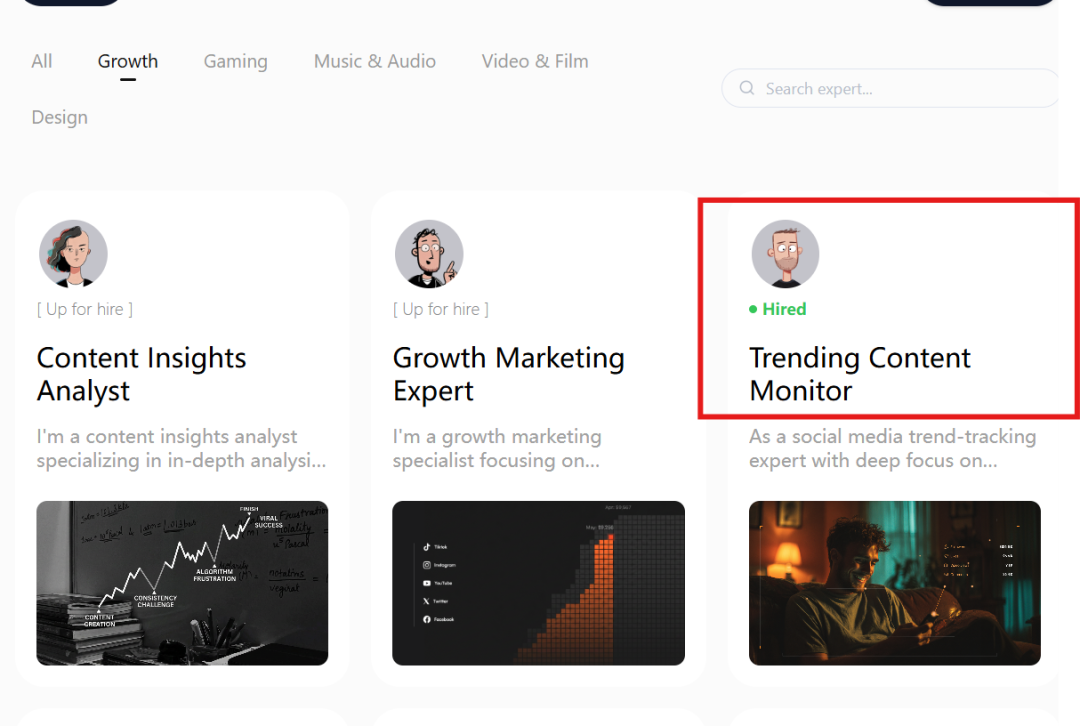
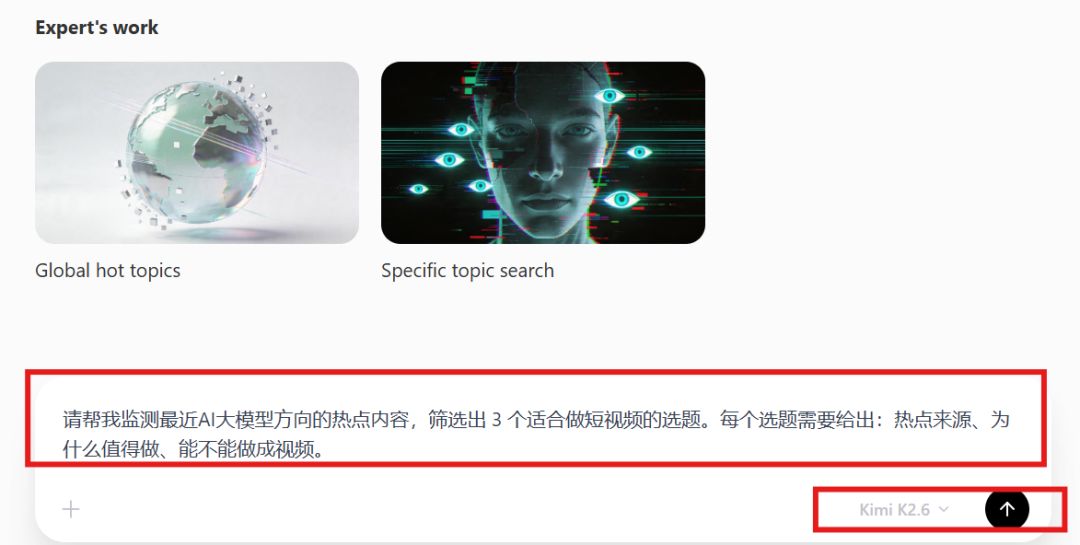
The task I gave it was roughly:
Please monitor recent hot topics in the AI large-model space and filter out three topics suitable for short videos.
For each topic, provide the trend source, why it is worth making, and whether it can be turned into a video.
As shown below, the large model used here was Kimi K2.6:
The expert started working and called its built-in web-search skill:
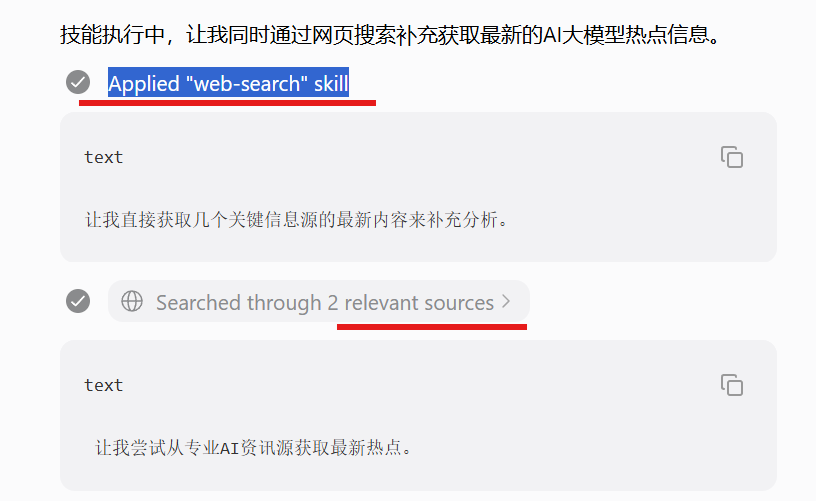
It organized content directions from a trend perspective instead of directly giving me generic copy.
It then output three topics:
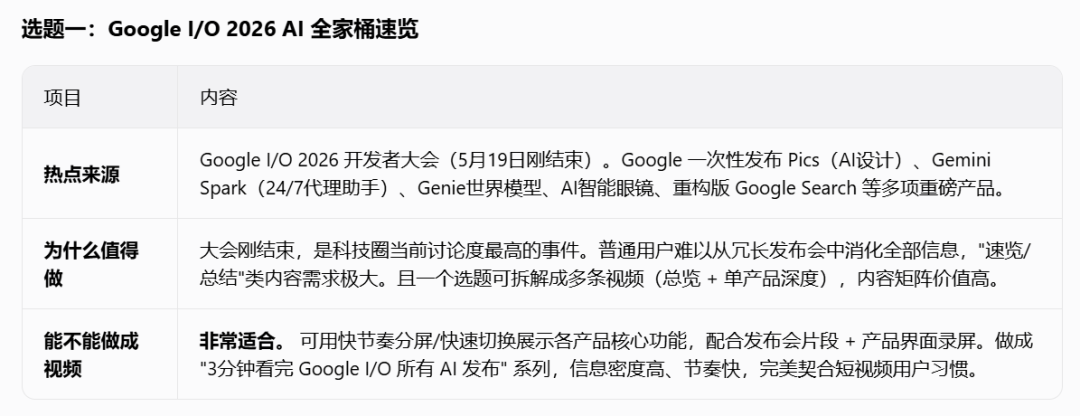
For many people running a public content account, the missing piece is not an AI writing tool. The missing piece is someone who helps judge the direction.
Step 2. After choosing the topic, call the Film-Production-Director expert
Once the topic is selected, the next handoff is video generation. I directly called the Film-Production-Director expert without jumping to another page.
The task was:
Based on topic one, "Google I/O 2026 AI product family overview," create a video.
Requirements: complete script, storyboard design, character and scene settings, video generation, and final video output.
The process can move forward directly without asking me to confirm each step.
Then it generated the storyboard. For example, what each shot should show, where the character stands, how the camera moves, and what the visual atmosphere should be:
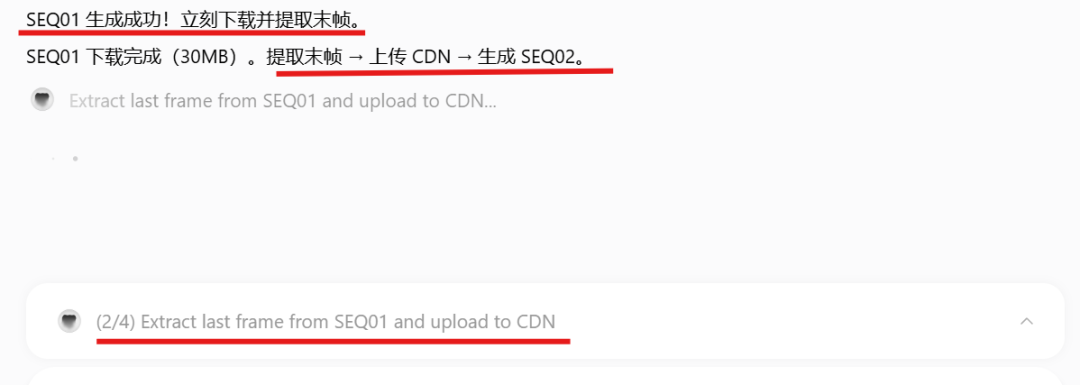
It then generated a second storyboard video and automatically connected it with the first one:
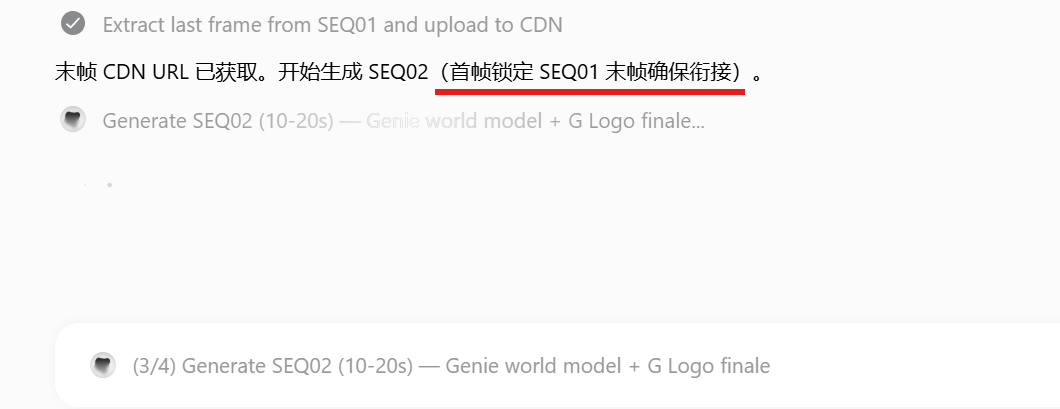
This is important for video content. A script alone is not enough; the visuals also need to stay consistent.
It continued from script to storyboard, scene design, and final video. The screenshot of the final video is below:
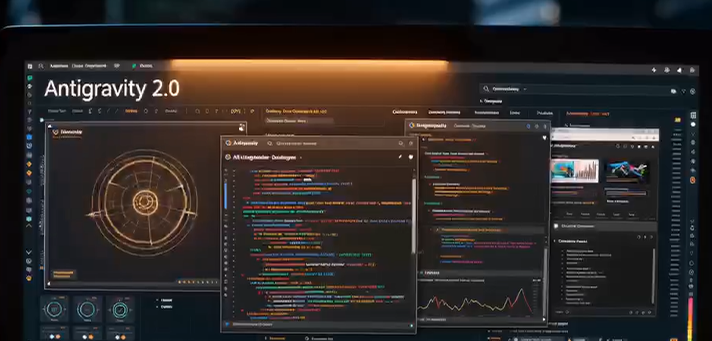
The video is not instantly at cinema quality, but from the perspective of a self-media creator, it is already usable, especially considering that most people are not video-production experts.
Previously, making a similar video required visual creation, editing, and voice work. OmniWork compresses these steps into one expert workflow.
Step 3. Send it to the Professional Video Editor expert for subtitles
Next I handed the result to the Professional Video Editor expert. Again, there was no page switching; it directly called the expert to add subtitles:
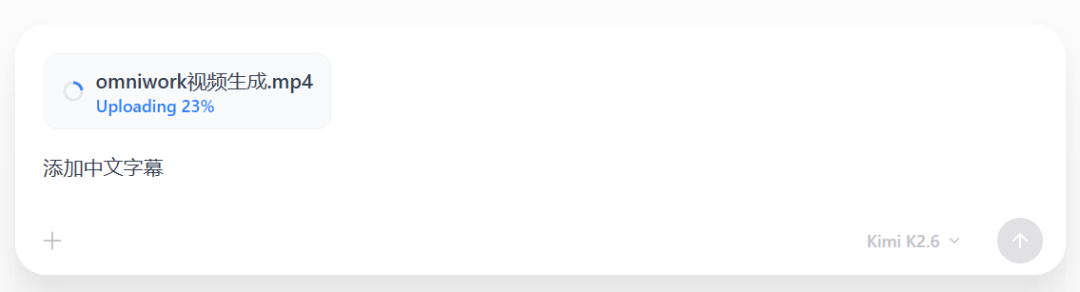
After a short wait, subtitles were added:
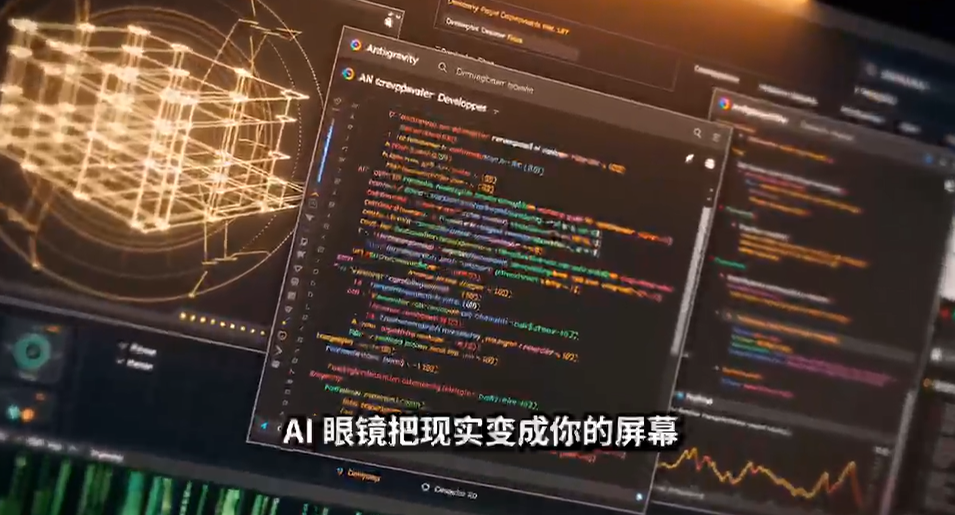
The full video was shown at the beginning of the original article. In addition, it can convert the video to 9:16 and perform automatic editing.
3. Competitor-analysis agent
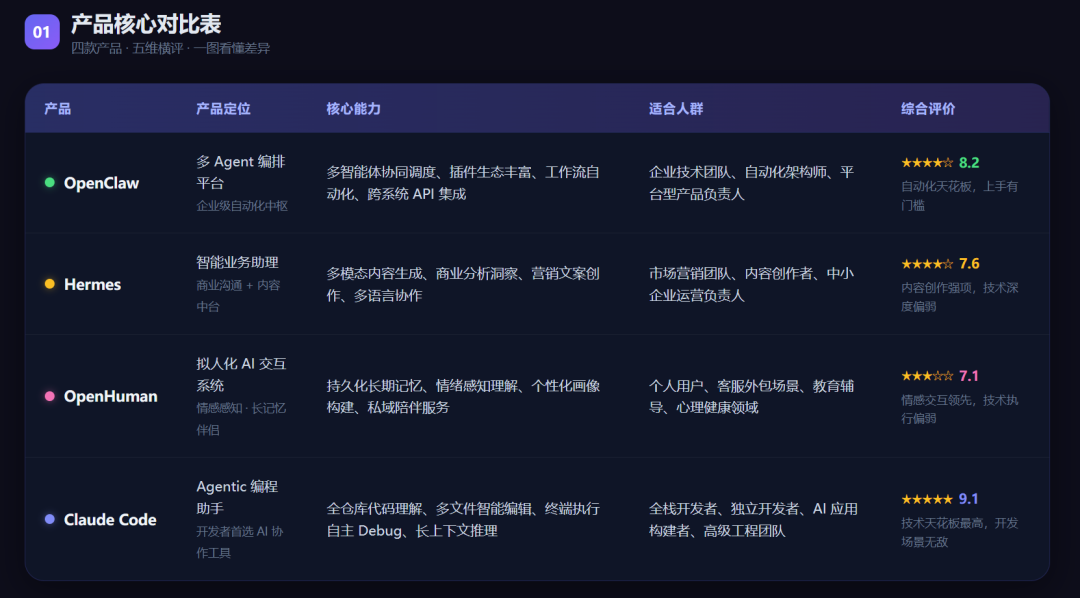
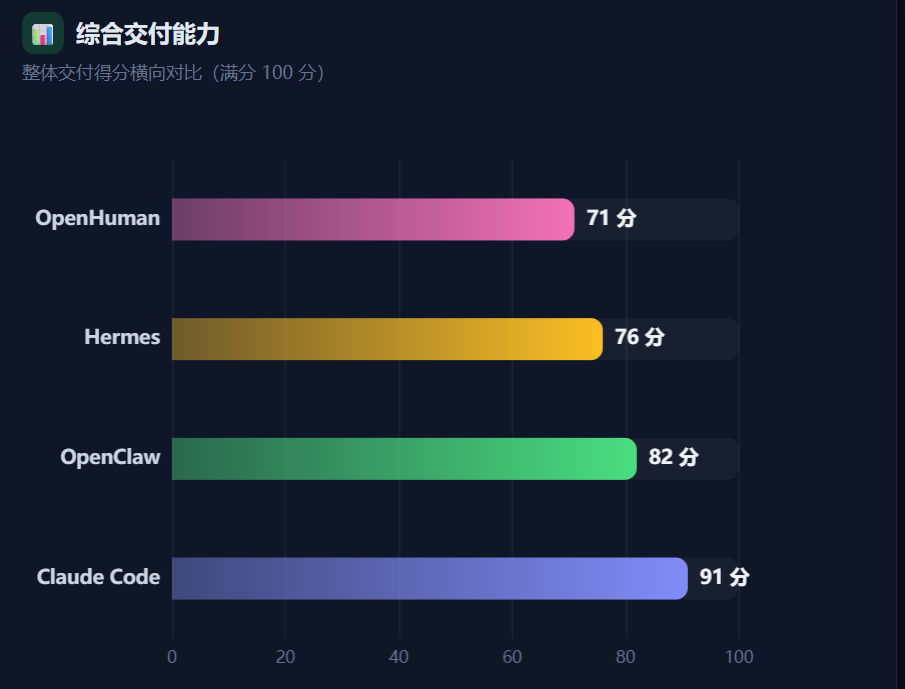
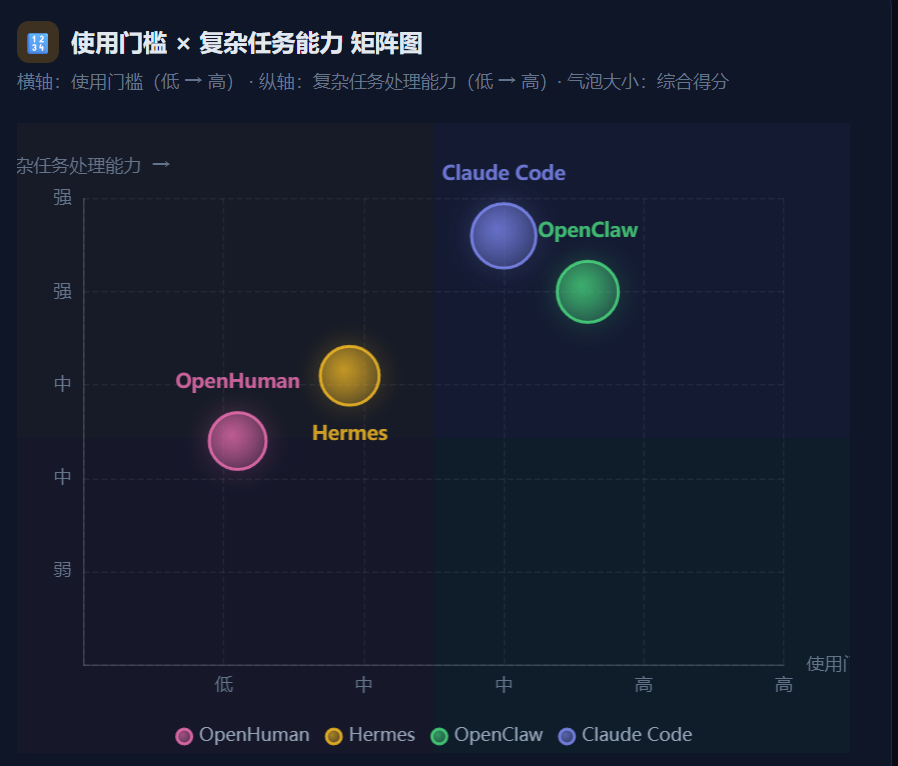
Besides video production, I also tested a scenario closer to my daily writing workflow: analyzing AI Agent products such as OpenClaw, Hermes, OpenHuman, and Claude Code.
To help me write product-analysis articles, I called OmniWork's content-analysis expert:
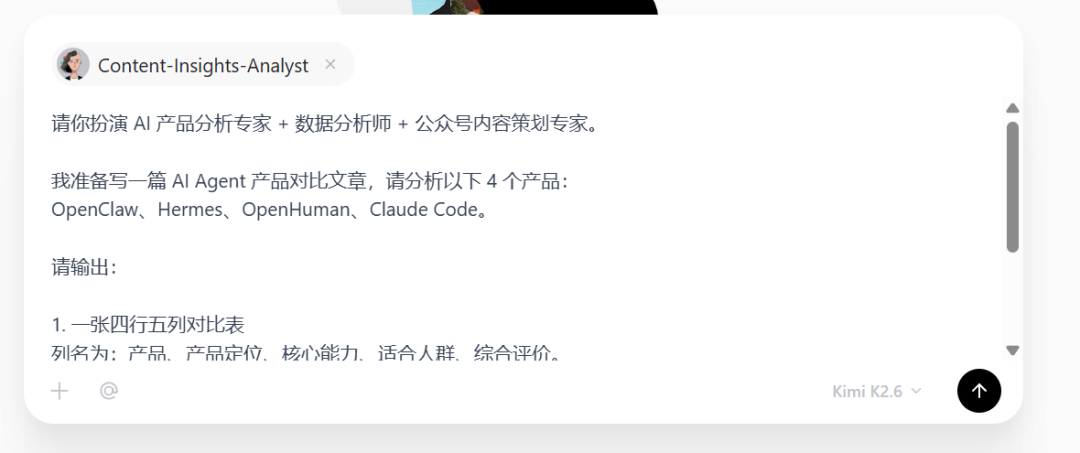
This scenario is very useful for content creators. When writing a product-analysis article, the most time-consuming part is not the writing itself. It is research, information organization, horizontal comparison, and forming a clear point of view.
Here is the work process:
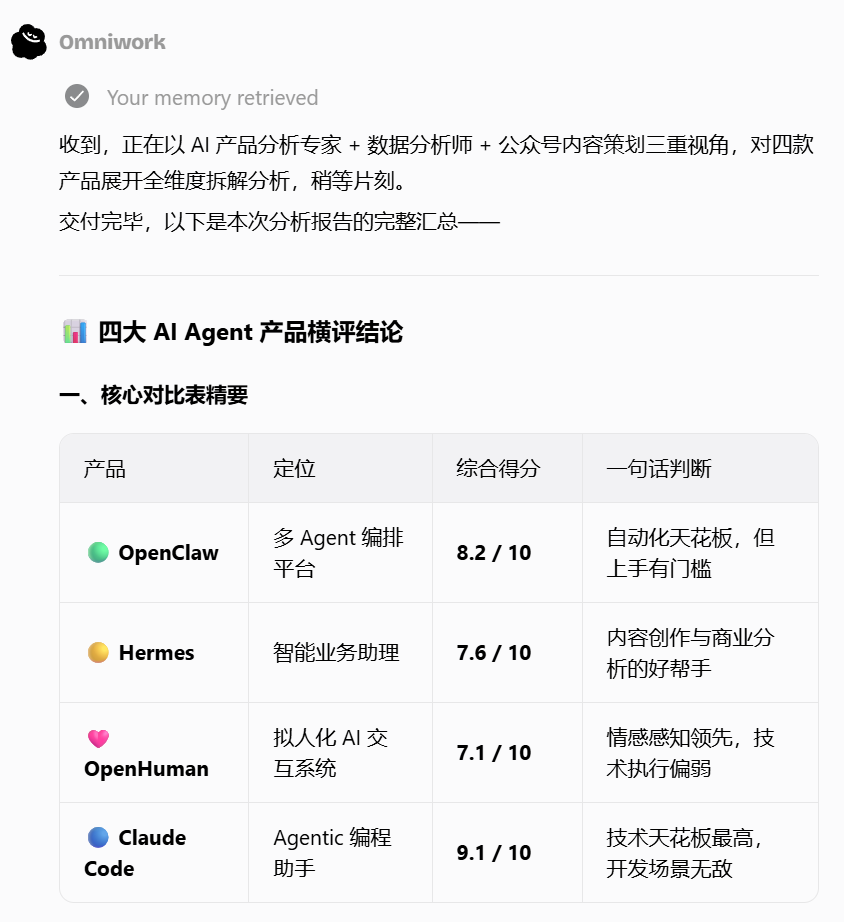
OmniWork did not tell me "how competitor analysis should be done." It directly organized the tables, charts, and conclusions:
Comprehensive delivery-capability chart:
And a matrix chart:
Final thoughts
After this test, I feel OmniWork is not only useful for video. It can also extend into product research, content planning, and business analysis.
It does not just give advice. It outputs tables, charts, and videos, which is closer to an "all-in-one AI expert team" for content work.
Its core value is not single-point material generation. Through Experts, Skills, Autowork, and memory, it can keep pushing a creative goal toward delivery.
For space reasons, I only showed part of the workflow here. You can try it yourself:
OmniWork is still in beta. If you are interested, it is worth testing.
This English edition preserves the screenshots and workflow order from the original Chinese article.
Final verdict
The interesting part is the agent-team chain: trend discovery, material organization, and video output belong in one workflow. That is the direction content automation needs to move in.
From Field Note to Buying Decision
Use this AI field note to choose software, APIs, agents, search, and security tools.
AI Field Note FAQ
Use this field note as evidence before choosing AI tools
How should I use this AI field note?
Use it as hands-on evidence from a real AI workflow, then compare the related software category, model benchmark, API guide, security checklist, and tool alternatives before choosing a product.
Is this field note enough to choose an AI tool?
No. Treat the field note as practical context, then validate pricing, privacy, integration effort, reliability, benchmark fit, and team workflow before spending budget.
What should I read after I Built an AI Agent Team: From Finding Trends to Producing a Video?
Open AI Software Buyer Guides, AI Model Benchmarks, Best AI Coding Agents, Enterprise AI Search Tools, OpenAI vs Anthropic API, or LLM Security Tools depending on the decision you need to make.
When should teams re-test the result from this field note?
Re-test when the model, product plan, pricing, API behavior, prompt workflow, data policy, browser support, or deployment environment changes.
Continue