English translation
8 Skills, Plugins, and MCP: Integrating Repetitive Workflows and External Tools into Codex
AI Article Decision Snapshot
Turn the lesson into workflow, model, budget, and security checks before choosing tools.
Use this quick snapshot before leaving the article. It keeps the next search tied to practical AI software, model/API, cost, privacy, and implementation questions.
Workflow fit
Identify the real job behind the article: coding, research, document review, support, analytics, content, or internal automation.
Model or tool decision
Decide whether the next step is a software shortlist, an AI tool comparison, an API platform choice, or a model benchmark.
Budget and usage signal
Estimate seats, API calls, prompt volume, retries, review time, and fallback work before assuming the workflow is cheap.
Security and privacy review
Check whether source code, customer data, private documents, prompts, logs, or embeddings will enter the AI workflow.
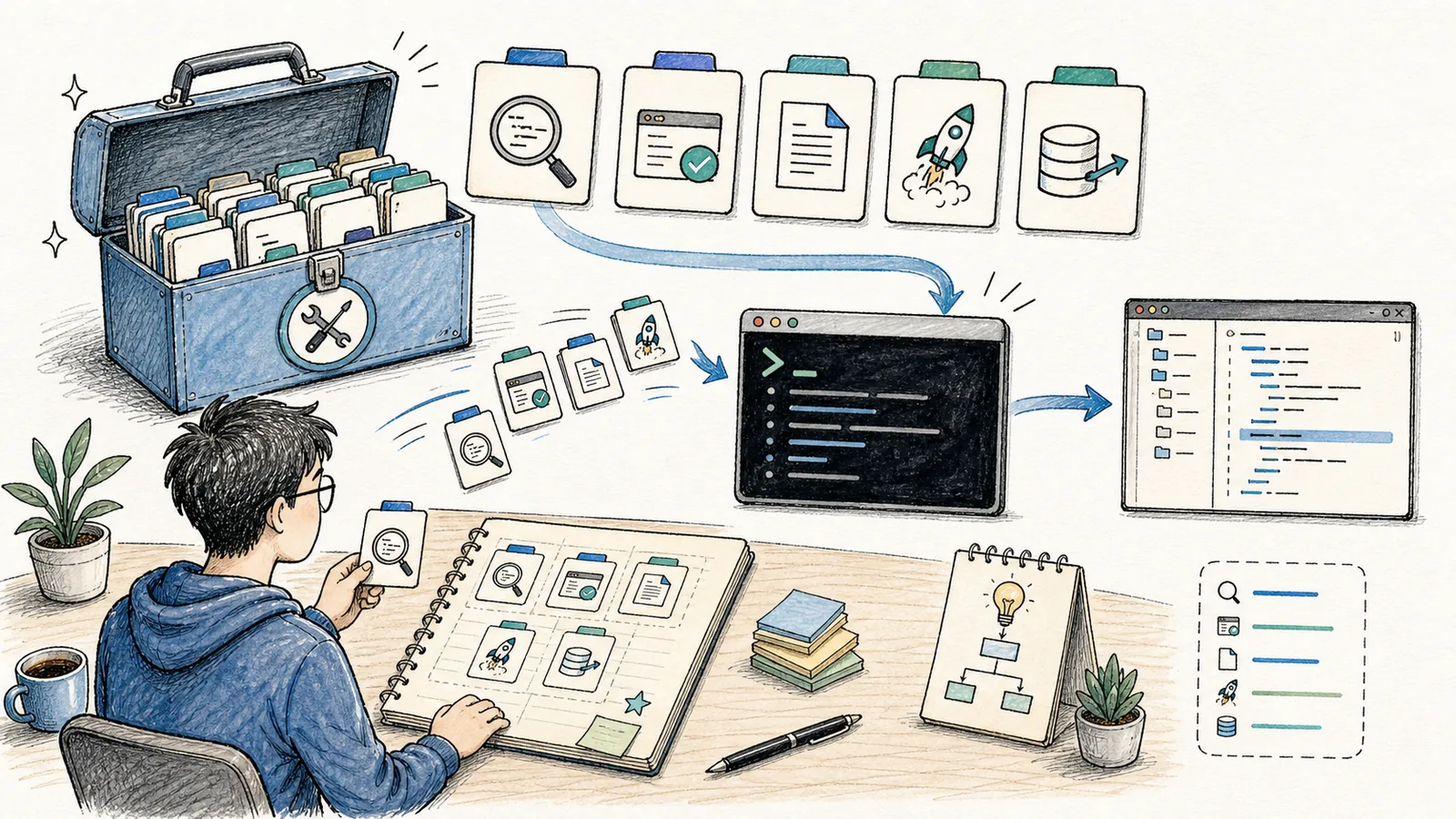
By now, you’ve learned how to get Codex to complete a single task. The next challenge is: how do you make it increasingly efficient and reliable with repeated use?
The official customization documentation clearly outlines four layers of extensibility:
AGENTS.mdgoverns project-level rules,- Skills encapsulate reusable workflows,
- MCP (Model Context Protocol) connects external tools and services, and
- Subagents delegate subtasks to specialized roles.
I treat Skills as reusable, self-contained workflows—and MCP as the secure gateway to external systems. Keep these two concepts distinct: workflows must remain clear and focused; tool permissions must be deliberately constrained—start with read-only access only.
For example, a sequence like “consult documentation → modify code → run tests → write summary” is ideal for packaging as a Skill. In contrast, systems like GitHub, web browsers, or internal knowledge bases belong behind an MCP interface. This separation ensures that as you expand Codex’s capabilities, you never blur permission boundaries or compromise security.
What Makes a Good Skill?
Skills are best suited for repetitive, well-defined processes. If you regularly ask Codex to:
Before reading “8. Skills, Plugins, and MCP: Integrating Repeatable Workflows and External Tools into Codex”, use the accompanying diagram to orient yourself to the core narrative. After reading, revisit it to identify which steps you can already execute directly—and which still require supplemental resources.
- Check the current Git diff,
- Draft a PR description,
- Publish articles in a fixed format,
- Audit webpage readability,
- Execute a standardized deployment pipeline,
…then codify that entire flow as a Skill. As documented officially, a Skill typically consists of a SKILL.md file—optionally accompanied by scripts, reference materials, or assets. Codex loads only the skill’s metadata initially; full content is fetched on-demand—preventing context bloat at startup.
Designing a Simple Skill
Consider building a commit-review Skill:
---
name: commit-review
description: Review current changes before commit. Use when the user asks whether changes are ready to commit.
---

1. Run `git status`.
2. Read diffs for both staged and unstaged files.
3. List potential risks first.
4. Highlight missing test coverage.
5. Suggest a concise, descriptive commit message.
This approach delivers far greater consistency than manually writing lengthy prompts each time.
Plugins Are Distribution Units
While Skills define how a workflow operates, Plugins define how it’s packaged and distributed. As stated in the official docs: if you intend to share reusable capabilities across teams—or bundle together Skills, MCP servers, Hooks, and assets—you should package them as a Plugin.
As a beginner, don’t rush into building Plugins. First, refine one Skill until it works reliably—then consider whether it needs broader distribution.
MCP Connects External Tools
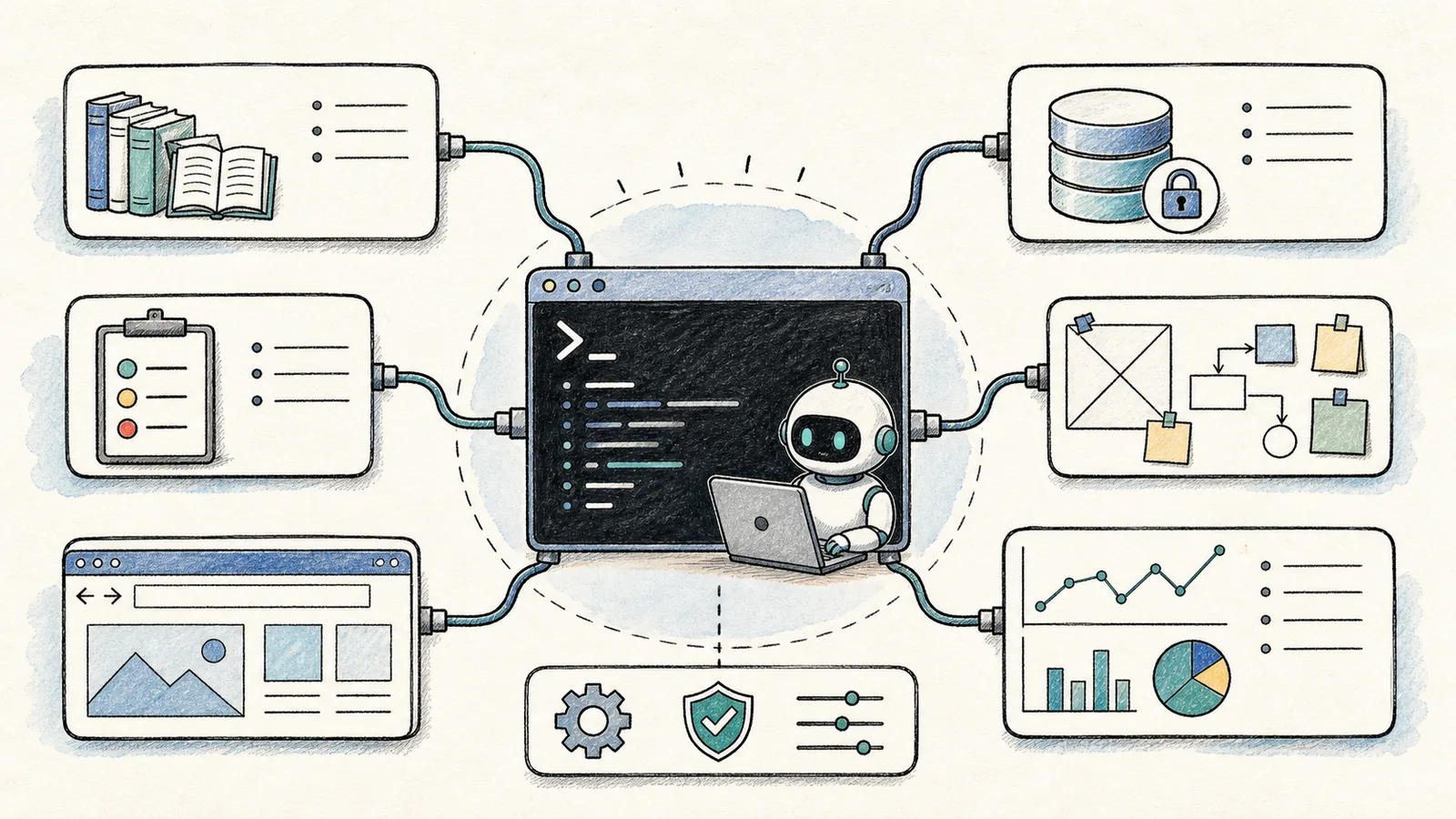
MCP is designed to securely integrate external systems into Codex—such as documentation sites, issue trackers, GitHub, Figma, browsers, Sentry, or internal knowledge bases.
Per the official MCP documentation, Codex supports two server types:
- STDIO-based servers (ideal for local CLI tools), and
- Streamable HTTP servers (for remote or cloud-hosted services).
Configuration lives in config.toml, shared across both the CLI and IDE extensions.
Useful commands include:
codex mcp --help
Within the interactive interface, type:
/mcp
to inspect the status of all connected MCP servers.
Start with Low-Risk Tools
I recommend beginners begin integration with these low-risk categories:
- Official or technical documentation (e.g., MDN, React docs),
- GitHub Issues and PRs — read-only access only,
- Browser-based inspection tools (e.g., Lighthouse, axe-core),
- Design assets — view-only access to Figma or similar.
Do not grant Codex write access to production databases, root shell access to servers, or credentials to payment backends on day one. MCP is a powerful capability gateway—the stronger the integration, the more critical it is to enforce strict boundaries.
Skills + MCP = Practical Power
A Skill defines the what and order of a workflow; an MCP server provides the how and where for accessing external data or actions. Together, they form a robust, maintainable automation stack.
After reading “8. Skills, Plugins, and MCP: Integrating Repeatable Workflows and External Tools into Codex”, pick a small end-to-end example and walk through it step-by-step—then assess which parts you can already execute independently.
At this point, distill “8. Skills, Plugins, and MCP: Integrating Repeatable Workflows and External Tools into Codex” into a concise retrospective table: clarify the central narrative first, then validate it against a concrete micro-task.
Example workflow: “Fetch latest framework docs → update code → run tests → summarize rationale.”
This Skills + MCP combination is dramatically more reliable—and scalable—than ad-hoc prompting alone.
References:
Apply This Lesson
Turn this article into AI software, model, API, and security decisions.
English Article FAQ
Use this article as evidence before choosing AI tools
How should I use this AI Tutorials article?
Use it as the implementation or learning layer, then connect the idea to AI software buyer guides, tool comparisons, benchmarks, API choices, and security checks before making a production decision.
Is this English article different from the Chinese original?
The English edition is localized for global AI readers while preserving the original diagrams, screenshots, prompts, code examples, and source context from the Chinese article.
What should I read after 8 Skills, Plugins, and MCP: Integrating Repetitive Workflows and External Tools into Codex?
Continue with AI Software Buyer Guides, AI Tools Workbench, Best AI Coding Agents, AI Model Benchmarks, OpenAI vs Anthropic API, or LLM Security Tools depending on the decision you need to make.
Can this article alone choose an AI product or model?
No. Treat the article as evidence and context, then validate fit with pricing, privacy requirements, integration effort, benchmark results, workflow tests, and fallback planning.
Continue