English translation
DeepSeek Local Knowledge Base Installer Released: Run Offline at High Speed
AI Article Decision Snapshot
Turn the lesson into workflow, model, budget, and security checks before choosing tools.
Use this quick snapshot before leaving the article. It keeps the next search tied to practical AI software, model/API, cost, privacy, and implementation questions.
Workflow fit
Identify the real job behind the article: coding, research, document review, support, analytics, content, or internal automation.
Model or tool decision
Decide whether the next step is a software shortlist, an AI tool comparison, an API platform choice, or a model benchmark.
Budget and usage signal
Estimate seats, API calls, prompt volume, retries, review time, and fallback work before assuming the workflow is cheap.
Security and privacy review
Check whether source code, customer data, private documents, prompts, logs, or embeddings will enter the AI workflow.
The value of an offline installation package lies in minimizing environment setup complexity—but don’t treat it as a black box. After the first installation, I document the software directory, model directory, knowledge base directory, and log location. Knowing these paths makes subsequent migration, backup, and troubleshooting significantly easier.
For validation, perform a disconnection test:
- Import a sample document;
- Ask a question whose answer explicitly appears in that document;
- Then ask another question not covered by the document. The first query should yield a response closely aligned with the source text; the second should explicitly state “no supporting evidence found.” This functional verification is far more meaningful than merely confirming the UI launches successfully.
Over the past two days, I’ve packaged DeepSeek’s integration with a personal knowledge base into a ready-to-run application. You can now launch it instantly on your local machine—no manual code execution required. See details below.
1 Software Functionality Demo
Below is a walkthrough of basic usage:
We load a 20-page PDF (deepseek-r1.pdf), enter the search term R1-Zero, and click the Personal Knowledge Search button. The system retrieves relevant passages from the PDF and feeds them as context to a locally deployed deepseek-r1:1.5b model—producing the inference result shown below:
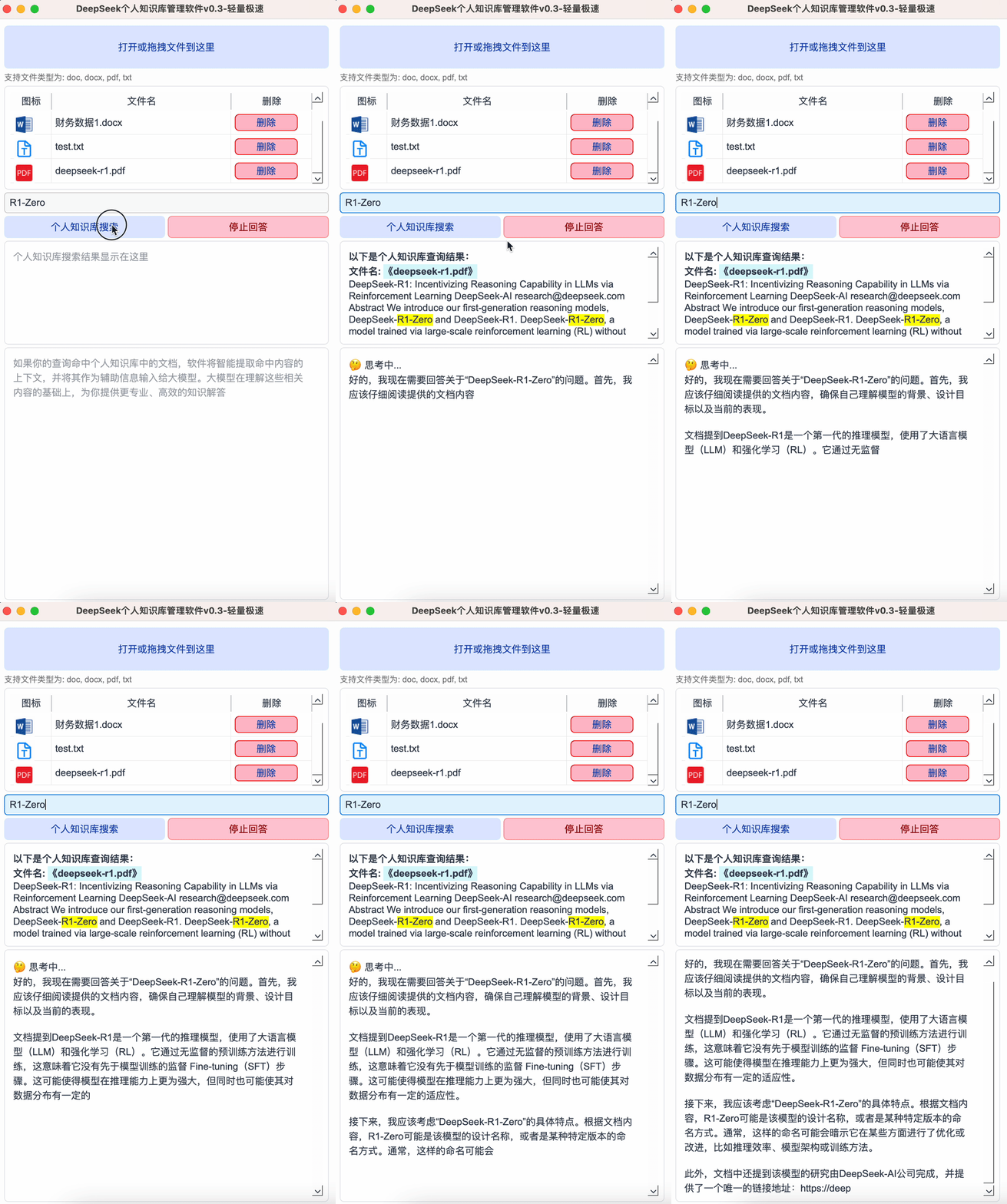
The entire process—search + inference generation—completes in nearly one second. Due to WeChat Official Account limitations on frame count, only the first three frames are captured—no acceleration or speed-up applied. All playback reflects original real-time performance. Tested on a MacBook Pro (M1).
There are two core stages:
- Knowledge base search,
- LLM inference.
Compared to vector-database-based knowledge management, this software achieves dramatically faster search speeds. It leverages Whoosh, a highly efficient full-text search engine optimized for large-scale text queries. Whoosh supports fast inverted indexing—ideal for local knowledge bases or embedded search applications.
2 Software Usage Instructions
Starting with this version, we release a fully packaged application—see below. It supports one-click installation: no environment setup, no manual code execution required.
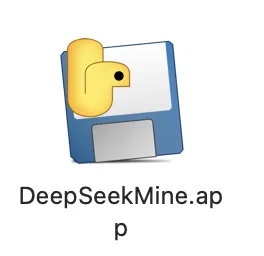
For macOS Users:
- Download the
.appbundle. - Open Terminal, navigate (
cd) to the directory containingDeepSeekMine.app. - Run:
DeepSeekMine.app/Contents/MacOS/DeepSeekMine
For Windows Users:
- Download the
.exeinstaller. - Double-click to launch—zero external dependencies required.
Prerequisites:
- Ensure the
deepseek-r1:1.5blarge language model is already installed on your machine. - Verify
deepseek-r1:1.5bruns inference correctly locally. If your hardware cannot support it (e.g., due to low memory/GPU), consider switching to a smaller model. - Running
deepseek-r1:1.5brequires ≥3 GB GPU VRAM. Most newly purchased laptops meet this requirement. For those needing hardware guidance, here’s our minimum recommended configuration:- GPU: NVIDIA GTX 1650 (4 GB) or AMD RX 5500 (4 GB)
- RAM: 16 GB
- macOS: MacBook Air with M1, M2, or M3 chip (minimum 8 GB unified memory)
👉 To obtain the installation package, reply “Knowledge Base” below.

3 New Features in v0.3
-
Enhanced Chinese Tokenization Accurate segmentation is critical for keyword-based search. Replaced the default
jiebatokenizer with PKUSeg, a high-precision segmentation toolkit developed by Peking University. PKUSeg excels at large-scale text processing and delivers superior accuracy. -
Phrase Matching for Document Retrieval Upgraded from simple keyword matching to flexible phrase matching, enabling better alignment with user input.
Example:
- Document A contains: “Xiao Ming’s income & expense ledger…”
- Pre-update: searching for “Xiao Ming ledger” would fail to match Document A.
- Post-update: phrase matching uses PKUSeg’s segmentation (“Xiao Ming”, “ledger”) and checks for ordered proximity—i.e., whether both terms appear in sequence within a configurable character span (default: ≤20 characters). Since “Xiao Ming” and “ledger” appear contiguously in Document A, it now matches reliably.
-
Stop Response During DeepSeek Inference Added a Stop Answering button to interrupt ongoing LLM responses mid-generation. If you dislike the current output, simply click the button to halt inference immediately:

-
File Icon Display in Personal Knowledge Base Added visual file-type icons to improve document recognition and differentiation:
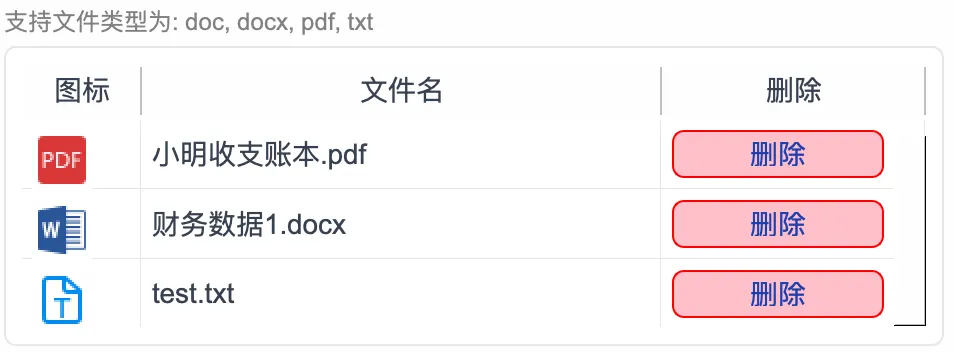
Have questions? Leave comments below—we’ll respond promptly. The software receives regular updates—follow my official posts for announcements.
Apply This Lesson
Turn this article into AI software, model, API, and security decisions.
English Article FAQ
Use this article as evidence before choosing AI tools
How should I use this AI Tutorials article?
Use it as the implementation or learning layer, then connect the idea to AI software buyer guides, tool comparisons, benchmarks, API choices, and security checks before making a production decision.
Is this English article different from the Chinese original?
The English edition is localized for global AI readers while preserving the original diagrams, screenshots, prompts, code examples, and source context from the Chinese article.
What should I read after DeepSeek Local Knowledge Base Installer Released: Run Offline at High Speed?
Continue with AI Software Buyer Guides, AI Tools Workbench, Best AI Coding Agents, AI Model Benchmarks, OpenAI vs Anthropic API, or LLM Security Tools depending on the decision you need to make.
Can this article alone choose an AI product or model?
No. Treat the article as evidence and context, then validate fit with pricing, privacy requirements, integration effort, benchmark results, workflow tests, and fallback planning.
Continue