English translation
Integrate DeepSeek with Your Personal Knowledge Base: One-Click Installer Released
AI Article Decision Snapshot
Turn the lesson into workflow, model, budget, and security checks before choosing tools.
Use this quick snapshot before leaving the article. It keeps the next search tied to practical AI software, model/API, cost, privacy, and implementation questions.
Workflow fit
Identify the real job behind the article: coding, research, document review, support, analytics, content, or internal automation.
Model or tool decision
Decide whether the next step is a software shortlist, an AI tool comparison, an API platform choice, or a model benchmark.
Budget and usage signal
Estimate seats, API calls, prompt volume, retries, review time, and fallback work before assuming the workflow is cheap.
Security and privacy review
Check whether source code, customer data, private documents, prompts, logs, or embeddings will enter the AI workflow.
The one-click installer is extremely beginner-friendly—but we do not recommend skipping the directory structure entirely. At minimum, you should know where the application is installed, where your knowledge base files are stored, and where model caches reside. Otherwise, switching computers or performing disk cleanup may easily result in accidental deletion of critical data.
After installation, we strongly recommend conducting a backup rehearsal: duplicate a small knowledge base and verify that it can be successfully re-imported and fully restored. This step may seem tedious, but it’s far more reliable than scrambling to locate paths after actual data loss.
This article walks you through integrating DeepSeek with your personal knowledge base—and how to obtain the one-click installers for Windows and macOS.
1 Key Features
Deploying large language models locally and building your own personal knowledge base offers numerous advantages:
-
Fully offline operation: Runs entirely on your local machine without requiring internet connectivity. Your most sensitive data remains completely isolated from the public internet—minimizing exposure and eliminating external data leakage risks.
-
No file size or quantity limits: Local processing removes all cloud-imposed constraints—giving you full flexibility over document volume and scale.
-
Lightning-fast search powered by Whoosh: We use the lightweight, high-performance Whoosh search engine instead of heavier vector databases. It delivers significantly faster query response times—currently among the fastest available solutions for local knowledge retrieval.
2 Usage Demonstration
The installer requires no manual configuration—just download and launch.
For macOS:
After downloading the .app bundle, open Terminal, navigate (cd) to the directory containing DeepSeekMine.app, as shown below, then run:
DeepSeekMine.app/Contents/MacOS/DeepSeekMine

For Windows:
Simply double-click the executable—no setup needed.
Core functionalities include:
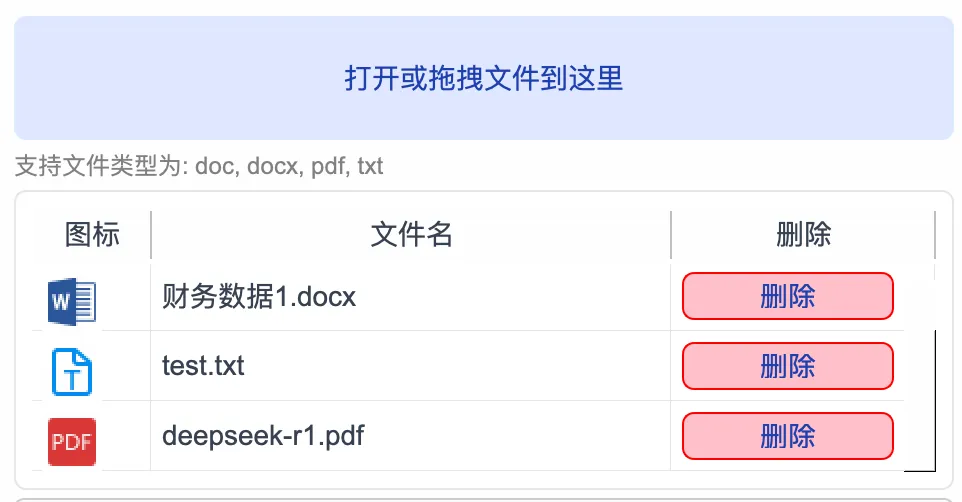
- Effortless knowledge base loading: Load documents via button click or drag-and-drop. Once imported, your personal documents persist across sessions—automatically reloaded each time you launch the app:
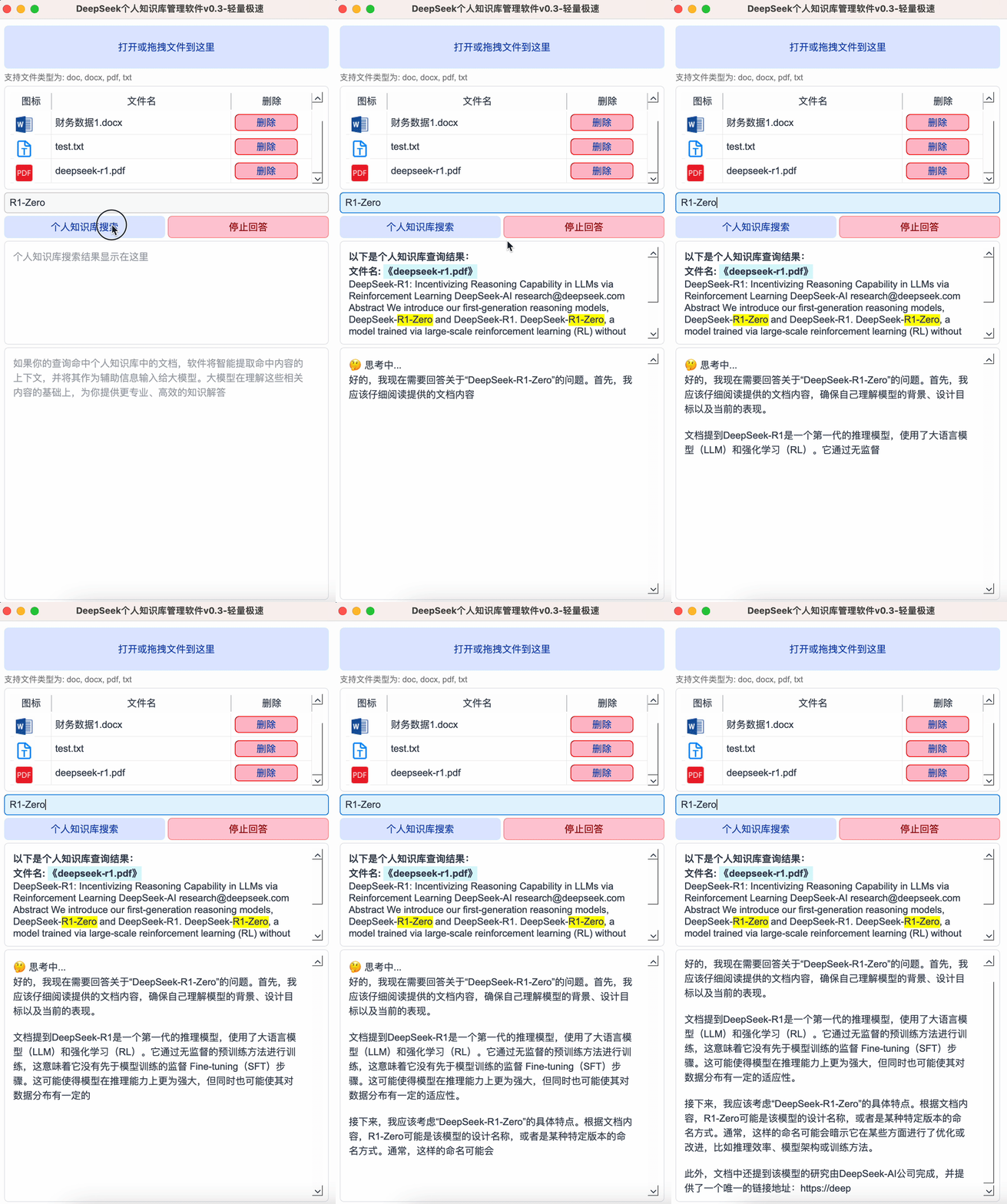
- Keyword-based search: Enter a term (e.g.,
R1-Zero) and click “Search Personal Knowledge Base”. The app instantly retrieves matching documents. To halt inference mid-process, click “Stop Response”, as shown below:
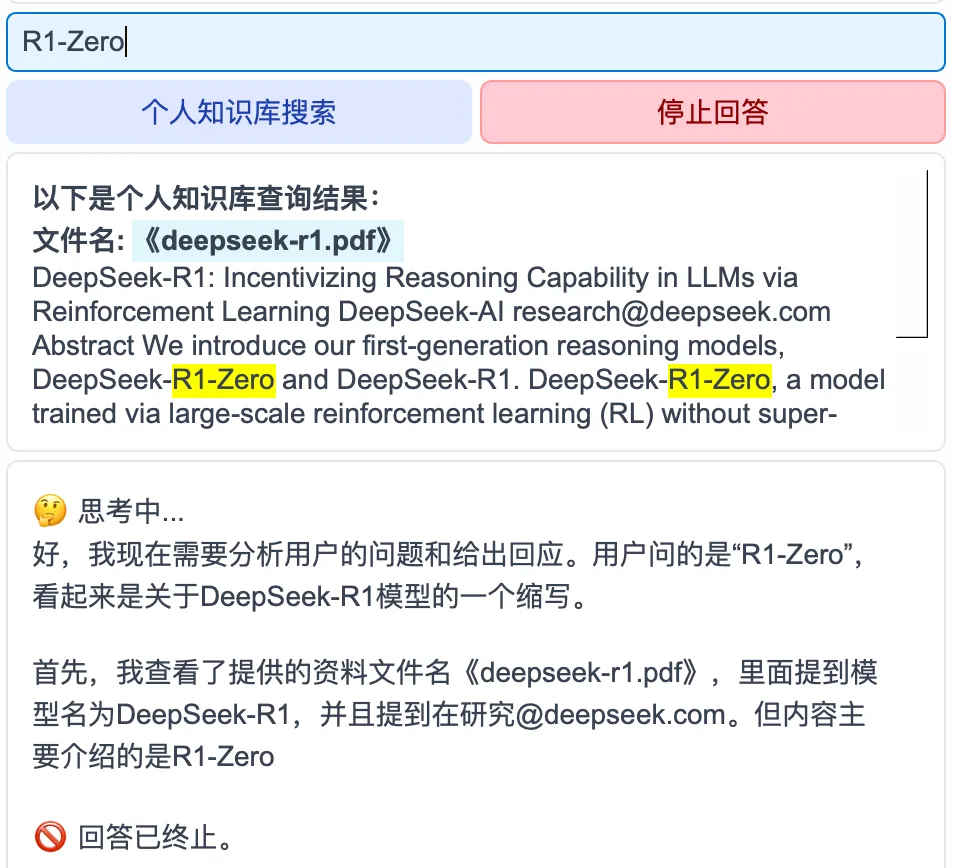
- Context-aware LLM analysis: Search results are automatically injected as context into DeepSeek for intelligent reasoning and analysis. Due to GIF frame limitations in official WeChat articles, only the first three frames are shown below. No acceleration has been applied—the GIF reflects raw, unmodified processing speed. You’re welcome to verify the responsiveness firsthand:
✅ Green software—fully portable and compatible with both Windows and macOS.
To obtain the installer, reply knowledge base in my official WeChat account:

3 Upcoming Updates
Planned feature enhancements—implemented sequentially:
-
Support for multiple DeepSeek model sizes: DeepSeek offers variants ranging from compact 1.5B-parameter models up to larger 7B/8B versions. Users can select the optimal model based on their hardware specs.
- Minimum requirements for DeepSeek-1.5B:
- GPU: NVIDIA GTX 1650 (4GB) or AMD RX 5500 (4GB)
- RAM: 16 GB
- macOS: M1/M2/M3 MacBook Air (minimum 8 GB RAM)
- Minimum requirements for DeepSeek-1.5B:
-
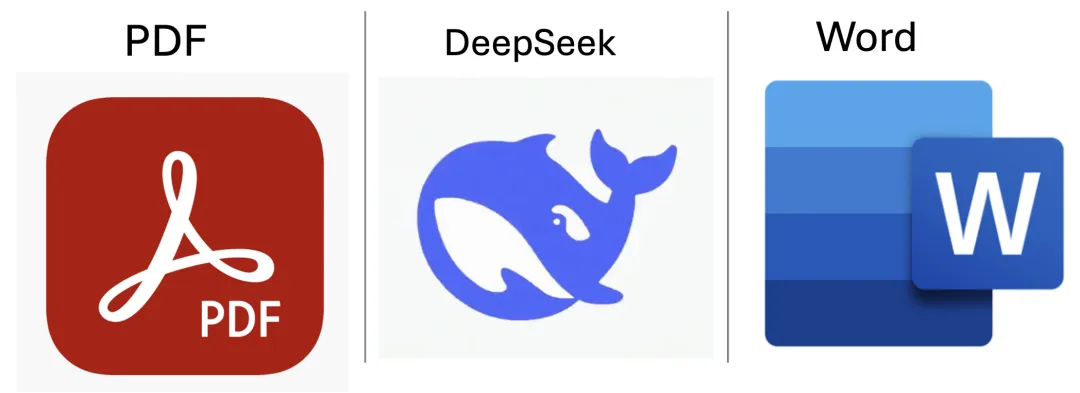
Batch import of PDF, Word, and TXT files from folders: Eliminates manual per-file uploads—enabling bulk ingestion with a single action.
-
Web page ingestion + DeepSeek analysis: Paste any URL; the app automatically fetches the webpage content and feeds it directly to DeepSeek for intelligent summarization or analysis.
All updates will be announced via our official WeChat channel—please stay tuned for notifications.
Summary
To lower the barrier to entry for using DeepSeek with personal knowledge bases, we’ve packaged everything into a ready-to-run installer.
With this installer:
- No Python environment setup required
- No command-line launching—just double-click and go
Key benefits include:
-
100% offline operation: All data—including documents and model weights—stays strictly local. Nothing is uploaded to third-party servers—maximizing privacy and security.
-
Unrestricted file handling: Local deployment removes arbitrary cloud quotas—supporting arbitrarily large or numerous documents.
-
Optimized performance: Whoosh enables blazing-fast search; combined with DeepSeek’s analytical capabilities, this dramatically boosts automation efficiency.
✅ Currently supports both Windows and macOS. ✅ Fully open-source—free to use, forever. ✅ Regular updates delivering new practical features—stay subscribed!
Apply This Lesson
Turn this article into AI software, model, API, and security decisions.
English Article FAQ
Use this article as evidence before choosing AI tools
How should I use this AI Tutorials article?
Use it as the implementation or learning layer, then connect the idea to AI software buyer guides, tool comparisons, benchmarks, API choices, and security checks before making a production decision.
Is this English article different from the Chinese original?
The English edition is localized for global AI readers while preserving the original diagrams, screenshots, prompts, code examples, and source context from the Chinese article.
What should I read after Integrate DeepSeek with Your Personal Knowledge Base: One-Click Installer Released?
Continue with AI Software Buyer Guides, AI Tools Workbench, Best AI Coding Agents, AI Model Benchmarks, OpenAI vs Anthropic API, or LLM Security Tools depending on the decision you need to make.
Can this article alone choose an AI product or model?
No. Treat the article as evidence and context, then validate fit with pricing, privacy requirements, integration effort, benchmark results, workflow tests, and fallback planning.
Continue