English translation
Integrate DeepSeek with Your Personal Knowledge Base — v0.4 Software Release
AI Article Decision Snapshot
Turn the lesson into workflow, model, budget, and security checks before choosing tools.
Use this quick snapshot before leaving the article. It keeps the next search tied to practical AI software, model/API, cost, privacy, and implementation questions.
Workflow fit
Identify the real job behind the article: coding, research, document review, support, analytics, content, or internal automation.
Model or tool decision
Decide whether the next step is a software shortlist, an AI tool comparison, an API platform choice, or a model benchmark.
Budget and usage signal
Estimate seats, API calls, prompt volume, retries, review time, and fallback work before assuming the workflow is cheap.
Security and privacy review
Check whether source code, customer data, private documents, prompts, logs, or embeddings will enter the AI workflow.
When evaluating version updates, I don’t just focus on what’s newly added—I also check whether legacy data remains compatible. For knowledge-base software, the biggest concerns during upgrades are index loss, configuration changes, or inability to open previously indexed files. Therefore, backing up your data before upgrading is more critical than reading the release notes.
Before upgrading, we recommend saving three key items:
- The original installer package
- Your knowledge base directory
- Your configuration file
After upgrading, use the same test document and same set of queries to compare results—ensuring not only that the UI has changed, but that core retrieval and response capabilities remain stable and reliable.
This article introduces how DeepSeek integrates with your personal knowledge base, covering the new features and usage instructions in the latest v0.4 installer. If you’re interested, read on!
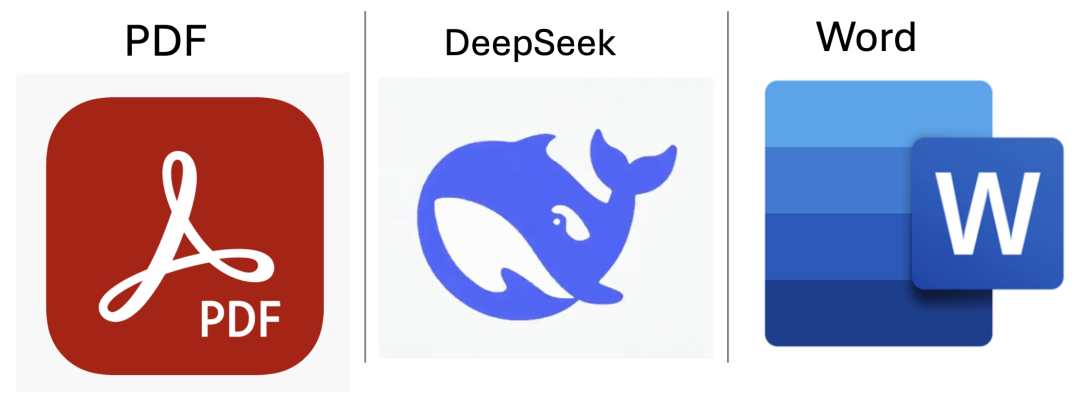
A one-sentence overview of this personally developed knowledge-base application (referred to below as “the software”): It runs entirely offline on your local machine, ensuring your personal documents never leave your device or get uploaded to any third-party server, while enabling secure, private-file search followed by automatic DeepSeek analysis.
1 New Features Demo
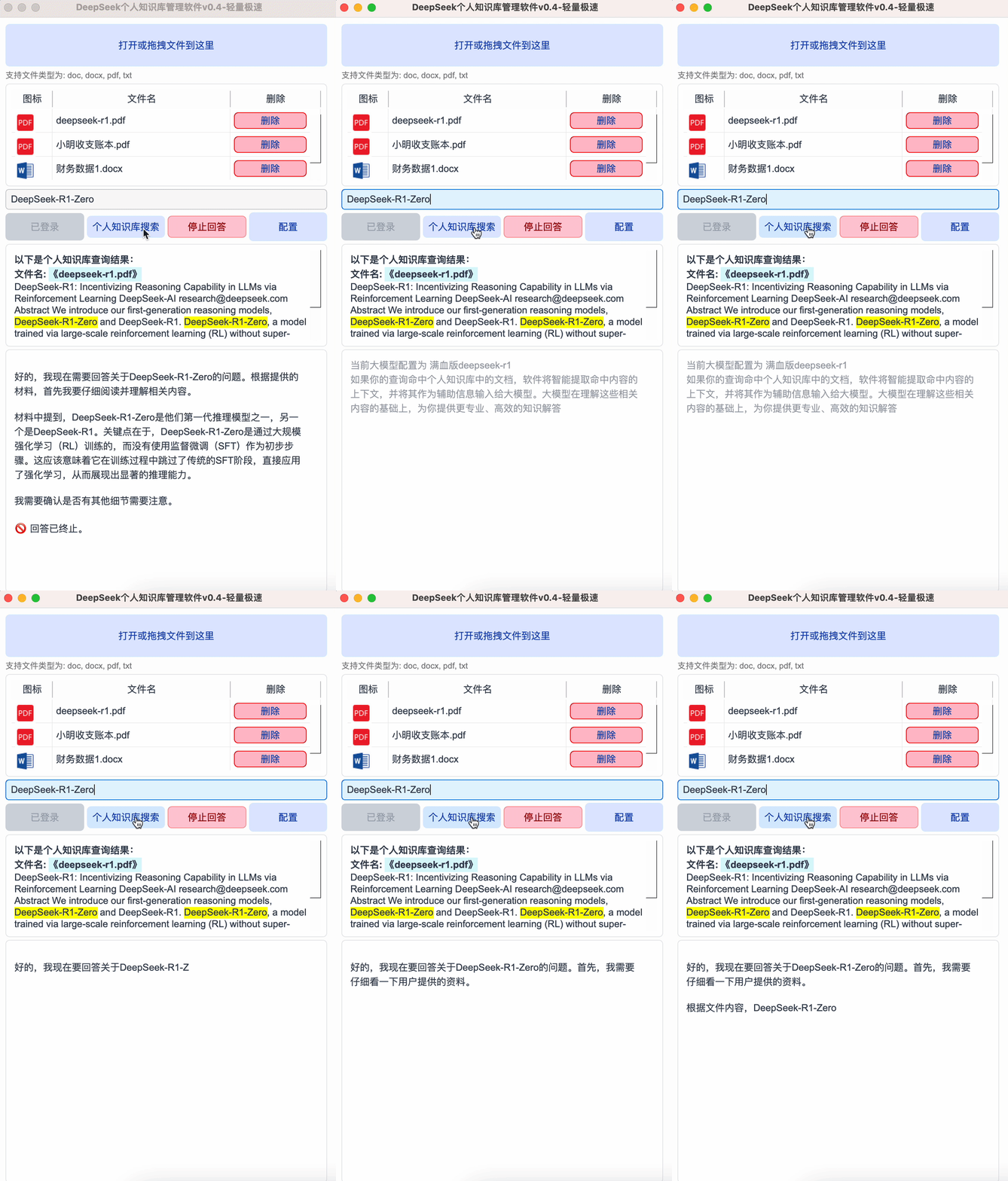
The latest v0.4 release adds support for configuring multiple large language models—including DeepSeek-R1, Llama3, and others—as well as remote API access, especially full-capability (“full-blooded”) DeepSeek for querying and analyzing your personal knowledge base.
Below is a demonstration of the full-capability DeepSeek model analyzing a personal knowledge base. Due to WeChat Official Account GIF frame limitations, only the first three frames are shown—but playback speed is preserved exactly as recorded, with no acceleration. As you’ll see, even the full-capability version delivers impressively fast search performance within the personal knowledge base. Feel free to verify this responsiveness yourself:
Installation method: The latest version supports both macOS and Windows—and as shown below, it’s truly “click-to-run”: simply double-click the installer—no additional setup required.
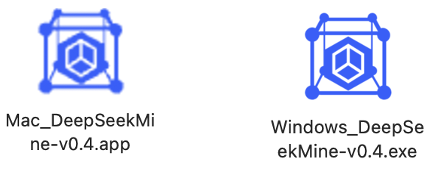
So far, the installer has been successfully tested on:
- macOS Sonoma 14.6.1
- Windows 11
It runs flawlessly even without Python pre-installed—just double-click and go.
2 Detailed New Feature List
The current software version is v0.4, with the following new capabilities (illustrated below):
- Model Configuration Support: Enables local deployment of DeepSeek-R1 variants (e.g., 1.5B, 7B, 8B), as well as other open-source models like Llama.
- Large Model API Configuration: Adds support for calling and configuring full-capability DeepSeek-R1 via remote API.
- Enhanced RAG Injection Algorithm: Now supports not only keyword-based queries, but also complex natural-language sentence retrieval.
- Three Bug Fixes, including improvements to packaging—especially for macOS installers, now supporting true double-click launch.
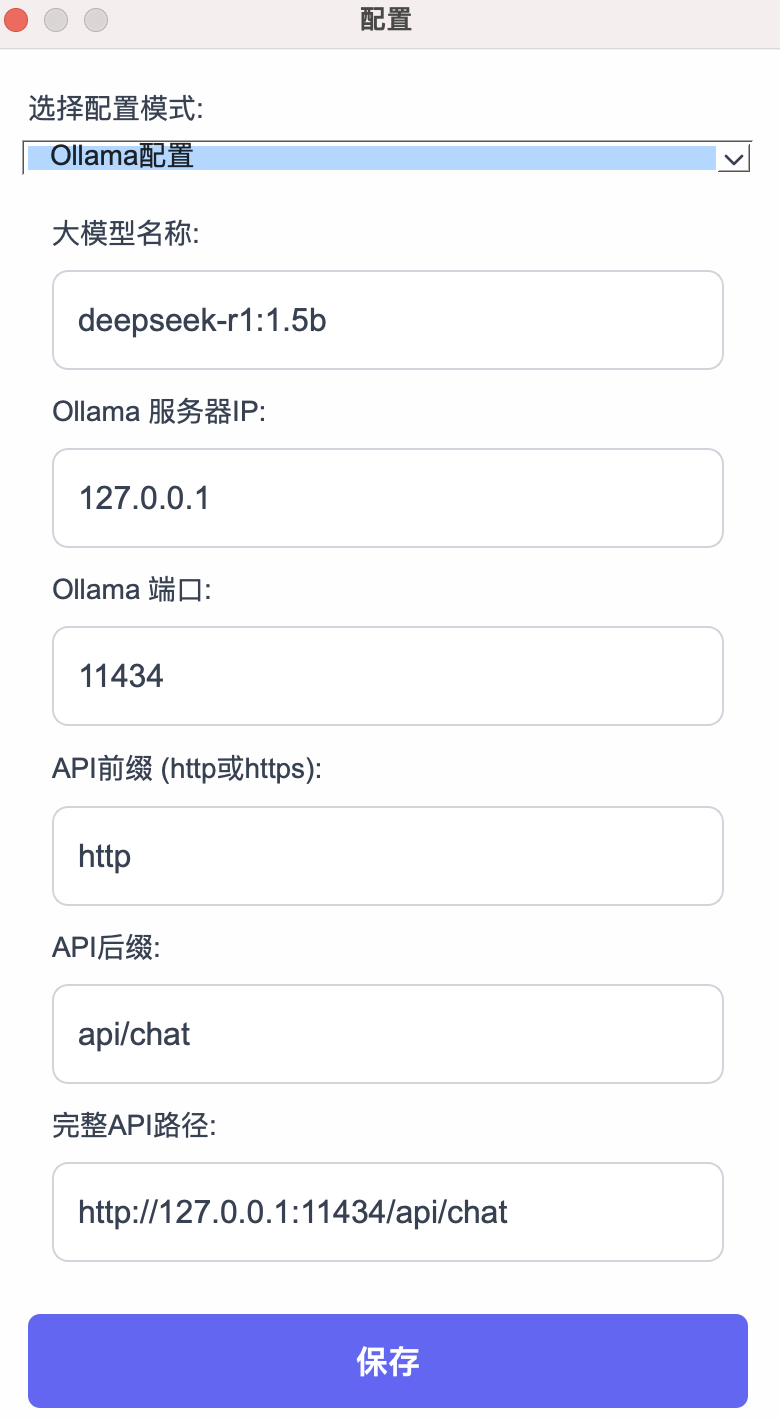
First: Ollama Model Configuration
As shown below, select Ollama Configuration, then fill in the model name, server IP address (enabling local network or remote server deployment), and click Save. Settings are written directly to your local disk.
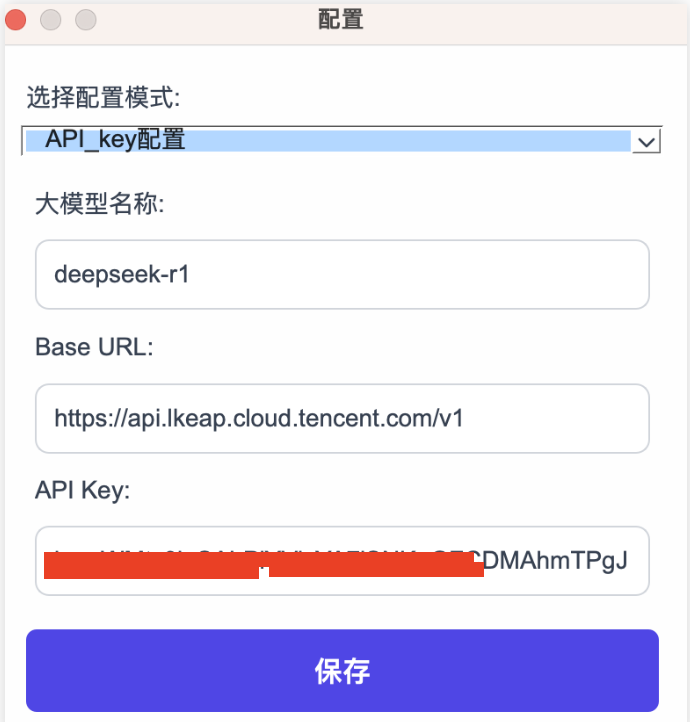
Second: API Key Configuration
Select API Key Configuration, then enter the target platform’s model name, Base URL, and API Key in the configuration panel. Click Save to enable remote invocation of the full-capability DeepSeek-R1:
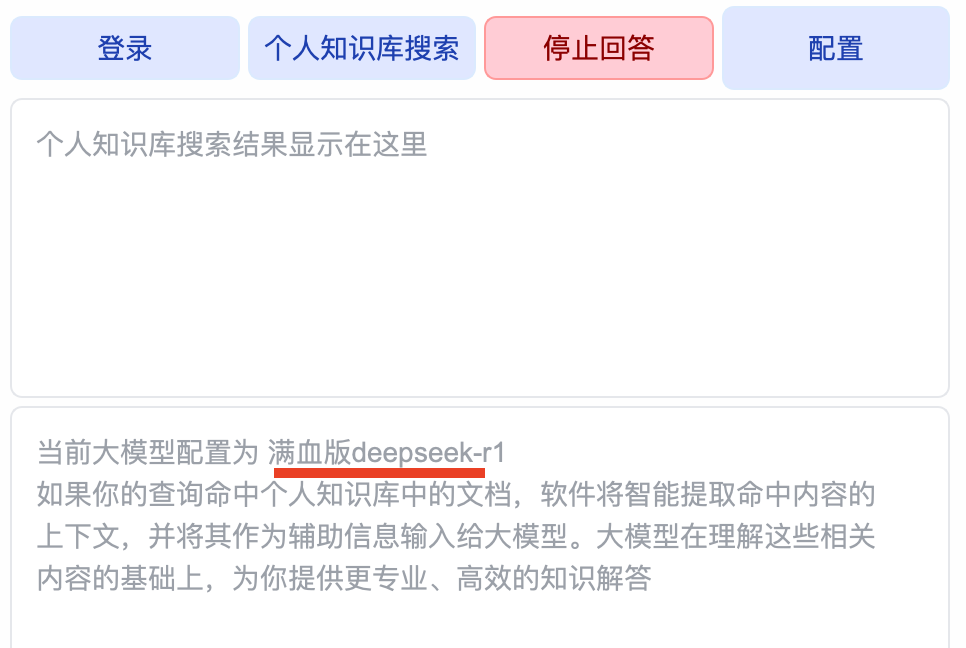
After clicking Save, the dialog closes automatically. The main interface displays: “Current LLM Configuration: full-capability deepseek-r1”, confirming successful setup:
You can now analyze and summarize your own documents locally—either using a locally deployed DeepSeek instance or remotely accessing the full-capability DeepSeek via API.
👉 To download the latest v0.4 software, reply “Knowledge Base” in the WeChat Official Account below:

3 Upcoming Roadmap
- Folder-based document loading: Batch import Word, PDF, and TXT files from designated folders.
- Automated web scraping: Specify URLs to auto-crawl content and inject it into the LLM for analysis.
- Multi-turn contextual chat: Currently operating in single-turn mode; upcoming versions will introduce context-aware multi-turn conversation windows and features.
Summary
The latest version of the personal knowledge base software delivers:
- Native local deployment support for various DeepSeek models
- Remote API integration—including full-capability DeepSeek-R1
- Improved search algorithms optimized specifically for personal knowledge bases
This software offers three core advantages:
- Fully offline operation: All processing happens locally—your files never leave your computer, eliminating privacy or leakage risks.
- No file count or size limits: Scalable and convenient for real-world use.
- 100% open-source and free: Zero cost—no subscriptions, no hidden fees.
Apply This Lesson
Turn this article into AI software, model, API, and security decisions.
English Article FAQ
Use this article as evidence before choosing AI tools
How should I use this AI Tutorials article?
Use it as the implementation or learning layer, then connect the idea to AI software buyer guides, tool comparisons, benchmarks, API choices, and security checks before making a production decision.
Is this English article different from the Chinese original?
The English edition is localized for global AI readers while preserving the original diagrams, screenshots, prompts, code examples, and source context from the Chinese article.
What should I read after Integrate DeepSeek with Your Personal Knowledge Base — v0.4 Software Release?
Continue with AI Software Buyer Guides, AI Tools Workbench, Best AI Coding Agents, AI Model Benchmarks, OpenAI vs Anthropic API, or LLM Security Tools depending on the decision you need to make.
Can this article alone choose an AI product or model?
No. Treat the article as evidence and context, then validate fit with pricing, privacy requirements, integration effort, benchmark results, workflow tests, and fallback planning.
Continue