English translation
DeepSeek Platform Overview and Usage Guide
AI Article Decision Snapshot
Turn the lesson into workflow, model, budget, and security checks before choosing tools.
Use this quick snapshot before leaving the article. It keeps the next search tied to practical AI software, model/API, cost, privacy, and implementation questions.
Workflow fit
Identify the real job behind the article: coding, research, document review, support, analytics, content, or internal automation.
Model or tool decision
Decide whether the next step is a software shortlist, an AI tool comparison, an API platform choice, or a model benchmark.
Budget and usage signal
Estimate seats, API calls, prompt volume, retries, review time, and fallback work before assuming the workflow is cheap.
Security and privacy review
Check whether source code, customer data, private documents, prompts, logs, or embeddings will enter the AI workflow.
When exploring a platform, I follow the real-world workflow end-to-end: registration → model selection → API invocation → usage monitoring → error handling. If any step remains unclear, integration into actual projects will stall. Therefore, platform documentation should serve this practical workflow—not merely list menu items.
For first-time users, we strongly recommend starting with low-risk questions—never feeding production data directly. Record one complete API call: request, response, latency, and cost. This baseline helps you estimate future project expenses more accurately.
DeepSeek-R1 is attracting growing attention. Recently, we’ve received many messages from readers via private channels. While we can’t reply individually, we’ve read every question—and distilled three recurring themes:
- Where should I start learning DeepSeek?
- How can I fully leverage DeepSeek’s capabilities?
- Does DeepSeek currently support image generation via inference?
This article addresses all three questions. Readers interested in any of them are encouraged to read on.
1 What Is the Essence of Learning New Things in the AI Era?
Learning in the AI era differs significantly from traditional approaches. Memorizing isolated facts or knowledge points has diminishing returns. Take DeepSeek, for example: its pretraining ingested trillions of tokens, covering virtually all web pages, books, and academic papers.
What matters far more is grasping the underlying logic, principles, and methodologies behind knowledge. We can verify this using AI itself. To explore how others think about learning in the AI era, we first enter DeepSeek-R1 and enable the Search function. The prompt used is shown below:
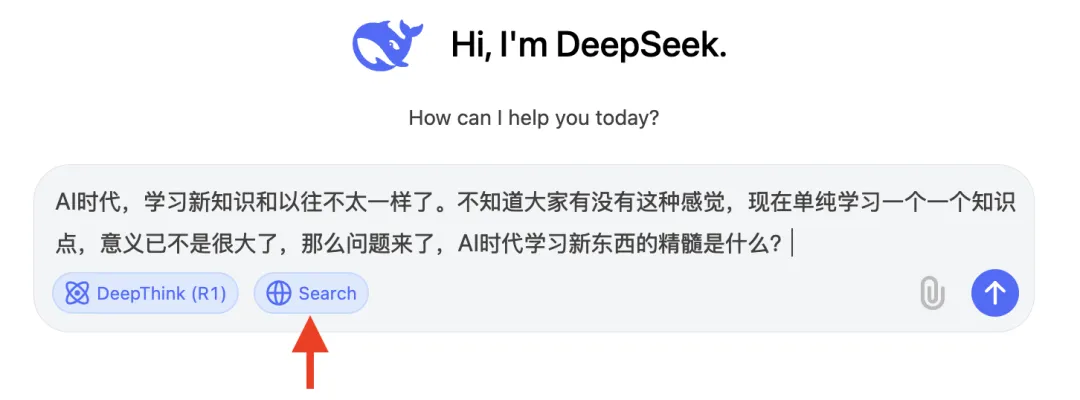
Unfortunately, DeepSeek’s official website currently does not support web search, meaning it cannot fetch up-to-date external web content—and thus cannot verify recent bloggers’ perspectives on AI-era learning:

Let’s try again—this time using “Ask Xiao Bai” (a platform integrating DeepSeek-R1 Full-Featured + Search). We pose the same question:
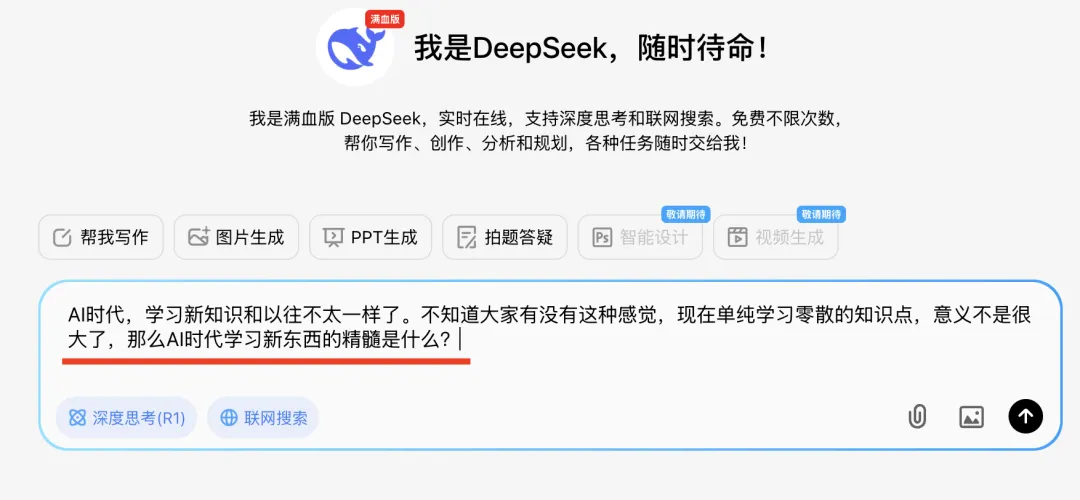
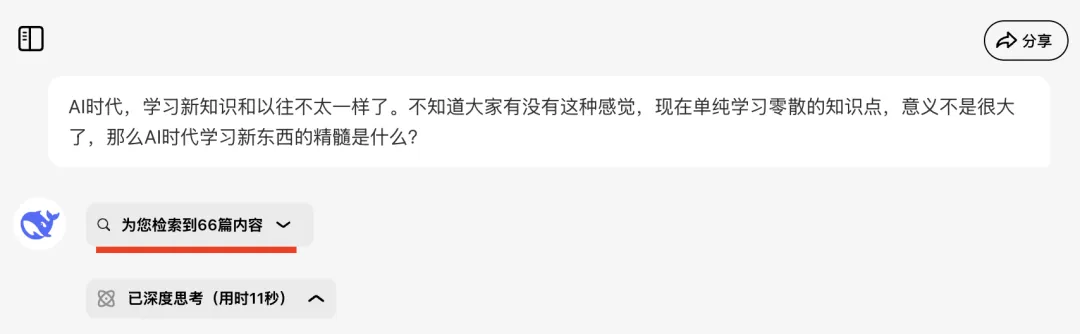
It retrieves 66 relevant blog posts and performs deep reasoning for 11 seconds. During this process, it conducts semantic retrieval and queries knowledge aligned with the question—then ranks results by semantic relevance:
One key insight appears under section “IV. Cognitive Restructuring” → “2. Systematic Knowledge Management”: Fragmented knowledge is connected into a network structure; diverse concepts are integrated into a knowledge graph, forming multidimensional understanding:
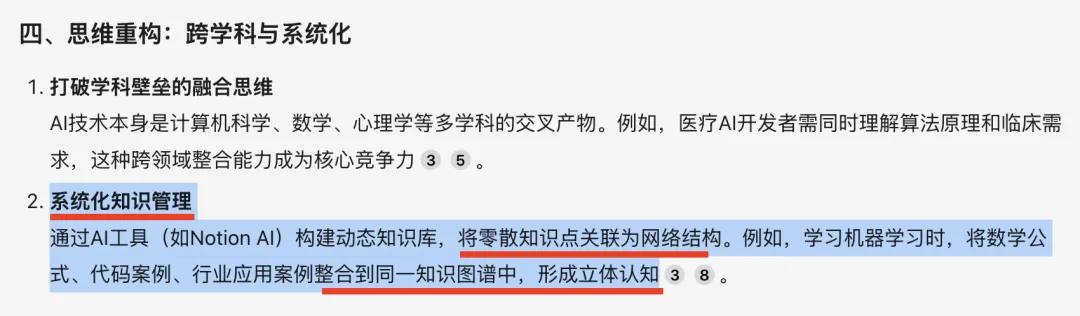
Isn’t that precisely the methodology and logical thread behind new knowledge? In the AI era, mastering how to learn—prioritizing thought processes and foundational logic—is paramount.
2 A Zero-to-One Learning Roadmap for DeepSeek
Next, let’s directly ask “Ask Xiao Bai” (DeepSeek-R1 Full-Featured) for a zero-to-one learning roadmap for DeepSeek—and request it as a PPT for clarity. Simply click the PPT Generation button:
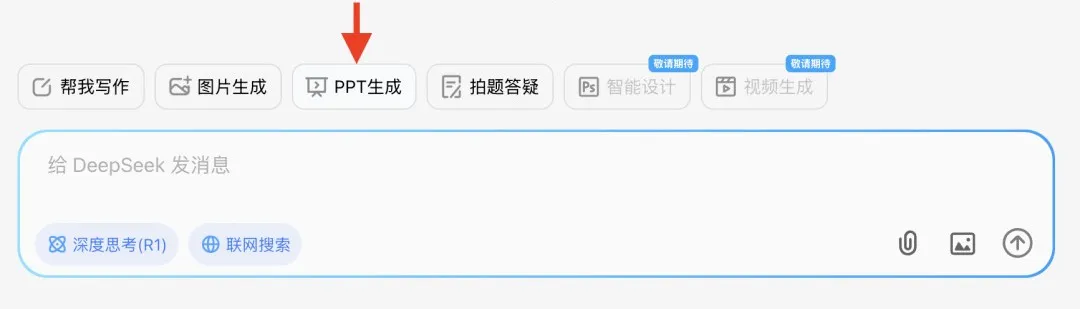
A blinking cursor appears, prompting us to input an outline. We type just these words: “DeepSeek Zero-to-One Learning Roadmap”
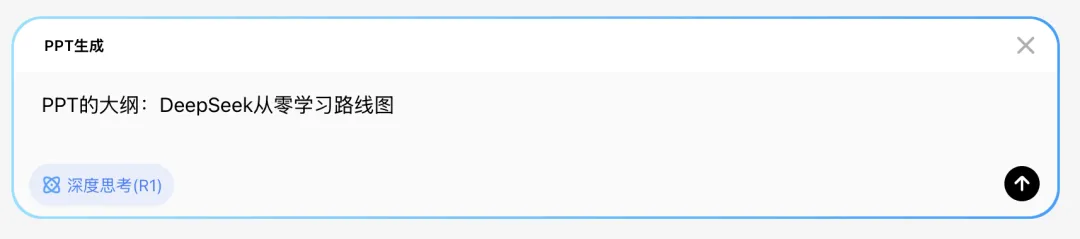
Press Enter. DeepSeek-R1 Full-Featured begins reasoning and outputs a structured PPT outline—with a prominent “Generate PPT” button at the end.
Clicking it opens the template selection interface. We counted over 100 supported templates—spanning diverse scenarios and design styles. For now, we’ll use the default:
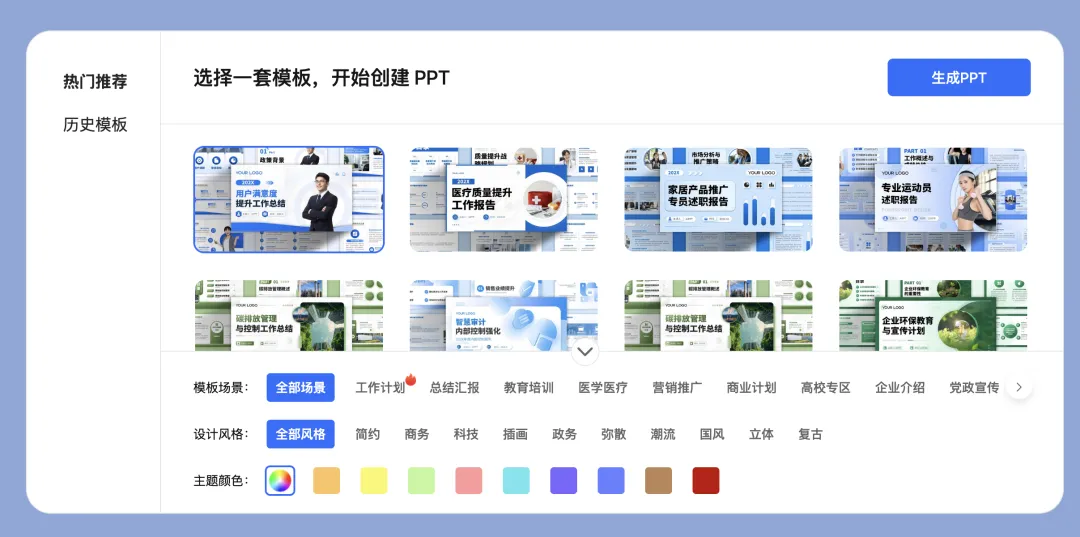
In under one minute, a 21-slide PPT is generated. Here’s a full preview from the right-hand panel:
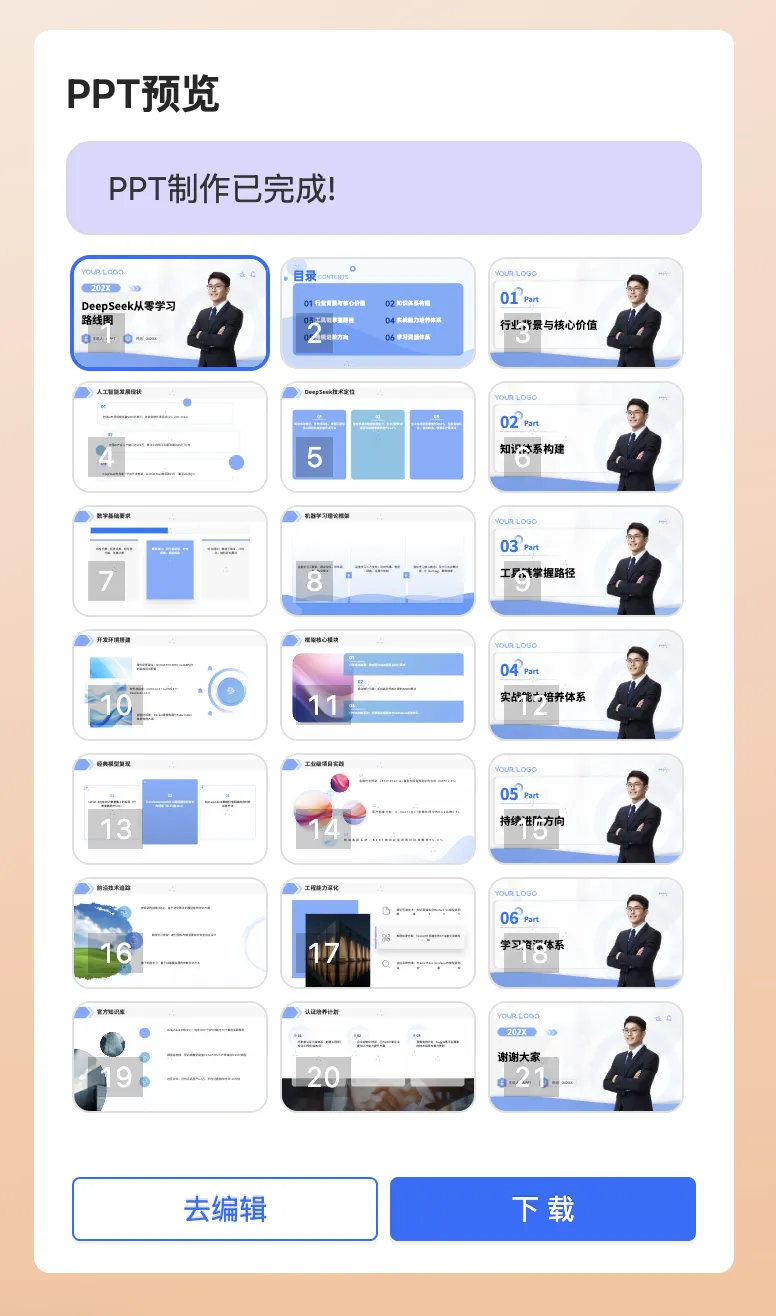
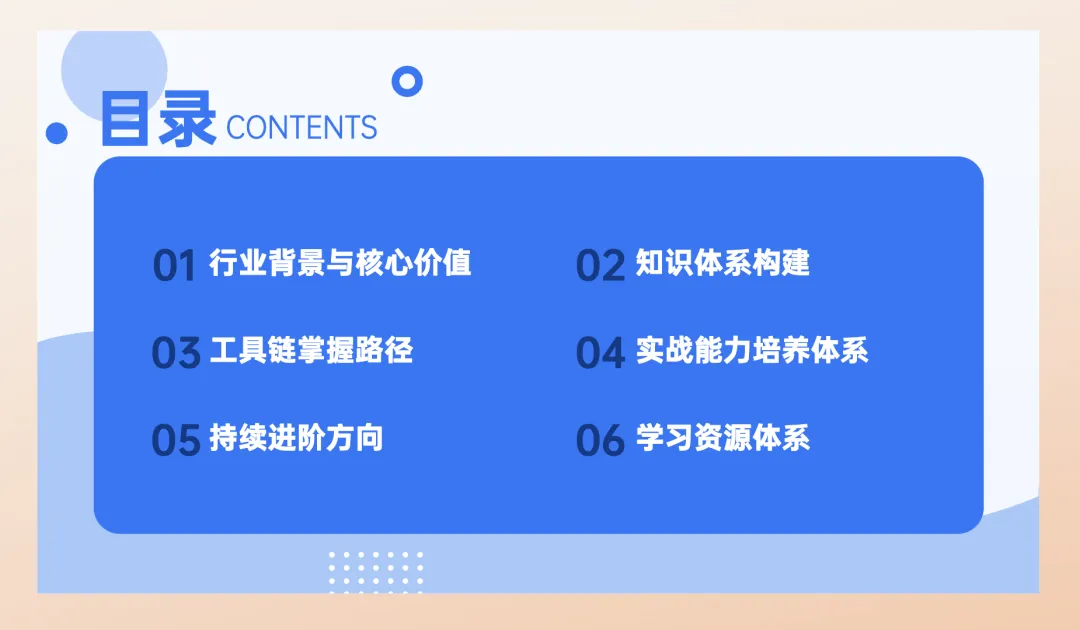
The table of contents includes sections like Industry Context, Knowledge System Construction, and Toolchain Mastery Path—all aligning closely with Section 1’s emphasis on systematic knowledge building:
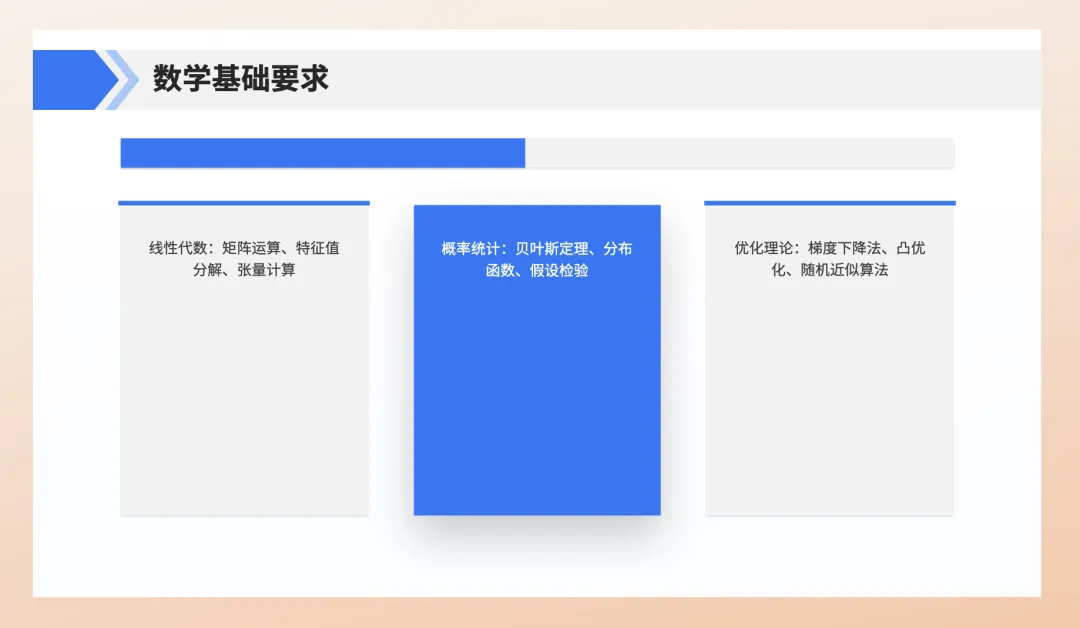
Now let’s examine the Knowledge System Construction section—does it distill insights accurately?
Two slides cover this topic. The first concisely summarizes mathematical foundations (linear algebra, probability theory, optimization)—in under 100 characters. This summary is spot-on:
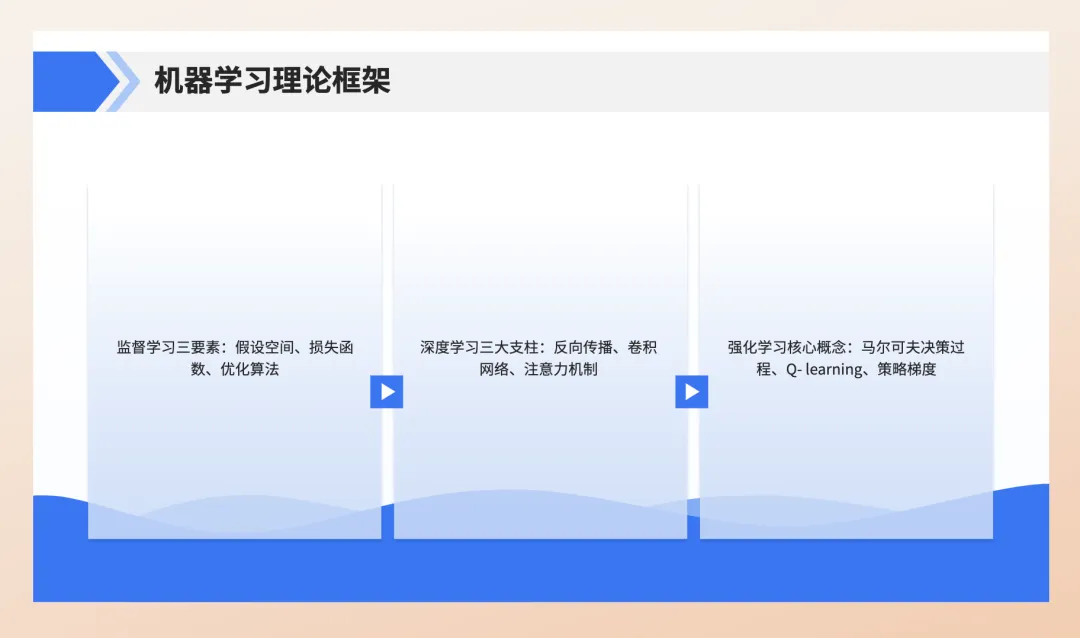
The second slide outlines theoretical frameworks:
- Supervised learning’s three core components
- Deep learning’s three pillars
- Core concepts of reinforcement learning
The first two are well summarized—but the reinforcement learning part needs refinement.
While correctly identifying the Markov Decision Process (MDP)—with its three elements (state, action, reward)—as a foundational concept, listing Q-learning and Policy Gradient as “core concepts” is misleading. Q-learning is just one algorithm within value-based methods; Policy Gradient is one technique for policy optimization (others include Actor-Critic). A more precise description for the right-hand side would be: Markov Decision Process, Value Functions, Policy Optimization
The generated PPT supports one-click export—as shown below:

Readers who’d like the full “DeepSeek Zero-to-One Learning Roadmap” PPT can reply deepseek in the WeChat official account below:

In summary: “Ask Xiao Bai” (DeepSeek-R1 Full-Featured) enables one-click PPT generation, offers 100+ scenario-specific templates, delivers high-quality content, and exports seamlessly—all in under 60 seconds. This capability already exceeds many users’ expectations.
3 Image Generation via DeepSeek-R1 Inference
Using DeepSeek-R1 Full-Featured for personal knowledge base analysis proves highly practical.
For example:
- Professionals preparing promotion reviews need to synthesize six months—or a year—of work materials and project progress into standout summaries.
- Students practicing programming or preparing for exams often solve practice problems.
Analyzing such materials becomes effortless with DeepSeek-R1 Full-Featured. It supports multiple file formats—including images.
Below, we demonstrate how to analyze your personal knowledge base.
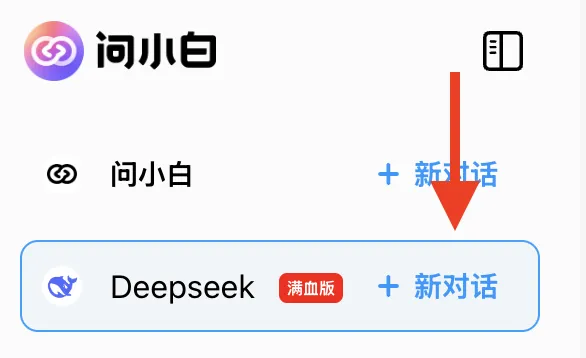
Step 1: Start a new chat session (click as shown):
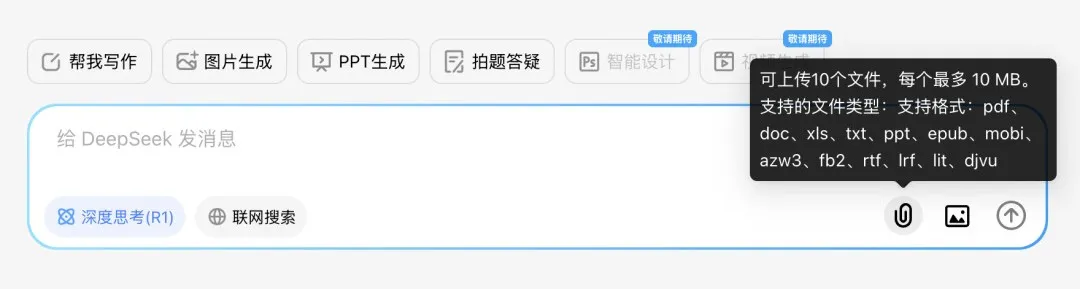
Then click the File Upload button. Supported formats include PDF, DOC, XLS, TXT, PPT, and more:
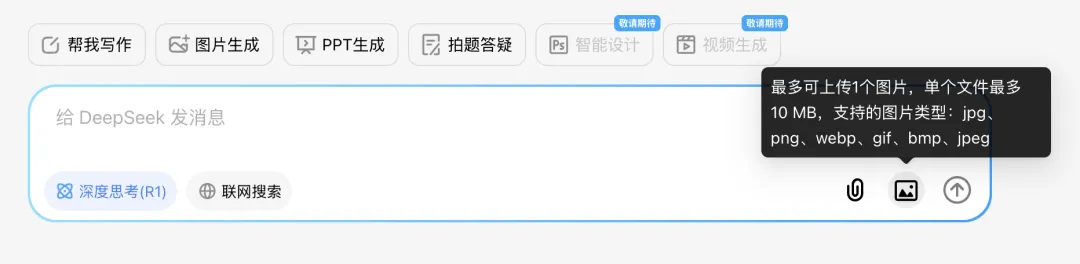
The Image Upload button accepts various image formats:
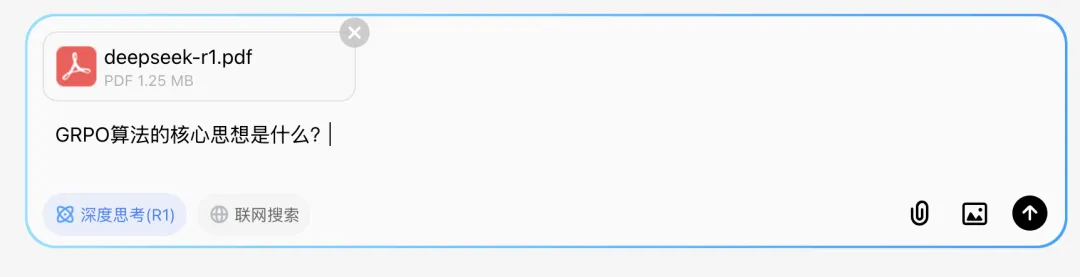
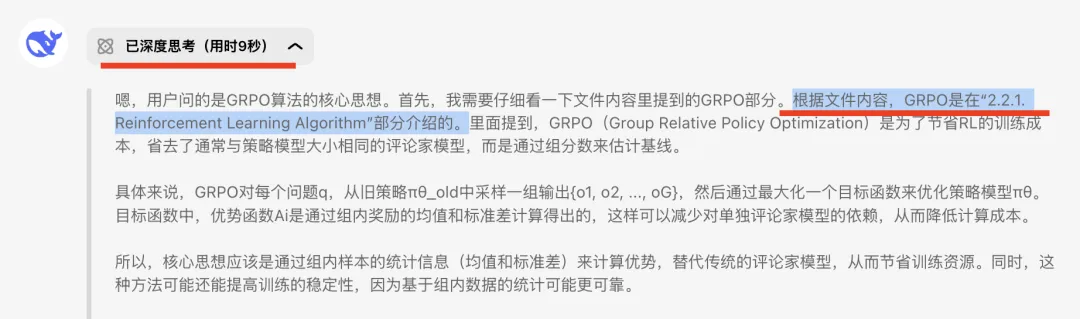
Step 2: Upload personal documents—for instance, the DeepSeek-R1 research paper. One critical inference-optimization algorithm introduced is GRPO. So we ask: “What is the core idea behind the GRPO algorithm?”
“Ask Xiao Bai” completes reasoning in just 9 seconds. During this, it semantically locates Section 2.2.1 of the uploaded paper—which discusses GRPO. Though the paper is in English, the system adapts its reasoning to match the language of our Chinese query—including multilingual translation where needed:
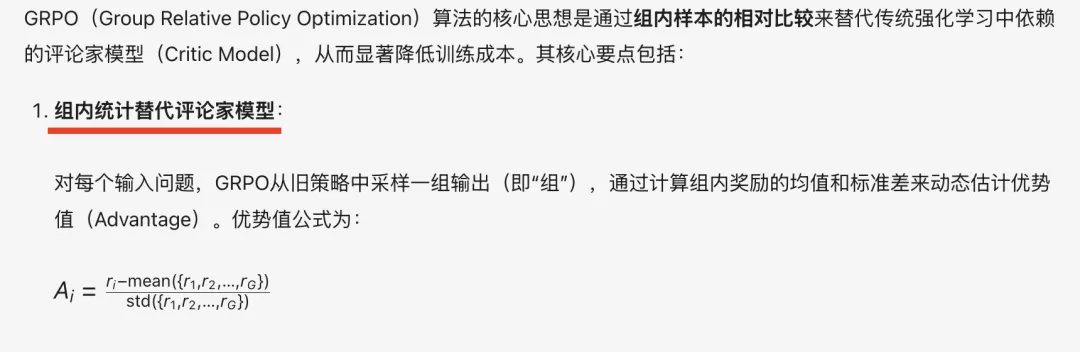
And the summary hits the key points precisely:
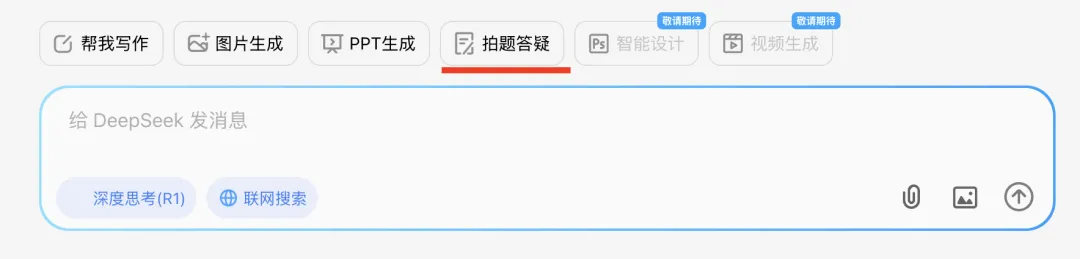
When studying programming or solving practice problems, simply take a screenshot of any question you’re stuck on—then select “Photo Q&A” on the interface:
Upload the screenshot to DeepSeek-R1 Full-Featured and ask as shown:
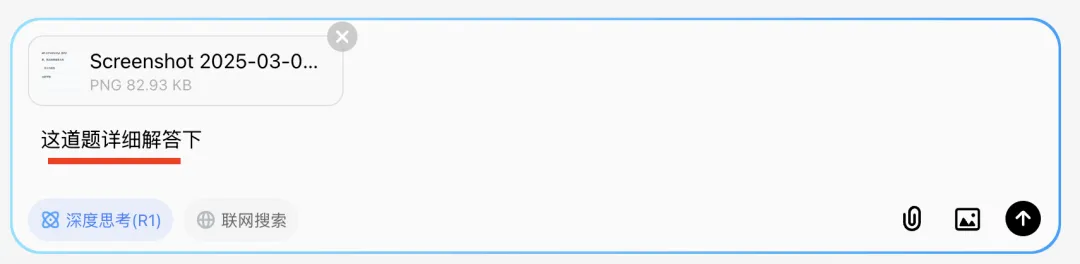
It analyzes each answer option—and uses intuitive ✅/❌ icons to clarify correctness at a glance:
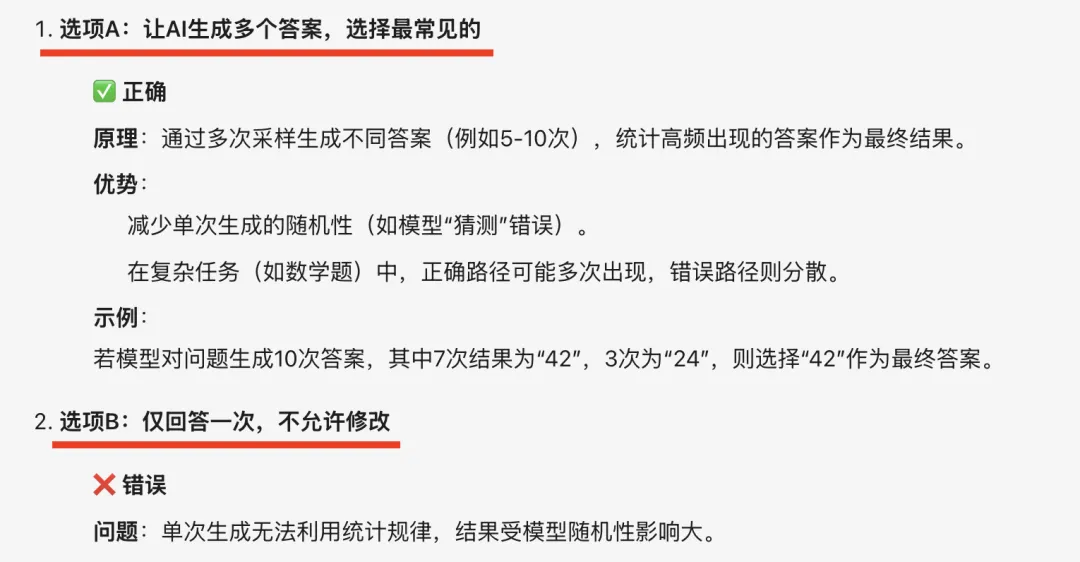
From now on, whether it’s children or adults encountering learning hurdles, just snap a photo and upload it to “Ask Xiao Bai” (DeepSeek-R1)—and answers appear instantly.
Final Summary This article addressed three top questions from readers:
- Where to begin learning DeepSeek
- How to maximize its utility
- How to integrate it with personal knowledge bases
Using “Ask Xiao Bai” (DeepSeek-R1 Full-Featured), we explored all three:
- Learning DeepSeek starts not with fragmented facts—but with principles and foundational logic.
- Its one-click PPT generator produced a 21-slide guide on efficiently learning and applying DeepSeek—previewed above.
- Integrating DeepSeek with personal documents is straightforward (Section 3); it analyzes and synthesizes your files effortlessly.
- The Photo Q&A feature is especially practical: snap a problem, upload, and get clear, step-by-step solutions instantly.
Apply This Lesson
Turn this article into AI software, model, API, and security decisions.
English Article FAQ
Use this article as evidence before choosing AI tools
How should I use this AI Tutorials article?
Use it as the implementation or learning layer, then connect the idea to AI software buyer guides, tool comparisons, benchmarks, API choices, and security checks before making a production decision.
Is this English article different from the Chinese original?
The English edition is localized for global AI readers while preserving the original diagrams, screenshots, prompts, code examples, and source context from the Chinese article.
What should I read after DeepSeek Platform Overview and Usage Guide?
Continue with AI Software Buyer Guides, AI Tools Workbench, Best AI Coding Agents, AI Model Benchmarks, OpenAI vs Anthropic API, or LLM Security Tools depending on the decision you need to make.
Can this article alone choose an AI product or model?
No. Treat the article as evidence and context, then validate fit with pricing, privacy requirements, integration effort, benchmark results, workflow tests, and fallback planning.
Continue