English translation
Integrate DeepSeek with Your Personal Knowledge Base: Latest Software Package Released
AI Article Decision Snapshot
Turn the lesson into workflow, model, budget, and security checks before choosing tools.
Use this quick snapshot before leaving the article. It keeps the next search tied to practical AI software, model/API, cost, privacy, and implementation questions.
Workflow fit
Identify the real job behind the article: coding, research, document review, support, analytics, content, or internal automation.
Model or tool decision
Decide whether the next step is a software shortlist, an AI tool comparison, an API platform choice, or a model benchmark.
Budget and usage signal
Estimate seats, API calls, prompt volume, retries, review time, and fallback work before assuming the workflow is cheap.
Security and privacy review
Check whether source code, customer data, private documents, prompts, logs, or embeddings will enter the AI workflow.
We do not recommend immediately overwriting your existing environment upon release of a new version. Instead, first run a comprehensive test using several sample documents—covering import, retrieval, Q&A, and export—to confirm there are no obvious issues. Only after successful validation should you migrate your production data. This slower, more deliberate pace minimizes risk to your existing knowledge assets.
Prepare a standardized test suite: one PDF, one Word document, one spreadsheet (e.g., Excel), and one text document containing domain-specific terminology. Use this same set for every future upgrade—comparing results across versions makes functional changes immediately apparent.
This article introduces the DeepSeek Personal Knowledge Base integration software—a tool designed for managing your own knowledge base locally on your personal computer. If that’s your goal, read on.
Over the past week, our team has been upgrading the software. The latest release, v0.5, features major UI improvements—so substantial that finalization took several days longer than originally planned. Every extra hour was invested solely to deliver a significantly improved, more intuitive user experience. Starting with v0.5, the overall interface design will remain largely stable, with only minor iterative refinements going forward.
1 Key New Features Demonstrated
- Added category-based management for personal knowledge bases. The refreshed interface is shown below. Click the “New” button to create a new knowledge category:
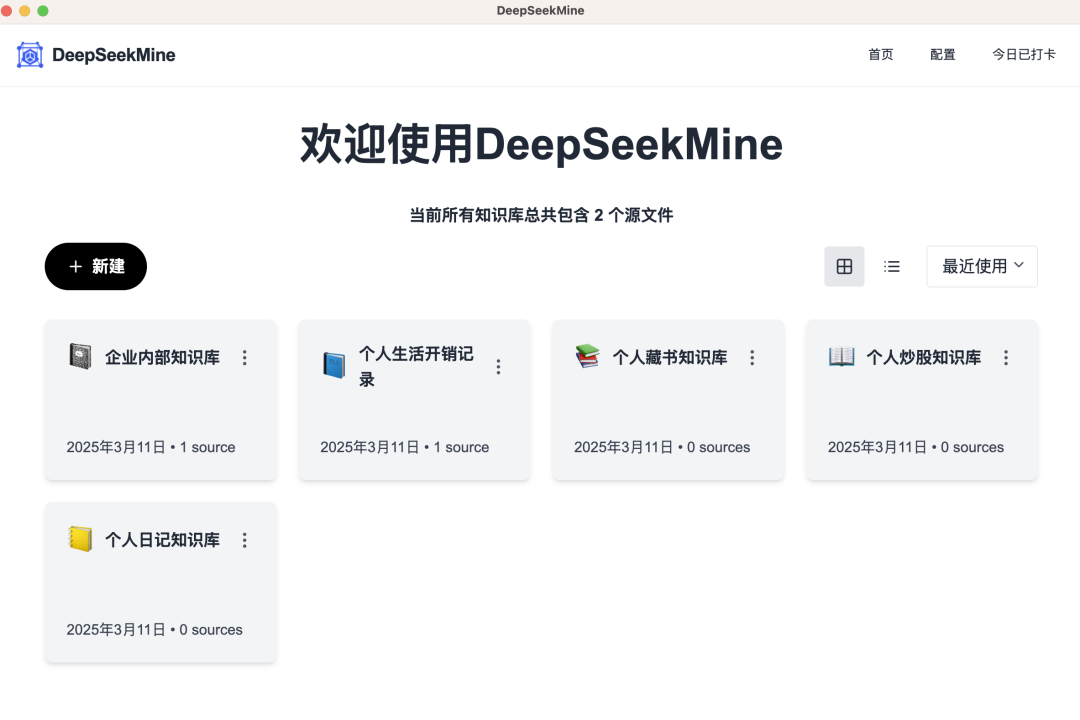
- Clicking any knowledge base card (as shown above) opens its dedicated management page. This page is organized into three vertical panels—from left to right:
- Left: Personal knowledge base management
- Center: Multi-turn chat interface
- Right: Note summarization panel
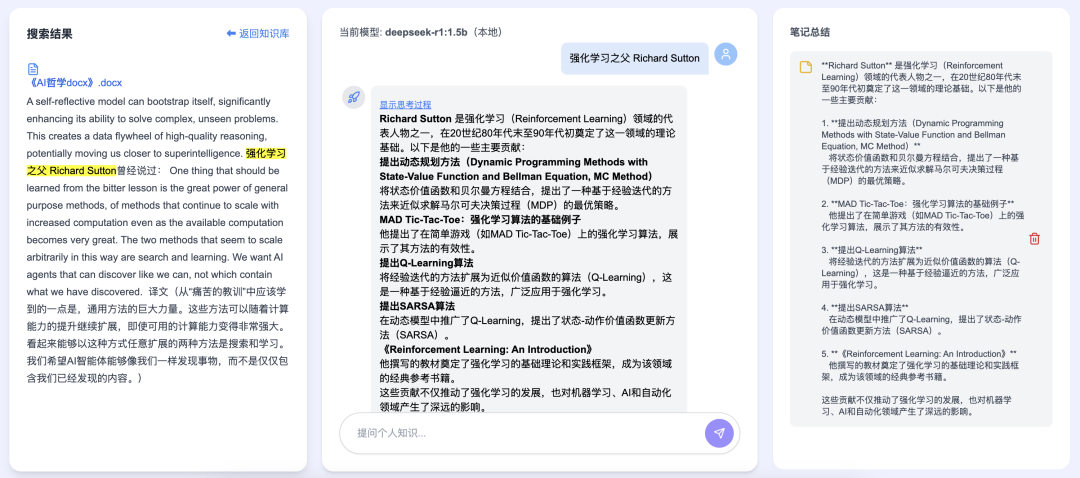
- The knowledge base manager supports PDF and Word files. After importing, click the “eye” icon to preview content in the right-hand viewer:
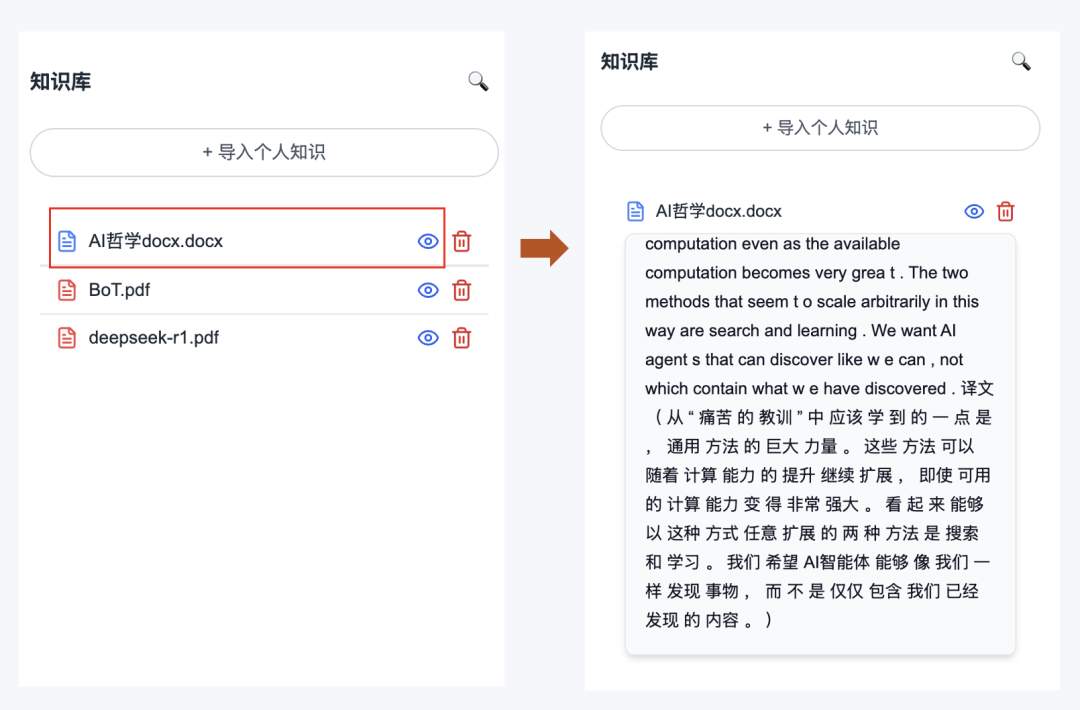
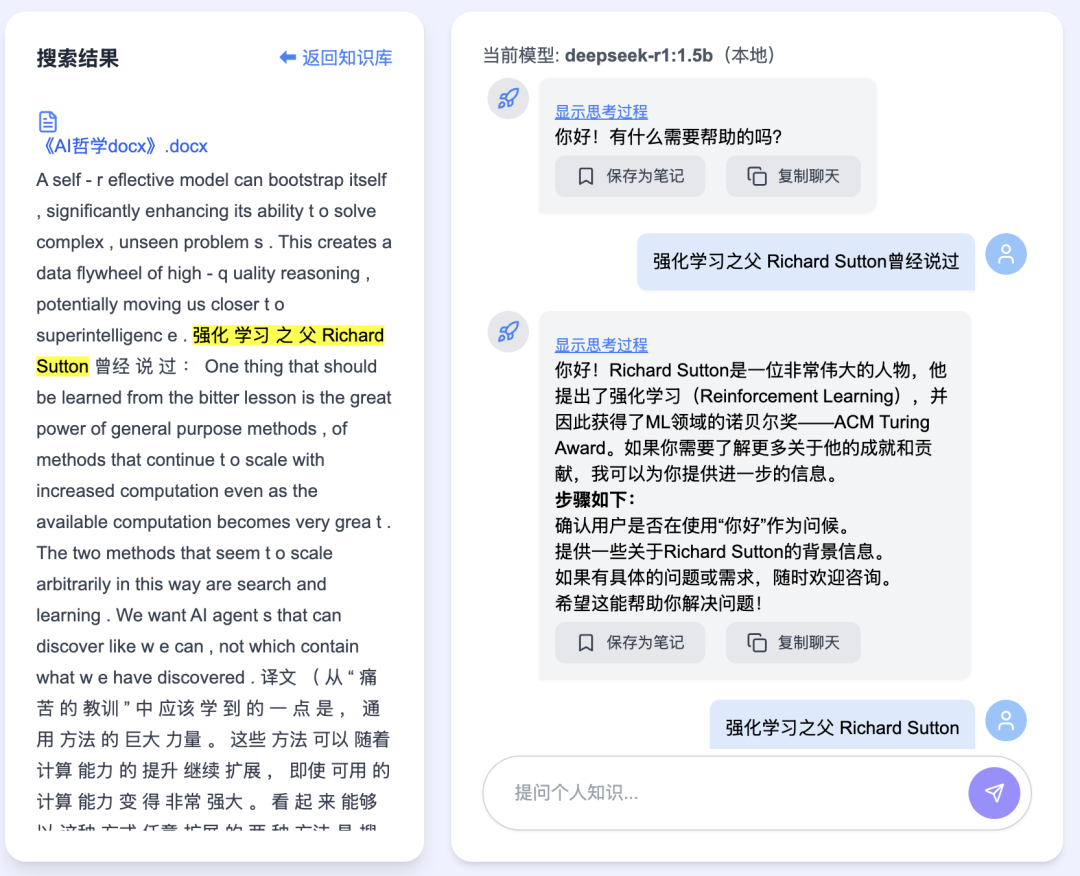
- The chat window now supports multi-turn conversations. When queries match content in your knowledge base, matching passages are highlighted. Additionally, users can now toggle visibility of the model’s internal reasoning steps—and save responses directly as notes:
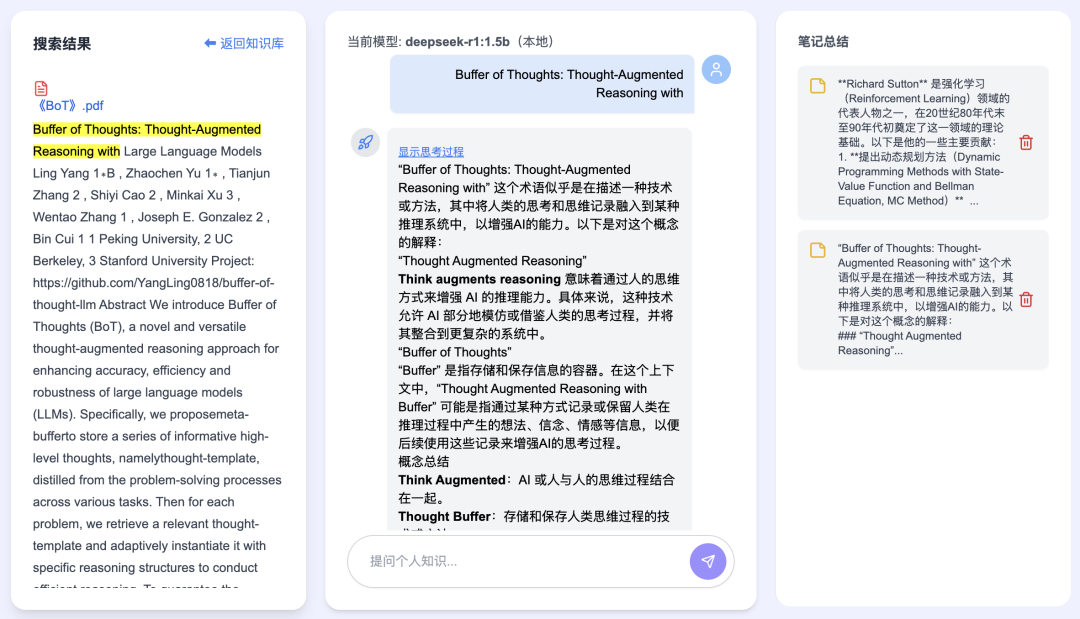
- Clicking “Save as Note” saves the note locally and displays it instantly in the right-hand panel:
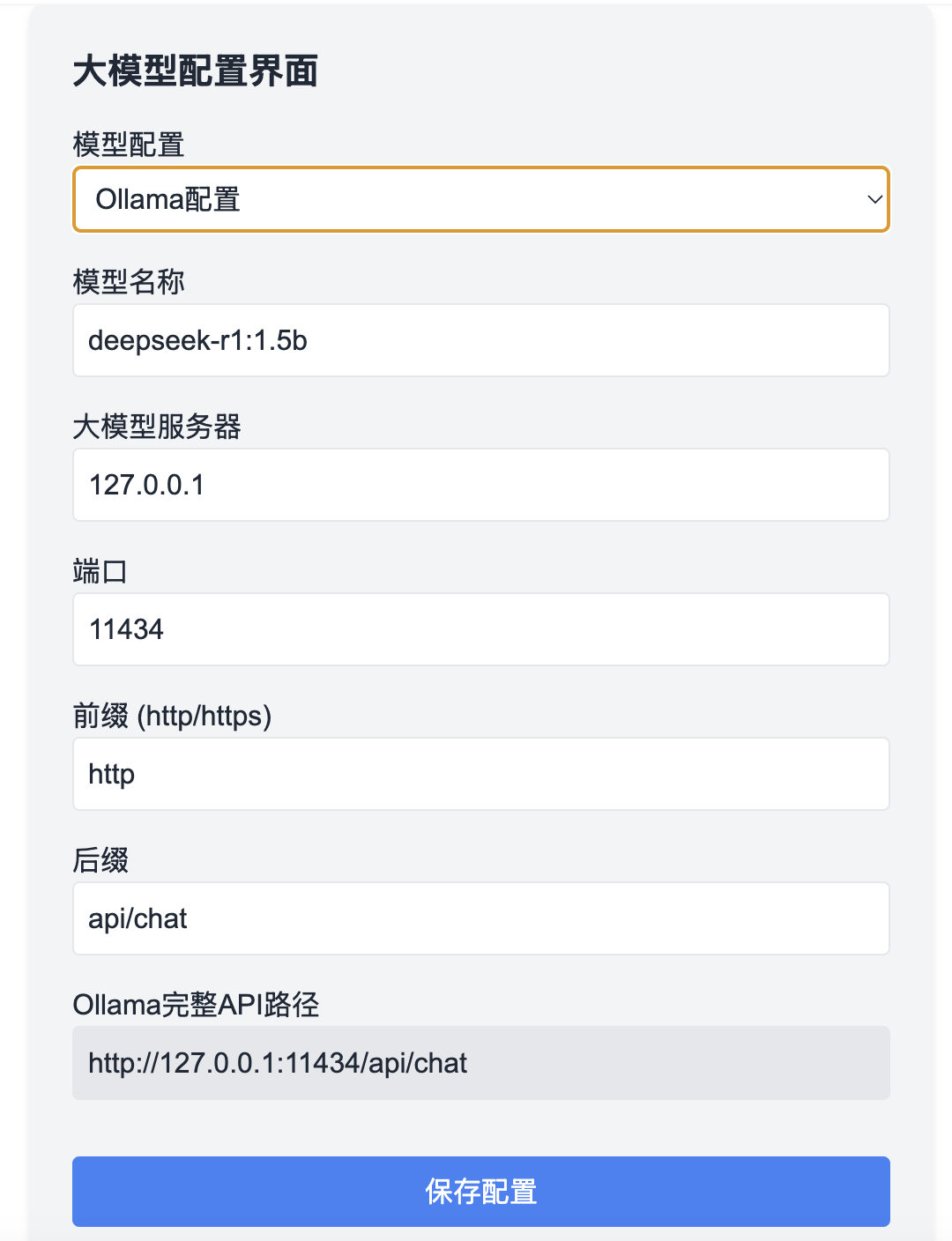
- Large language model (LLM) configuration offers two modes: local deployment and API-based remote access. Shown below is the local configuration interface:
The above demonstrates core functionality and UI updates introduced in v0.5.
2 Software Highlights
To run large language models locally, you must first install Ollama and download DeepSeek-R1.
- Truly plug-and-play. For users leveraging remote LLM compute resources, simply double-click the installer—setup completes automatically, and the application launches ready-to-use.
To achieve true out-of-the-box usability, we performed over 50 packaging iterations, due to complex interdependencies introduced by the new Next.js framework—including Node.js runtime, Python environment, and Meilisearch (our next-generation search engine).
-
File security guaranteed. All personal knowledge base files are processed entirely offline—no file is ever uploaded to any cloud server. Your data remains 100% private and secure.
-
Sub-second response times. No manual vector database setup required. Leveraging Meilisearch’s high-performance indexing engine tightly integrated with the LLM, we enable efficient RAG (Retrieval-Augmented Generation) inference—delivering intelligent answers in milliseconds.
-
Fully open-source and free. All features are completely free to use—zero cost, zero subscriptions.
3 Installation Instructions
Today we’re releasing the Mac v0.5 one-click installer. The Windows v0.5 installer is currently delayed due to a technical hurdle—we’re resolving it urgently and will announce availability via official channels as soon as it’s ready.
To obtain both the Mac v0.5 installer and the Windows v0.4 installer, follow these steps: → Visit my WeChat Official Account (see QR code below) → Send the keyword “KnowledgeBase” → You’ll receive an instant download link:

After downloading:
-
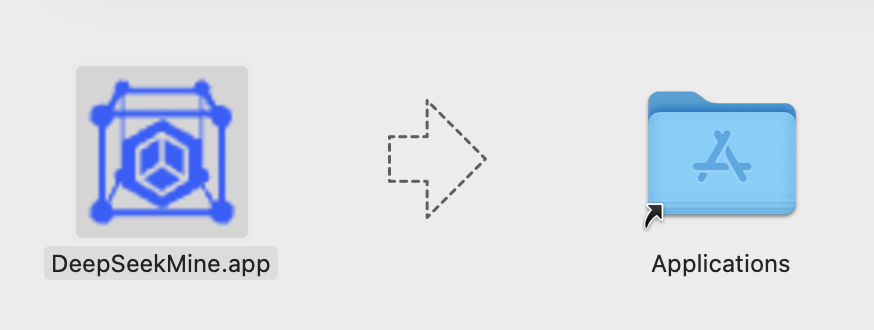
On macOS: Simply drag the app icon into your Applications folder—installation complete.
-
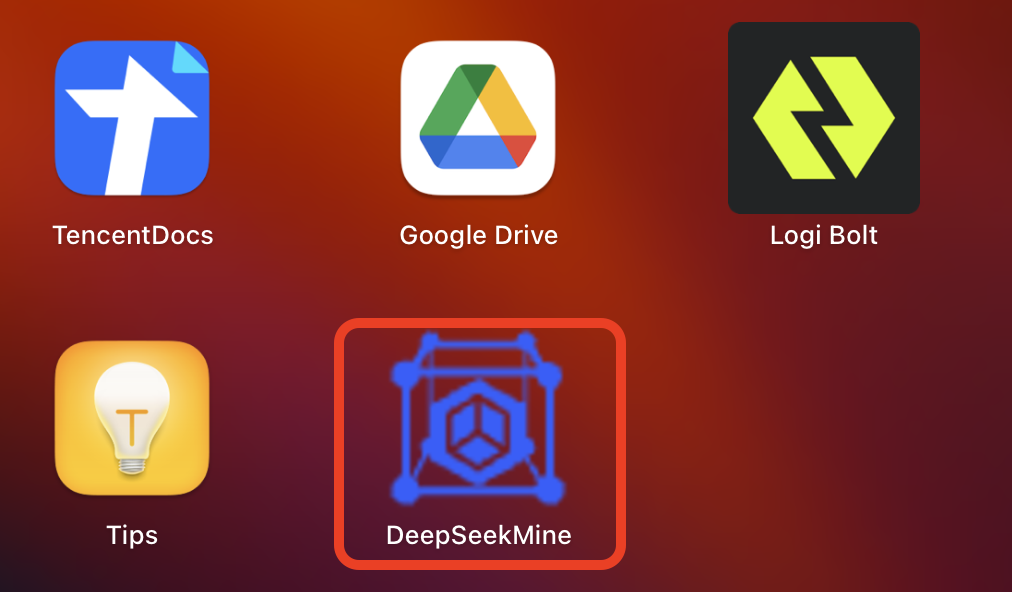
Then double-click the app icon to launch it directly:
4 Development Roadmap
-
Ongoing stability optimization. Our top priority remains improving robustness of current features. If you encounter freezing or unresponsiveness: → Mac users: Open Terminal and run:
kill $(lsof -ti:3000,7700)→ Then relaunch the application. -
Next focus: Knowledge Base Agent & RAG algorithm enhancement. From day one, we’ve pursued a clear objective: How can we maintain high retrieval accuracy while reducing latency to sub-second levels? Today’s state-of-the-art precise RAG systems rely heavily on embedding-based vector search—yet on typical consumer hardware, such operations routinely take over 2 minutes. Achieving consistent sub-second performance would save users 1–2 hours per day, dramatically improving productivity.
-
Upcoming feature development driven by user feedback: - Web browser integration - Expanded file format support (beyond PDF/Word)—including Markdown, EPUB, plain text, and more
Apply This Lesson
Turn this article into AI software, model, API, and security decisions.
English Article FAQ
Use this article as evidence before choosing AI tools
How should I use this AI Tutorials article?
Use it as the implementation or learning layer, then connect the idea to AI software buyer guides, tool comparisons, benchmarks, API choices, and security checks before making a production decision.
Is this English article different from the Chinese original?
The English edition is localized for global AI readers while preserving the original diagrams, screenshots, prompts, code examples, and source context from the Chinese article.
What should I read after Integrate DeepSeek with Your Personal Knowledge Base: Latest Software Package Released?
Continue with AI Software Buyer Guides, AI Tools Workbench, Best AI Coding Agents, AI Model Benchmarks, OpenAI vs Anthropic API, or LLM Security Tools depending on the decision you need to make.
Can this article alone choose an AI product or model?
No. Treat the article as evidence and context, then validate fit with pricing, privacy requirements, integration effort, benchmark results, workflow tests, and fallback planning.
Continue