English translation
DeepSeekMine-V6.1 Software Patch Notes
AI Article Decision Snapshot
Turn the lesson into workflow, model, budget, and security checks before choosing tools.
Use this quick snapshot before leaving the article. It keeps the next search tied to practical AI software, model/API, cost, privacy, and implementation questions.
Workflow fit
Identify the real job behind the article: coding, research, document review, support, analytics, content, or internal automation.
Model or tool decision
Decide whether the next step is a software shortlist, an AI tool comparison, an API platform choice, or a model benchmark.
Budget and usage signal
Estimate seats, API calls, prompt volume, retries, review time, and fallback work before assuming the workflow is cheap.
Security and privacy review
Check whether source code, customer data, private documents, prompts, logs, or embeddings will enter the AI workflow.
The most valuable part of a bug-fix description is clearly stating when the issue occurs and how users can verify it’s been resolved. Simply writing “user experience optimized” rarely inspires confidence. Only fixes that are reproducible and verifiable truly help users.
If you maintain your own tools, we recommend documenting every fix in four concise lines:
- Observed symptom
- Triggering conditions
- Fix applied
- Verification result
Such records—rather than memory—will prove far more reliable when similar issues resurface.
This article reports on our updates to the DeepSeekMine software over the past three days following the V6 release.
We’ve further refined the RAG algorithm, fixed several bugs introduced in V6, added progress indicators to the file import interface, and introduced support for managed folders.
1 About DeepSeekMine
Some readers may be encountering DeepSeekMine for the first time—here’s a quick introduction. DeepSeekMine is a local-first personal knowledge base powered by RAG (Retrieval-Augmented Generation), built around the DeepSeek large language model.
Unlike other knowledge-base tools—such as Ima or Nano Knowledge Base—DeepSeekMine performs all file analysis locally: embedding computation, document chunking, and LLM inference happen entirely on-device, with no remote API calls. Compared to similar local-first tools like Cherry or AnythingLLM, DeepSeekMine delivers sub-second response times while maintaining strong accuracy. Here are two user feedback examples:
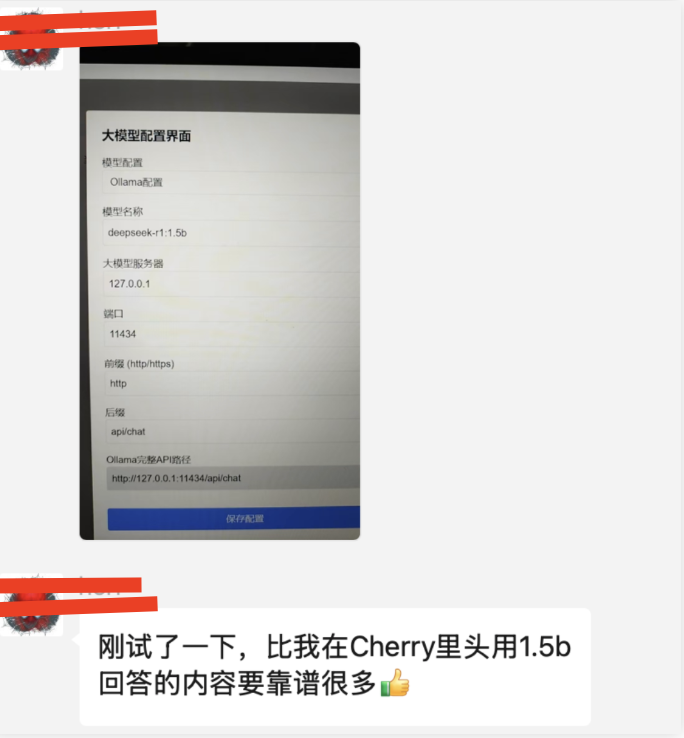
Feedback #2:
So—is there still room to improve RAG accuracy? Absolutely—and we will never stop optimizing it.
Achieving both speed and high accuracy under strict local compute constraints—without relying on any cloud APIs—is exceptionally challenging. Based on our research, no fully local solution currently matches Ima’s RAG accuracy while also running entirely offline. Ima achieves its superior precision thanks to larger embedding models and full-capacity LLMs—resources unavailable in typical local environments.
So why don’t everyone just use Ima? Because many individuals and organizations—due to privacy concerns or internal IT policies—cannot upload sensitive documents to the cloud. As a result, they need AI-powered document analysis that runs entirely on their own machines. Numerous users have shared this exact requirement with us: leveraging LLMs to analyze files stored locally, boosting productivity without compromising data sovereignty.
2 Core Features
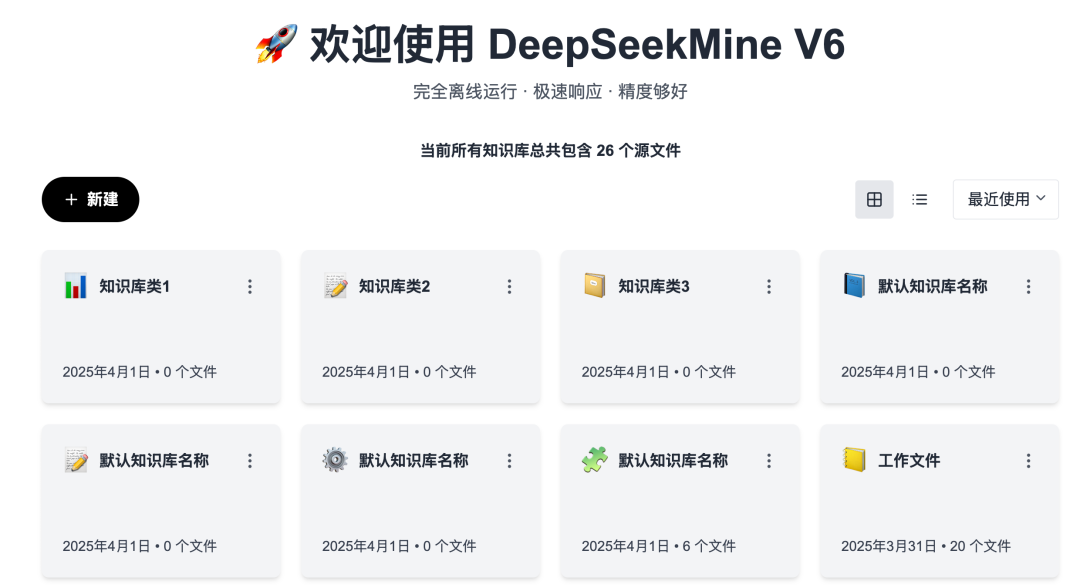
DeepSeekMine is designed for ease of use. The home screen now supports multiple knowledge base types:
Next comes knowledge base import:
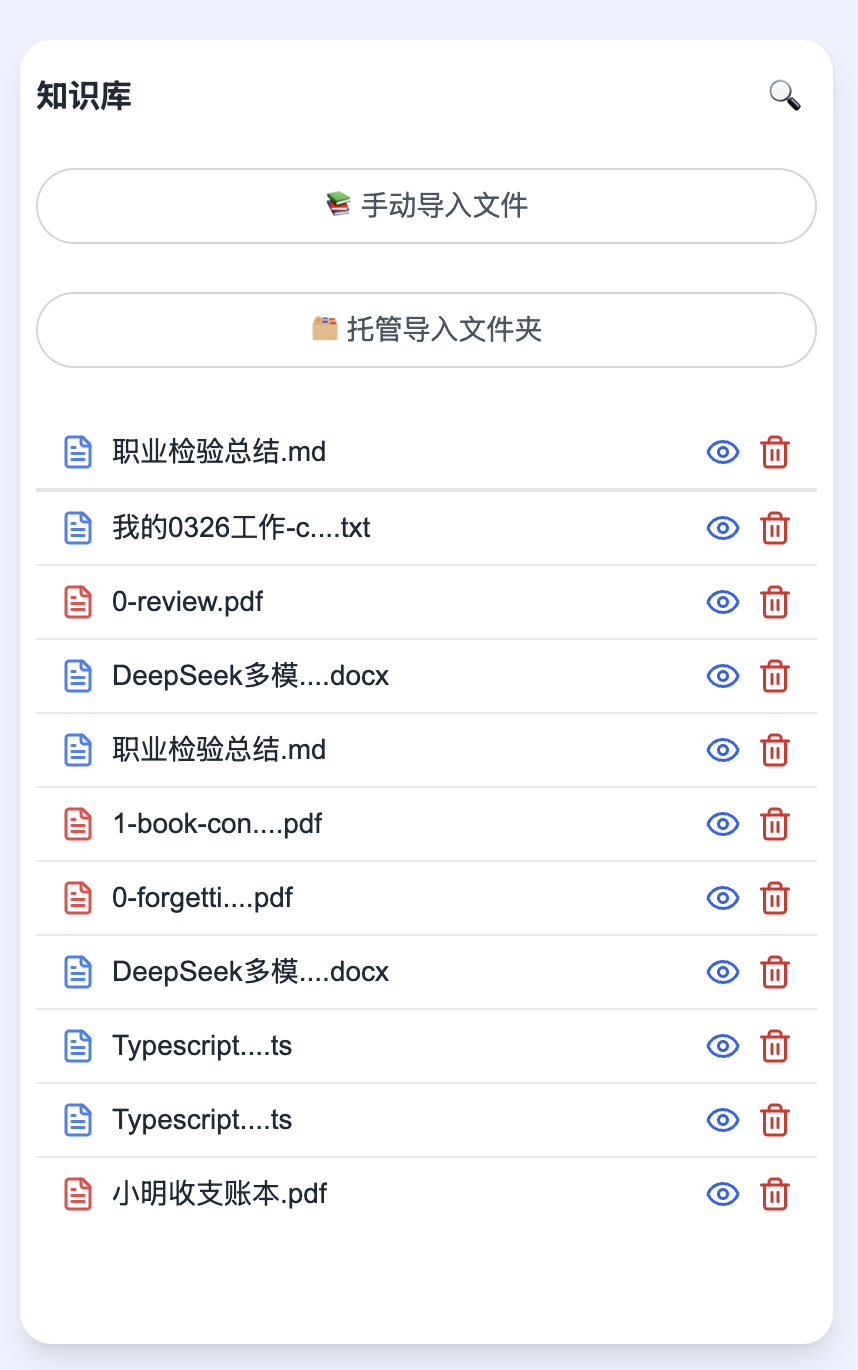
In V6.1, we’re introducing automatic folder management, enabling effortless organization of your document knowledge—no more manual imports one-by-one. There’s no limit on the number of files supported via folder sync.
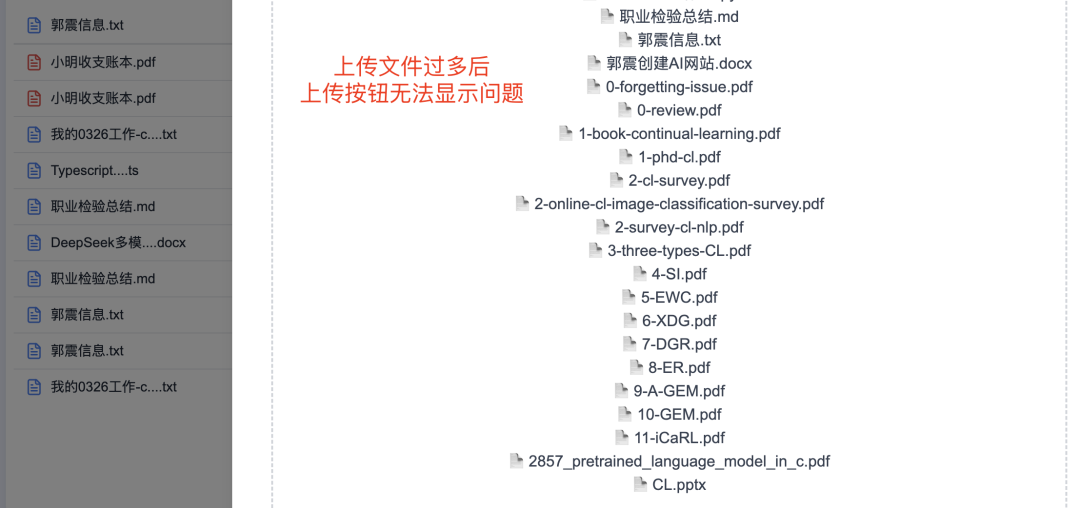
Manual import remains useful in specific scenarios—for example, when you want the LLM to prioritize deep analysis of a select set of critical documents. In V6, we’ve fixed several bugs in the import dialog and improved its UI. For instance, in earlier versions, uploading too many files would obscure the “Upload” button:
V6.1 introduces real-time file import progress tracking, supports file removal during upload, and features a significantly refined UI—making interactions smoother and more intuitive. To ensure stable performance, we’ve also capped single-batch uploads at 10 files:
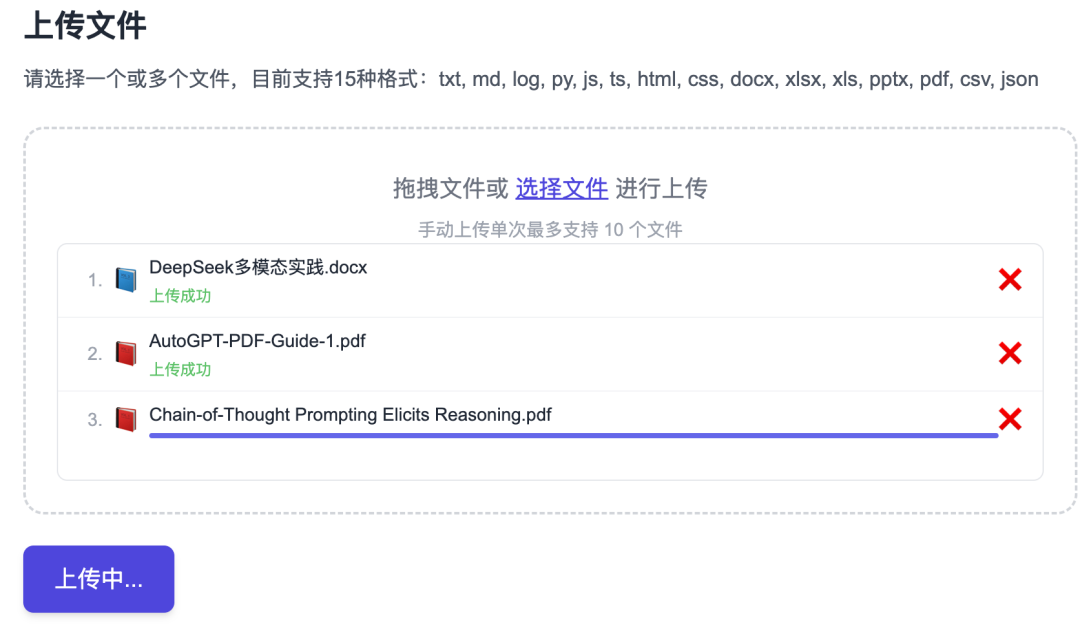
For bulk imports, simply use the managed folder feature—unlimited file count, fully automated.
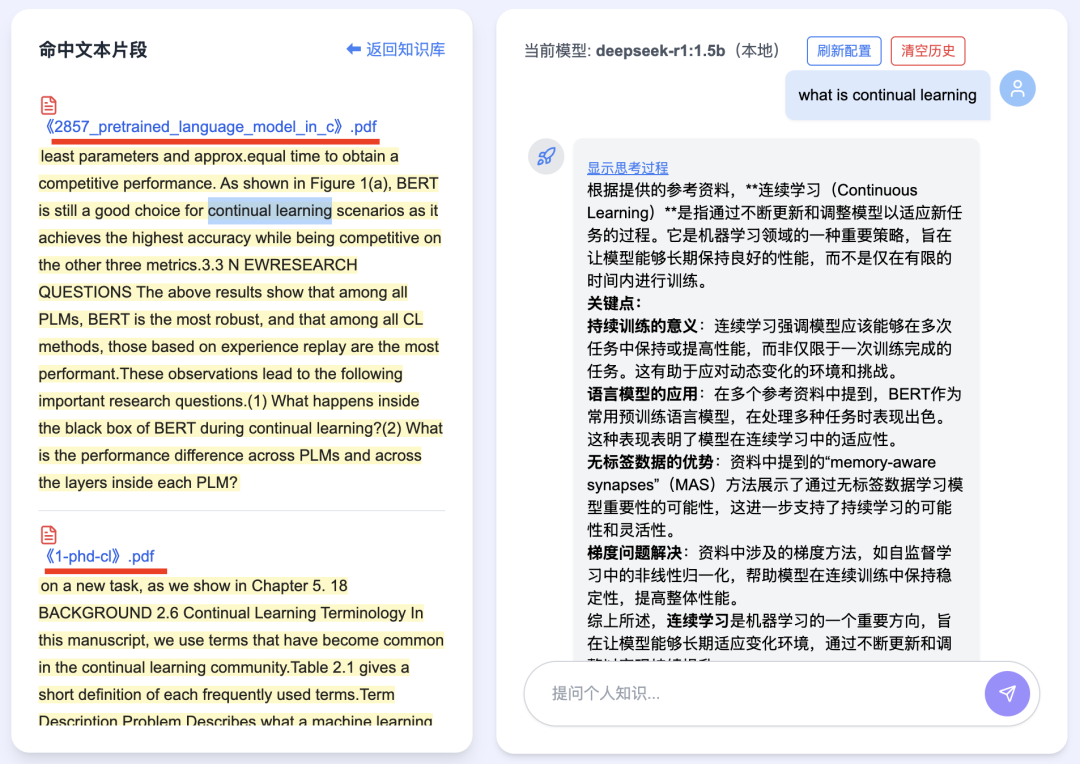
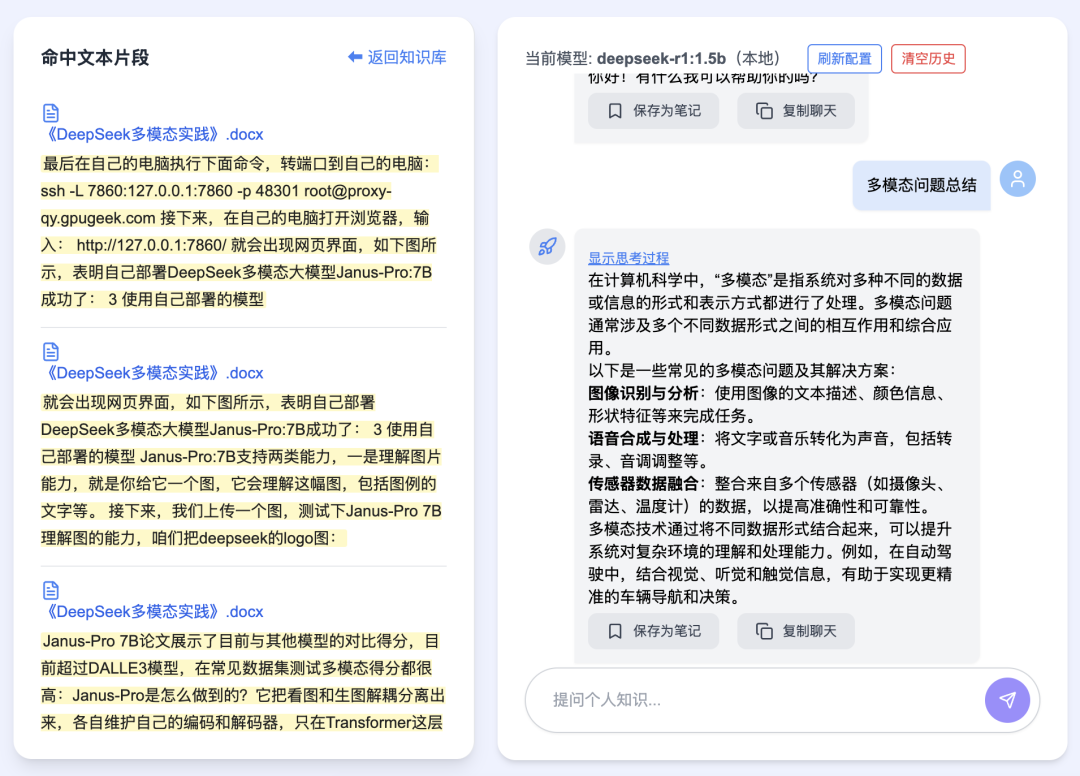
Once files are imported, DeepSeekMine leverages RAG to retrieve the most relevant text fragments and inject them into the LLM for contextual reasoning and summarization.
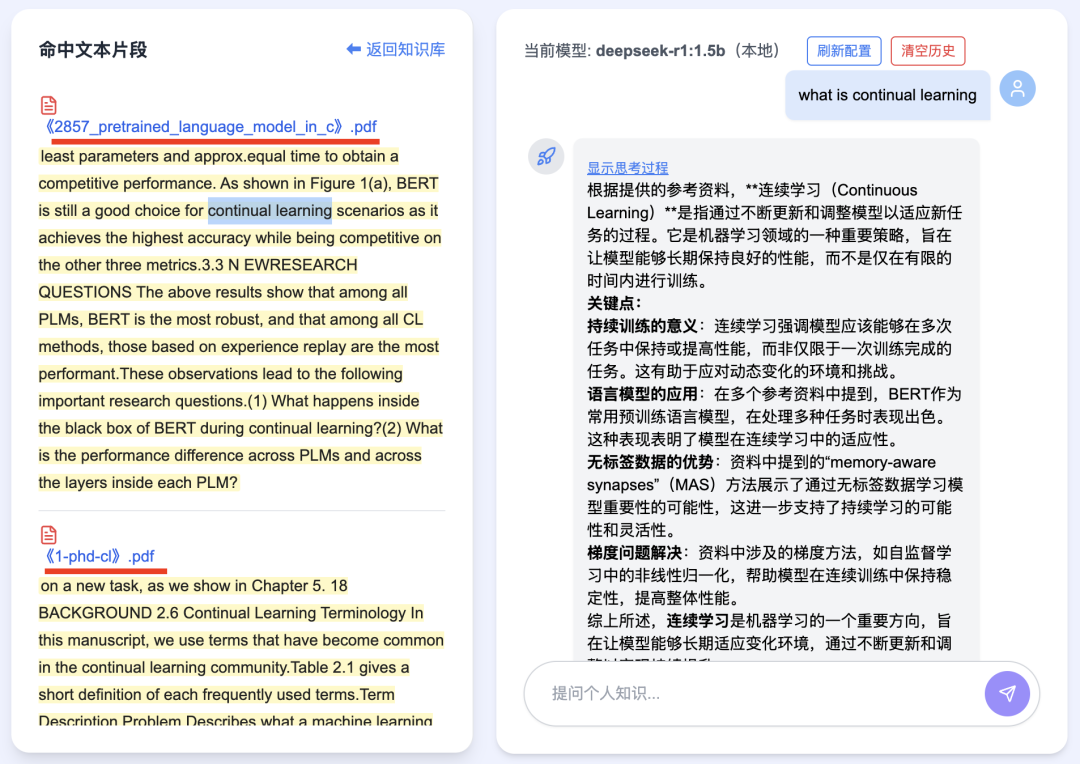
The system supports bilingual (Chinese/English) search: enter a query, and matching knowledge appears dynamically on the left panel—including cross-document retrieval—then feeds into the deepseek-r1:1.5b model to generate answers grounded in your documents:
You can also save any LLM-generated response as a note—stored entirely on your local machine:
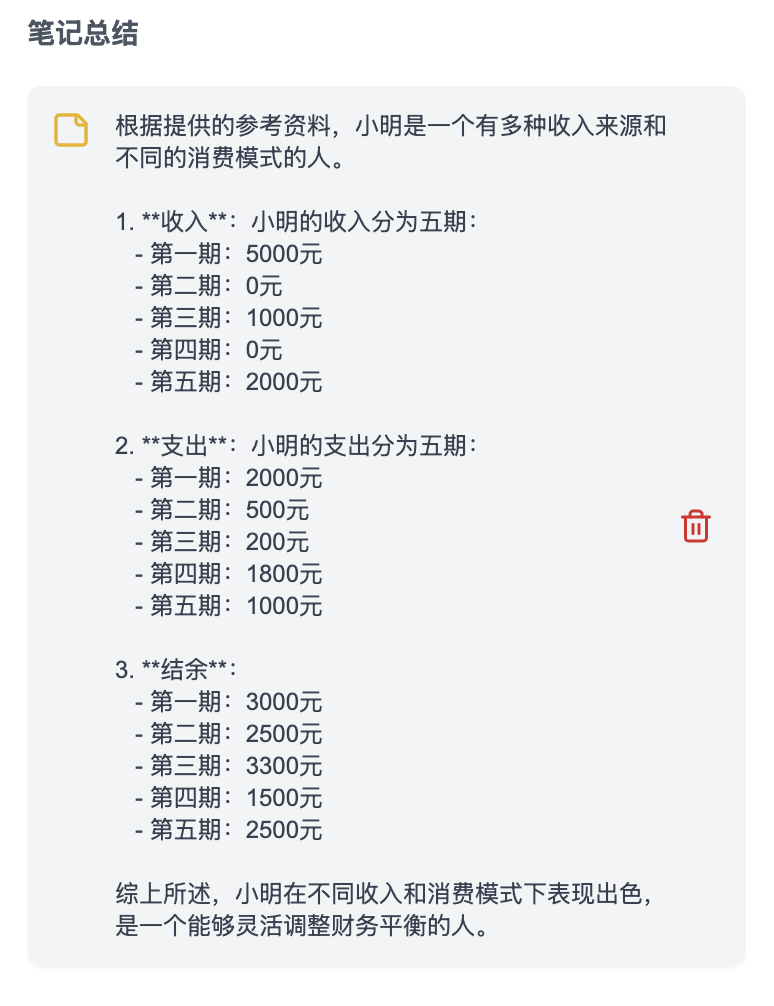
3 Key Updates in V6.1
V6.1 will be released this week. Highlights include:
- Resolved startup lag and failure issues. Private deployment is notoriously tricky due to diverse user environments. One common cause of startup failure identified so far: Windows Firewall blocking the application.

To allow DeepSeekMine through the firewall: Control Panel → System and Security → Windows Defender Firewall → Allow an app or feature through Windows Defender Firewall → Add DeepSeekMine.exe
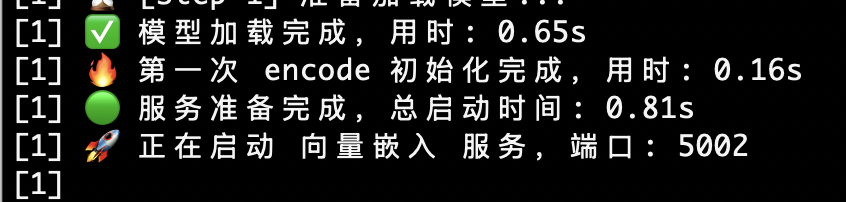
Startup slowness was primarily caused by V6’s new support for large embedding models—initial launch requires model loading and cache initialization. V6.1 includes partial optimizations; subsequent launches will complete within 3 seconds, as shown below:
-
Fixed a bug in the hybrid RAG algorithm related to mixed-language (Chinese/English) tokenization in user queries; fine-tuned hybrid algorithm parameters.
-
Adjusted highlight color for matched documents. Previous versions used overly saturated colors; V6.1 adopts a softer, lighter theme:
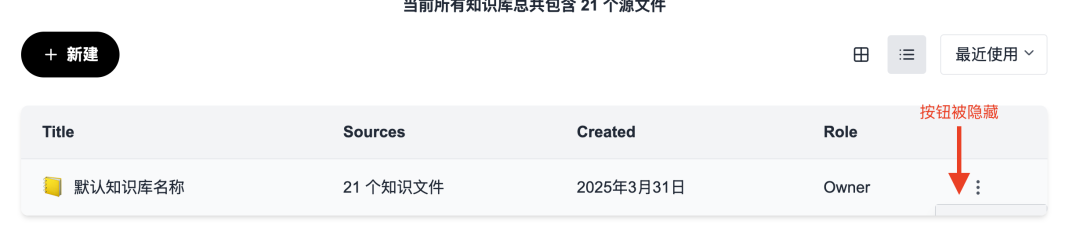
- Fixed unresponsive “Delete” button on the homepage under certain conditions.

Also resolved cases where action buttons were hidden in list views—column headers are now localized to Chinese:
-
Resolved UI clipping issue: when importing large numbers of documents, the confirmation button was previously inaccessible (mentioned earlier in Section 2).
-
New feature: Auto-sync all files from designated folders—enabling seamless, ongoing knowledge base updates.
-
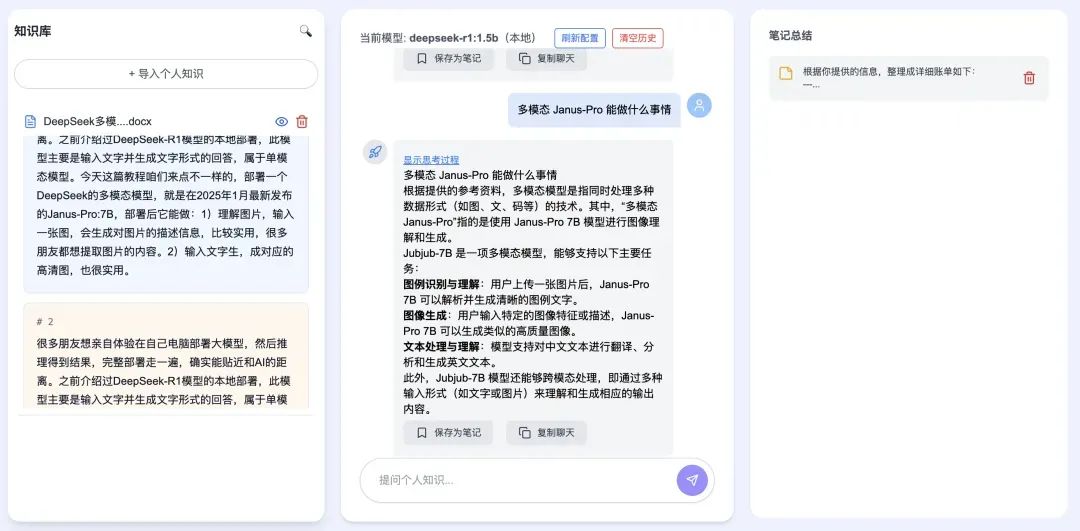
Ongoing UI enhancements: added collapsible three-panel layout with responsive design and flexible view switching:
- Additional minor improvements and stability fixes.
4 Summary
RAG accuracy remains DeepSeekMine’s top priority—and will always be. We’re committed to empowering secure, private, high-fidelity document analysis directly on your local machine.
We hold ourselves to high standards for software quality: fast and accurate—even though the challenge is substantial, and our journey toward perfection continues.
Best of all: DeepSeekMine is completely free to use—no cost, no subscriptions, no hidden fees.
Apply This Lesson
Turn this article into AI software, model, API, and security decisions.
English Article FAQ
Use this article as evidence before choosing AI tools
How should I use this AI Tutorials article?
Use it as the implementation or learning layer, then connect the idea to AI software buyer guides, tool comparisons, benchmarks, API choices, and security checks before making a production decision.
Is this English article different from the Chinese original?
The English edition is localized for global AI readers while preserving the original diagrams, screenshots, prompts, code examples, and source context from the Chinese article.
What should I read after DeepSeekMine-V6.1 Software Patch Notes?
Continue with AI Software Buyer Guides, AI Tools Workbench, Best AI Coding Agents, AI Model Benchmarks, OpenAI vs Anthropic API, or LLM Security Tools depending on the decision you need to make.
Can this article alone choose an AI product or model?
No. Treat the article as evidence and context, then validate fit with pricing, privacy requirements, integration effort, benchmark results, workflow tests, and fallback planning.
Continue