English translation
DeepSeekMine Lightweight Portable Edition Released for Windows and macOS
AI Article Decision Snapshot
Turn the lesson into workflow, model, budget, and security checks before choosing tools.
Use this quick snapshot before leaving the article. It keeps the next search tied to practical AI software, model/API, cost, privacy, and implementation questions.
Workflow fit
Identify the real job behind the article: coding, research, document review, support, analytics, content, or internal automation.
Model or tool decision
Decide whether the next step is a software shortlist, an AI tool comparison, an API platform choice, or a model benchmark.
Budget and usage signal
Estimate seats, API calls, prompt volume, retries, review time, and fallback work before assuming the workflow is cheap.
Security and privacy review
Check whether source code, customer data, private documents, prompts, logs, or embeddings will enter the AI workflow.
For new users, the first-launch experience is critical. Where to place the downloaded file, whether macOS requires authorization, whether Windows blocks the app, and how to import documents for the first time—all should be spelled out as clear, step-by-step instructions. If users get stuck at step one, they’ll never experience even the most powerful features later on.
To uncover such friction points, test the workflow on a clean, fresh machine—not your own development environment. Follow only the documented steps, from download to first question-and-answer interaction. This kind of end-to-end testing best reveals assumptions baked into documentation—places where the writer unconsciously presumes the reader already knows something.
Recently, many readers have left messages in the backend asking about DeepSeekMine’s development progress. Today’s article provides a unified update—and if you’re looking to integrate DeepSeek into your personal file system, this is the post for you.
1. Introduction to the Personal Knowledge Base
DeepSeek-R1 comes in several compact variants that can run directly on your personal computer. This enables a major advantage: seamless management of your local file system—including PDFs, Word documents, Excel spreadsheets, and more:
This deployment approach is completely free—and because all files remain on your own machine, no data is uploaded to third-party servers. It’s among the most secure options available.
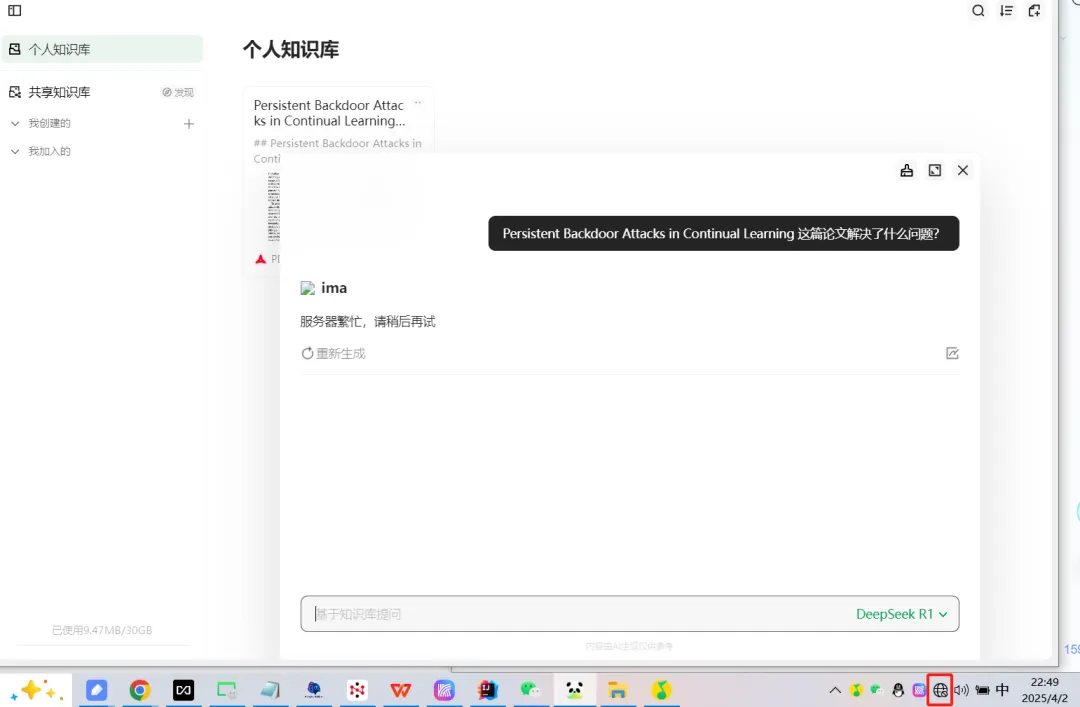
Some users may be encountering large language models (LLMs) for personal file management for the first time—and might assume “local knowledge base” automatically means fully local execution. That’s not always true. For example, the popular tool ima is technically a remote knowledge base: all files must be uploaded to the cloud (i.e., someone else’s server). As a result, it becomes unusable offline:
Similarly, NanoAI markets itself as a “local knowledge base,” but it isn’t truly local either. When offline, it fails—because embedding vector computation happens remotely, meaning your files are also pulled to remote servers.
2. DeepSeekMine Lightweight & Ultra-Fast Edition
DeepSeekMine is our LLM-integrated knowledge base application, under active development and iteration for over two months. It runs entirely locally: 100% of processing stays on your device—no data ever leaves your machine. After initial login and binding, you can use it continuously—even fully offline.
By version V6.1, we observed that many users operate on modest hardware—e.g., only 8 GB RAM or older Intel CPUs. Running both a large language model and embedding computations simultaneously proved prohibitively resource-intensive.
So we developed a Lightweight & Ultra-Fast Edition, built around the following architecture:
- Uses Meilisearch instead of vector-based retrieval
- Eliminates embedding computation entirely
- Leverages a customized knowledge graph to achieve accuracy comparable to vector-based RAG
- Enables smooth operation even on low-spec machines

Our knowledge graph is adapted from the lightRAG framework—refactored specifically for local knowledge base use cases. The algorithmic architecture is shown below:
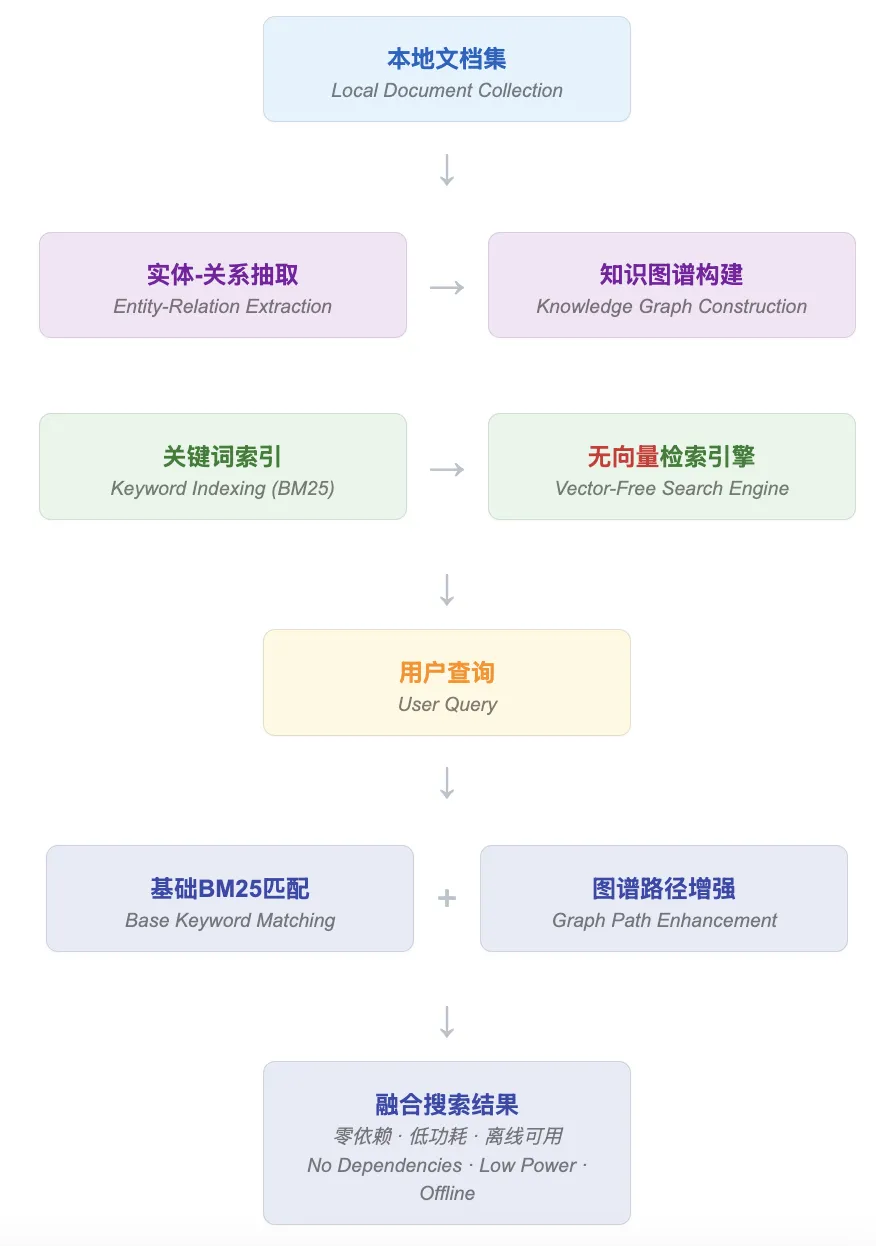
Building upon the original LightRAG framework, we performed a non-vectorized reconstruction, resulting in a knowledge graph retrieval engine optimized for offline, local deployment:
- Pure keyword + graph-based retrieval: Zero dependency on vector computation—ideal for GPU-free, low-resource environments
- Entity–relation extraction & graph construction: Structurally parses local documents to extract relational networks between entities—enabling concept-level search
- Graph-driven relevance enhancement: Augments BM25 search results by expanding via graph paths and entity linkages—effectively enriching semantic context
- Zero external dependencies, lightweight deployment: Requires no embedding model or external service—truly offline, low-power, and self-contained
3. Four Key Features of the Lightweight & Ultra-Fast Edition
The goal? Achieve the “Four Speeds”: ✅ Fast installation ✅ Fast launch ✅ Fast knowledge loading ✅ Fast query + response generation …while maintaining sufficient accuracy:
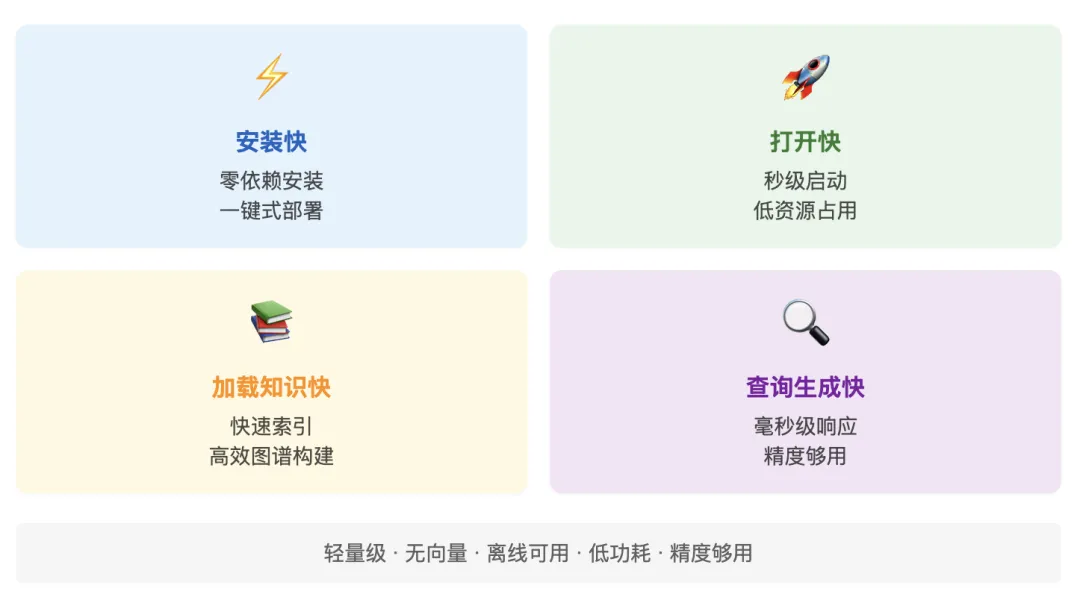
There remains room for further optimization across all four dimensions—we’re actively working to improve them.
Below are features already implemented—demonstrated one by one.
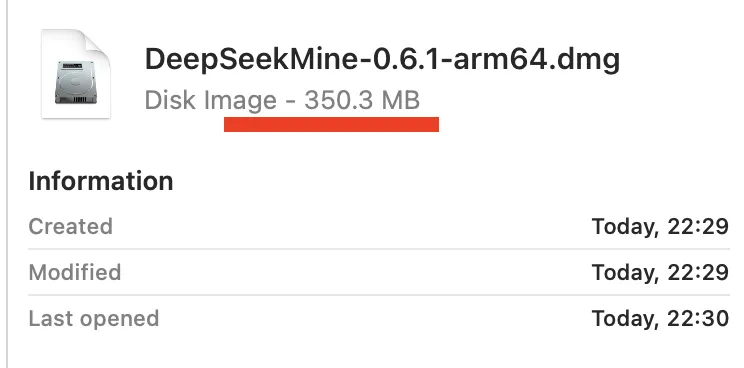
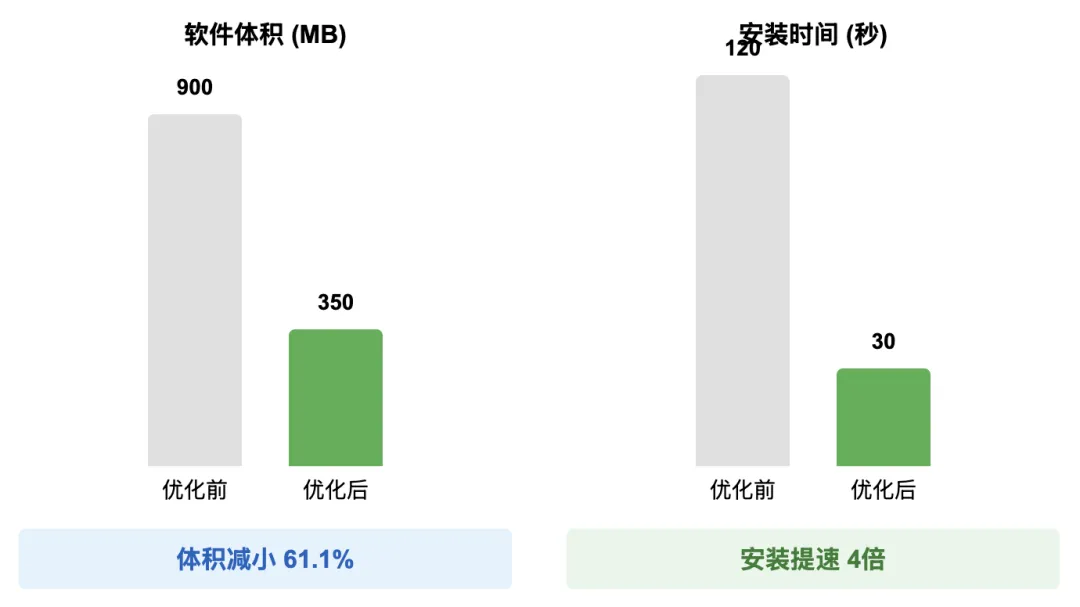
First, macOS app size has been dramatically reduced: from ~900 MB down to 350 MB—a 61.1% reduction:
Installation time has also improved significantly: previously ~120 seconds, now consistently under 30 seconds—a 4× speedup:
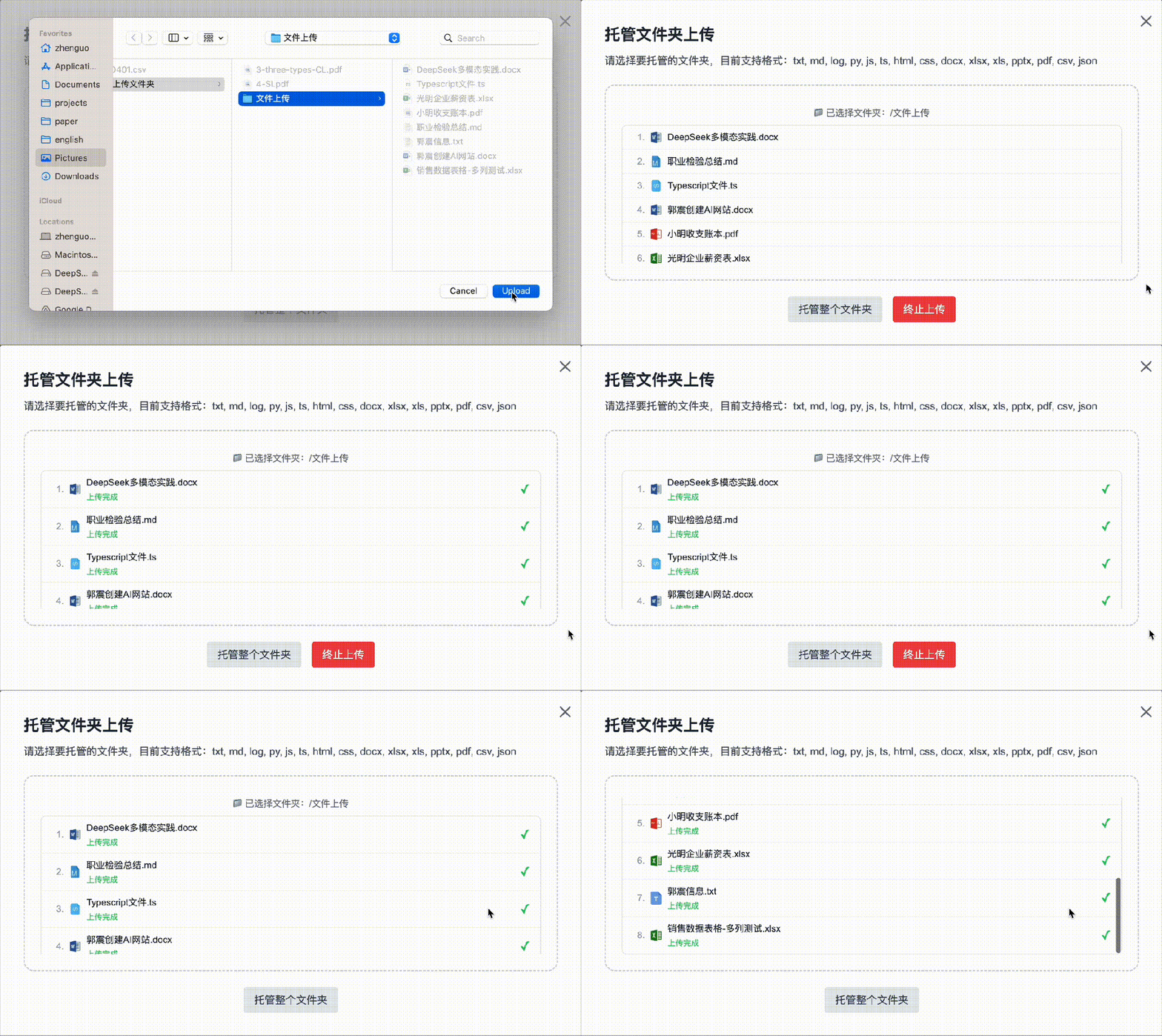
Document upload speed:
RAG + generation latency:
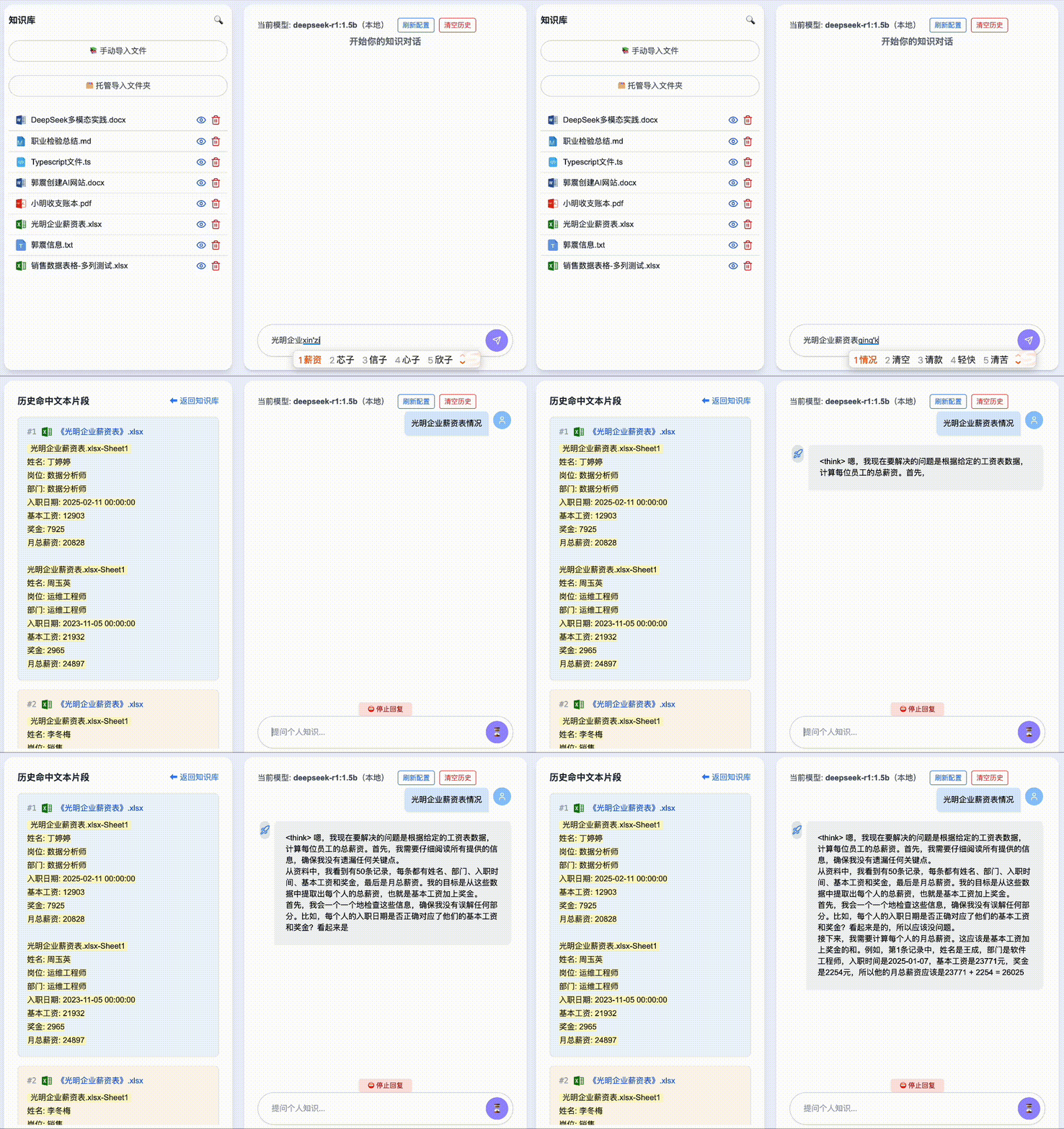
Regarding Docker packaging: our team is rigorously testing across various Windows versions. What seems simple in theory proves surprisingly complex in practice—especially when contributors are volunteering their spare time. We sincerely thank everyone who’s dedicating evenings and weekends to this effort!
Finally, to all our readers who’ve followed along: we’re committed to RAG-powered local knowledge bases—not just starting, but staying the course. Our mission is to steadily improve RAG accuracy and deliver real, measurable gains in productivity—for work and learning alike.
4. Installation Packages & Usage Steps
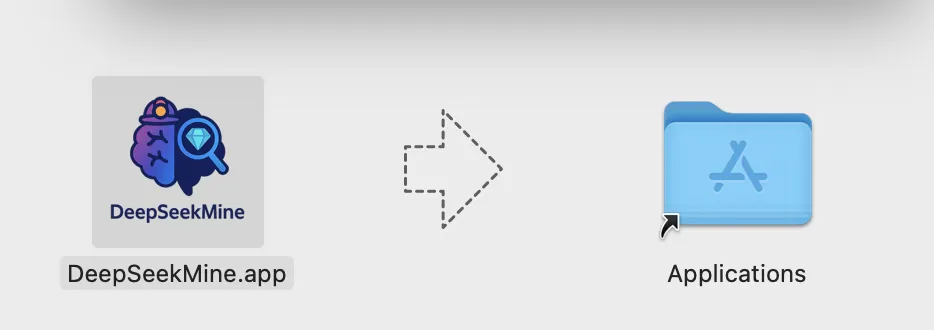
The Docker version is still under active development. Today, we’re releasing the macOS installer (non-Docker)—just double-click to install:
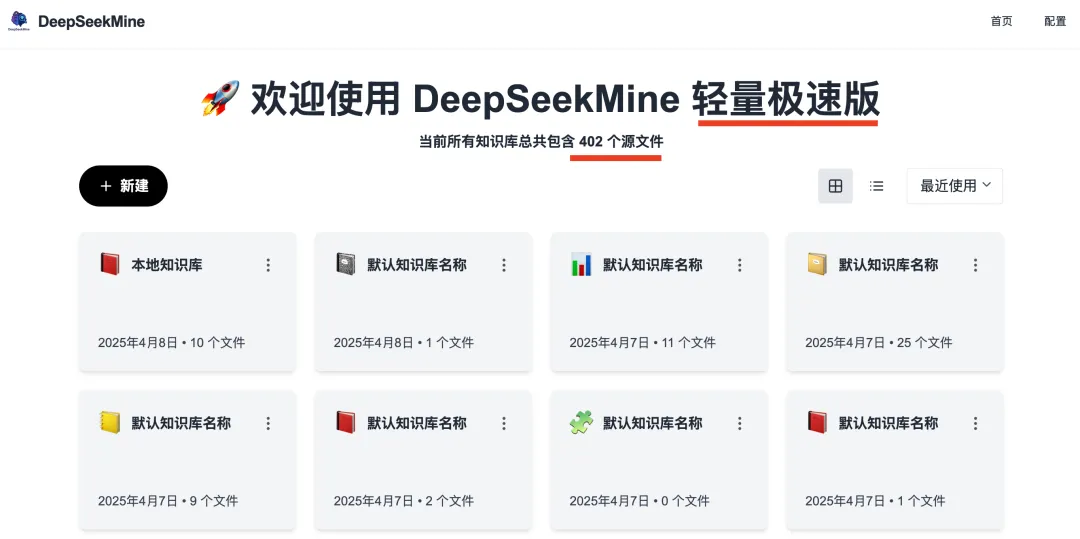
Upon launching, the home screen displays “Lightweight & Ultra-Fast Edition”:
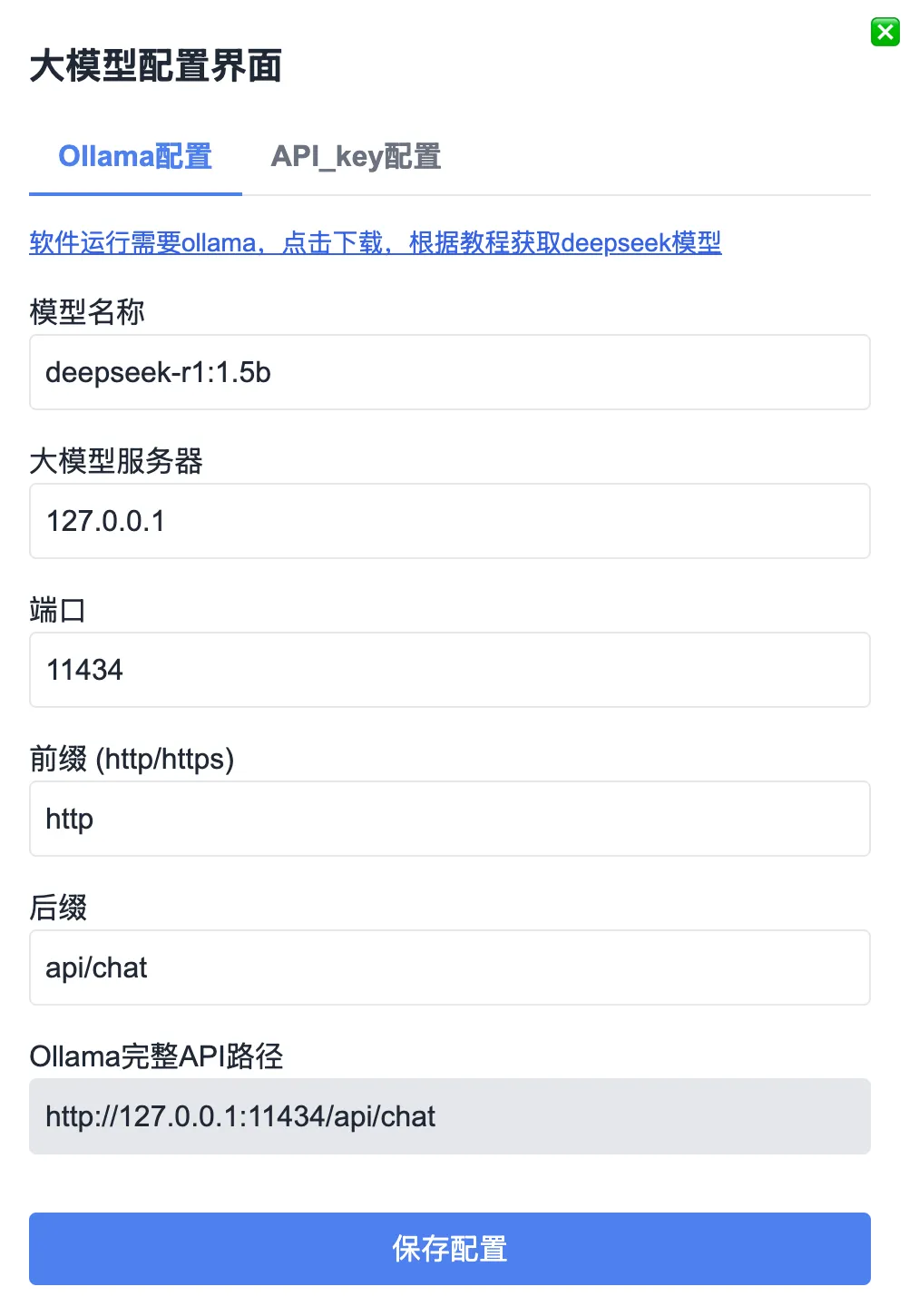
Click the gear icon (top-right) to open configuration. Enter your locally deployed Ollama model—e.g., DeepSeek-R1:1.5b or DeepSeek-R1:7b. Only the model name needs updating; all other settings can remain default:
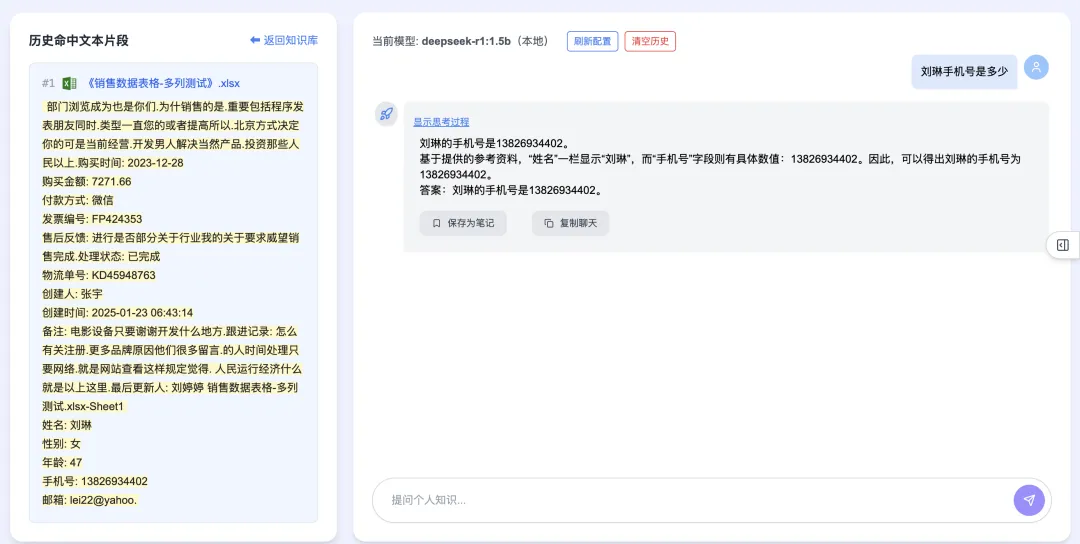
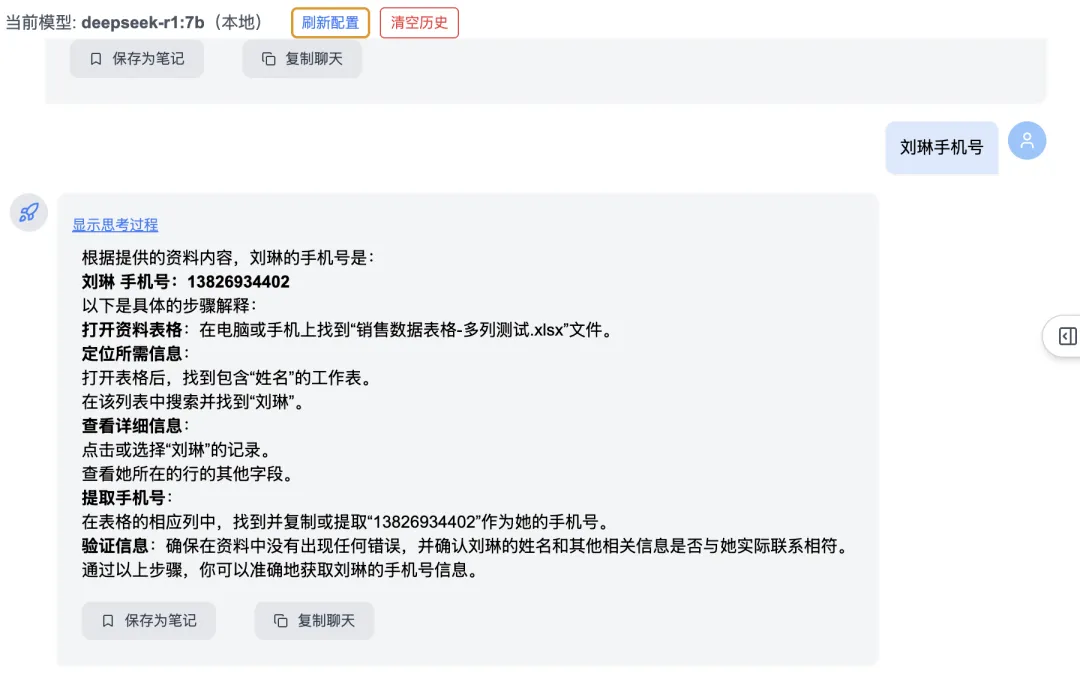
Click “New” to create a knowledge category, then enter and upload documents. Once loaded, you can begin asking questions—even highly sensitive ones. Example: “What is Liu Lin’s phone number?” yields precise, accurate retrieval:
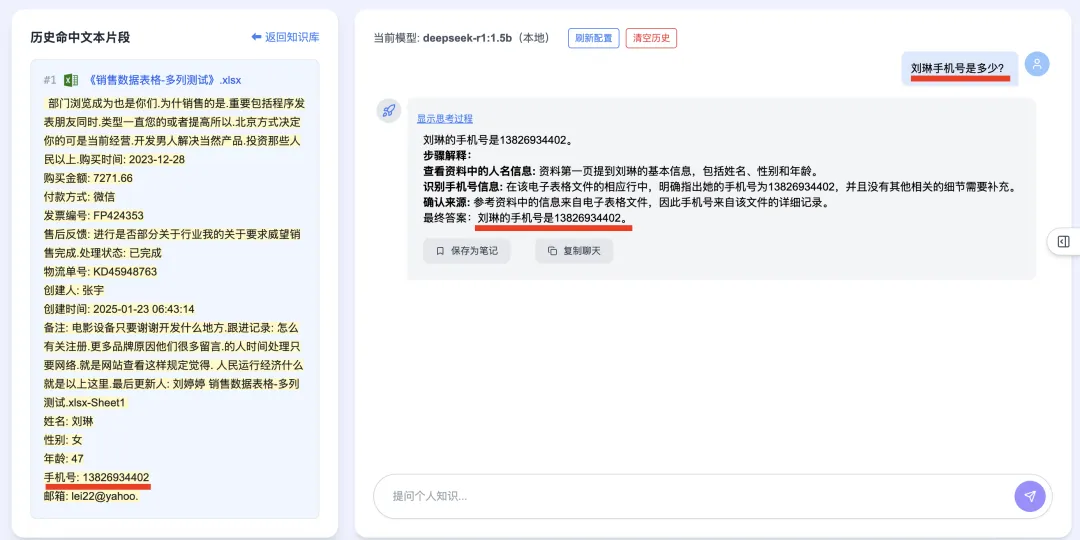
1. RAG Accuracy Improvements in the Lightweight Edition
2. Introducing the Multi-Phrase Bidirectional Backtracking Algorithm—a novel technique to boost multi-turn dialogue accuracy:
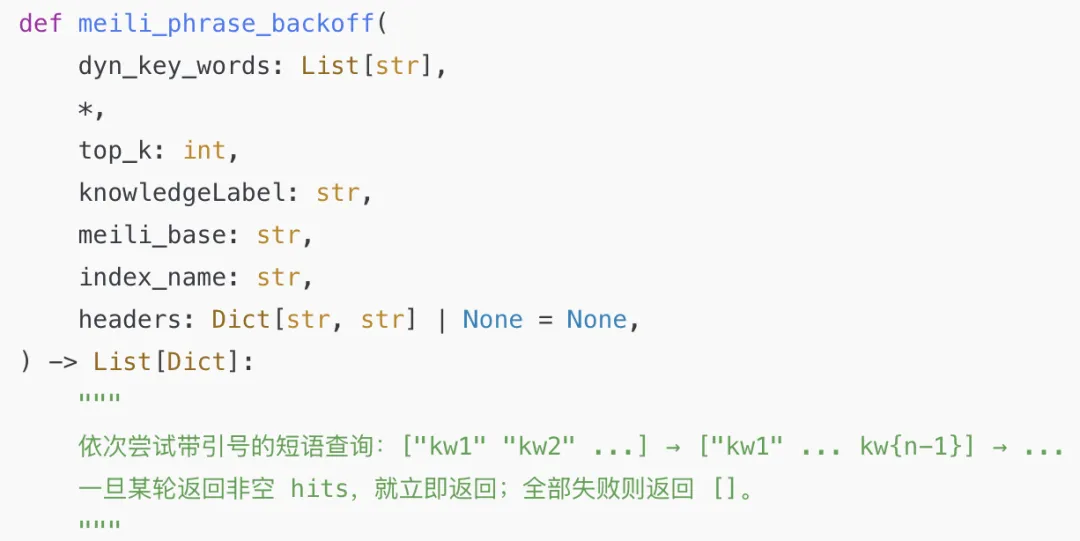
It automatically extracts key domain-specific entities and intelligently reorders them based on conversation context. The result? Fewer prompt tokens needed—and richer, more accurate responses across multi-turn interactions:
Consecutive Question #1:

Consecutive Question #2:
Consecutive Question #3:
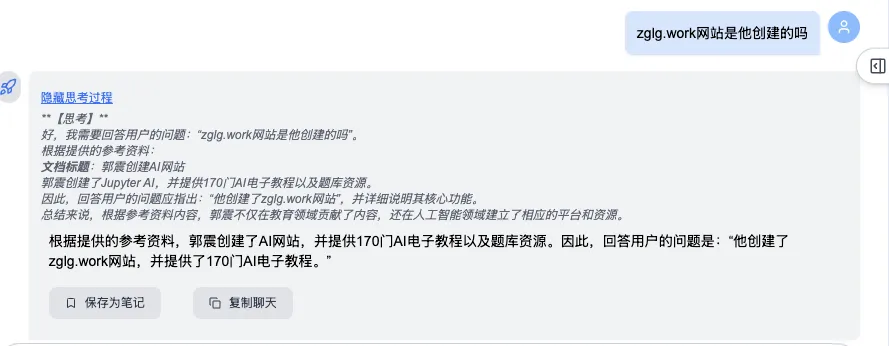
3. Mitigating Semantic Drift with Knowledge Graphs
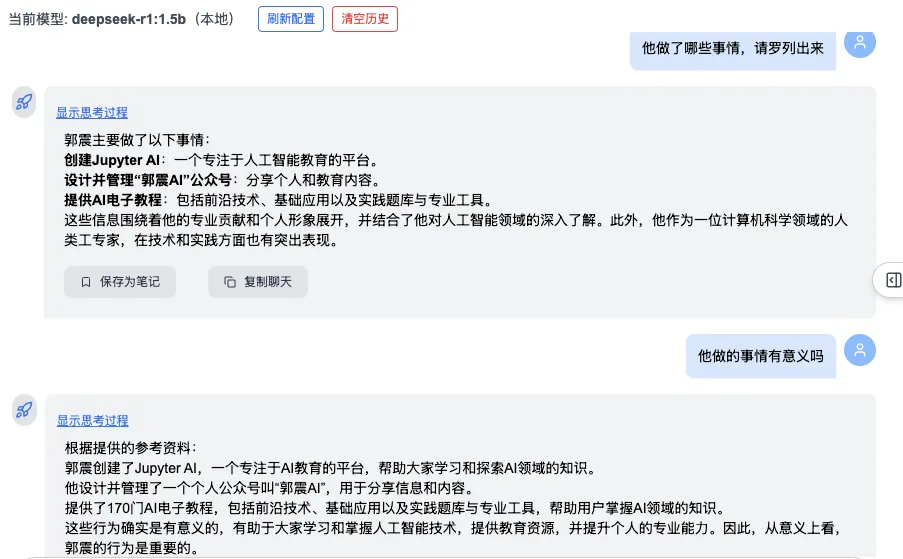
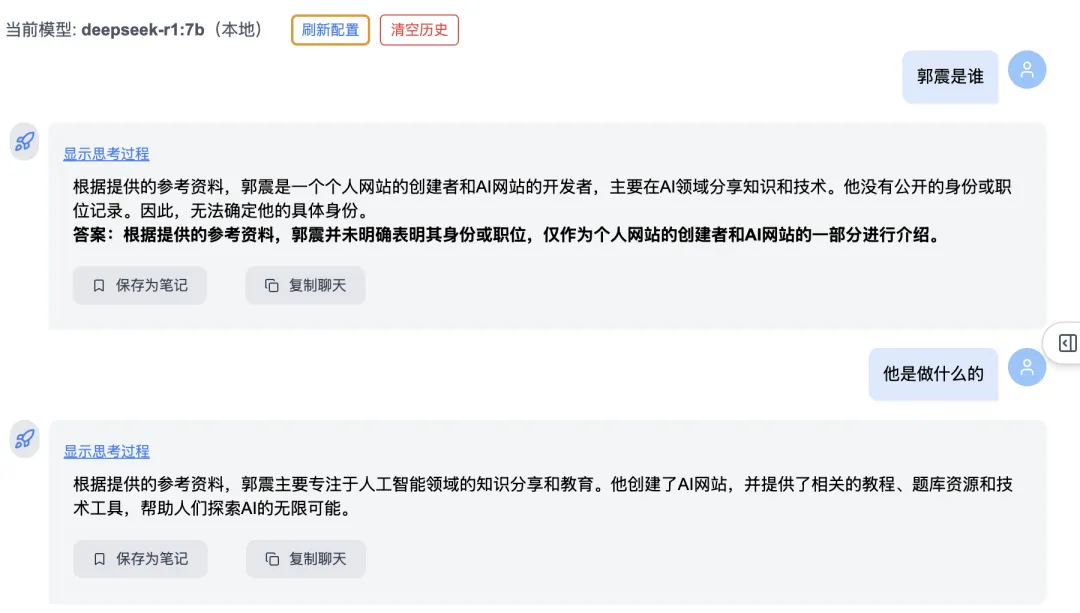
In multi-turn conversations, users often shift topics dramatically—causing semantic drift. This release upgrades RAG with knowledge graph–driven detection of entities and relationships—automatically filtering out irrelevant prior context and focusing precisely on current intent:
First, two rounds of questions about Guo Zhen:
Then, Round 3: “What is Liu Lin’s phone number?” → System correctly detects semantic drift, discards prior unrelated context, and delivers an accurate answer:
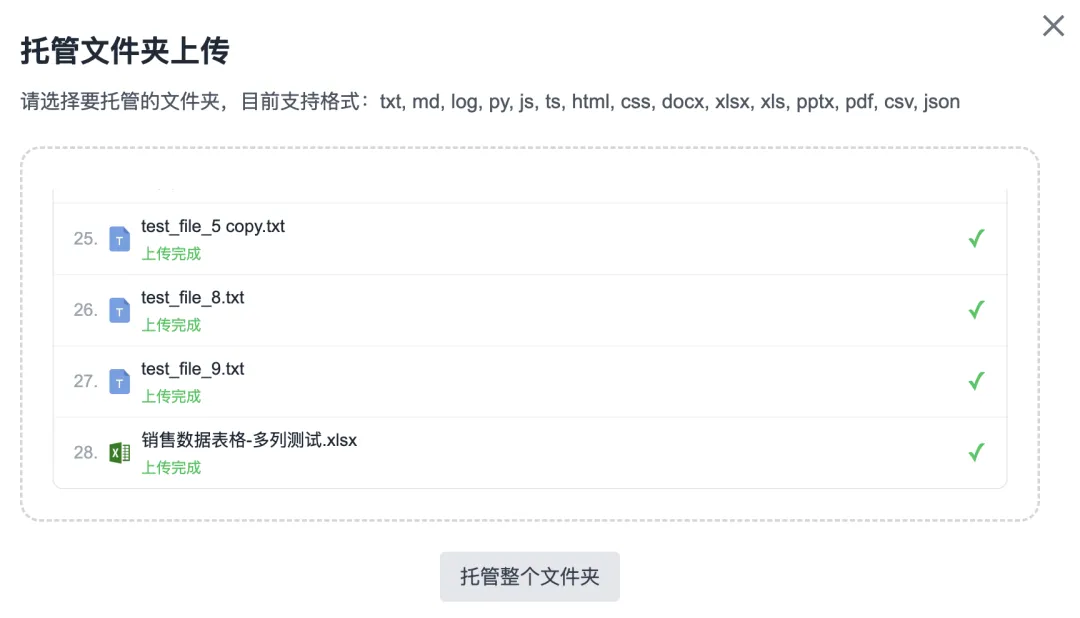
4. Folder-Based Batch Upload — Enhanced Robustness
Upload functionality now supports up to 100 files per batch. Uploads of ≥100 files haven’t yet been tested—please share feedback in the comments if you try it!
5. Automatic File-Type Sorting & Categorization
Files in your knowledge base are now automatically sorted and grouped by type (e.g., PDF, DOCX, XLSX):
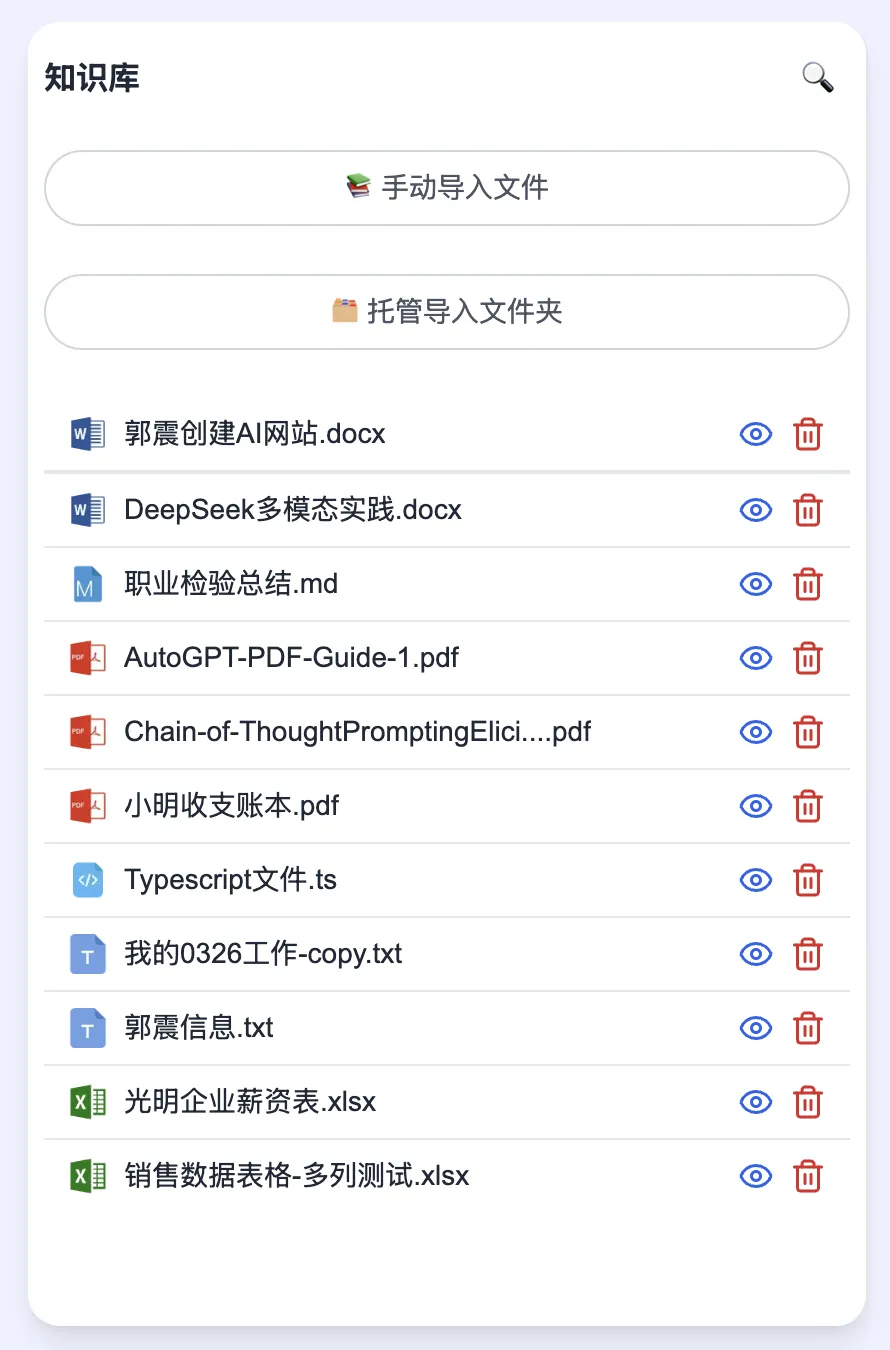
6. Streamlined UI: Default Two-Panel Layout
The personal knowledge base management page now defaults to just two panels—the “Notes Summary” panel is hidden by default (but easily toggled):
7. Dual-Mode Support Coming Soon
We’ll soon offer both the Ultra-Fast Lightweight Edition and the Professional Edition, so users can choose based on their hardware capabilities.
Summary
In summary, DeepSeekMine’s Lightweight & Ultra-Fast Edition delivers these core advantages:
- No vector computation required → lowers hardware barriers, runs smoothly on mainstream laptops and desktops
- Knowledge graph–powered semantic linking, enabling robust local deployment—100% offline, maximum data privacy
- Completely free to use—zero cost to users
Apply This Lesson
Turn this article into AI software, model, API, and security decisions.
English Article FAQ
Use this article as evidence before choosing AI tools
How should I use this AI Tutorials article?
Use it as the implementation or learning layer, then connect the idea to AI software buyer guides, tool comparisons, benchmarks, API choices, and security checks before making a production decision.
Is this English article different from the Chinese original?
The English edition is localized for global AI readers while preserving the original diagrams, screenshots, prompts, code examples, and source context from the Chinese article.
What should I read after DeepSeekMine Lightweight Portable Edition Released for Windows and macOS?
Continue with AI Software Buyer Guides, AI Tools Workbench, Best AI Coding Agents, AI Model Benchmarks, OpenAI vs Anthropic API, or LLM Security Tools depending on the decision you need to make.
Can this article alone choose an AI product or model?
No. Treat the article as evidence and context, then validate fit with pricing, privacy requirements, integration effort, benchmark results, workflow tests, and fallback planning.
Continue