English translation
Automated PDF Chapter Extraction & Summarization
AI Article Decision Snapshot
Turn the lesson into workflow, model, budget, and security checks before choosing tools.
Use this quick snapshot before leaving the article. It keeps the next search tied to practical AI software, model/API, cost, privacy, and implementation questions.
Workflow fit
Identify the real job behind the article: coding, research, document review, support, analytics, content, or internal automation.
Model or tool decision
Decide whether the next step is a software shortlist, an AI tool comparison, an API platform choice, or a model benchmark.
Budget and usage signal
Estimate seats, API calls, prompt volume, retries, review time, and fallback work before assuming the workflow is cheap.
Security and privacy review
Check whether source code, customer data, private documents, prompts, logs, or embeddings will enter the AI workflow.
“Digesting an entire book” doesn’t mean simply uploading a PDF and calling it done. Chapter structure, hierarchical table of contents, page-numbered citations, and question scope all critically influence answer quality. My approach is to first enable the system to locate evidence by chapter, and only then perform summarization and cross-chapter comparisons.
When testing full-book capability, avoid generic questions like “Summarize the book.” Better questions include:
- What is the core argument of Chapter 3?
- Where do Chapters 5 and 7 contradict each other?
- On which page does the term “policy gradient” first appear?
Only such targeted queries reveal whether the system has genuinely read and understood the material—or merely generated vague, surface-level abstractions.
Recently, a reader messaged me via backend support: they uploaded a several-hundred-page e-book to DeepSeek, but received a notification stating “Only the first 30% can be processed.” They asked for help—and shared the screenshot below:
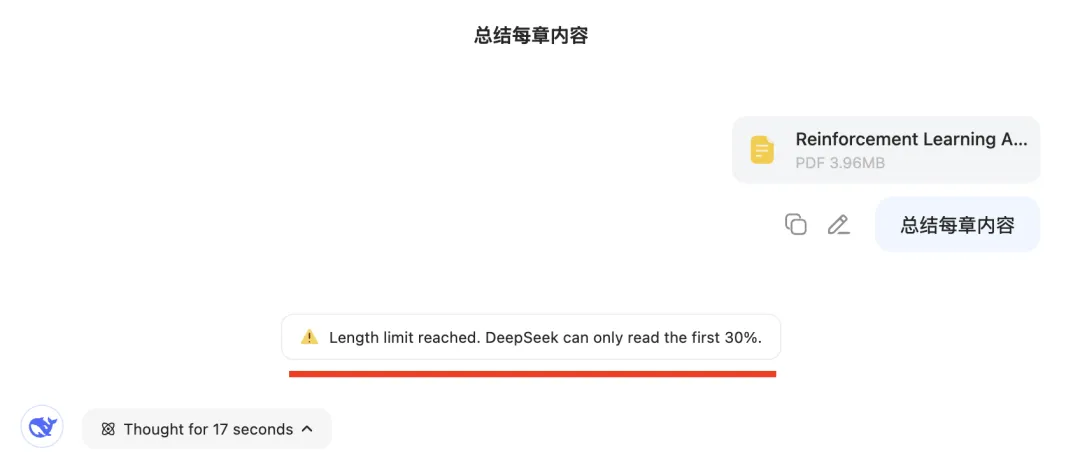
This article addresses that widespread pain point. After at least twenty rounds of iterative experimentation, I’ve finally refined a robust, practical solution. Below, I provide a complete, step-by-step replication guide—including screenshots and code. Total length: 3,059 words, 22 figures.
This solution offers three key advantages:
- Runs entirely locally
- Completely free—zero cost
- Requires no coding whatsoever—even beginners can deploy it effortlessly
Below, I’ll walk you through building and deploying this agent on your own machine—so you can immediately boost your work and study efficiency.
1 Demo: What It Can Do
Built atop DeepSeek-R1, this custom agent is named the “Book-Digesting Agent.” Here’s how it looks in action:
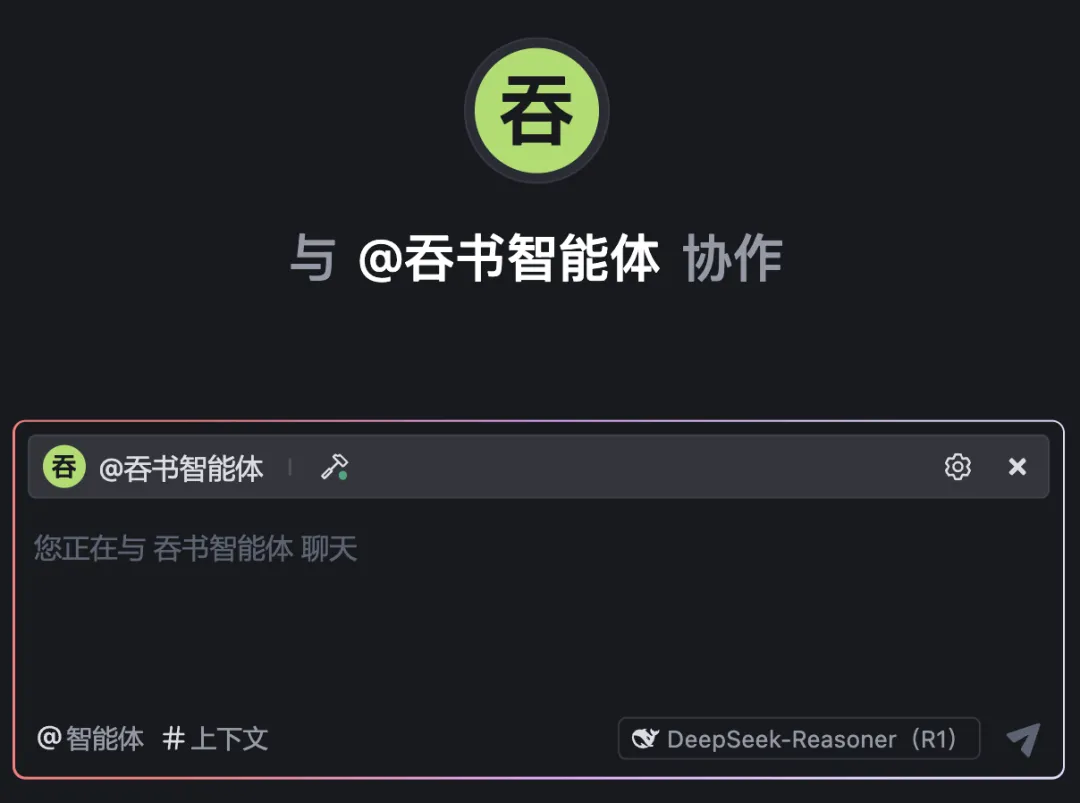
We used Reinforcement Learning (2nd ed.) by Sutton & Barto as our test book:
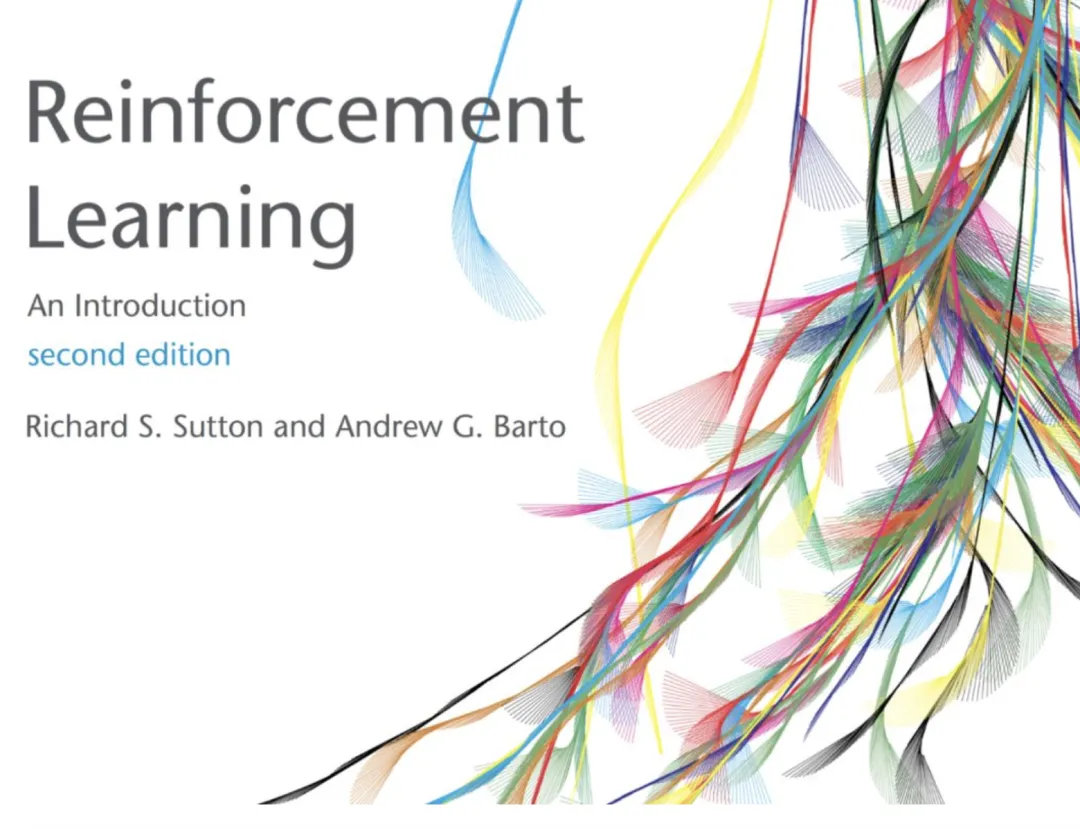
Total length: 338 pages
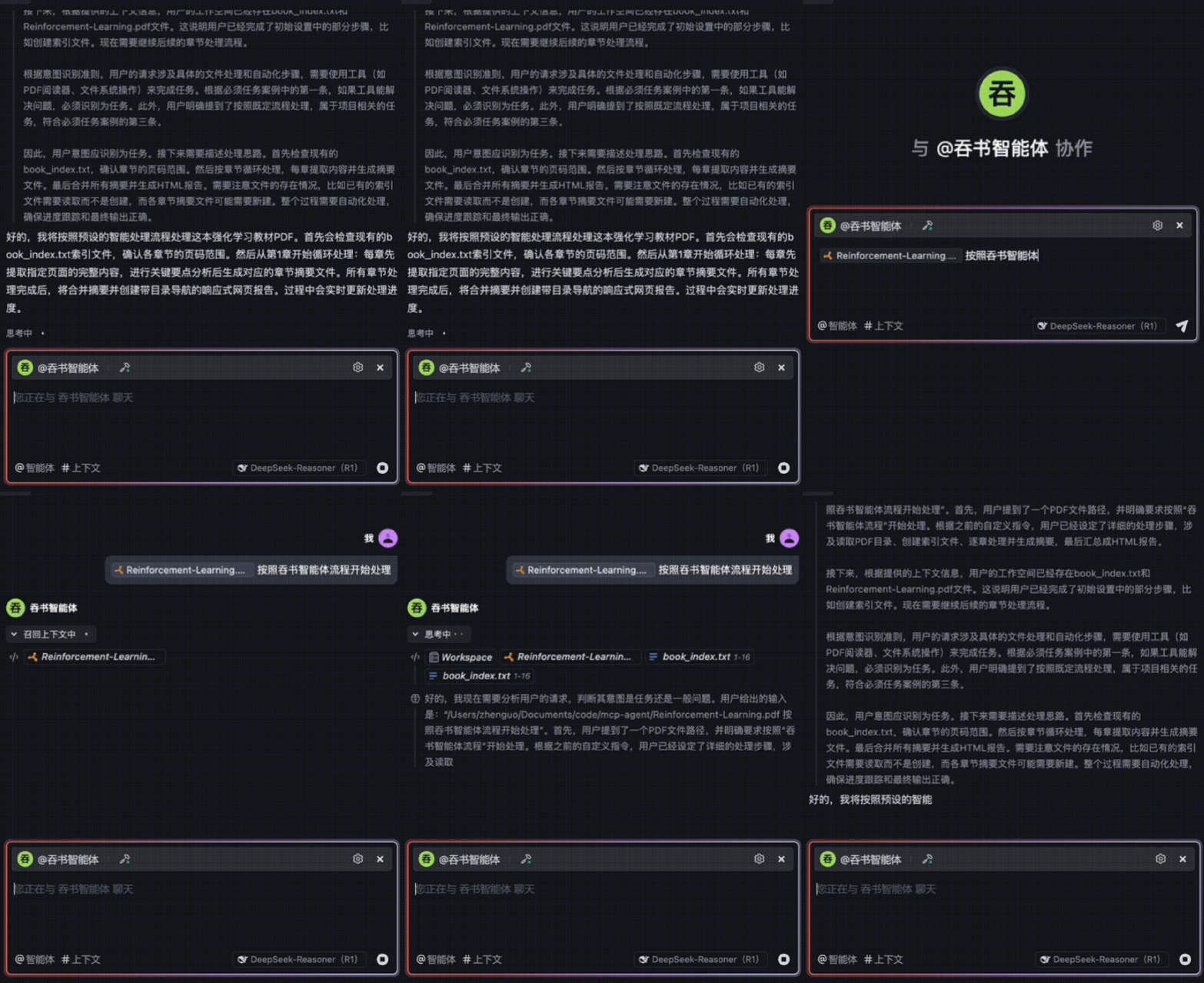
Once imported into the Book-Digesting Agent, processing begins—shown in the GIF below. (Note: Due to WeChat Official Account GIF frame limits, only a few frames are visible.)
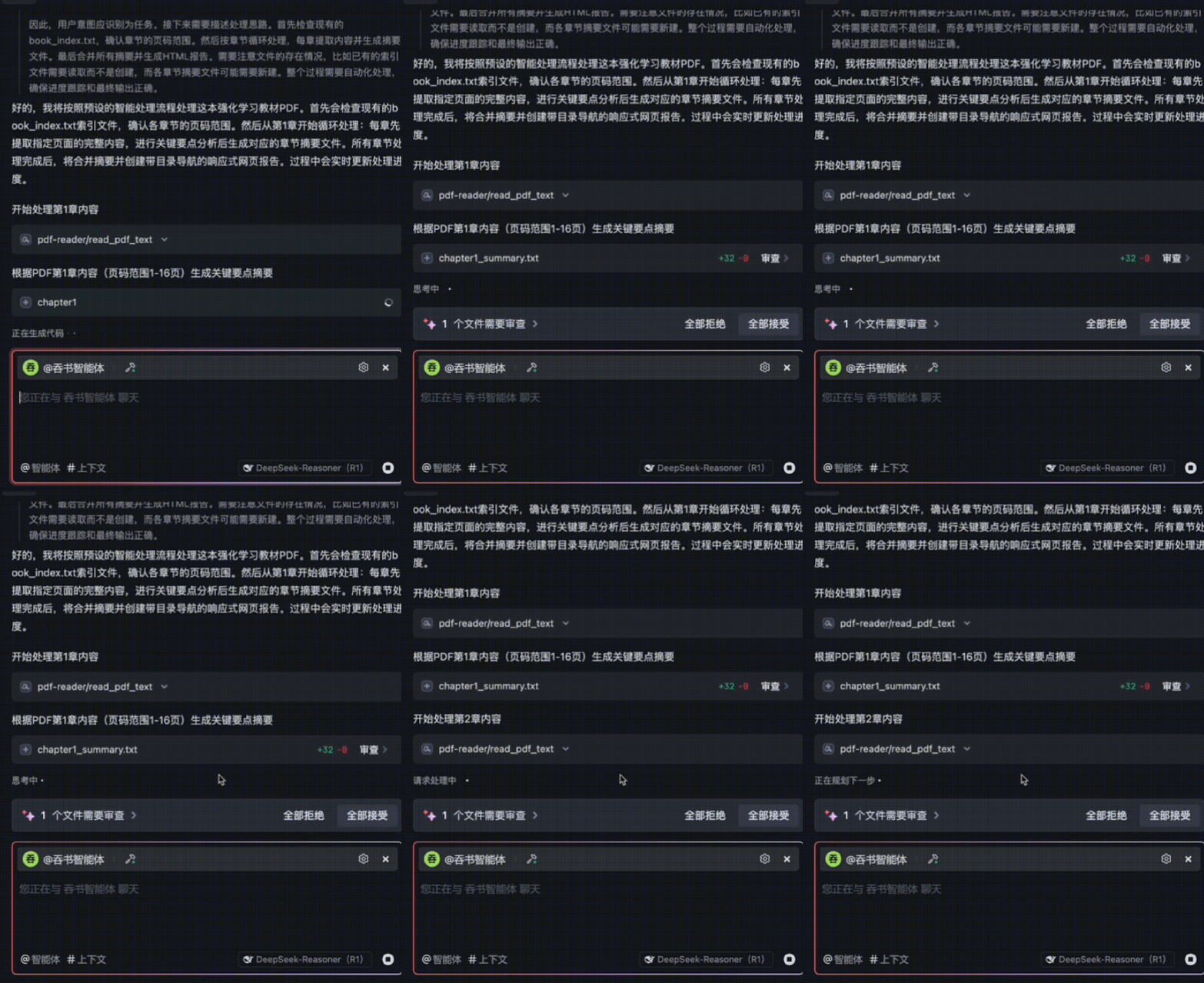
A second GIF demonstrates how, after fully understanding Chapter 1, the agent automatically proceeds to Chapter 2:
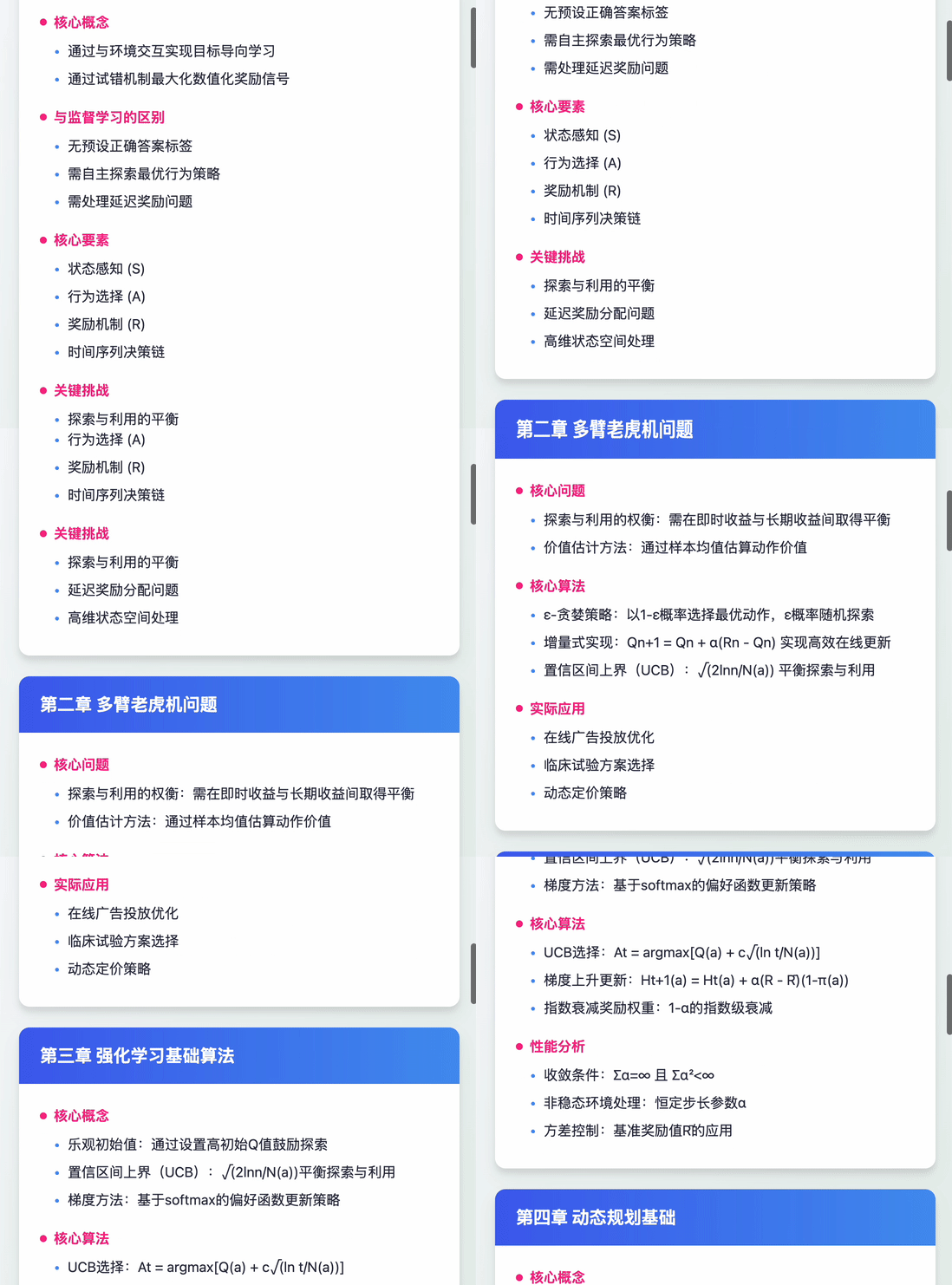
The entire 15-chapter book is processed in ~10 minutes—with fine-grained comprehension. The agent then auto-generates a responsive HTML summary webpage. Below is a GIF preview showing summaries for the first few chapters:
The Book-Digesting Agent automatically generates 15 individual chapter-summary .txt files, as shown here:
Next, I’ll walk you through the full step-by-step construction process—so you can replicate this agent on your own computer.
2 Building the Book-Digesting Agent
During development, I tested multiple IDEs and platforms—including VS Code, Claude, and Trae. Among them, Trae stood out: it delivers best-in-class support for MCP (Model Control Protocol) agents and includes deep optimizations for agent orchestration. Developed by ByteDance, Trae is completely free to use:
Step 1: Install Trae
Visit the official download link: https://sourl.cn/ec5mE2
Download and install Trae locally. Installation is straightforward—just click “Next” repeatedly; no further explanation needed.
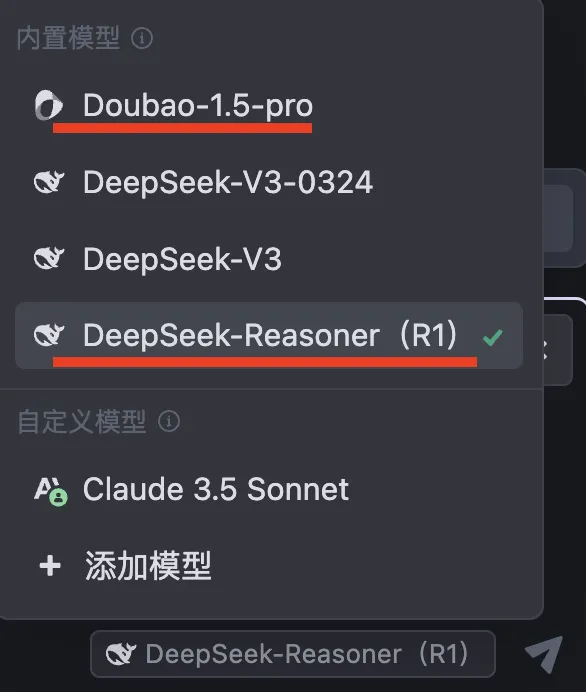
Trae ships with built-in models—including Doubao-1.5-pro and DeepSeek-R1—all freely available:
Step 2: Initialize Your Workspace
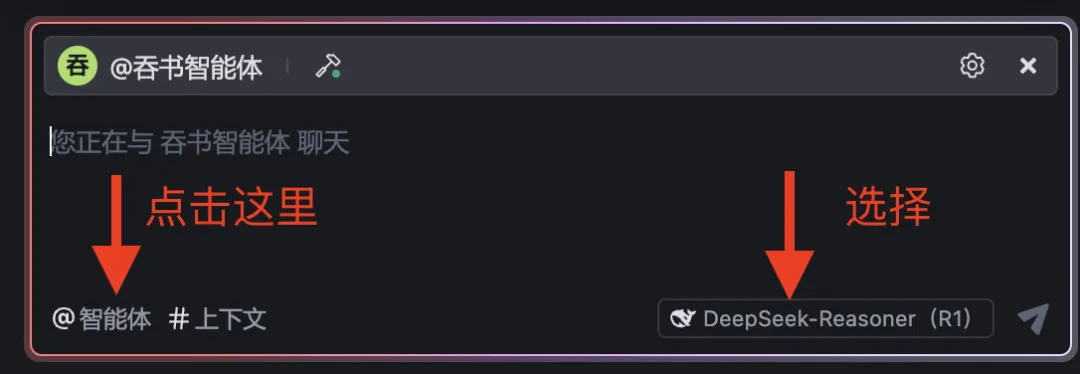
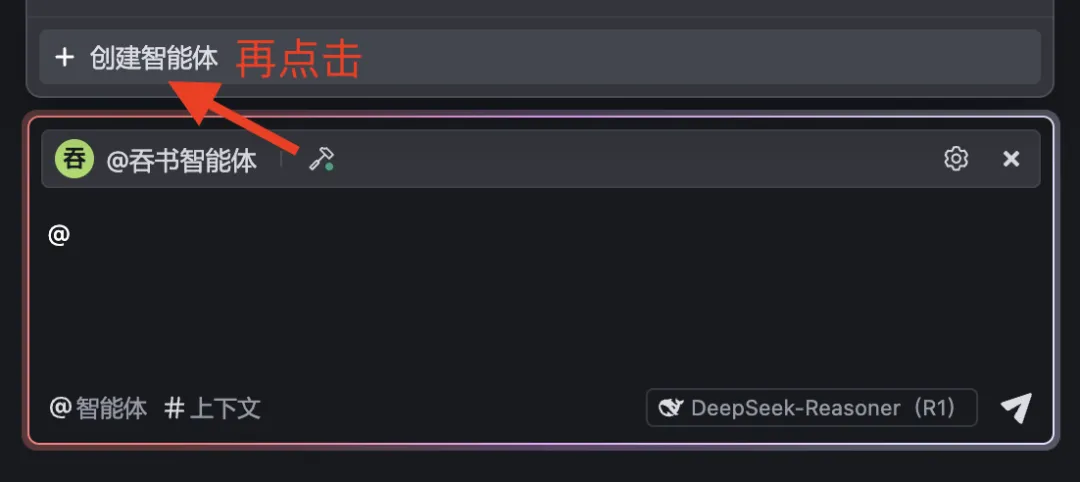
Create a new folder on your local machine, then open it directly in Trae. In the bottom-right corner, select DeepSeek-R1, then click @Agent:
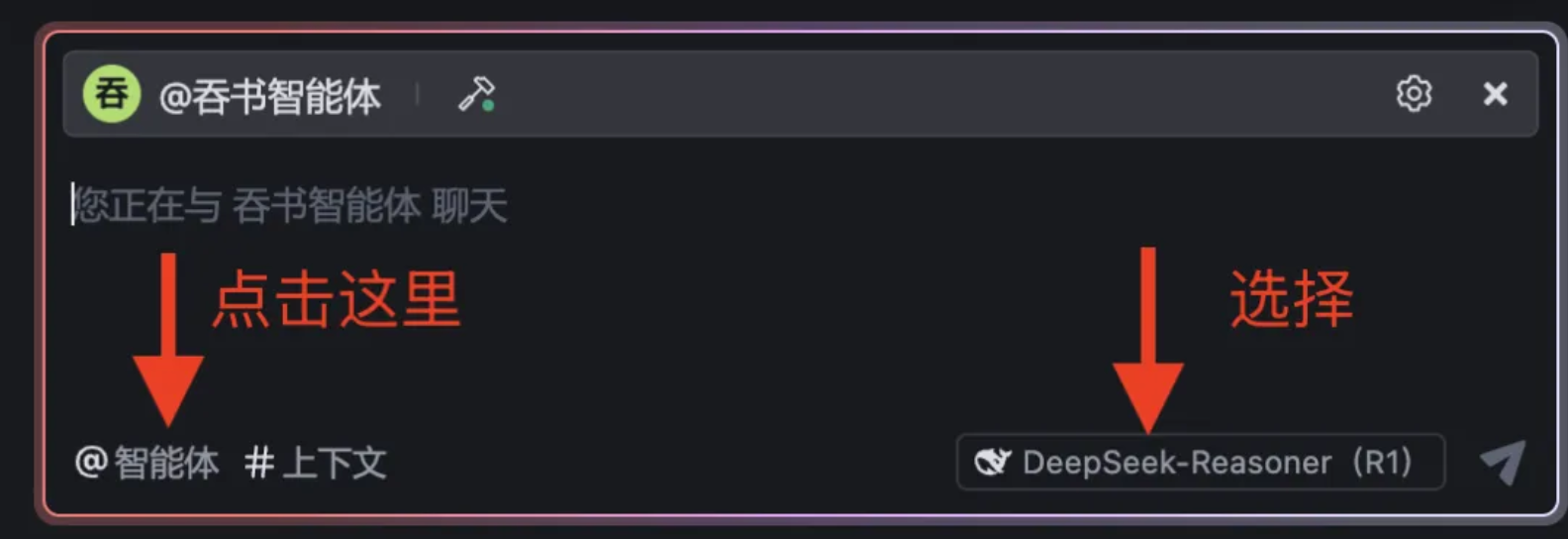
Click again → “Create Agent”:
You’ll see the configuration interface below. Fill in fields 1, 2, and 3 in order. Fields 1 and 2 are critical—the prompt in field 2 defines the agent’s orchestration logic and directly determines accuracy and reliability:
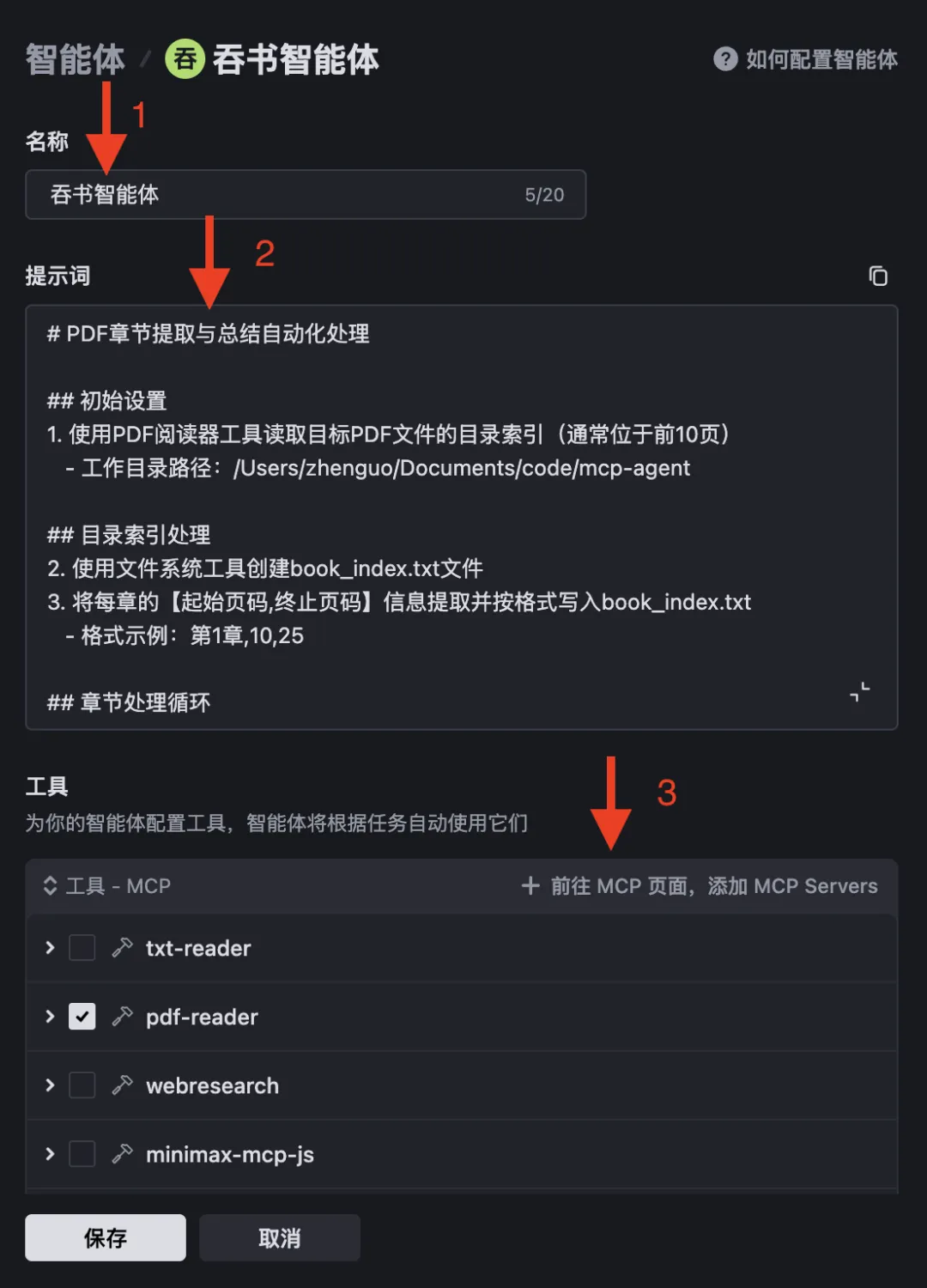
Below is the full prompt—refined over 20+ iterations. I’m sharing it with you verbatim:
# Automated PDF Chapter Extraction & Summarization
## Initial Setup
1. Use a PDF reader tool to extract the document’s table of contents (typically within the first 10 pages)
   - Working directory path: /Users/zhenguo/Documents/code/mcp-agent
## Table-of-Contents Processing
2. Use filesystem tools to create `book_index.txt`
3. Extract and write each chapter’s [start_page, end_page] range into `book_index.txt`, formatted as:
   - Example: Chapter 1,10,25
## Chapter-by-Chapter Processing Loop
4. Starting from Chapter 1, repeat until all chapters are processed:
   a. Read `book_index.txt` to retrieve start/end page numbers for current chapter [i]
   b. Use PDF reader tool with page-range parameters to extract full text of chapter [i]
   c. Analyze chapter [i] content, extract key points, and list them explicitly (ensuring no critical information is omitted)
   d. Use filesystem tools to create `chapter[i]_summary.txt`
   e. Write chapter [i]’s key-point summary into `chapter[i]_summary.txt`
   f. Output clear progress status: "Completed Chapter [i]; preparing to process Chapter [i+1]"
## Aggregation & Presentation
5. Verify all chapters have been processed
6. Sequentially read and concatenate all `chapter[i]_summary.txt` files
7. Write merged content into `summary_results.txt`
8. Convert `summary_results.txt` into a responsive HTML webpage:
   - Apply polished layout and styling
   - Include interactive table-of-contents navigation
   - Ensure mobile-friendly rendering
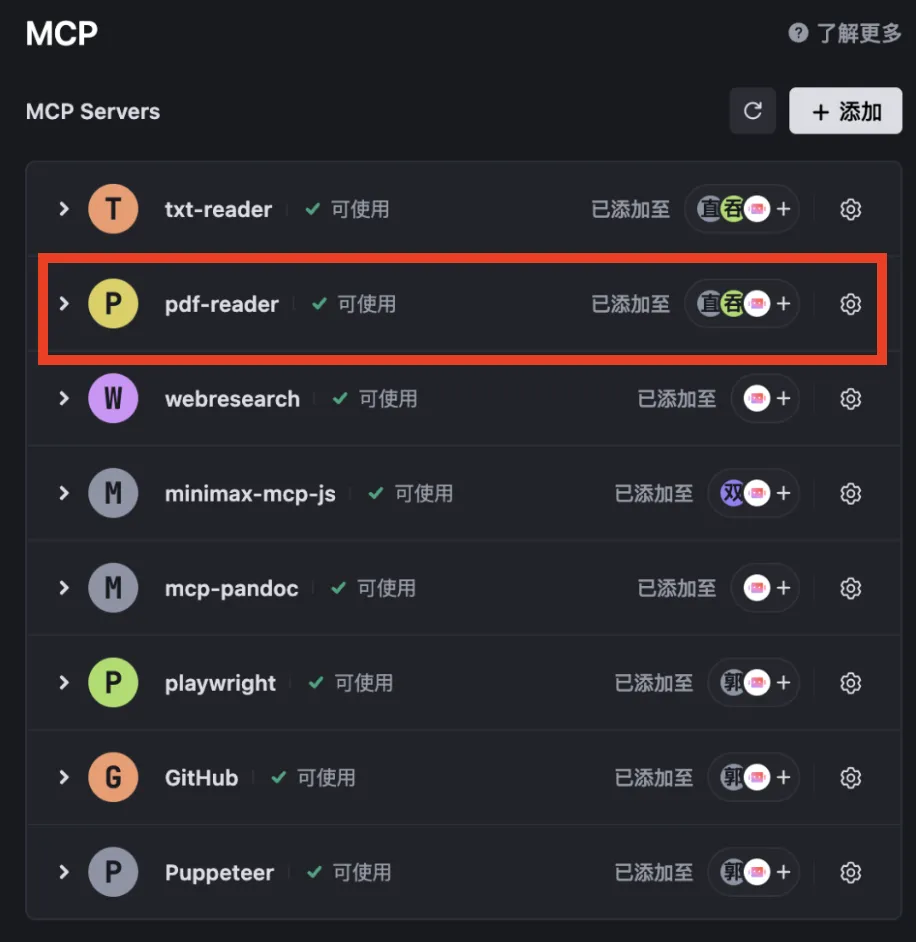
Then click 3 → MCP Servers to add required MCP servers. You’ll land on the interface below. The first two servers shown are custom ones I deployed locally; the rest are configured via Trae.
For this project, we primarily use pdf-reader—a custom MCP server I built and fully open-sourced. Click the “Add” button shown below:
You’ll land on the next screen—click “Manual Configuration”:
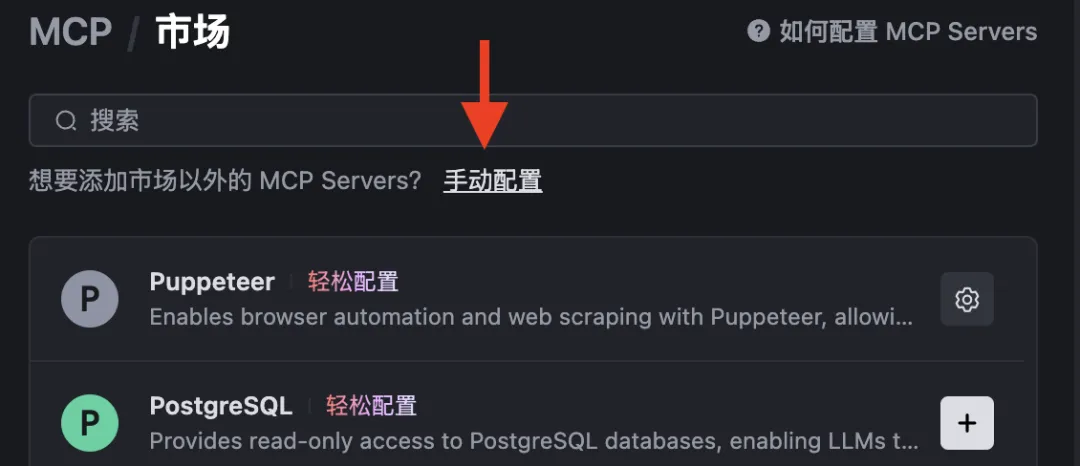
Paste the JSON snippet below directly into the configuration dialog:
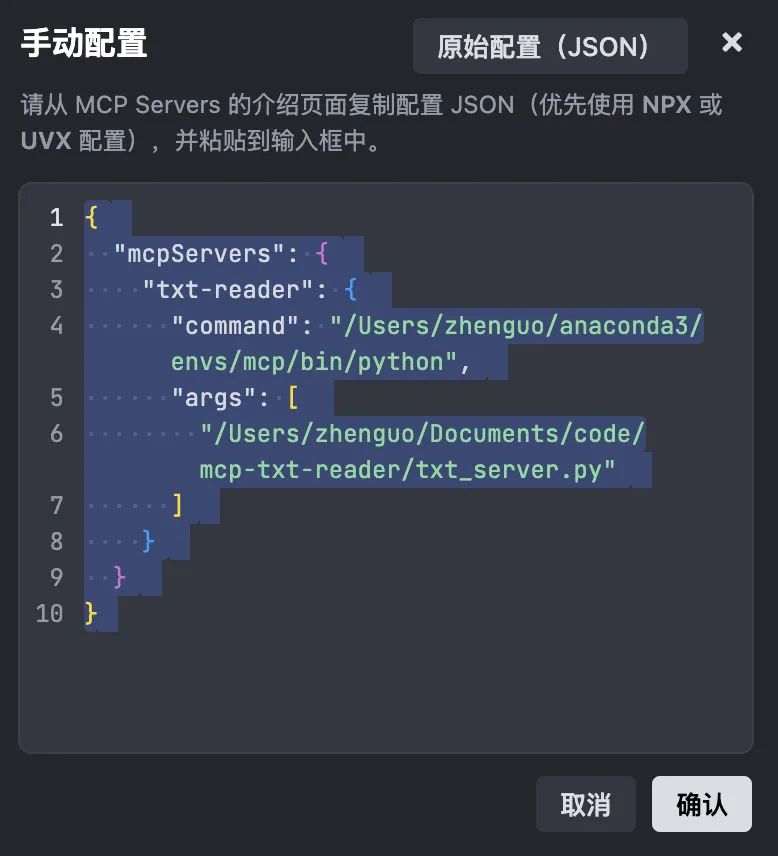
JSON (text version):
{ "mcpServers": { "txt-reader": { "command": "/Users/zhenguo/anaconda3/envs/mcp/bin/python", "args": [ "/Users/zhenguo/Documents/code/mcp-txt-reader/txt_server.py" ] } }}
Click Confirm, then click the refresh icon (→). Initially, it will error—because you haven’t yet placed the required code files in the specified directory. Remember to update the file paths in the JSON above to match your local environment:
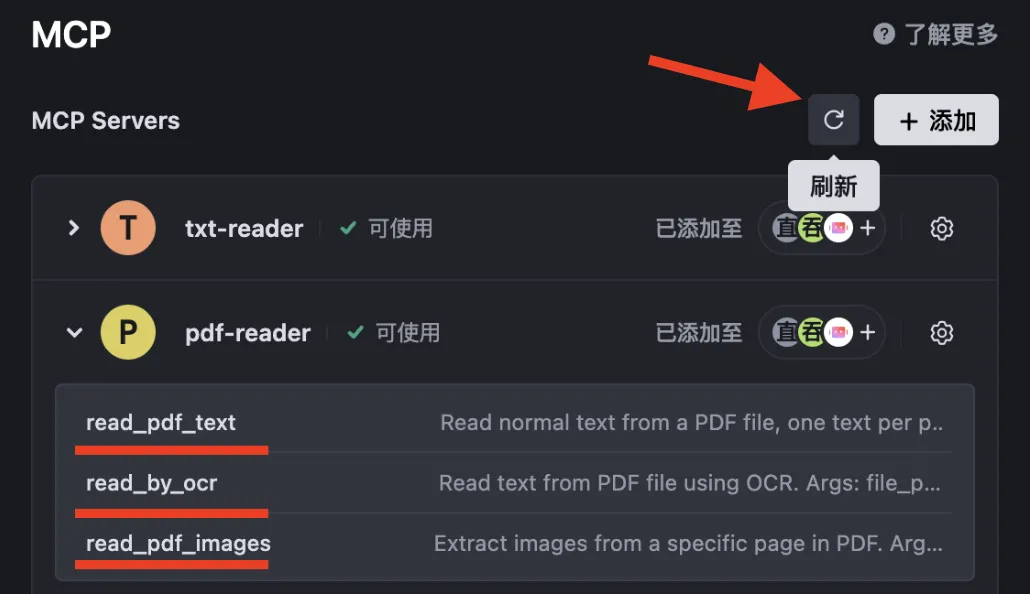
Once code files and paths are correctly set up, refreshing will succeed—and you’ll see pdf-reader appear. Because it implements the MCP protocol, it integrates seamlessly into Trae and exposes three tools:
read_pdf_textread_by_ocrread_pdf_images
Full source code is open-sourced on GitHub:
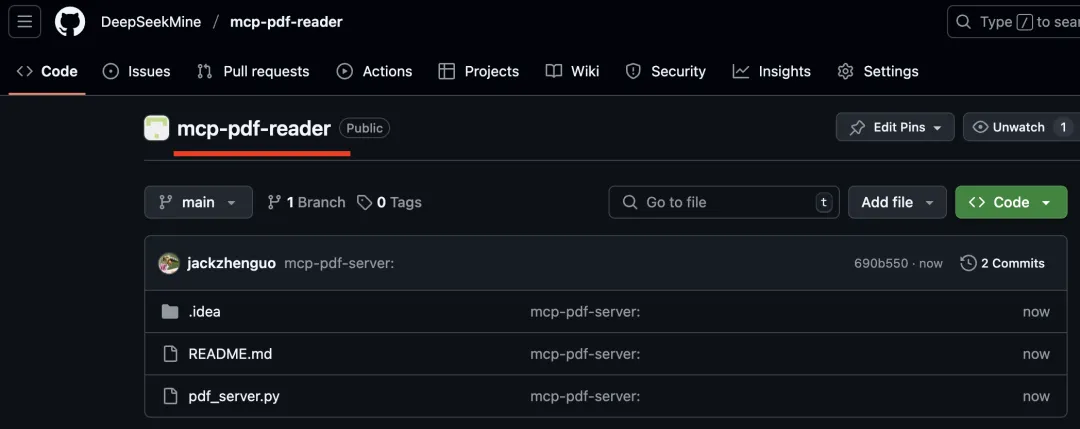
Repository URL: https://github.com/DeepSeekMine/mcp-pdf-reader
3 How the Book-Digesting Agent Works with DeepSeek
Why doesn’t DeepSeek natively support ingesting a 500-page book in one go? Two fundamental constraints:
- Input-length limitation: Transformer architectures cannot accommodate arbitrarily long sequences—exceeding context window capacity causes truncation or failure.
- Computational explosion: Even if technically feasible, attention complexity scales as O(n²). Doubling input length quadruples memory and compute demands—far beyond current hardware limits.
Some readers may have heard claims like “supports 1M/2M token context.” In practice, these rely on engineering trade-offs—sparse attention, chunking, local focus mechanisms—that inevitably sacrifice precision. As illustrated below:

So rather than chasing theoretical maximums, a smarter strategy is to tailor solutions to concrete tasks. This article leverages Trae’s agent orchestration to break the book into chapters—each well within mainstream LLM context windows (e.g., DeepSeek-R1’s 128K tokens).
Thus, our multi-agent solution achieves high-fidelity, chapter-by-chapter analysis and summarization—with these capabilities:
- Lossless precision: Each chapter is summarized independently and saved to its own
.txtfile—fully automated, no manual intervention required:
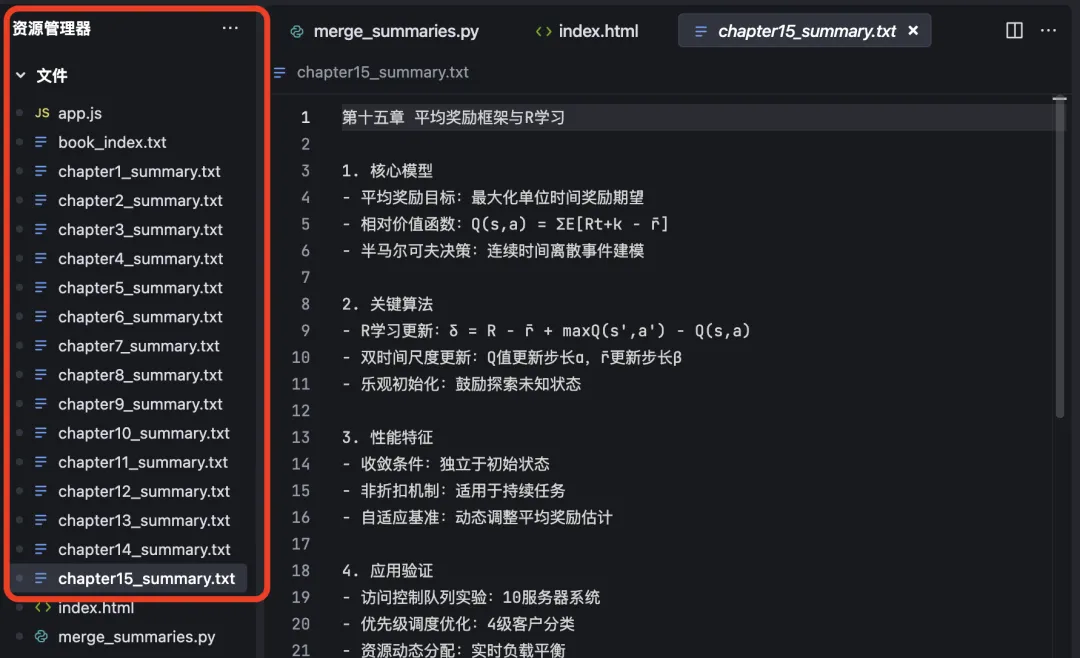
- Automatic TOC parsing: Accurately extracts chapter start/end page numbers:
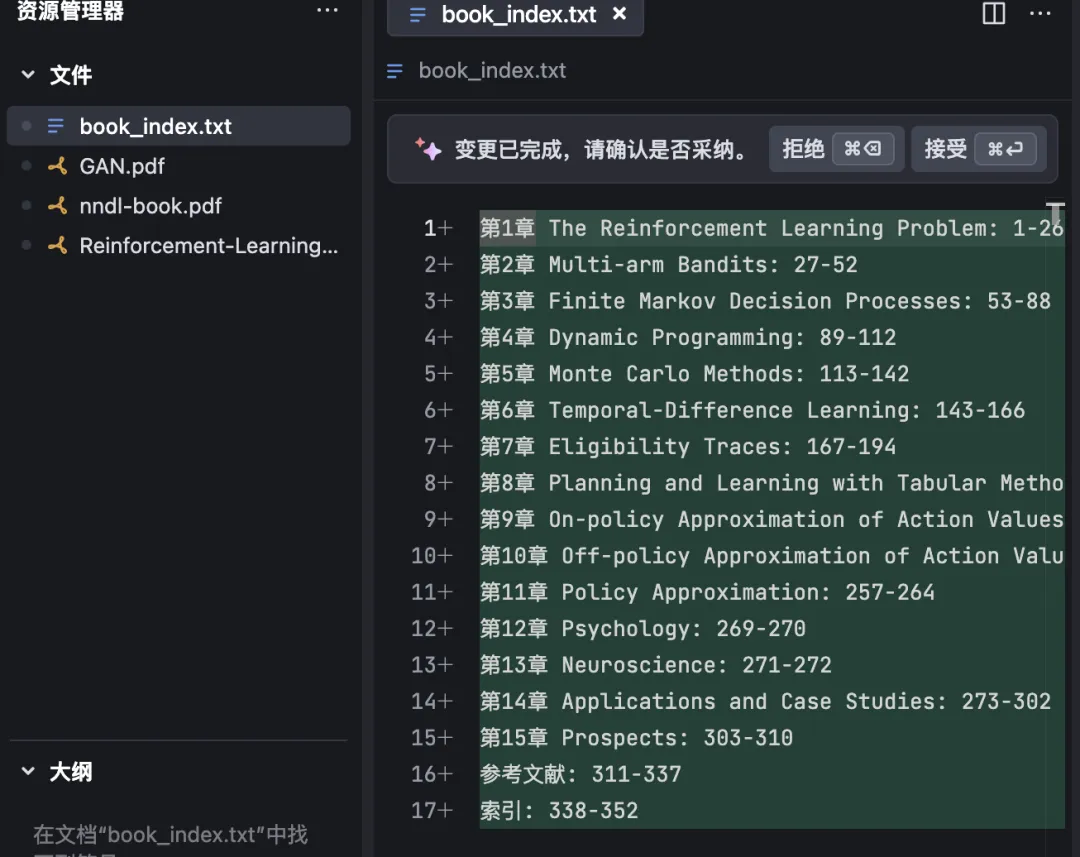
- High scalability: Handles books of arbitrary length—even 1,000+ pages—with consistent performance.
That said, this solution isn’t perfect. During execution, you may occasionally encounter:
“Maximum reasoning steps reached. Please type ‘Continue’ to proceed.”
As shown below—you’ll need to manually enter “Continue” to resume:
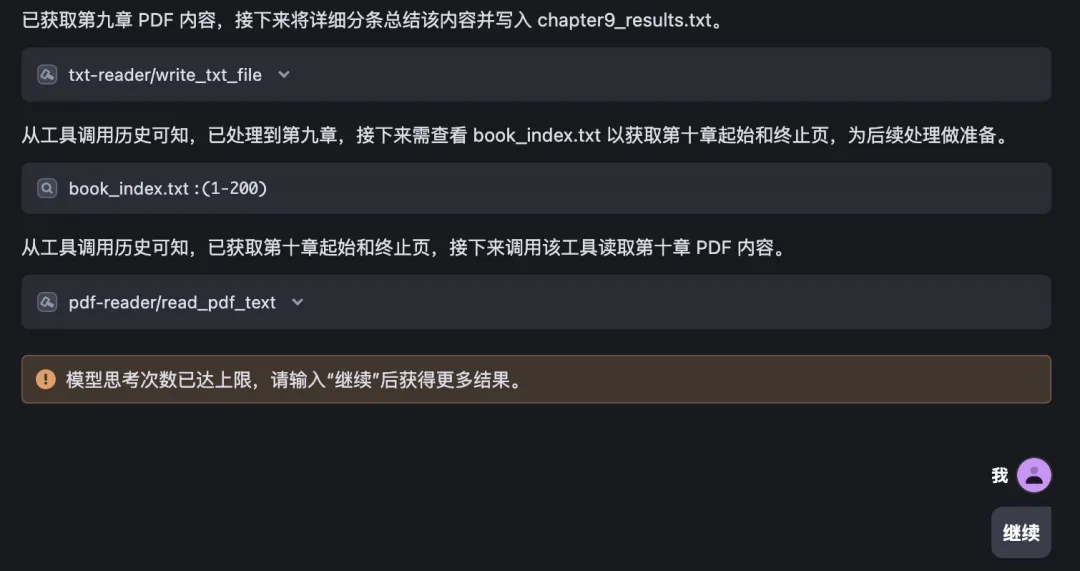
In Summary
This article solves a common, frustrating bottleneck: large language models’ inability to accurately analyze and summarize entire books.
One-sentence takeaway: We combine Trae + multi-agent orchestration + chapter-wise prompt engineering to achieve precise, scalable book digestion.
Trae is free to use—not only via @Agent invocation, but also via #document to instantly load local files. Its UX is intuitive and highly productive.
And yes—Trae costs absolutely nothing.
If you’re interested, download Trae now and follow the steps above. All code is pre-configured and fully reproducible—you’ll have your own Book-Digesting Agent running locally in no time.
Apply This Lesson
Turn this article into AI software, model, API, and security decisions.
English Article FAQ
Use this article as evidence before choosing AI tools
How should I use this AI Tutorials article?
Use it as the implementation or learning layer, then connect the idea to AI software buyer guides, tool comparisons, benchmarks, API choices, and security checks before making a production decision.
Is this English article different from the Chinese original?
The English edition is localized for global AI readers while preserving the original diagrams, screenshots, prompts, code examples, and source context from the Chinese article.
What should I read after Automated PDF Chapter Extraction & Summarization?
Continue with AI Software Buyer Guides, AI Tools Workbench, Best AI Coding Agents, AI Model Benchmarks, OpenAI vs Anthropic API, or LLM Security Tools depending on the decision you need to make.
Can this article alone choose an AI product or model?
No. Treat the article as evidence and context, then validate fit with pricing, privacy requirements, integration effort, benchmark results, workflow tests, and fallback planning.
Continue