English translation
33 Ways to Stop DeepSeek from Hallucinating
AI Article Decision Snapshot
Turn the lesson into workflow, model, budget, and security checks before choosing tools.
Use this quick snapshot before leaving the article. It keeps the next search tied to practical AI software, model/API, cost, privacy, and implementation questions.
Workflow fit
Identify the real job behind the article: coding, research, document review, support, analytics, content, or internal automation.
Model or tool decision
Decide whether the next step is a software shortlist, an AI tool comparison, an API platform choice, or a model benchmark.
Budget and usage signal
Estimate seats, API calls, prompt volume, retries, review time, and fallback work before assuming the workflow is cheap.
Security and privacy review
Check whether source code, customer data, private documents, prompts, logs, or embeddings will enter the AI workflow.
Reducing model hallucinations isn’t as simple as telling it “don’t fabricate.” Far more effective strategies include: • Providing reliable source materials, • Requiring explicit citation of sources, • Allowing the model to decline answering when no valid evidence exists, and • Routing high-stakes answers to human review.
Hallucination is fundamentally a system design issue—not merely a prompt engineering problem.

Prepare a set of out-of-knowledge-base questions to test whether the model honestly admits ignorance when answers aren’t supported by its sources. This test is critical: in knowledge-base Q&A, the greatest risk isn’t slow response—it’s confidently asserting falsehoods without any grounding.
Recently, we received numerous backend comments. Today’s article addresses a widespread concern users have raised: AI-generated content often feels too unreliable for formal use—sometimes outright fabricating facts. Consider this real example:
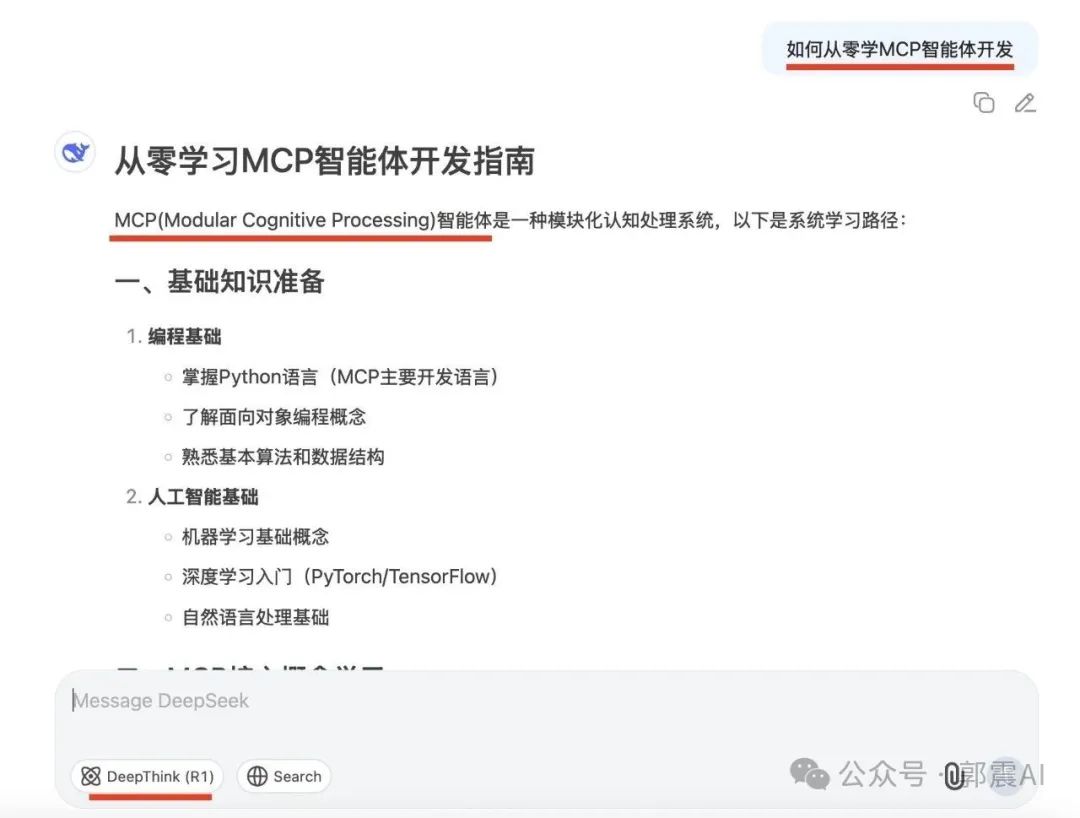
When asked “How to develop an MCP agent from scratch using DeepSeek-R1?”, the model’s very first sentence misidentifies “MCP” as Modular Cognitive Processing. In reality, the correct full name is Model Context Protocol. With such a foundational misunderstanding, the rest of the response becomes meaningless.
Large language models occasionally produce confident-sounding but entirely fabricated statements—a phenomenon known professionally as hallucination (English term: Hallucination). The most effective current solution can be summarized in one sentence:
Use retrieval-augmented generation (RAG) to ground responses in verified, real-world sources—reducing errors and fabrication while boosting credibility.
Therefore, for formal applications—such as drafting professional documents—the most reliable approach is always: Search + Generate.
Several large-model platforms now support this capability—including Tongyi Qwen (Qwen), WenXiaoBai AI (“Ask Xiao Bai”), and DeepSeek’s official site (though its search function is sometimes unavailable). Among these, WenXiaoBai AI is our most frequently used tool: intuitive, minimalist, and delivering results with exceptional clarity. Below, we walk through how to use it.
1. AI Search
Step 1: Visit https://www.wenxiaobai.com/
You’ll land on the homepage shown below:

No login required—just start typing your question directly into the input box. Click the “AI Search” button (highlighted in the image above):

Then select “Deep Thinking (R1)”, where you’ll find three fully capable, free-to-use models:

We’ll use Deep Thinking (R1). Enter the same query: “How to learn MCP agent development from scratch?”, then press Enter:

The model begins by retrieving relevant web pages before generating any answer. As shown, it fetches 80 related pages, completing the search and analysis in 18 seconds:

That’s right—80 web pages digested and synthesized in under 20 seconds. Only machines can do that. Let’s first verify whether the model correctly identifies the full form of “MCP.” As seen below, it does—accurately:
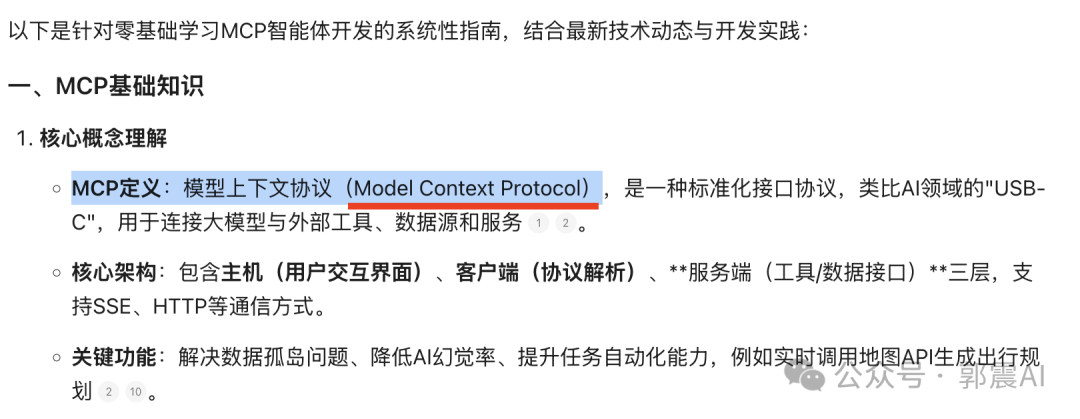
Notice superscript numbers (e.g., “¹”, “²”) appended to certain paragraphs. These indicate specific source pages cited in the response. Hover your mouse over “¹”, and a tooltip appears showing the source URL and excerpt:

Click that tooltip—and you’re instantly navigated to the original webpage:
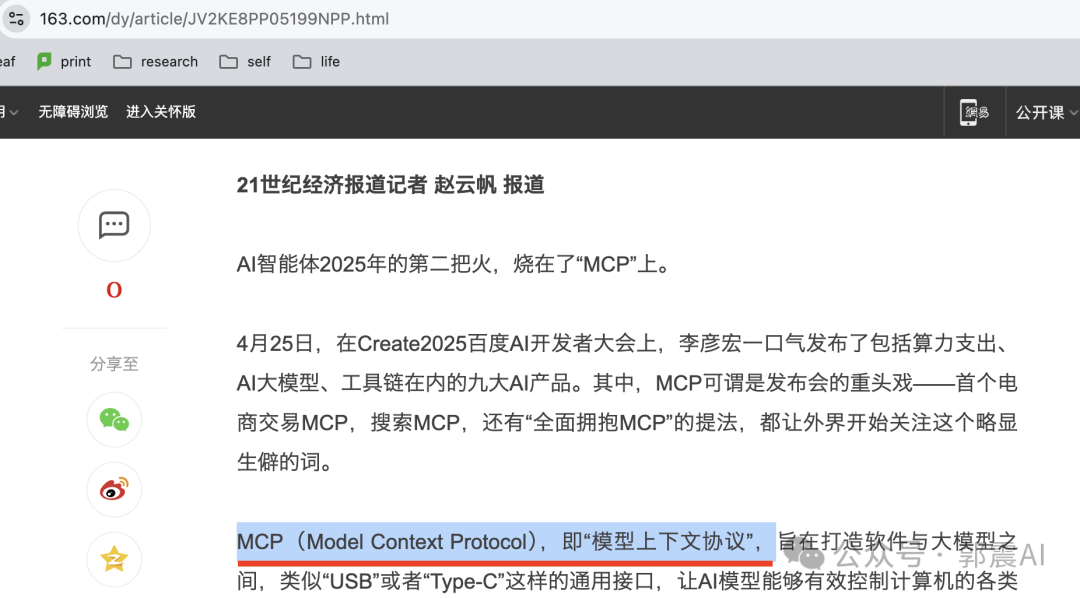
As the screenshot confirms, the webpage explicitly states the correct full name of MCP—and ranks highly for semantic relevance to our query. That’s why it was selected among the top 80 references.
The core principle behind AI Search is illustrated below: user queries are converted into semantic vectors, matched against a massive web corpus, and the highest-scoring passages are retrieved to guide the LLM’s reasoning:

After selecting the top 80 pages, the LLM applies its reasoning capabilities to synthesize them. Click “View Reasoning Process” to see exactly how it analyzes and consolidates those sources:

The final output is thus well-grounded and logically structured—as demonstrated in this GIF (frame-limited for platform constraints; only initial frames shown):
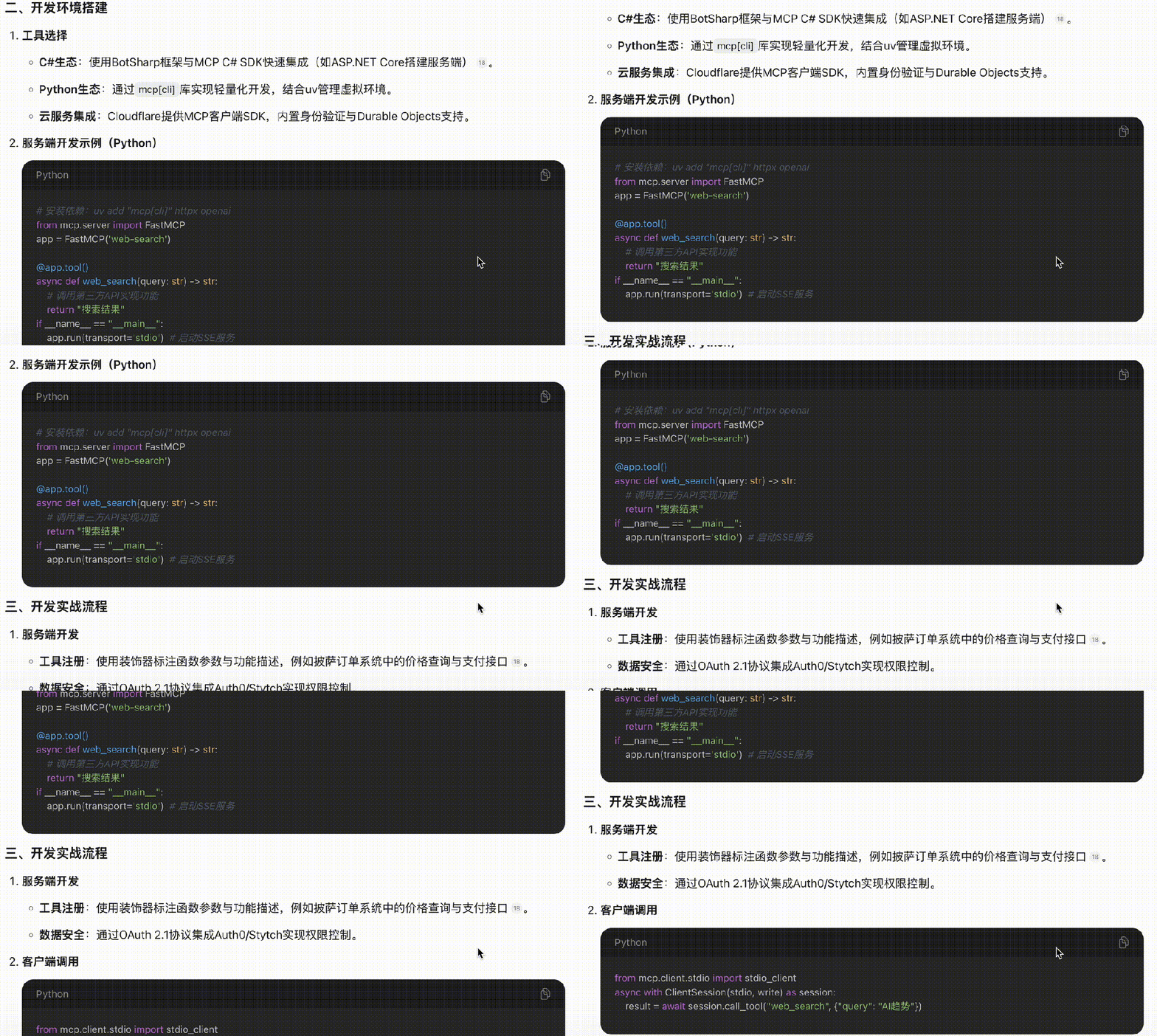
Recently, WenXiaoBai added a new feature: one-click conversion of answers into polished, publication-ready webpages—click the red-highlighted button shown below:

The generated webpage supports full-screen preview:

Clicking the button produces a clean, unedited HTML page—ready for immediate use or sharing:

WenXiaoBai’s AI Search effectively solves the hallucination problem highlighted at the start of this article. For formal use cases, always activate AI Search—ensuring outputs are rigorous, traceable, and minimally error-prone.
2. Academic Search
Another common hallucination pattern occurs among students and researchers: AI inventing fake citations. A widely reported 2023 study found that 50% of AI-generated references simply did not exist:

This issue deeply concerns many students—and the solution lies in adopting tools that combine academic search with AI-assisted synthesis. WenXiaoBai’s Academic Search is one such tool—we use it regularly for literature discovery. Here’s how:
Step 1: Click the arrow-indicated location to switch to Academic Search:

Enter your research query—for example: “How do multi-agent systems enhance LLM reasoning performance in 2025?”

Within 25 seconds, it retrieves 39 relevant papers, displayed as follows:

Click the result panel to expand and view categorized literature types:

Click again to open the full list of 39 papers—here’s a sample of retrieved Chinese-language publications:

It also indexes English-language sources—including arXiv, IEEE, and other major repositories:

As shown, results display rich metadata: title, publication year, citation count, authors, journal/conference, DOI, and more.
A particularly convenient feature: click any paper title—and you’re taken directly to its PDF-hosting page:
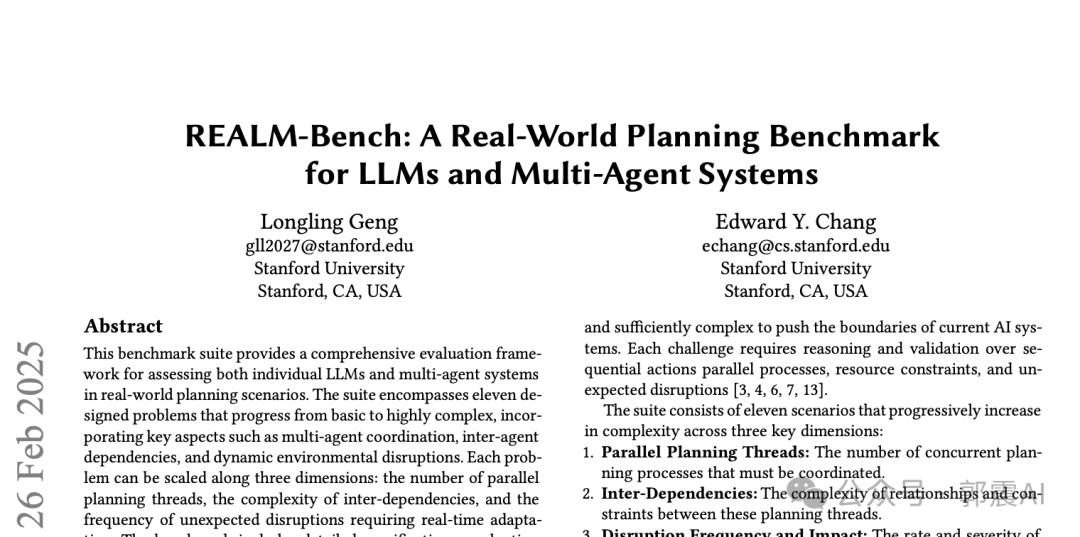
Based on recent usage, WenXiaoBai’s academic database is impressively comprehensive—covering arXiv, Science, Nature, and other top-tier journals.
Finally, here’s a partial screenshot of its synthesized answer:
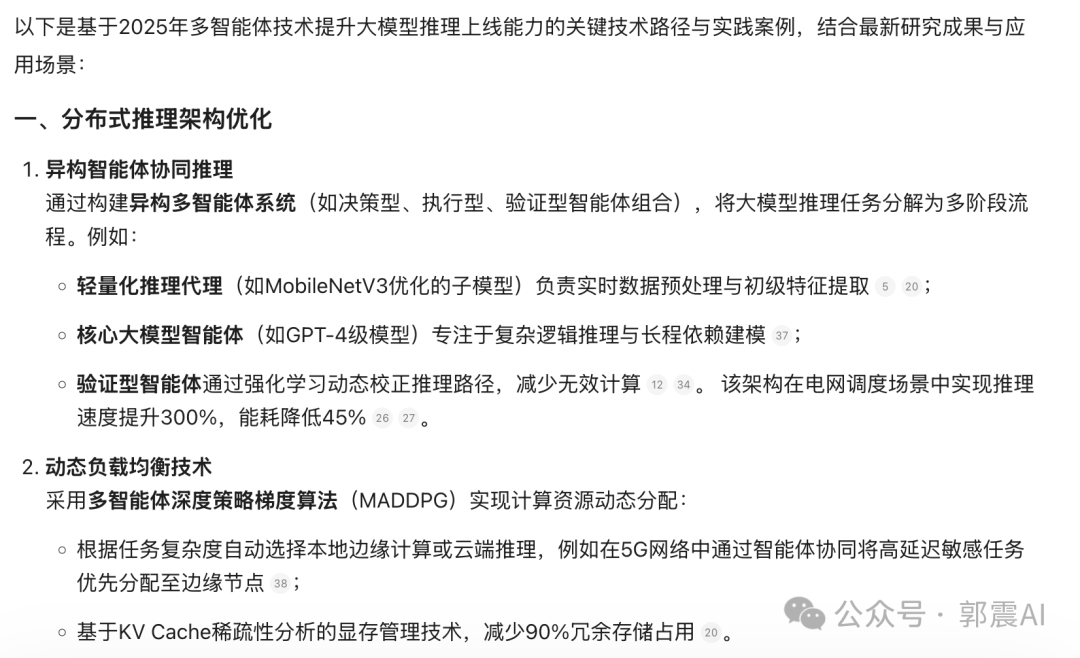
Convert it to HTML, save it locally—and later, retrieve all related papers instantly via that single file. No more scattered tabs or lost links.
3. Summary & Key Takeaways
The issue discussed today is one many users encounter—but often overlook: outputs that sound authoritative yet contain fundamental inaccuracies.
The solution? One concise principle:
Always pair search with generation—so every AI answer is grounded in verifiable evidence.
We’ve tested numerous platforms—and consistently rely on WenXiaoBai AI. This article details how we apply it specifically to mitigate hallucination.
Beyond reducing fabrication, WenXiaoBai’s AI Search automatically generates elegant, ready-to-share webpages—ideal for professional settings demanding precision and polish.
Its Academic Search offers deep coverage of scholarly literature, complete with source attribution and direct PDF access—making it indispensable for students and researchers.
Additionally, WenXiaoBai provides “Xiao Bai Research Reports”: enter a single sentence, and it generates in-depth reports, long-form articles, or even academic-paper drafts. Bonus: sign in daily for free coins. Try it at https://www.wenxiaobai.com/
Both AI Search and Academic Search are completely free—no cost, no credit card required. For similar use cases, click “Read Original Article” to get started immediately.
This article contains 2,680 words and 24 figures. If you found it helpful, please consider: ✅ Following this account ✅ Liking, sharing, and bookmarking (the “three-click” support!) ⭐️ And adding a star rating—if you’d like to show extra appreciation.
Thank you for reading—and see you in the next post!
Apply This Lesson
Turn this article into AI software, model, API, and security decisions.
English Article FAQ
Use this article as evidence before choosing AI tools
How should I use this AI Tutorials article?
Use it as the implementation or learning layer, then connect the idea to AI software buyer guides, tool comparisons, benchmarks, API choices, and security checks before making a production decision.
Is this English article different from the Chinese original?
The English edition is localized for global AI readers while preserving the original diagrams, screenshots, prompts, code examples, and source context from the Chinese article.
What should I read after 33 Ways to Stop DeepSeek from Hallucinating?
Continue with AI Software Buyer Guides, AI Tools Workbench, Best AI Coding Agents, AI Model Benchmarks, OpenAI vs Anthropic API, or LLM Security Tools depending on the decision you need to make.
Can this article alone choose an AI product or model?
No. Treat the article as evidence and context, then validate fit with pricing, privacy requirements, integration effort, benchmark results, workflow tests, and fallback planning.
Continue